Zagorulko Category Filters For HUSKY Wordpress Plugin - Rating, Reviews, Demo & Download
Plugin Description
Zagorulko Category Filters for HUSKY is a powerful extension for the HUSKY – WooCommerce Products Filter Professional (formerly WOOF). It allows you to tailor the shopping experience by showing only relevant filters on specific category pages.
By default, HUSKY displays all enabled filters across every product category. This can lead to a cluttered and confusing sidebar for your customers. For example, showing “RAM Size” filters while a customer is browsing “Footwear” is unnecessary and distracting.
This plugin solves that problem by allowing you to assign specific filters to each product category. You can also define Global Filters that remain visible across all categories, ensuring a clean, focused, and professional shopping interface.
Features
- Category-Specific Filters: Choose exactly which filters appear for each WooCommerce category.
- Global Filters: Set filters that should always be visible, regardless of the category being viewed.
- Intelligent Inheritance: Subcategories automatically inherit filter settings from their parent categories, simplifying configuration.
- Shop Page Customization: Define a unique set of filters for the main WooCommerce Shop page.
- Performance Optimized: Uses WordPress Object Cache to ensure fast loading times and minimal database impact.
- Multilingual Support: Fully compatible with WPML and Polylang for international e-commerce stores.
- Import/Export Tools: Easily migrate your filter configurations between development and production environments.
Screenshots
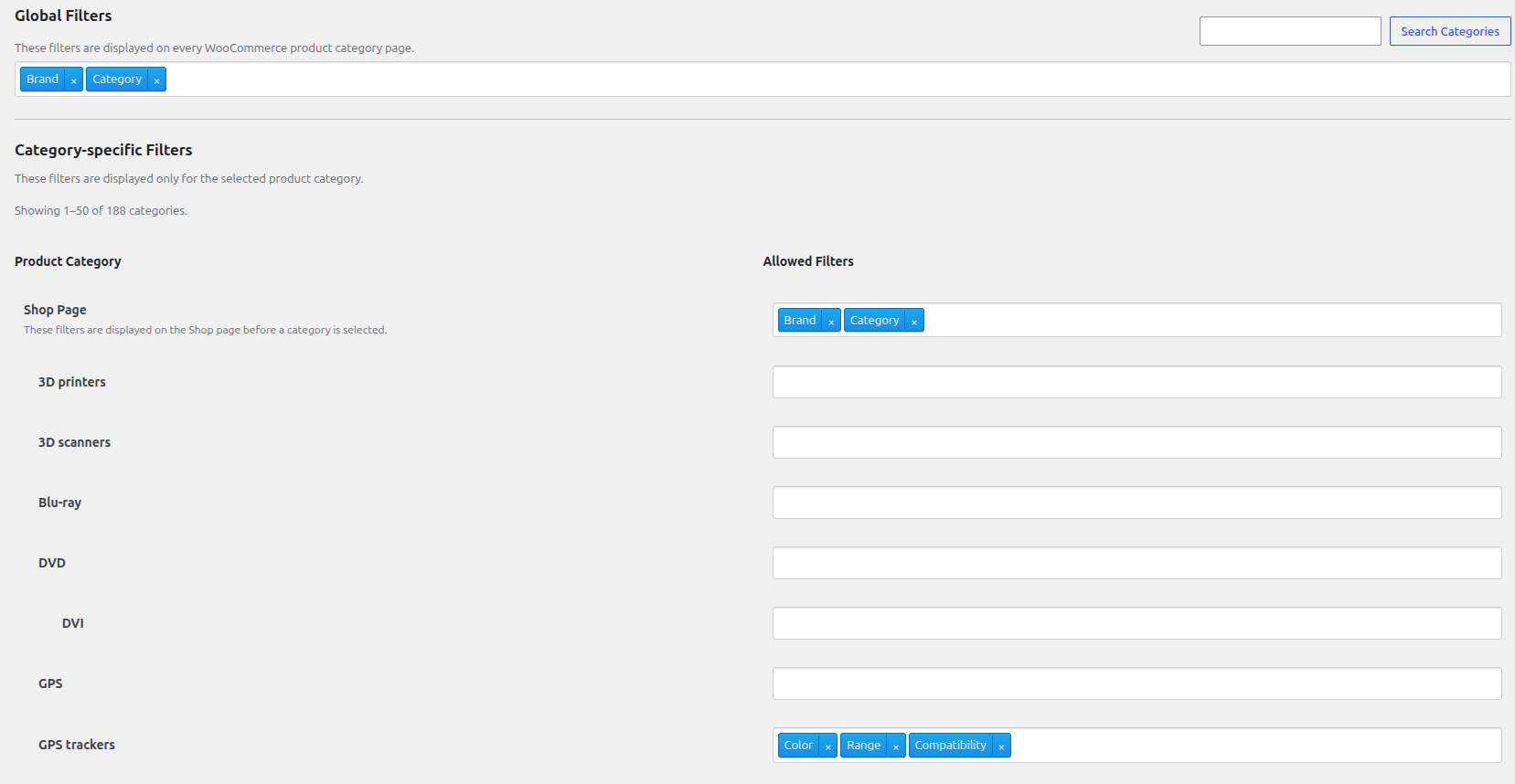
The main settings page where you assign filters to categories.
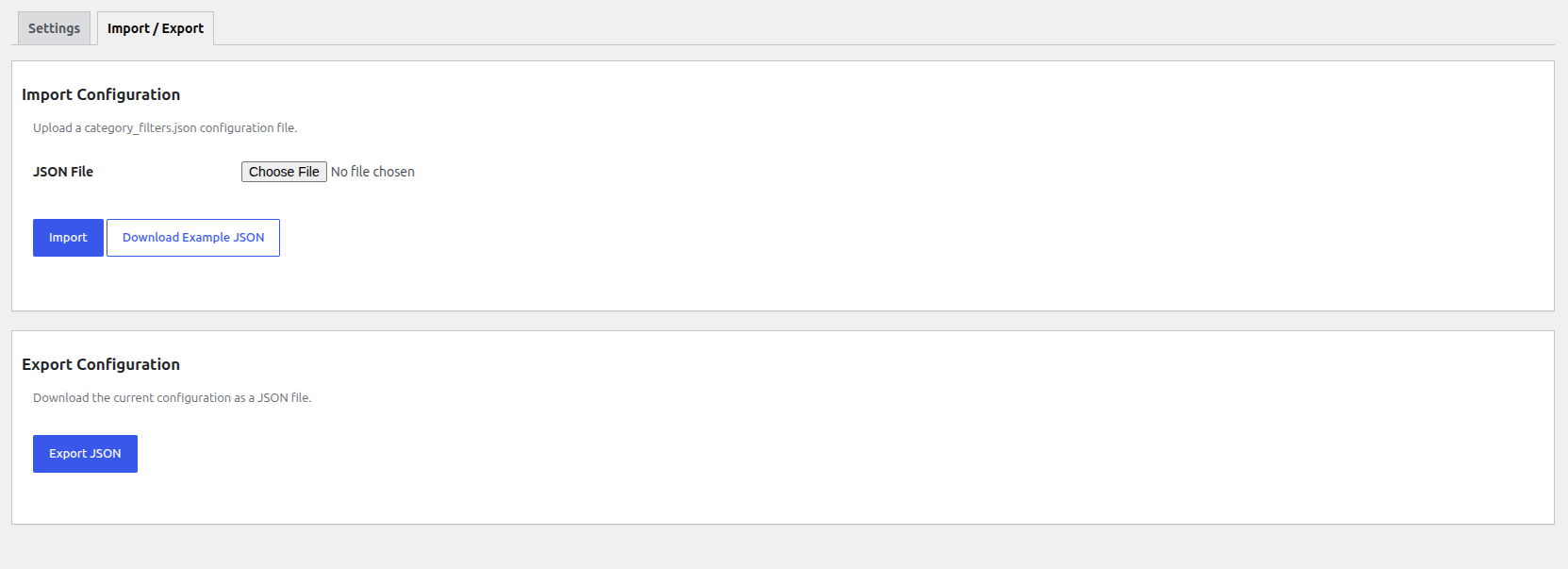
The Global Filters and Import/Export management interface.