
Zain Corporations Contact Forms Wordpress Plugin - Rating, Reviews, Demo & Download
Plugin Description
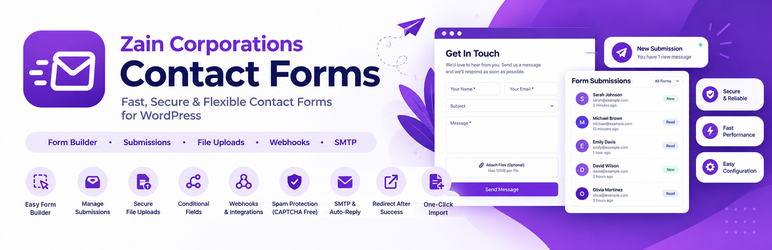
Zain Corporations Contact Forms lets you build forms with a simple tag syntax (the same idea as the classic form plugins) and adds the things most people end up needing anyway.
Familiar tags
[text* your-name], `[email* your-email]`, `[textarea your-message]`, `[select]`, `[radio]`, `[checkbox]`, `[number]`, `[date]`, `[tel]`, `[url]`, `[file]`, `[acceptance]`, `[submit]`. Insert fields with one click from the editor.
What you get out of the box
- Submissions inbox – every message is saved in your dashboard, with search, bulk delete and an “Email failed” flag, so nothing is lost if an email does not arrive.
- CSV export – download all submissions (or one form), protected against spreadsheet formula injection.
- File uploads –
[file* cv allowed:pdf,docx limit:2mb]. Strict allow-list, executable types always blocked, files stored under random names in a protected folder, attached to the notification email and downloadable only by administrators. - Conditional fields –
[text company show-if:topic=sales]shows a field only when another field has a given value. Hidden fields are skipped on the server too. - Spam protection without CAPTCHA – hidden honeypot, signed timestamp, per-visitor rate limit, maximum links and blocked words. Suspicious messages go to a Spam tab instead of your inbox.
- Optional Cloudflare Turnstile – a free, privacy-friendly CAPTCHA alternative, off unless you add your keys.
- Webhooks – send each submission as JSON to Zapier, Make, n8n or your own endpoint.
- Auto-reply – confirmation email to the visitor.
- Clean HTML emails – a responsive layout in your accent colour with a one-click “Reply” button, plus a plain-text version for every message.
- Reliable email delivery – built-in SMTP option (only used for this plugin’s emails), From name/address, a “Send test email” tool and the exact failure reason shown in the inbox.
- Redirect after success – send visitors to a thank-you page.
- Import from Contact Form 7 – copies your forms, email settings and messages. Your original forms are not touched.
- Block editor block – plus the
[zain_form id="123"]shortcode. - Duplicate forms, accent colour setting, AJAX submit with accessible inline errors.
- GDPR friendly – IP addresses and browser details are not stored; optionally auto-delete submissions (and their files) after N days.
- Lightweight – a few KB of CSS/JS, loaded only on pages that contain a form.
- Developer friendly – hooks for validation, spam checks, webhook payloads and post-submit actions.
Tag reference
[text* name placeholder "Your name" class:wide] – add `*` to make a field required.

[select topic "Sales|sales" "Support|support"] – use `Label|value` for choices.

[number qty min:1 max:10], `[textarea msg maxlength:500]`, `[submit "Send"]`.

[text company show-if:topic=sales] – conditional field (use the choice *value*; separate several values with `|`). Put each conditional field in its own `<p>` or `<label>`.

[file* cv allowed:pdf,docx limit:2mb] – file upload (maximum 10 MB).
Mail tags
Use [field-name], [_all_fields], [_site_title], [_site_url], [_form_title], [_date] and [_time] in the email subject and body.
External services
This plugin works fully on its own. It only contacts third parties if you turn the following features on:
Cloudflare Turnstile (optional)
If you enter a Turnstile site key and secret key under Zain Forms Settings, visitors’ browsers load a script from https://challenges.cloudflare.com/turnstile/v0/api.js, and the submitted Turnstile token (plus the visitor’s IP address) is sent to https://challenges.cloudflare.com/turnstile/v0/siteverify to confirm the visitor is human. Terms: https://www.cloudflare.com/website-terms/ – Privacy: https://www.cloudflare.com/privacypolicy/
Webhooks (optional)
If you enter a webhook URL on a form, each accepted submission (the field values, form name, submission ID, time and your site address) is sent to that URL. You decide which service receives the data. Nothing is sent unless you configure a URL.
Privacy
Submissions are stored in your own WordPress database. The plugin does not store IP addresses or user agents. See “External services” above for the two optional features that contact other services. You can set an automatic deletion period in Zain Forms Settings.
Screenshots
No screenshots provided


