Zevvo Request A Quote Wordpress Plugin - Rating, Reviews, Demo & Download
Plugin Description
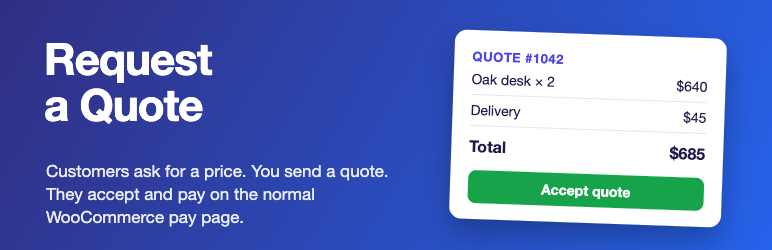
Zevvo Request a Quote lets customers ask for a price instead of buying straight away. You price the request in the normal WooCommerce order editor, send the quote, and when the customer accepts it becomes a regular order they pay on the standard pay page. Nothing is locked behind a paid version.
Quotes are WooCommerce orders with their own statuses, so you get the order editor, emails, stock handling and payments you already know. Quotes are never counted as sales and never reduce stock before they are paid.
Features
- Quote rules at three levels — Turn quoting on for every product, for chosen categories, or per product. Product settings beat category settings, which beat the global setting.
- Hide prices — Replace the price with your own label (default “Price on request”), including variation prices and structured data.
- Quote-only products — Add to cart is hidden and refused on the server, while variable product selectors and quantity still work.
- Add to quote button — Works on single products and shop loops, with classic and block themes. Includes a
zevvo/quote-buttonblock for manual placement. - Quote list — Guests and customers build a list, edit quantities and submit it with name, email, phone and a message.
- Optional address step — Collect billing, or billing and shipping, with the standard WooCommerce country and state fields.
- Price in the order editor — A Quote box lets you add a note, send the quote and copy the quote link. Quotes have their own menu under WooCommerce and stay out of your normal Orders list.
- Customer quote page — Customers view the quote with a private link, then accept or reject it (with an optional reason). Logged-in customers also find quotes under My Account.
- Five editable emails — New request, request received, quote ready, quote accepted, quote rejected, all under WooCommerce Settings Emails.
- HPOS and block compatible — Declares High-Performance Order Storage and Cart and Checkout blocks compatibility.
- Clean analytics — Quote statuses are excluded from WooCommerce Analytics.
- Spam protection — Honeypot field, field length limits, a nonce on submission and a per-IP rate limit, plus a filter for adding a CAPTCHA.
- Developer friendly — Stable actions and filters, plus template overrides.
- Privacy first — Your data is only removed on uninstall if you turn that setting on, and orders are never deleted.
Requirements
WordPress 6.3+, PHP 7.4+, WooCommerce 8.0+.
Developer hooks
- Actions:
zevvo_rq_loaded,zevvo_rq_quote_requested,zevvo_rq_quote_sent,zevvo_rq_quote_accepted,zevvo_rq_quote_rejected - Filters:
zevvo_rq_form_fields,zevvo_rq_is_quote_product,zevvo_rq_quote_statuses,zevvo_rq_quote_page_actions,zevvo_rq_settings_sections,zevvo_rq_validate_submission,zevvo_rq_rate_limit,zevvo_rq_client_ip,zevvo_rq_existing_quote_page_id
Screenshots

A quote product on the shop page: the price is replaced by “Price on request” and an “Add to quote” button.

The quote list: customers adjust quantities and send their request with name, email, phone and a message.

Quote requests under WooCommerce → Quotes, kept apart from your normal Orders list.

Pricing a request in the standard order editor, with the Quote box to add a note, send the quote and copy its link.

The “Your quote is ready” email the customer receives.

The customer’s quote page with Accept and Reject buttons.

After accepting, the customer pays on the normal WooCommerce pay page with any of your payment methods.

Settings under WooCommerce → Settings → Quotes: global, category and label options.

Per-product quote settings in the Product data box.