
Accessible Forms By Accessible.org Wordpress Plugin - Rating, Reviews, Demo & Download

Plugin Description
Accessible Forms helps you build contact forms that people can complete with a keyboard, a screen reader, magnification or a phone. Visible labels are required, choice fields use real groups, and validation lists every problem in a linked summary. Create as many forms as your site needs, each with its own fields, recipients and confirmation message.
Build forms
- Thirteen field types: text, email, telephone, URL, number, date, time, section heading, message, dropdown, radio group, checkbox group and consent checkbox. Each form supports up to 50 fields.
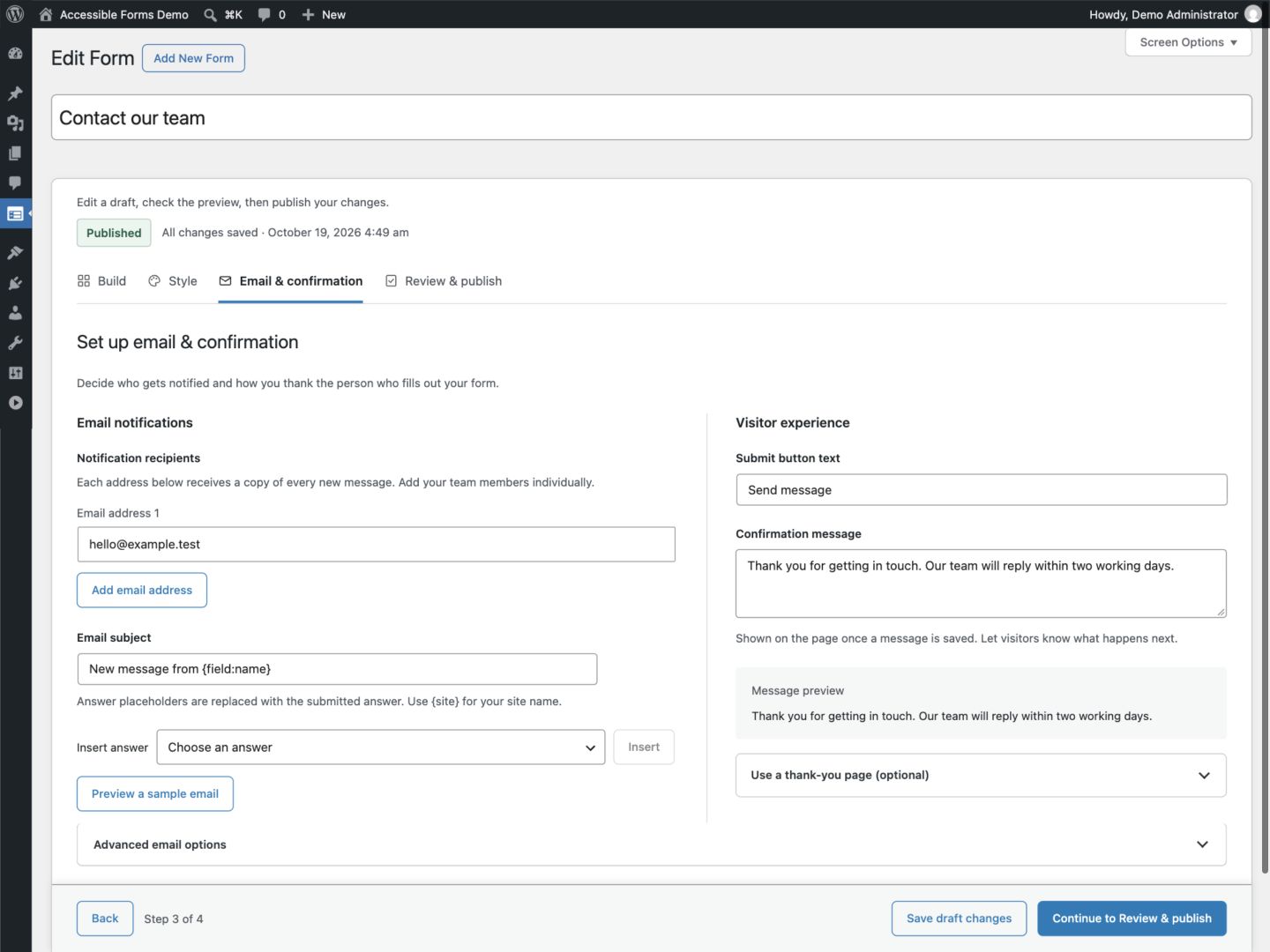
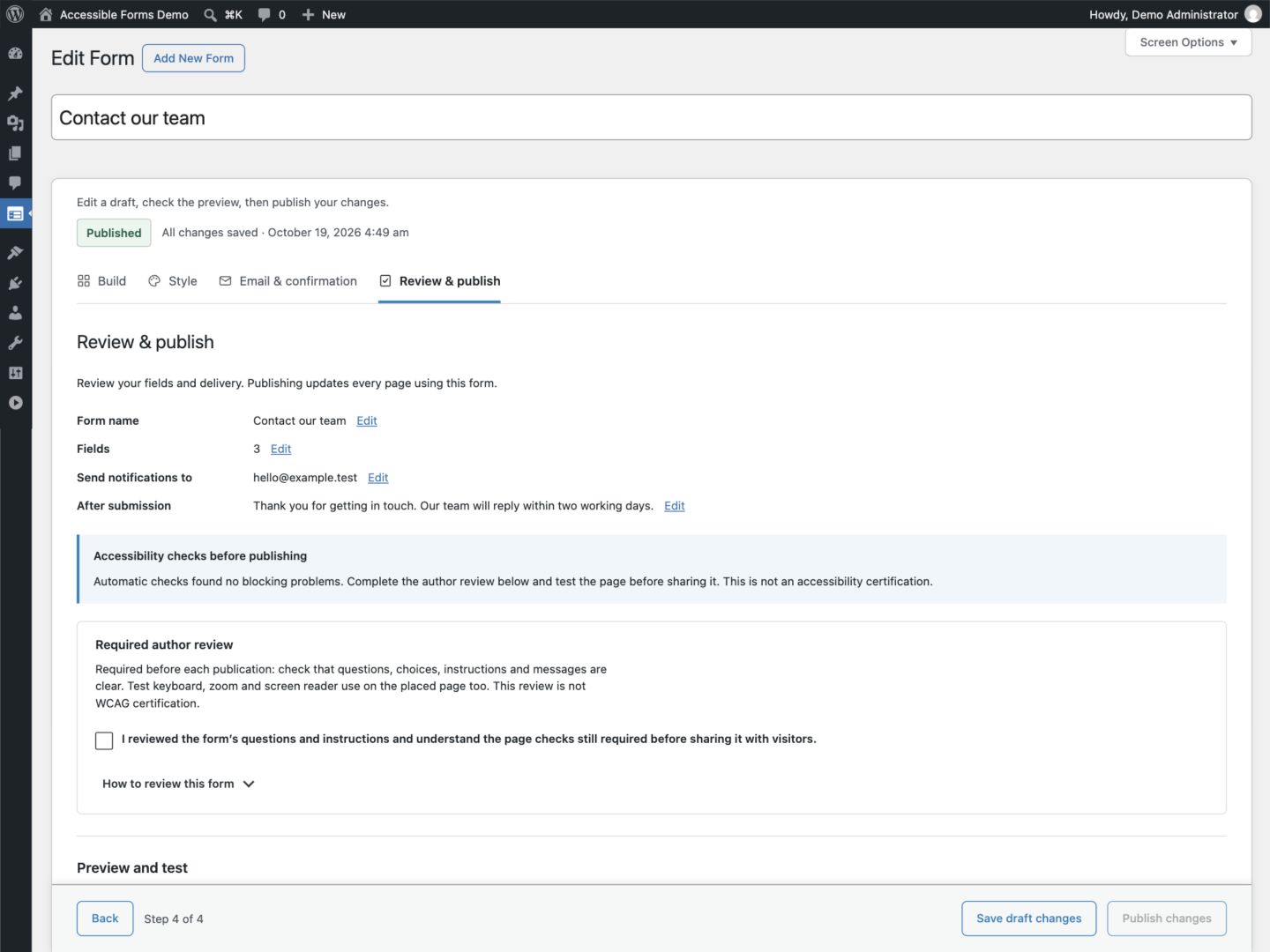
- A guided editor with four steps: Build, Style, Email & confirmation, and Review & publish. Advanced settings stay collapsed until you need them.
- Help text, required fields, answer limits, automatic browser-autofill hints, keyboard field reordering, field search, duplicate field and undo for a removed field.
- Starter templates, including “Report an accessibility barrier” for your accessibility statement, and form duplication.
- Unsaved edits are kept in your browser and offered back after a reload or crash.
Style with confidence
- Four built-in themes: Classic light, Ocean blue, Forest green and Midnight. Every theme passes the contrast checks.
- Contrast is checked again when the form is saved and when it is shown, so a form never renders colors that fail.
- The styles that accessibility depends on (focus indicator, readable text sizes, visible labels, real checkboxes and radios, target sizes and reflow) are protected against ordinary theme and page-builder CSS.
- Content suggestions in Review & publish point out vague or duplicate labels, placeholder-style wording, long help text, forms that require everything, a missing email question, and form headings that skip a level on the page where the form is placed. Suggestions never block publishing.
Publish anywhere
- An Accessible Form block with a searchable list of published forms and a live preview.
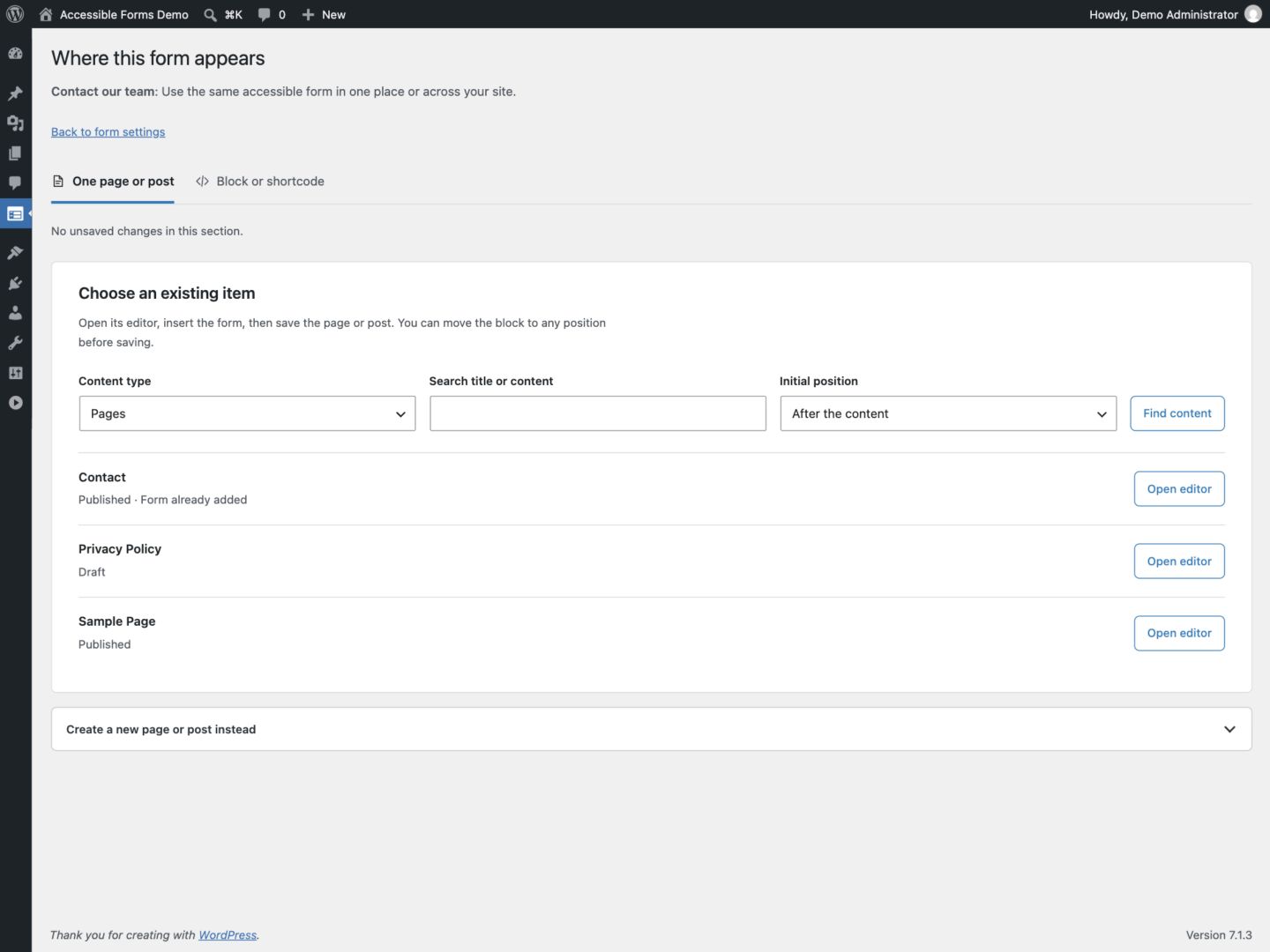
- “Choose where it appears” adds the form to an existing page, post or public custom post type, or creates a new draft with the form included.
- A shortcode for the Classic Editor and page builders.
- Draft changes stay separate from the live form until you publish them.
- Close a form by hand, with your own closed message.
Manage submissions
- Entries with search, removable filter summaries, site-date shortcuts, read and unread, spam review and Trash.
- In-place list navigation, clear entry details, contextual empty states and permission-checked bulk Undo.
- Form manager and Submission reviewer roles, role permission controls, and per-form submission access lists with searchable member selection. No paid add-on is required to manage submission access.
- A remembered setup checklist and clear feedback for saved, unpublished and recovered edits.
- One notification email per form, to up to 20 primary recipients, sent through your normal WordPress mail setup, with an email sample, a test email, a staging test inbox and automatic retries.
- A thank-you page or an inline confirmation message.
- Automatic retention, per-form retention, and WordPress personal data export and erasure.
- An activity record of changes and deletions, without answers.
Spam protection without tracking
A honeypot, rate limits and link limits run on your own server. You can add self-hosted ALTCHA proof-of-work verification, which contacts no outside service.
Accessibility
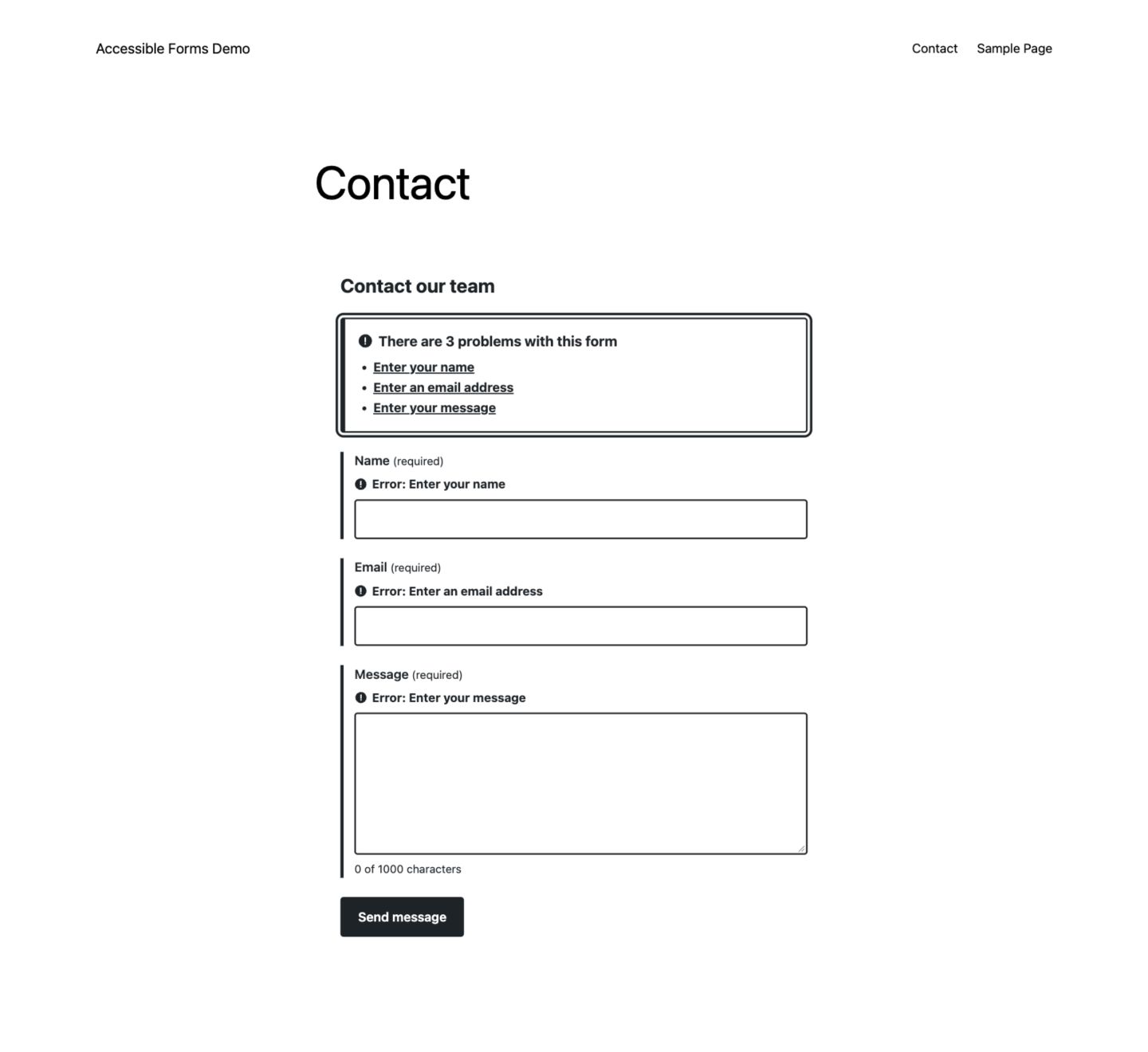
Forms include associated labels, optional help text, semantic choice groups, visible required indicators, keyboard focus styles and server-side validation. Repeated embeds use separate control IDs. Forms submit without JavaScript; JavaScript adds in-page submission without a reload.
When you view a page with a form while logged in as someone who can edit it, a live check tests that page as your theme actually renders it (labels, focus, contrast, target size, covered controls, text spacing) and shows the results above the form, only to you. Results are listed under Tools Health.
These features support accessible form design. They do not guarantee WCAG conformance or legal compliance. Your theme, page structure, field wording and assistive technology all affect the final experience. Test the finished page with a keyboard and a screen reader. Automated checks do not replace a manual accessibility review.
Privacy
This plugin sends no analytics or telemetry. Entries store the submitted values, submission time, the page path (without query parameters), browser information, a salted IP hash, spam status and notification outcome. Each form can store less of this metadata. The live accessibility check runs only for logged-in editors and stores, on your site, the page path, the time and the problems it found; results expire after 30 days. See the FAQ for retention, exports and uninstall behavior.
Accessible Forms Pro
An optional paid add-on, Accessible Forms Pro, adds file uploads, conditional fields, steps, custom styling, more notification options and entry workflow tools. This plugin is complete without it, and accessibility and privacy features are never held back for Pro.
Source code
All PHP, CSS and JavaScript is included in human-readable form in the plugin ZIP, and no build step is needed to modify the plugin. The bundled ALTCHA widget and library are unminified; THIRD-PARTY.txt links their original source and build instructions.
ALTCHA browser widget 3.2.3 source and build instructions: https://github.com/altcha-org/altcha/tree/v3.2.3
ALTCHA PHP library 2.1.0 source: https://github.com/altcha-org/altcha-lib-php/tree/v2.1.0
Both are MIT licensed, with their license notices included in this plugin.
External services
This plugin does not connect to outside services.
ALTCHA verification runs entirely on your site. The widget, translations, worker, challenge generation and verification are all served by your WordPress installation. There is no account, API key, tracking collector, verification cookie or call to an ALTCHA-hosted service.
Screenshots
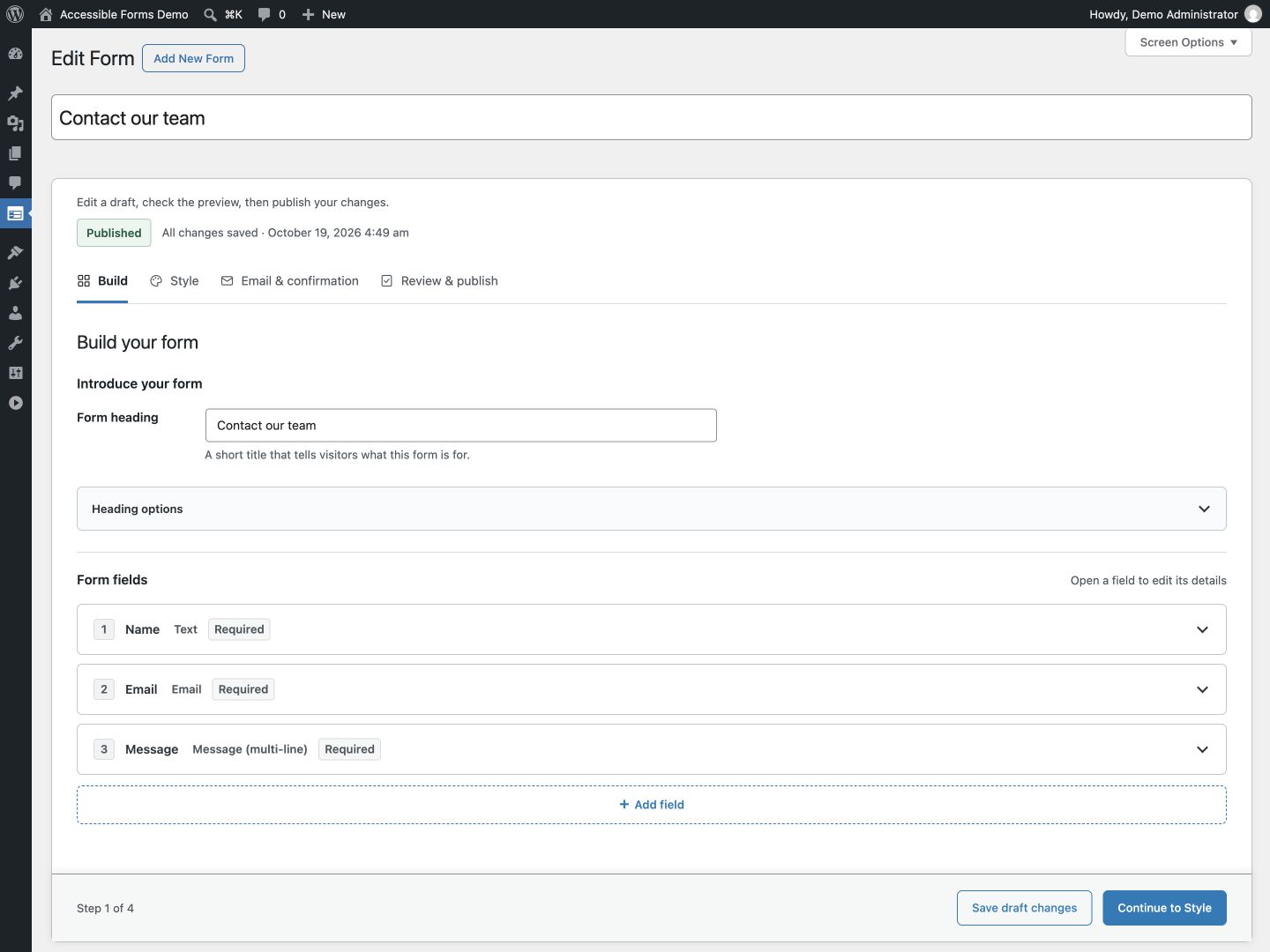
The guided form editor: Build, Style, Email & confirmation, and Review & publish.
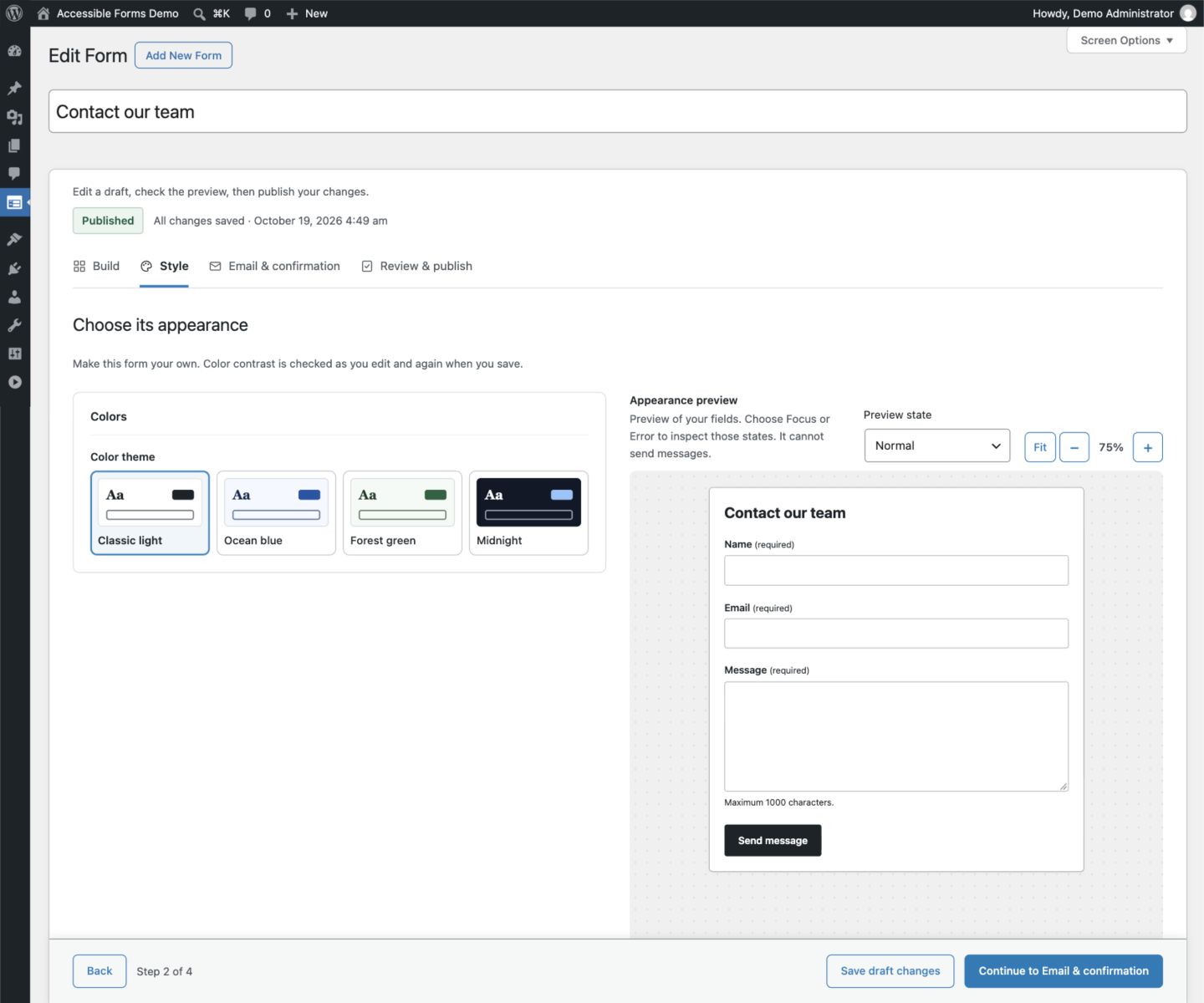
Choosing a contrast-checked theme in the Style step.
Adding a published form to an existing or new page.
An embedded form showing the linked error summary.
The Entries screen with filters and spam review.
Settings for email delivery, spam protection and privacy.
Similar Plugins:
 [](https://travis-ci.org/essensx/wp-os-detect)
[](https://travis-ci.org/essensx/wp-os-detect)
 [](https://travis-ci.org/technosailor/bonsai-elasticpress)
[](https://travis-ci.org/technosailor/bonsai-elasticpress)
 Rating Widget: Post Rating, 5 Star Rating, Reviews, Thumbs Up & Down, Reaction