Addon Guard For Elementor Wordpress Plugin - Rating, Reviews, Demo & Download
Plugin Description
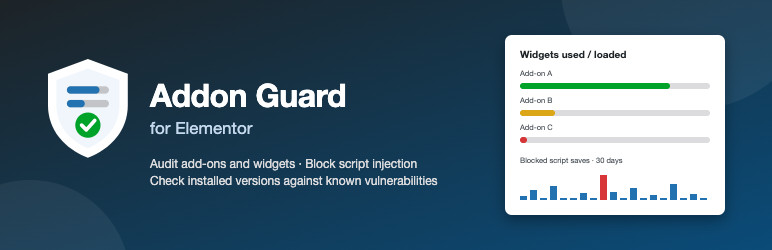
Read-only audit first, opt-in hardening second. No frontend scripts, no firewall, no malware heuristics.
- Elementor addon inventory (version, status, available update)
- Widget usage map: which widget is used on which page
- Optional (opt-in) check against Wordfence Intelligence vulnerability data (your own free API key)
- Blocks new script payloads in Elementor data saved by users without unfiltered_html (opt-in)
- Opt-in hardening: hide risky widgets from non-admins, safe file types in Elementor Pro form uploads (extension and real file content are checked)
- Site Health tests: vulnerable or unused Elementor addons, script protection, form uploads folder (uses only data already stored by the plugin)
External services
This plugin can optionally connect to the Wordfence Intelligence Vulnerability Data Feed (by Defiant Inc.) to show known vulnerabilities in installed Elementor addons.
- The feature is OFF by default. It runs only after an administrator enables it and enters their own free API key from wordfence.com.
- What is sent: an HTTPS GET request to https://www.wordfence.com/api/intelligence/v3/vulnerabilities/scanner with the API key in the Authorization header. No site data, plugin list, user data or URLs are sent — the full public feed is downloaded and matched locally.
- When: once a week via WP-Cron, or when an administrator clicks “Update vulnerability data”.
- Terms: https://www.wordfence.com/wordfence-intelligence-terms-and-conditions/
- Privacy policy: https://www.wordfence.com/privacy-policy/
Vulnerability data is Copyright Defiant Inc. and used under the Defiant licence; CVE records are Copyright The MITRE Corporation.
Screenshots

Overview: known vulnerabilities, available updates, blocked script saves, what to do first and how much of each addon is actually used.

Addons: every Elementor addon with version, usage, known vulnerabilities and a recommendation, plus widgets left behind by removed addons.

Widget usage: which widgets your content uses, which addon registers them and on which pages.

Hardening: opt-in protections with a plain explanation of what each one changes, and the vulnerability check settings.

Blocked save attempts: a 30-day chart and the latest attempts with user, page and what was blocked.