
Alfeizar Private Messages Wordpress Plugin - Rating, Reviews, Demo & Download
Plugin Description
Alfeizar Private Messages provides an internal messaging system for WordPress sites, without requiring BuddyPress or another messaging plugin.
The plugin creates the messaging pages when it is activated. Logged-in users can send and receive messages, reply to conversations, manage their inbox and sent messages, and move messages to the trash.
Features:
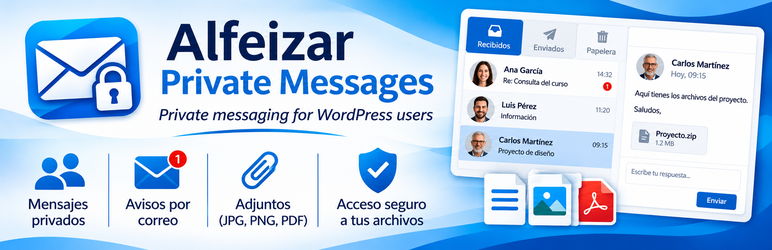
- Private messages between WordPress users
- Email notifications when a new message is received
- File attachments: JPG, JPEG, PNG, GIF and PDF
- Up to 3 attachments per message, with a 2 MB total size limit
- Inbox, sent messages, conversation view and trash
- BuddyPress-compatible user avatars
- Public author profiles and WordPress author archives with a pre-addressed message button
- Floating inbox button with configurable position and color, which can be hidden
Pro version
The Pro package adds an administrator browser for users’ messages and expanded attachments: up to 10 files and 100 MB total per message, including DOC/DOCX, XLS/XLSX/CSV, PPTX, MP3, MP4, ZIP, RAR, DWG, RVT, RFA, RTE, RFT and SKP. The actual upload limit depends on the site’s PHP, web server and hosting configuration.
Get Alfeizar Private Messages Pro: https://alfeizar.net/courses/sistema-de-mensajeria-interna-entre-usuarios-wordpress/
Privacy
The plugin stores message subjects and text, sender and recipient user IDs, timestamps, read and trash status, and attachment filenames in the site’s database. Uploaded attachments are stored in the configured uploads directory. The free version does not include an administrator message browser; site administrators remain responsible for access to the site’s database and files.
Email notifications are sent through the site’s configured WordPress email system and include the sender name, subject, message text, links to attachments and signed image-preview links that expire after 30 days. Anyone with a preview link can view that image until the link expires. The plugin does not send data to an external service operated by the plugin author; the site’s email provider may process notification data.
The plugin adds suggested privacy-policy text and supports WordPress personal-data export and erasure requests. An approved erasure request removes all copies of messages involving the account, including copies in other participants’ inboxes. Deleting the plugin removes its message table and referenced attachment files. The generated pages remain, with the plugin shortcode removed.
Screenshots
No screenshots provided


