Archivum Inactive Archiver Wordpress Plugin - Rating, Reviews, Demo & Download

Plugin Description
Most sites collect plugins that are switched off but not quite ready to be deleted: something you are testing, a tool you use twice a year, a plugin you replaced but might need to go back to. They clutter the Plugins screen and still show up in update counts.
Archivum Inactive Archiver adds a third option between “inactive” and “deleted”. Archiving moves a plugin’s files out of wp-content/plugins into an archive folder inside wp-content. WordPress no longer sees it, so it disappears from the Plugins screen, but its files are kept exactly as they were. Restore it with one click whenever you need it.
What it does
- Adds an Archive link to every inactive plugin on the Plugins screen.
- Adds Archive to the bulk actions menu, so you can clear out several at once.
- Adds an Archived count next to All / Active / Inactive.
- Adds a Plugins Archived Plugins screen where you can restore or permanently delete archived plugins, one at a time or in bulk.
- Works with single-file plugins (such as Hello Dolly) as well as plugins in their own folder.
What it deliberately does not do
- It never archives an active plugin. Deactivate first.
- It never activates a plugin on restore. A restored plugin comes back inactive.
- It never overwrites. If a plugin with the same folder name already exists where a move would land, the move is refused and you are told why.
- It does nothing on the public side of your site. All of its code runs in the admin area only.
- It makes no external requests and collects no data. The only request it makes is to your own site: the Archived Plugins screen asks for a file in the archive folder to check that it is blocked.
Things you should know
- Archived plugins do not receive updates. After restoring a plugin, check for updates before activating it.
- Plugin settings stored in the database are not touched by archiving, restoring or deleting.
- The archive folder has a name that is different on every site, so its address cannot be guessed.
- On Apache the archive folder is protected from direct web access, and an equivalent rule file is written for IIS. Some servers ignore those rules, nginx among them. The Archived Plugins screen checks and warns you; see the FAQ.
- On multisite, archiving is available to network administrators in Network Admin, the same place plugins are installed and deleted.
Screenshots
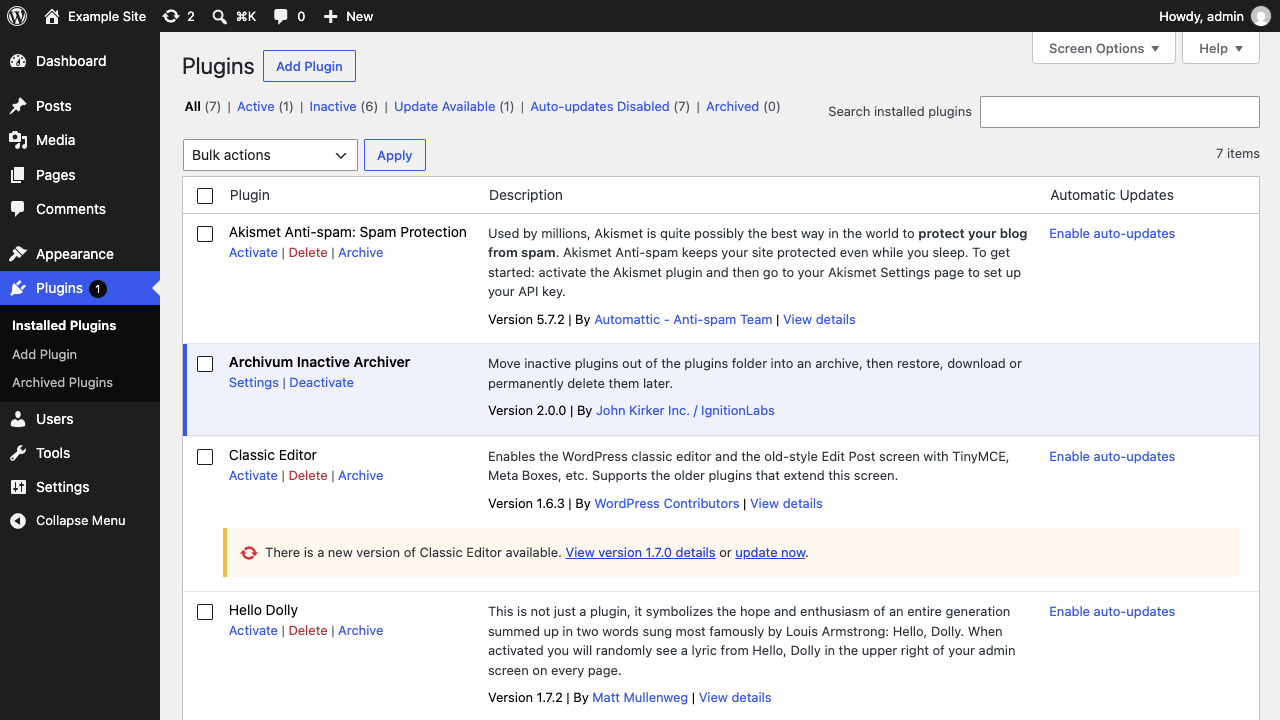
The Plugins screen with the Archive link, the bulk action and the Archived count.
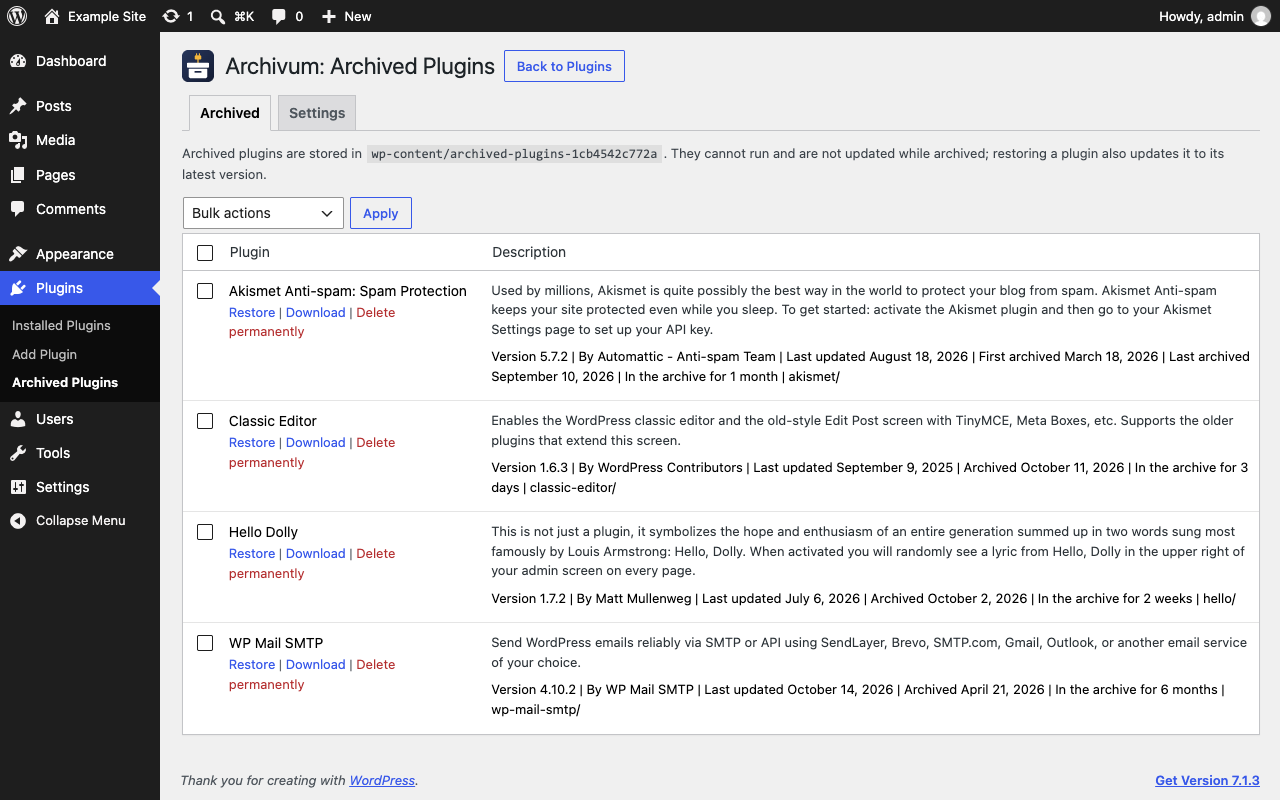
The Archived Plugins screen.
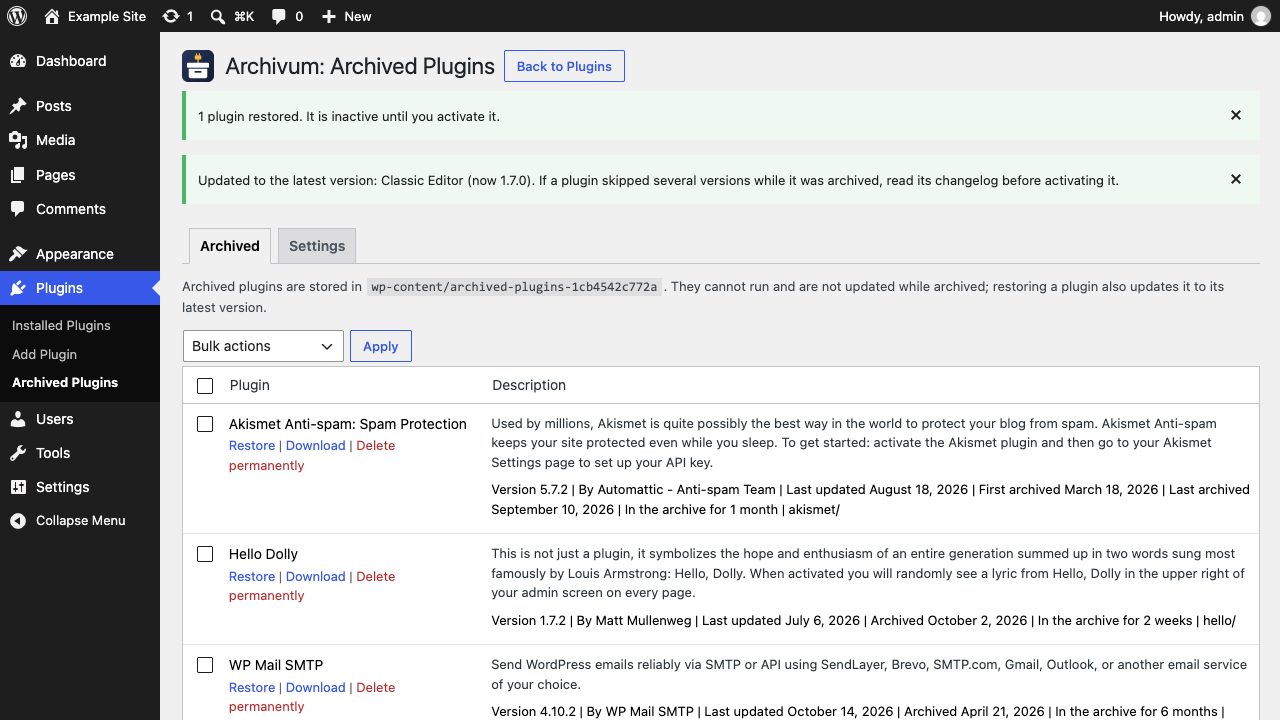
Confirmation after restoring a plugin.