Astrio Chatbot – AI Chatbot, Live Chat & Lead Capture Wordpress Plugin - Rating, Reviews, Demo & Download

Plugin Description
Astrio is an AI chatbot for your website. It trains itself on your own pages and answers visitors 24/7, in their language, from a chat bubble in the corner of every page — and it captures leads while it does.
The assistant answers only from your own content and cites the source page. When the answer is not in your content, it says so instead of inventing one.
This plugin is the connector: it loads the assistant on your site and keeps your WooCommerce catalogue in sync. The assistant itself runs on the Astrio service, so you need a free account at https://astrio.ro.
What the plugin does
- Loads the chat widget on your site from a single setting (the bot ID).
- Passes the current page language, so the assistant opens in the right language on multilingual sites (WPML, Polylang, multisite).
- Tells Astrio when a WooCommerce product changes, so prices and stock stay current.
- Loads asynchronously, after the page has finished rendering — it does not affect your PageSpeed score.
Romanian-first
Astrio is built in Romania: prices in RON, Romanian invoicing, Romanian support. The assistant’s widget also speaks English, French, Spanish, German, Italian, Hungarian and Arabic.
External services
This plugin connects to Astrio, a hosted AI assistant service operated by Wolfix. The plugin is a connector and does not work without this service.
1. Loading the assistant (every page view, front end)
The plugin adds a <script> tag that loads widget.js from your Astrio host (by default https://app.astrio.ro). As with any externally hosted script, the request carries the data a browser normally sends: IP address, user agent and referring page. Once loaded, the widget requests the assistant’s configuration and sends the visitor’s chat messages to Astrio in order to produce answers. Approximate visitor country may be derived from the IP address to pick a language. No data is sent for visitors who never open the chat beyond the initial script and configuration request.
2. WooCommerce catalogue ping (only with WooCommerce active)
When a product is created, updated, deleted or its stock changes, the plugin sends a POST request to /catalog/ping on your Astrio host containing only two values: your bot ID and your site URL. No product, order or customer data is sent. Astrio then re-reads your catalogue from the public WooCommerce Store API. The ping is rate-limited to once every two minutes.
Nothing is sent until you enter a bot ID and enable the assistant, which is an explicit opt-in.
- Service: Astrio — https://astrio.ro
- Terms: https://app.astrio.ro/legal/termeni
- Privacy policy: https://app.astrio.ro/legal/confidentialitate
Screenshots
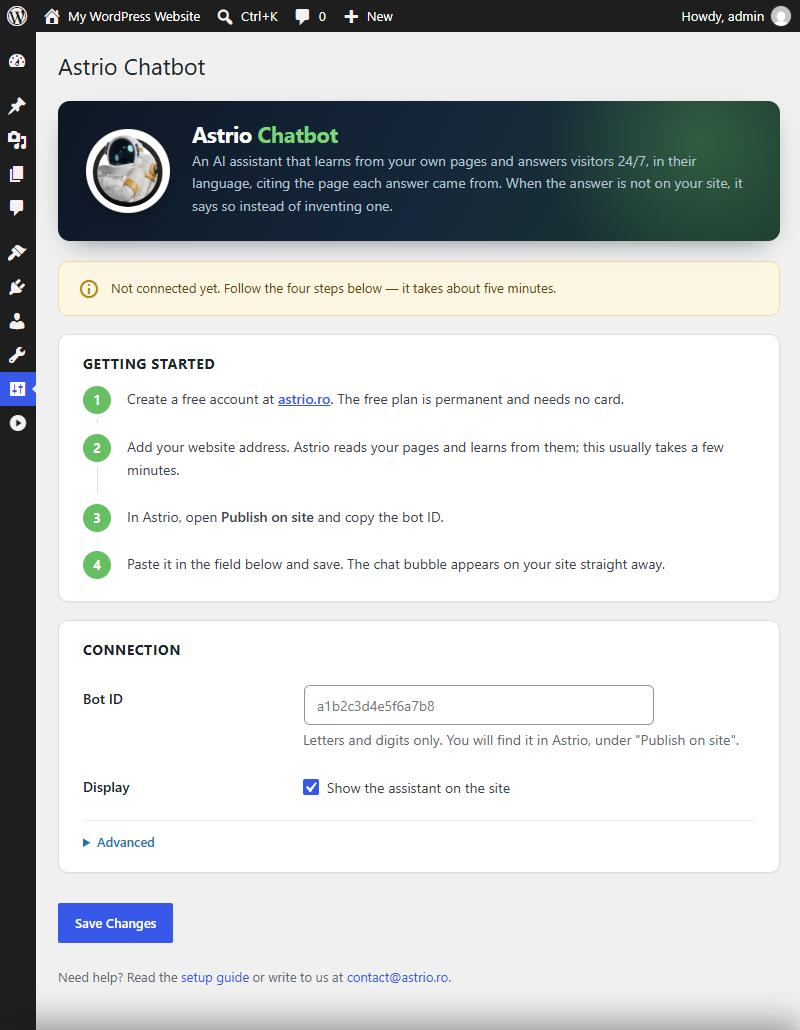
The settings screen: one field to fill in, with the four setup steps.
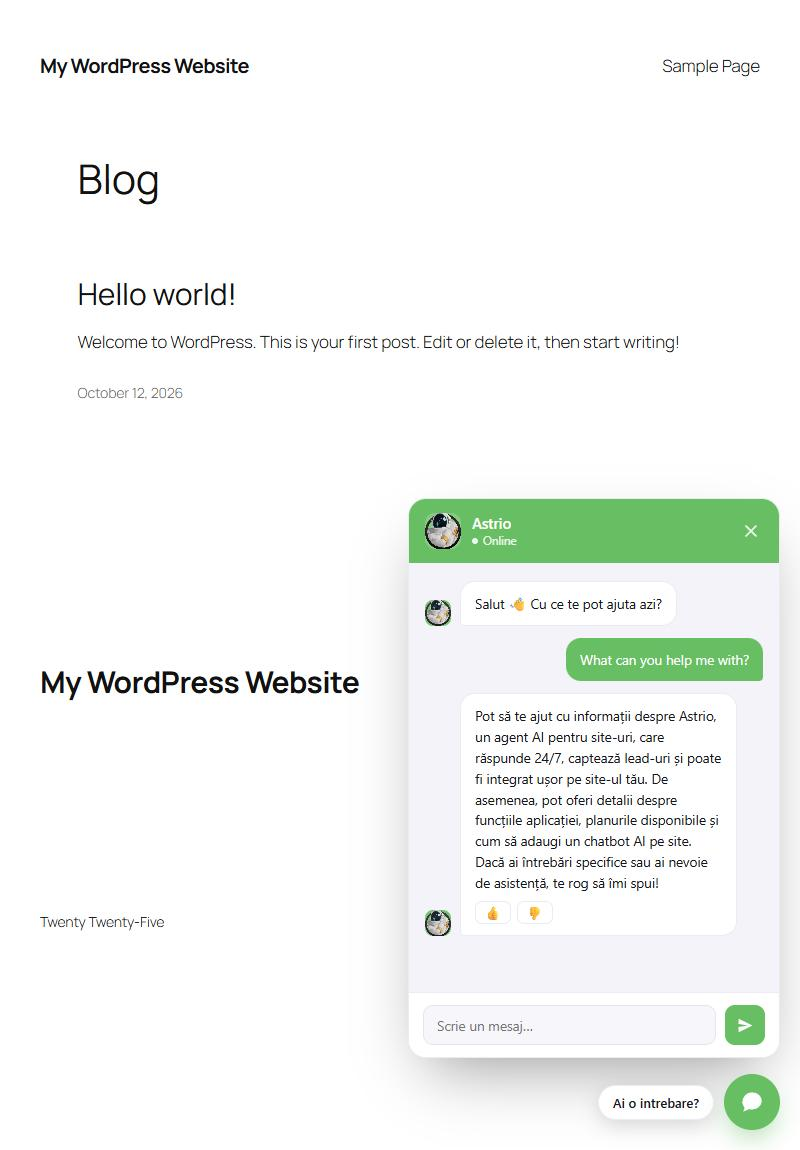
The assistant answering on a live site. It replies in the visitor’s own language — here Romanian, one of eight supported.