Cerquito – Print On Demand For Online Stores Wordpress Plugin - Rating, Reviews, Demo & Download

Plugin Description
Cerquito connects your WooCommerce store to Cerquito, the network that makes your orders at independent print shops in Mexico. This plugin requires WooCommerce.
- Simple connection: paste the key from your Cerquito dashboard. No WooCommerce API keys to copy.
- Only orders that contain at least one Cerquito product are sent to Cerquito. Your other orders never leave your site.
- Once an order is paid, Cerquito receives it and sends it to production. Cash on delivery, on-hold and unpaid orders are not produced.
- When the order ships, Cerquito marks it as shipped in your store, saves the tracking number and adds a note for your customer.
- When your customer receives the parcel, Cerquito leaves the order as delivered in your store, with a private order note.
- Test orders: the order action “Mark as Cerquito test order” keeps your own test order from reaching a print shop.
- If a customer changes the address or the items of an order that a print shop already has, Cerquito stops the job and alerts its team.
- Products created by Cerquito are tagged “Produced by Cerquito” in your product list.
- Settings screen at WooCommerce > Cerquito: connection status, test connection, disconnect, and the last 20 events.
- Compatible with High-Performance Order Storage (custom order tables).
- The interface is in English, with a complete Spanish (Mexico) translation used for every Spanish locale.
Cerquito makes no delivery-date or sales promises. Timing depends on the print shop and the carrier. A Cerquito account is required to use the plugin.
External services
This plugin connects to the Cerquito service (https://cerquito.com), which makes and ships the orders. Without that service the plugin does nothing. Every call uses https and is signed with a secret that belongs to your store alone.
- Cerquito API, at vjtvejrlcamvqavfmsqw.supabase.co (Cerquito’s functions hosted on Supabase).
- When: (a) when you press Connect (sent: the connection key you pasted, your store address, store name, currency, administrator e-mail, plugin version and a new secret shared only by your store and Cerquito); (b) every time an order that contains a Cerquito product changes status, is paid, cancelled or refunded; (c) when you press Test connection; (d) when you press Disconnect or delete the plugin.
- What is sent in (b): order number and status, dates, totals, payment method, the lines (SKU, quantity, price), the test-order mark if you set it, and the buyer’s name, e-mail, phone and shipping address. Product names, customer notes, coupons and card data are never sent. Orders with no Cerquito product are not sent.
- Privacy policy: https://cerquito.com/aviso-de-privacidad/
- Your own store, called by Cerquito. Cerquito calls /wp-json/cerquito/v1/ on your site (signed) to read orders that contain Cerquito products, mark them shipped or delivered, and create the products you publish from Cerquito.
- Product images. When you publish a product from Cerquito, your store downloads its images from the https address Cerquito gives (Cerquito’s storage on supabase.co).
Screenshots
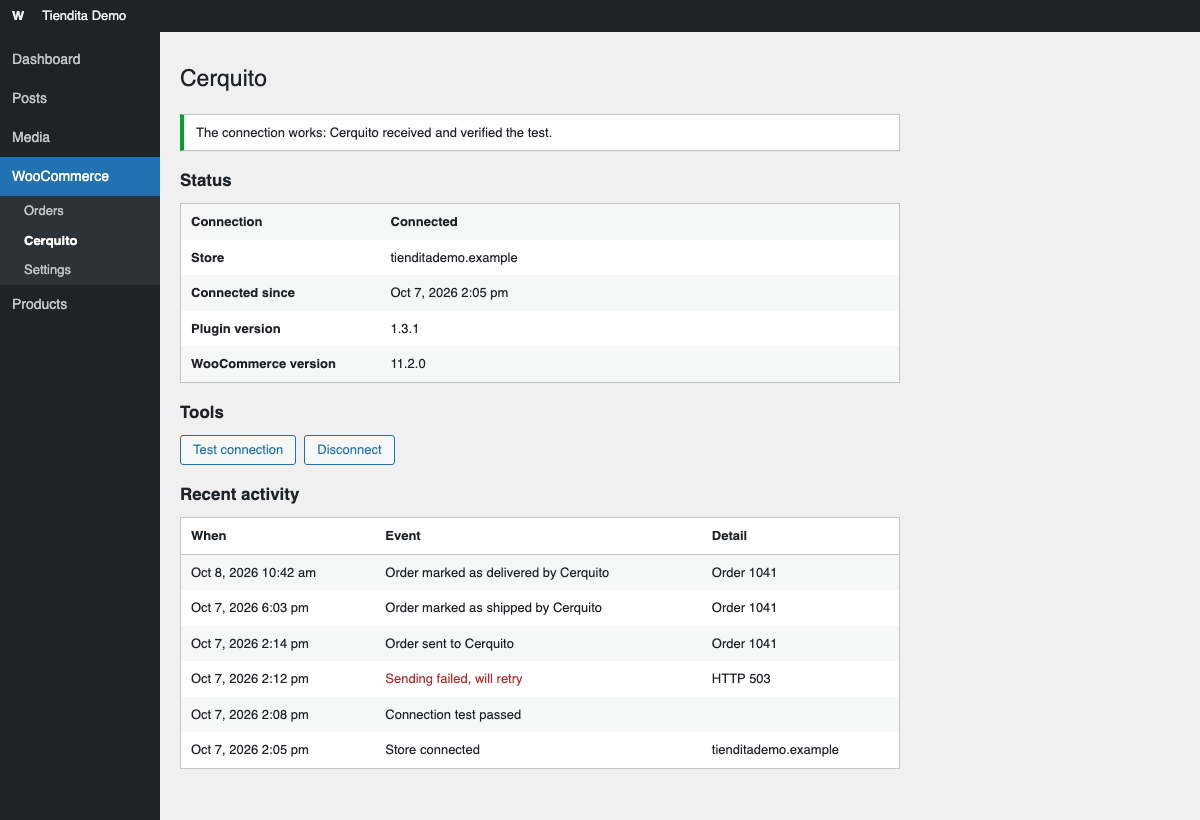
The Cerquito screen in WooCommerce: connection status, the Test connection and Disconnect buttons, and the recent activity log.
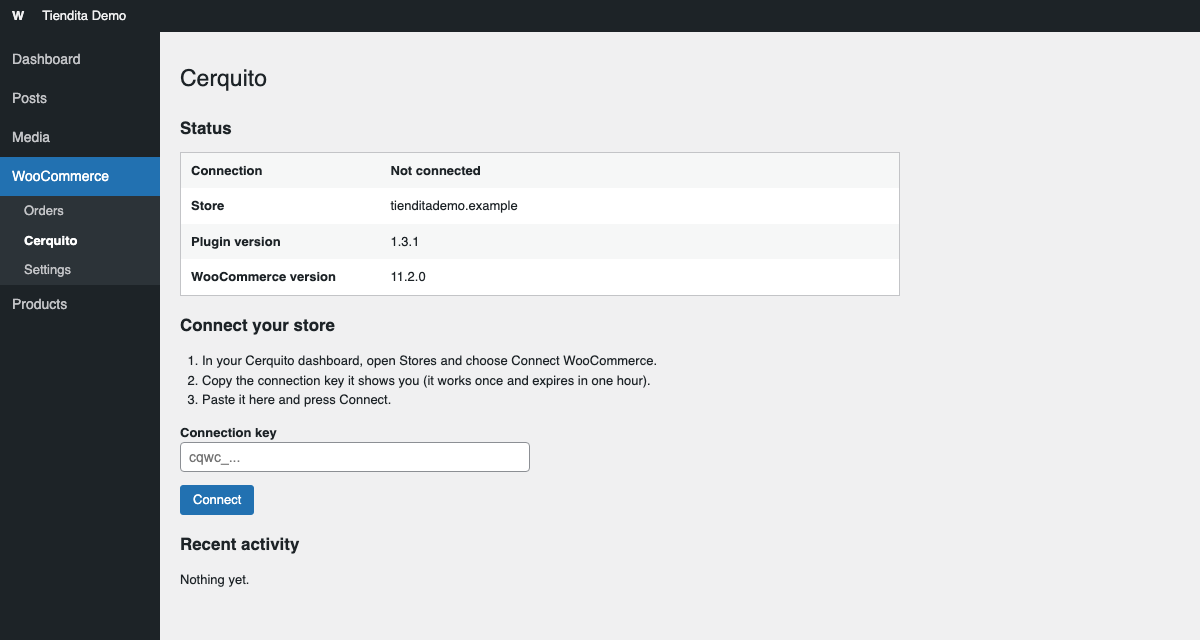
Connecting a store: paste the connection key from your Cerquito dashboard and press Connect.
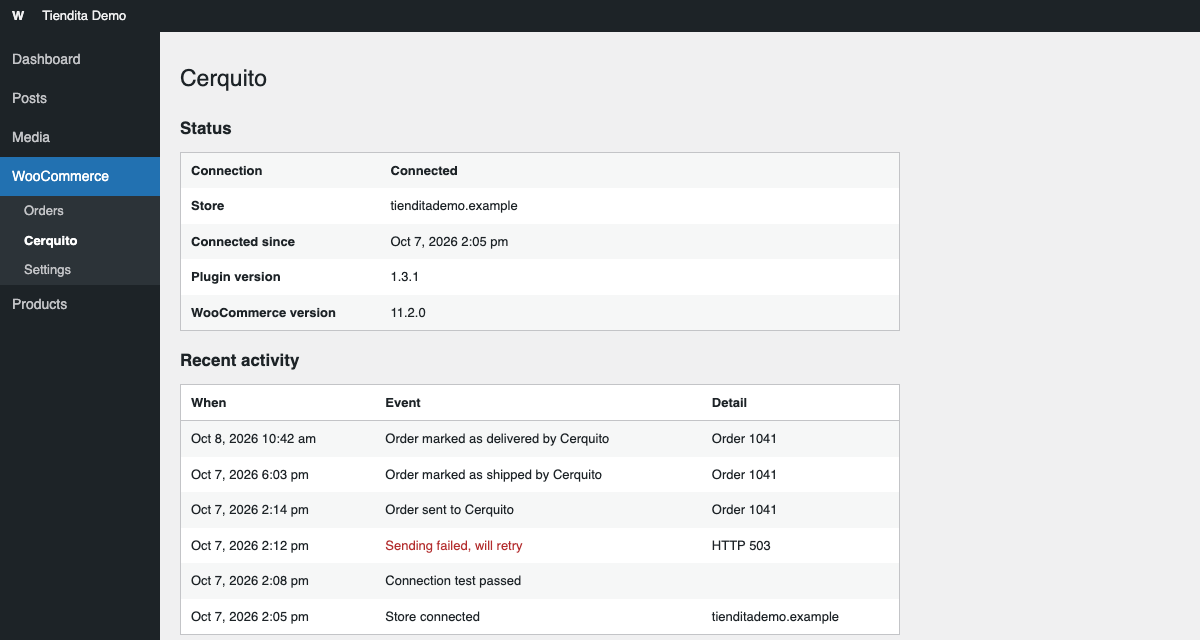
Recent activity: the last 20 events, such as orders sent to Cerquito, shipped and delivered.