
Automura AI Connector Wordpress Plugin - Rating, Reviews, Demo & Download
Plugin Description
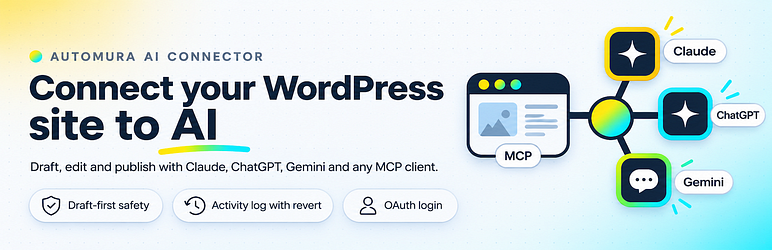
Automura AI Connector, built by Vak Web, turns your WordPress site into a safe MCP (Model Context Protocol) server. AI assistants that support remote MCP servers with OAuth can read (and, when you allow it, edit) your content while staying inside the limits you set.
You stay in control: you choose which content types are shared, which abilities are on, and which apps may connect at all. A single safety mode decides how far the AI may go:
- Draft only (recommended, default): AI creates drafts and cannot change live content.
- Needs review: AI creates posts with the status Pending review; they go live only after you approve them.
- Publish directly: AI can publish immediately and edit or trash live content. Every change is logged and can be reverted from the Activity tab.
Every connection is a real WordPress login with its own consent screen, so the AI can never do more than the user who approved it. An Overview tab shows what the AI has been doing: actions per day, created/edited/published content and the ability list.
Key features
- Guided setup wizard with a connection test, plus a tabbed dashboard.
- OAuth 2.1 login with a consent screen: the app acts as one WordPress user, and that user’s capabilities are the limit.
- Draft-first safety: AI-created content is saved as a draft or pending review; publishing and editing live content is off by default.
- Every ability can be switched on or off individually, so you decide exactly what an AI may do.
- Content, media and taxonomy abilities for the post types you choose, including custom post types, selected meta keys and Advanced Custom Fields fields.
- SEO abilities for Rank Math and Yoast SEO: read and edit the SEO title, description and focus keyword.
- Elementor support: read pages built with Elementor, edit their text, links and images, and create simple draft pages (through Elementor’s own document API).
- Media upload from an https URL or base64 data, with a per-site size limit and core’s own file type checks.
- Comment abilities: read, moderate and reply (replies are held for moderation by default).
- Read-only user list (display names and roles only, never email addresses).
- Optional REST bridge: allow read or read + write access to the REST API of other plugins (for example WooCommerce) per plugin, with a hard blocklist for technical namespaces and response scrubbing of secrets and personal data.
- Read-only WooCommerce (products and orders) and form plugin abilities (Gravity Forms, Contact Form 7, WPForms), with personal data hidden by default.
- Activity log with a one-click revert for AI edits, and one grouped email notification per burst of AI activity.
- Trash only: the AI can never permanently delete anything unless you switch that on explicitly, and cannot change users, plugins, themes, options or files.
Compatibility
Automura AI Connector speaks MCP over HTTP with OAuth 2.1 and works with any MCP client that supports remote servers with OAuth. Examples of such clients include Claude (via custom connectors), ChatGPT, Cursor, Windsurf and Gemini CLI; check your client’s documentation to confirm remote MCP and OAuth support.
Automura AI Connector is an independent plugin and is not affiliated with or endorsed by Anthropic, OpenAI or Google. All product names are trademarks of their owners.
Tested with these plugins
The compatibility below was tested on a real site with these versions. It is a “tested with” list, not a guarantee for every version.
- Elementor 4.4.0: edit text, links and images of existing pages built with Elementor, and create simple draft pages from heading, text, button, image and spacer blocks, through Elementor’s own document API. Generic content edits of the page body are refused on Elementor pages.
- Rank Math SEO 1.0.282: get and update the SEO title, description and focus keyword (up to 5 keywords).
- Yoast SEO 28.8: get and update the SEO title, description and focus keyword (one keyword).
- WooCommerce 11.3.0: read tools out of the box; reading and writing products, orders and more through WooCommerce’s own REST API (wc/v3) after you allow it in AI Connector > Abilities > Other plugins.
- Gravity Forms 2.9.0.1: read forms and entries; additional read access through its REST API (gf/v2) when you enable the REST API in Gravity Forms’ settings.
- WPForms 2.0.4: read forms, and entries when your license provides the entry API. WPForms has no public REST API, so nothing beyond the read abilities is added.
- Contact Form 7 6.1.3: read forms; entries through the Flamingo plugin (2.6.4) or the contact-form-7/v1 REST namespace.
- Advanced Custom Fields 6.8.11: all common field types, including repeater, group and flexible content, are read and written through ACF’s own API. Options pages are not supported.
- Any custom post type works with the generic content abilities, including types with custom capabilities, no editor support or a hierarchy.
External services
This plugin talks to external services in the three situations below and nowhere else. It never sends data to the plugin author, and it contains no analytics, tracking, advertising or promotional code.
1. Client metadata of the AI app (only while a user connects an app)
When a user connects an AI app, the plugin fetches that app’s public client metadata document: a small JSON file at the HTTPS URL the app presents as its client identifier (the “Client ID Metadata Document” step of the MCP authorization specification, https://modelcontextprotocol.io/specification). For example, the Claude metadata document is https://claude.ai/oauth/mcp-oauth-client-metadata. The request is a plain GET with the site’s standard WordPress user agent. It sends no personal data and no site content, it only goes to the app’s own URL (no redirects, 5 second timeout, 10 KB limit), and it is made only while a user is actively connecting that app.
2. OAuth redirect to the AI app after approval (only when the user approves)
After the logged-in user clicks Allow, the browser is redirected to the callback URL of the AI app the site owner chose. Depending on that app this is, for example, Anthropic (claude.ai or claude.com), OpenAI (chatgpt.com or platform.openai.com), a local developer tool using a localhost/loopback address (Cursor, Windsurf, Gemini CLI and similar), or an extra URL the administrator added under AI Connector > Advanced. The redirect carries a one-time authorization code, the state value and the issuer URL of this site. No personal data and no site content are sent. The destination is the app’s own authorization server, so the user sees that app’s own login and consent pages.
3. Content returned by the AI abilities you enable (only while an app is connected)
While an AI app is connected, the plugin returns the data that the abilities you enabled ask for: post, page and media content, taxonomy terms, comments, site information and, only when you enable the matching abilities, WooCommerce, form and SEO data. Personal data from orders and form entries is hidden by default. That data goes to the AI provider behind the app you connected, because that provider runs the model and handles the data under its own terms. It is sent only in response to a tool call from that app and only for abilities you have switched on.
Which provider receives the data depends on the app you connect. For the two most common providers:
- Anthropic (Claude): https://www.anthropic.com/legal/consumer-terms and https://www.anthropic.com/legal/privacy
- OpenAI (ChatGPT): https://openai.com/policies/terms-of-use/ and https://openai.com/policies/privacy-policy/
Review those policies before connecting an app. Other MCP clients have their own terms and privacy policies; check your client’s documentation.
Privacy
The plugin stores an activity log: for every AI action it keeps the time, the acting WordPress user, the name of the AI app, the action and a short summary of what changed. Personal data from orders and form entries is replaced with a placeholder by default, IP addresses and user agents are never logged, and values are truncated. Old entries are removed automatically after the retention period you set.
Connections are stored as OAuth grants: which app, which user, creation time and last-used time. Tokens are stored only as hashes. A suggested privacy policy section is added automatically under Settings > Privacy.
Third-party libraries
- wordpress/mcp-adapter (WordPress AI Team), GPL-2.0-or-later, https://github.com/WordPress/mcp-adapter
- wordpress/php-mcp-schema (WordPress), GPL-2.0-or-later, https://github.com/WordPress/php-mcp-schema
- automattic/jetpack-autoloader (Automattic), GPL-2.0-or-later, https://github.com/Automattic/jetpack-autoloader
Credits
Built by Munir Ahmed, CEO of Vak Web (https://vakweb.nl). Free and open source under the GPL.
Screenshots

Setup wizard.

Overview dashboard with the safety mode and 14 day activity chart.

Connection tab.

Abilities tab with the three safety modes and per-plugin REST access.

Activity log with change details and one-click revert.

OAuth consent screen a user sees when connecting an AI app.


