Bright Addons For Elementor Wordpress Plugin - Rating, Reviews, Demo & Download
Plugin Description
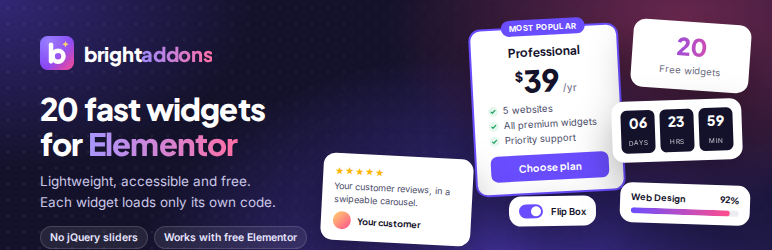
Bright Addons for Elementor adds 20 well designed, easy to use widgets to the Elementor page builder. Every widget is built for speed: no jQuery plugins, no slider libraries and no icon fonts of our own. Each widget loads its own small stylesheet and script only on pages where you use it, and you can switch off any widget you do not need.
Widgets included
- Advanced Heading – pre-title, dual color, gradient or marker highlight, separator and subtitle.
- Info Box – icon or image, title, text and button, with left, top or right layouts.
- Dual Button – two buttons side by side with an optional “or” connector.
- Team Member – photo, name, role, bio and social links, with an optional hover overlay.
- Testimonial Carousel – swipeable reviews with star ratings and photos.
- Logo Carousel – client and partner logos with optional grayscale effect.
- Image Comparison – before and after slider, horizontal or vertical, keyboard accessible.
- Counter – animated number with prefix, suffix and thousands separator.
- Progress Bar – line or circle, with optional stripes and gradient.
- Countdown Timer – count down to any date, with a message or hide option when finished.
- Pricing Table – plan, price, sale price, features, badge and button.
- FAQ Accordion – built on native HTML details, with optional FAQPage schema for search engines.
- Advanced Tabs – accessible horizontal or vertical tabs with icons.
- Flip Box – flip or fade effect in four directions.
- Post Grid – your latest posts with image, meta, excerpt and read more link.
- Contact Form 7 Styler – style Contact Form 7 forms without writing CSS.
- Call to Action – headline, text and button on a color, gradient or image background.
- Feature List – icon list with titles, descriptions and a connector line.
- Card – image card with a badge, text and button.
- Social Icons & Share – link to your profiles or let visitors share the page, with official brand colors.
Built for performance
- Assets load per widget, only where the widget is used.
- Carousels use native CSS scroll snap, so no slider library is loaded.
- The FAQ uses native HTML details and summary, so it works even without JavaScript.
- Counters, progress bars and carousels respect the visitor’s “reduce motion” setting.
- Switch widgets on or off from Bright Addons in your dashboard.
Accessibility
Keyboard support, focus styles and ARIA attributes are built in: the tabs follow the WAI-ARIA tabs pattern, the image comparison slider can be moved with the arrow keys and carousels can be controlled from the keyboard.
Bright Addons Pro
Bright Addons Pro, coming soon at brightaddons.com, adds 60+ more widgets and extensions. The free plugin is complete on its own and does not need Pro.
External services
The plugin does not send data to any external service when a page loads, and it does not track visitors. It connects to third party services in one case only: the share buttons of the Social Icons & Share widget.
When the widget’s Mode is set to “Share this page”, it shows a share button for each network the site owner picks. When a visitor clicks one of these buttons, their browser opens that network’s share page in a new tab and sends it the address (URL) and title of the page being shared, so the visitor can post it. Nothing is sent until the visitor clicks, and only the network they click receives the data. As with any website, the network also receives the information a browser normally sends (such as IP address and browser type) and handles it under its own terms and privacy policy.
Profile links (Mode “Link to my profiles”) are plain links to addresses the site owner enters. The Email share button opens the visitor’s own email app and does not contact any service.
The networks used by the share buttons:
- Facebook (Meta Platforms, Inc.): shares the page on Facebook. Sends the page URL to facebook.com. Terms of Service, Privacy Policy
- X (X Corp.): shares the page on X. Sends the page URL and title to x.com. Terms of Service, Privacy Policy
- LinkedIn (LinkedIn Corporation): shares the page on LinkedIn. Sends the page URL to linkedin.com. User Agreement, Privacy Policy
- Pinterest (Pinterest, Inc.): saves the page as a Pin. Sends the page URL and title to pinterest.com. Terms of Service, Privacy Policy
- WhatsApp (WhatsApp LLC): shares the page in a WhatsApp message. Sends the page URL and title to api.whatsapp.com. Terms of Service, Privacy Policy
- Telegram (Telegram Messenger Inc.): shares the page in a Telegram message. Sends the page URL and title to t.me. Terms of Service, Privacy Policy
- Reddit (Reddit, Inc.): submits the page to Reddit. Sends the page URL and title to reddit.com. User Agreement, Privacy Policy
- Threads (Meta Platforms, Inc.): shares the page on Threads. Sends the page URL and title to threads.com. Terms of Use, Privacy Policy
Screenshots

Switch any widget on or off from one settings screen. Switched off widgets load no code.

Advanced Heading, Dual Button and Counter in a hero section.

Info Box in a six card grid.

Advanced Tabs listing content.

Pricing Table with a featured plan.

FAQ Accordion with FAQ schema, and Call to Action.

Testimonial Carousel and Countdown Timer.

Team Member and Flip Box.

Image Comparison and Progress Bar (line and circle).