CI Time Duration Calculator Wordpress Plugin - Rating, Reviews, Demo & Download

Plugin Description
Calculate the exact time between two dates or events with our Time Duration Calculator. Easily track work hours, project lengths, and elapsed time instantly.
Add the calculator to any page, post or widget area with the shortcode [ci_time_duration_calculator].
What you enter: Start Time, End Time, Start Date, End Date.
What you get: Time Duration, TIME.
Features:
- Works as soon as it is activated: no account, no API key and no settings page.
- Calculates in your visitor’s browser. Nothing they type is sent to calculator.io or anywhere else, and the plugin loads no ads, trackers or external scripts.
- Responsive: the form and the results sit side by side on wide pages and stack on narrow ones. The frame resizes itself to fit the calculator.
- Optional light, dark or automatic (follows the visitor’s system setting) theme, a custom accent colour and a maximum width, all set in the shortcode.
- The calculator runs in an iframe, so your theme’s styles cannot break it and it cannot break your theme.
More about this calculator: https://www.calculator.io/time-duration-calculator/
Usage
Add the Time Duration Calculator shortcode to your page, post or sidebar:
[ci_time_duration_calculator]
Or add the following code to your template where you would like the Time Duration Calculator to appear:
<?php echo do_shortcode( '[ci_time_duration_calculator]' ); ?>
All attributes are optional:
title–1(default) shows the calculator heading with its icon,0hides it. Example:[ci_time_duration_calculator title="0"]theme–light(default),dark, orautoto follow the visitor’s light/dark system setting. Example:[ci_time_duration_calculator theme="auto"]accent– an accent colour for buttons and highlights, as a hex value. Example:[ci_time_duration_calculator accent="#2563eb"]max_width– the widest the calculator may be: a number followed bypx,%orrem. The calculator is centred when it is narrower than its column. Example:[ci_time_duration_calculator max_width="720px"]
Attributes can be combined: [ci_time_duration_calculator title="0" theme="auto" accent="#2563eb" max_width="720px"]
Source code and libraries
The plugin’s own JavaScript and CSS are shipped unminified and human-readable: assets/js/*.js (except assets/js/lib/), assets/css/main.css, assets/css/ci-widget.css, assets/css/ci-embed.css and the PHP file. main.css is the compiled, unminified stylesheet of calculator.io. The calculator is also published on the calculator.io website: https://www.calculator.io/time-duration-calculator/
Third-party libraries bundled in assets/js/lib/. Where a file is minified, the readable source is available at the upstream address:
- math.js 3.37.1 (Apache-2.0) –
assets/js/lib/math.min.js, minified build. Source: https://github.com/josdejong/mathjs - marked 15.0.12 (MIT) –
assets/js/lib/marked.min.js, minified build. Source: https://github.com/markedjs/marked - Inputmask 5.0.9-beta.70 (MIT) –
assets/js/lib/input-mask.min.js, minified build. Source: https://github.com/RobinHerbots/Inputmask - lazysizes 5.3.2 (MIT) –
assets/js/lib/lazysizes.js. Source: https://github.com/aFarkas/lazysizes - Air Datepicker 3.3.0 (MIT) –
assets/js/lib/air-datepicker.js. Source: https://github.com/t1m0n/air-datepicker - Inter font (SIL Open Font License 1.1) –
assets/fonts/inter-v20-latin.woff2. Source: https://github.com/rsms/inter
Screenshots
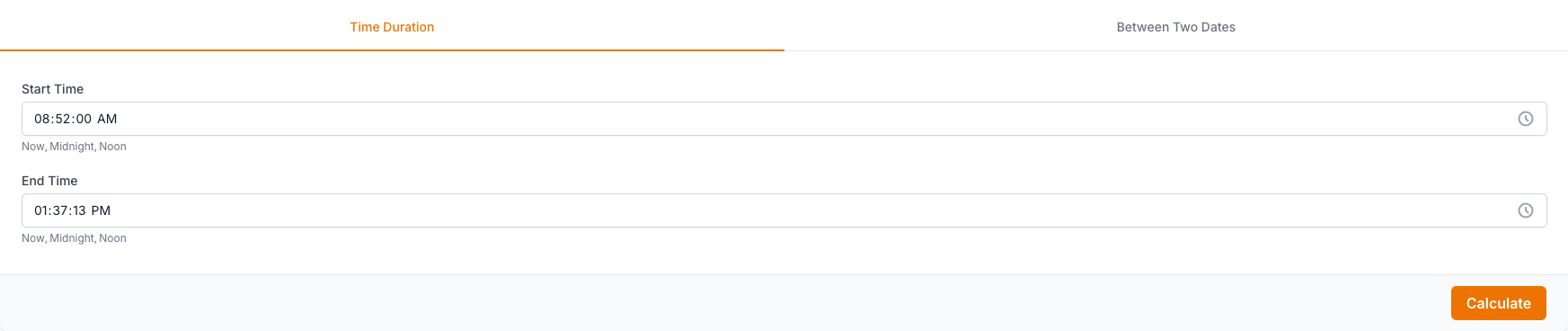
The Time Duration Calculator input form: Start Time, End Time, Start Date, End Date.

The Time Duration Calculator results: Time Duration, TIME.