Code Crafters Order Bumps For WooCommerce Wordpress Plugin - Rating, Reviews, Demo & Download

Plugin Description
Code Crafters Order Bumps for WooCommerce is an independent extension. It is not affiliated with or endorsed by WooCommerce or Automattic. WooCommerce is a trademark of Automattic Inc.
Create product-based checkout offers under WooCommerce > Order Bumps. Shoppers select an eligible offer to add it to their cart and clear the selection to remove it. Prices, availability, eligibility and discounts are validated on the server.
- Offer simple products, a specific variation, or a variable product with a variation selector.
- Configure no discount, a fixed discount, or a percentage discount.
- Match offers to cart products and configure purchase-history exclusions.
- Create, edit, enable, disable and delete offers from a searchable, paginated manager interface.
- View local aggregate impression and acceptance counts; impression tracking is optional.
- Use classic checkout or manually place the Order Bump inner block in Checkout Fields.
- Keep order bump item metadata through WooCommerce CRUD with HPOS support.
Classic checkout offers include an image, copy, prices and an accessible checkbox. Choose Before Place Order or After Order Review. The latter appears after the complete order-review/payment section in WooCommerce’s stock template. Themes must retain the corresponding checkout hooks. Bundled styling is optional.
For Checkout Blocks, insert Order Bump once inside Checkout Fields on the assigned Checkout page. Move it within those fields, for example above Actions. Classic placement settings do not move this block. Insertion inside locked Actions, payment controls or Order Summary is unsupported.
Selecting an offer updates checkout totals. Refreshing checkout restores the server’s selection. If an update has an uncertain outcome, reload checkout before continuing. Changing an offer requires JavaScript; classic checkout can still place an order with products already in the cart when JavaScript is disabled. Checkout Blocks requires JavaScript.
Compatibility was tested with PHP 7.4, 8.3 and 8.4, WordPress 6.3 / WooCommerce 8.3.0 and WordPress 7.1.2 / WooCommerce 11.1.2, with posts and HPOS order storage. These checks do not cover every theme, gateway or shipping extension. Network activation is unsupported; activate separately on each site.
Privacy and stored data
No external services or telemetry are used. Offers and aggregate counters are stored locally in one configuration table, including the managing user’s ID. WooCommerce sessions hold selection and counter-deduplication state. Purchase-history rules read existing WooCommerce orders; no separate customer profile or persistent event log is created. Bump item identifiers remain on orders as order metadata.
Deactivation preserves configuration. Uninstall deletes the current site’s plugin configuration table and seven owned options, preserving historical order metadata. Network-wide cleanup is unsupported.
License
The plugin is GPL version 2 or later. See license.txt.
Source and build instructions
Readable Blocks source is included in src/, with the build script in scripts/build.js and pinned dependencies in package-lock.json. See BUILD.txt for rebuilding the bundled assets and THIRD-PARTY-NOTICES.txt for dependency notices. Build dependencies are not required to run the plugin.
Screenshots
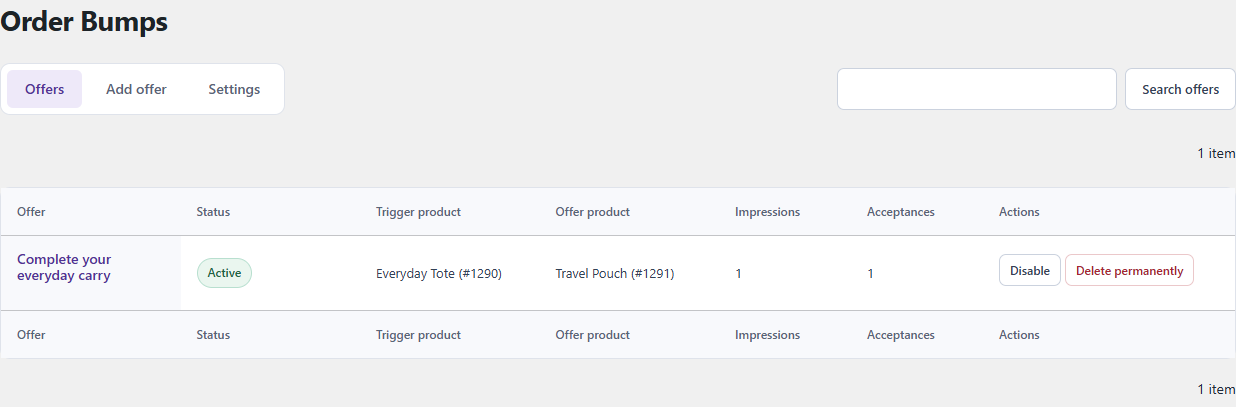
Manage product-based checkout offers from WooCommerce > Order Bumps. Example store data is shown.
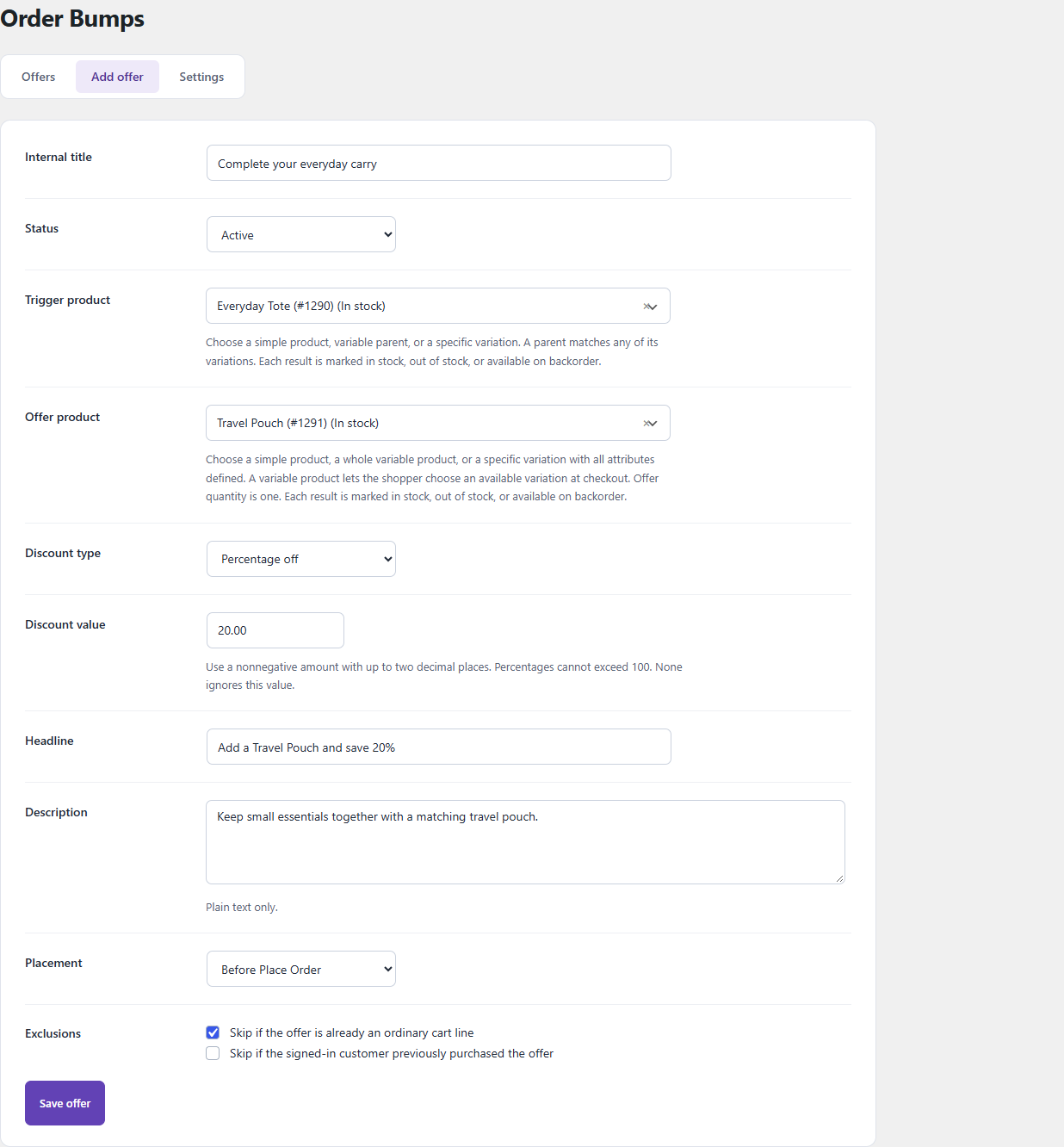
Configure an offer’s products, discount, headline, placement and matching rules.
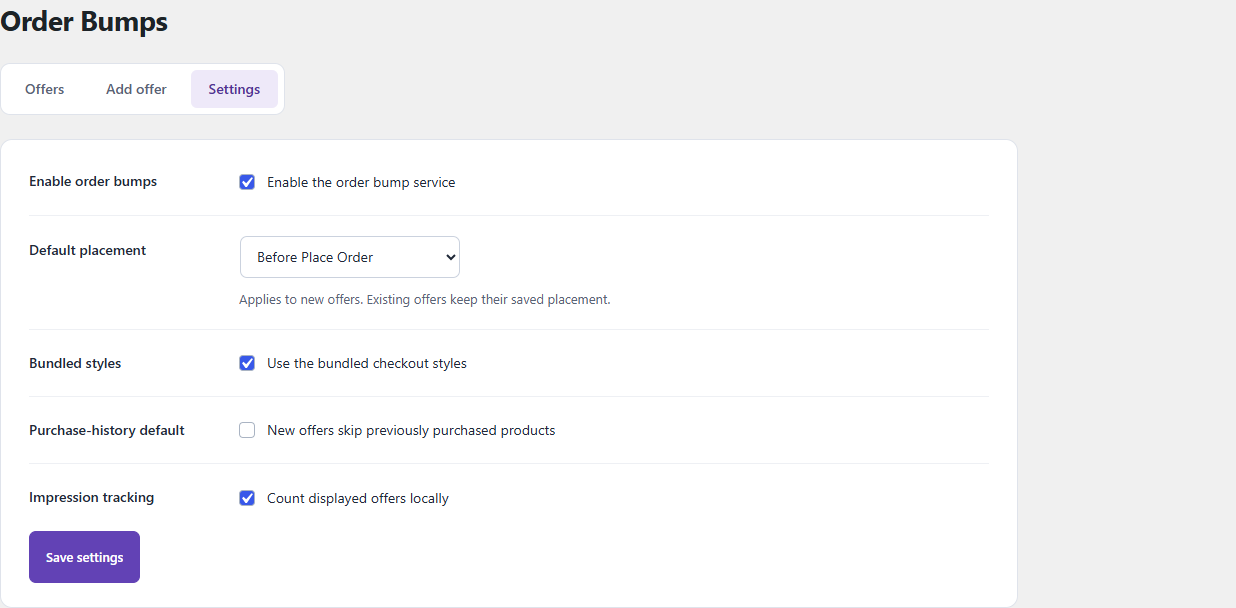
Control order bump availability, styling and optional impression tracking in Settings.
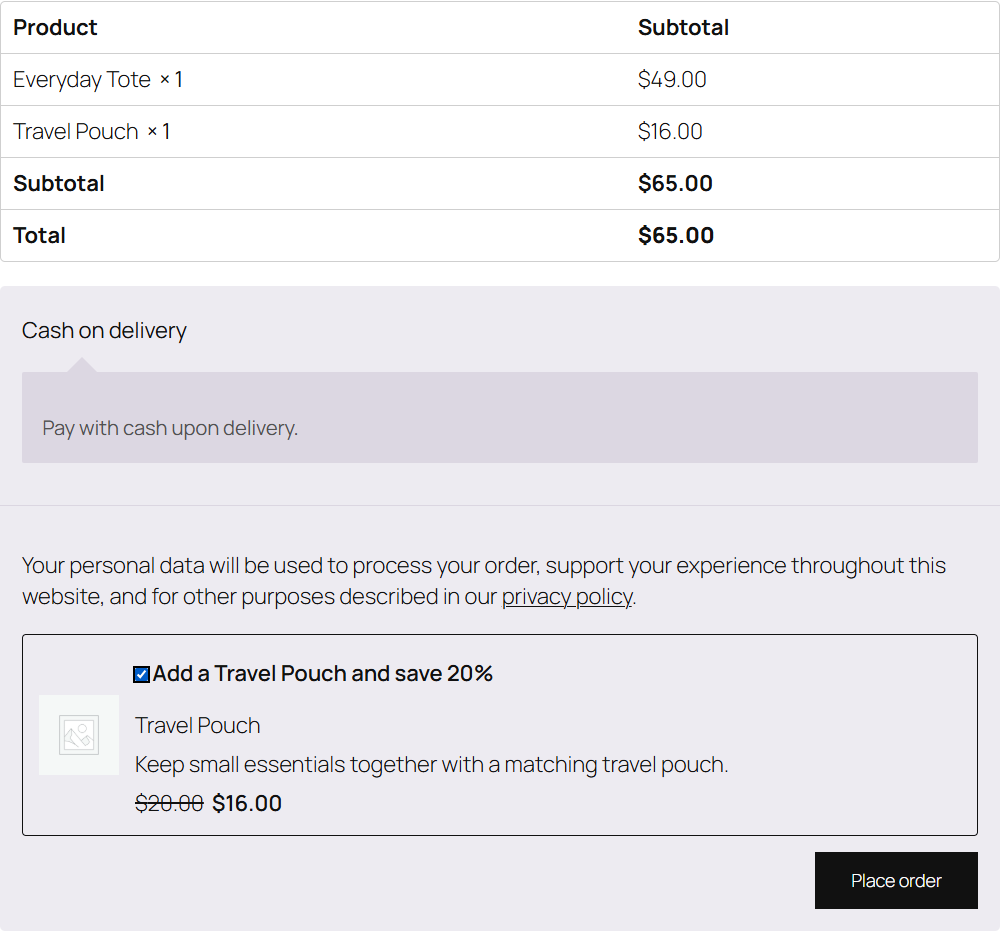
A discounted product offer on classic checkout in the example store.
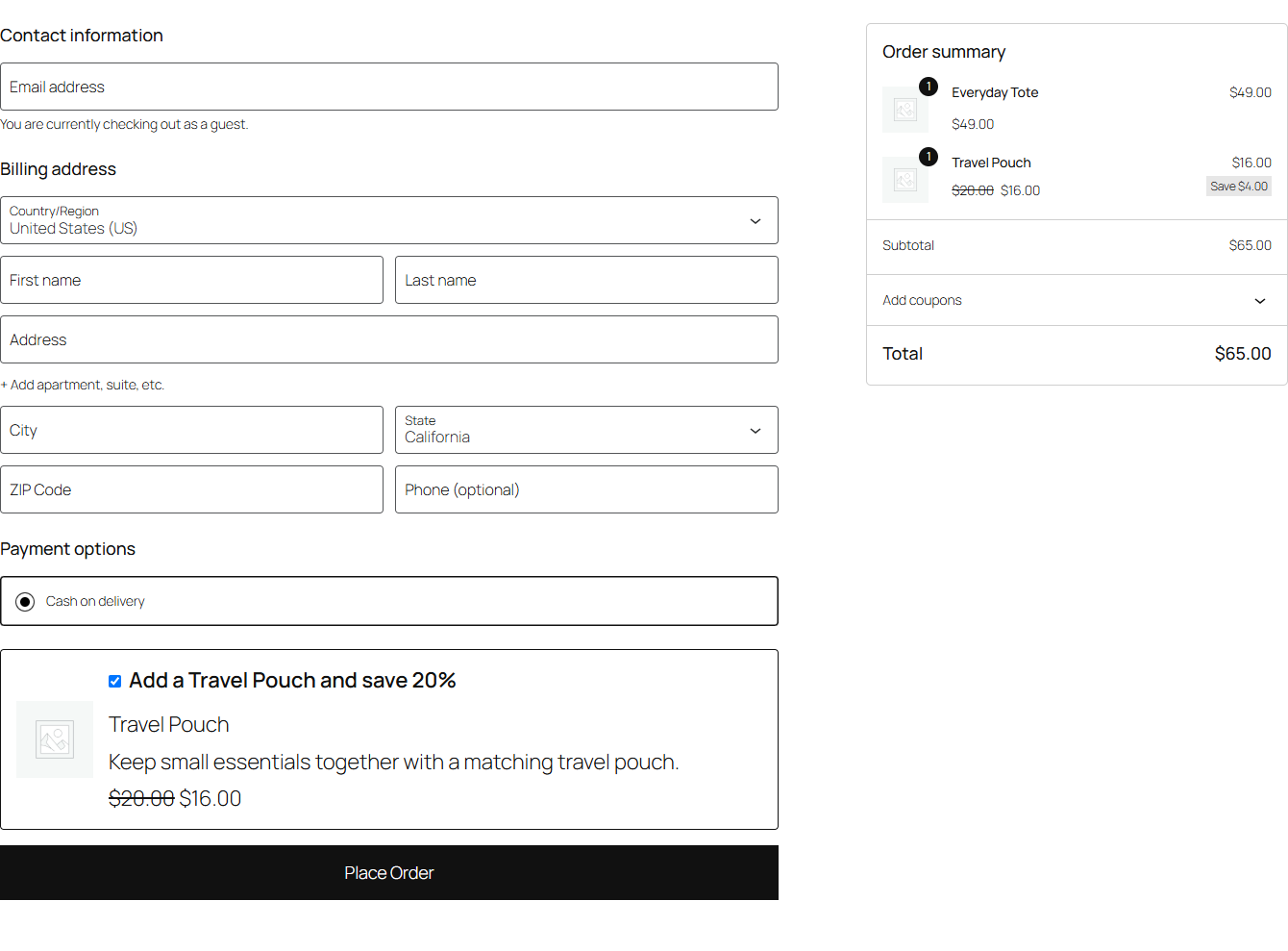
The Order Bump block inside Checkout Fields on Blocks checkout in the example store.