
Coupon Audit And Analytics For WooCommerce Wordpress Plugin - Rating, Reviews, Demo & Download

Plugin Description
Most shops accumulate coupons. A launch code from two years ago, a partner
discount nobody switched off, three variations of the same campaign where only
one was meant to survive. WooCommerce will happily keep honouring all of them,
and it will not tell you.
This plugin reads your coupons and says what is wrong with them.
The audit
Works on day one, in every shop, with no setup and no cost data:
- Never expires — live, with nothing scheduled to ever turn it off.
- Dormant — live, but nobody has redeemed it in months.
- Dead campaign — live, while every other code from its campaign has expired.
- Applies to everything — live, with no product or category restriction at all.
- Overlaps — two live coupons that can both apply to the same product.
Nothing in WooCommerce compares one coupon against another, so this is not a
finding you can reach any other way.
Status is worked out when you look, never stored, so a coupon that expired
overnight says so the next morning.
Filter the list by discount type, or by whether a coupon expires at all — a shop
with four hundred coupons cannot be read top to bottom, and “show me everything
that never expires” is the question worth asking first.
The warning where it matters
The same findings appear on the coupon edit screen, against the coupon in front
of you. They never block a save. You are told, and you decide.
The margin
For each coupon: revenue, what it gave away, the cost of the goods it moved, and
the gross margin left over. Over the last 30 days by default, which you can
change with a filter — see the FAQ.
This half needs cost data, and it is honest about not having it. WooCommerce’s
own cost-of-goods feature is off by default, so the plugin also reads the cost
plugins shops actually use:
- WooCommerce’s built-in Cost of Goods (10.3 and later)
- Cost of Goods for WooCommerce, by WPFactory
- WooCommerce Cost of Goods
- Booster for WooCommerce
Figures come from one of these, never a mixture — a margin blended from two
sets of books reconciles with neither. If several are installed you choose which
one to believe.
Where cost is only partly known, the margin says so and states how much of it is
real. Where no cost is known at all, no margin is shown. A wrong number in a
financial dashboard destroys trust far faster than a missing number builds it.
What it does not do
No tracking. No external requests of any kind. No account. It reads your shop’s
own database and shows you what is in it.
Screenshots
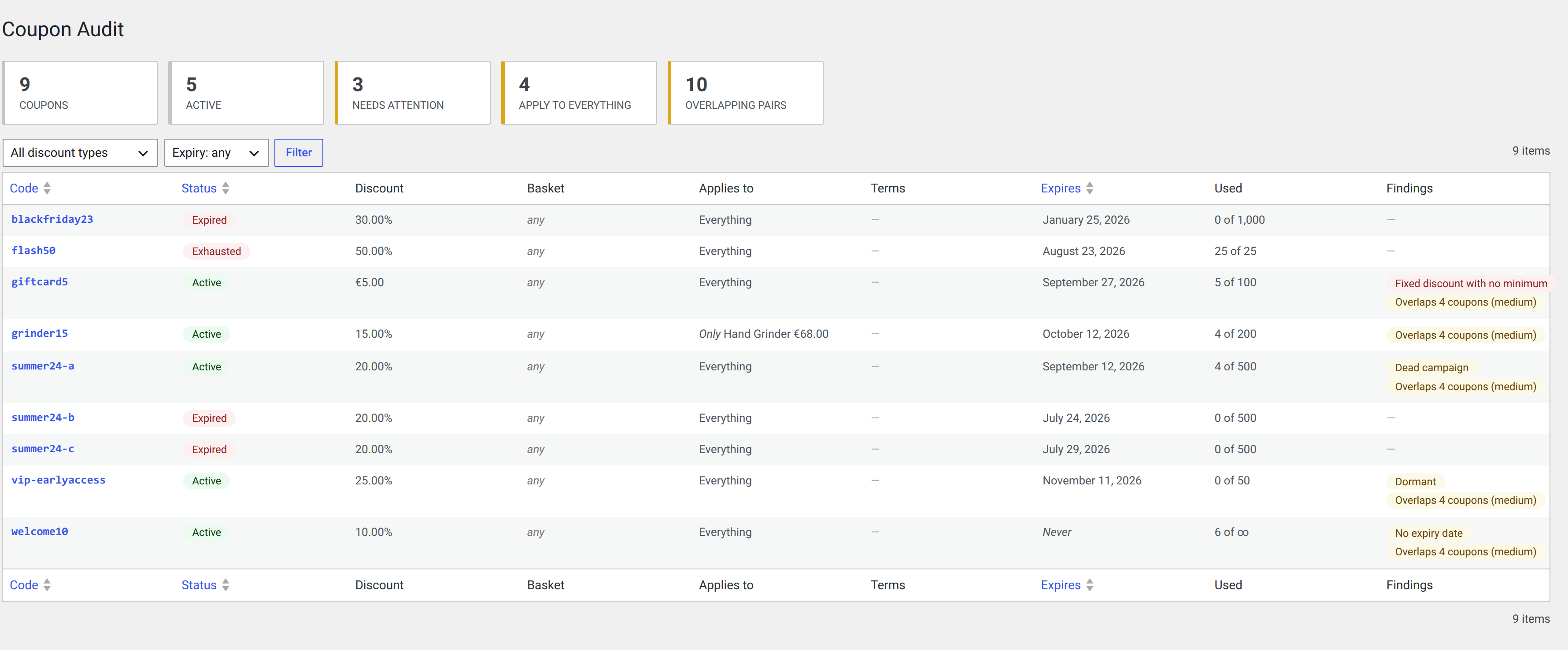
The coupon audit: every coupon, its real status, what it applies to, and what is wrong with it — expired, exhausted, dormant, dead campaign, no expiry date, and overlapping. Filter by discount type or by whether it expires.
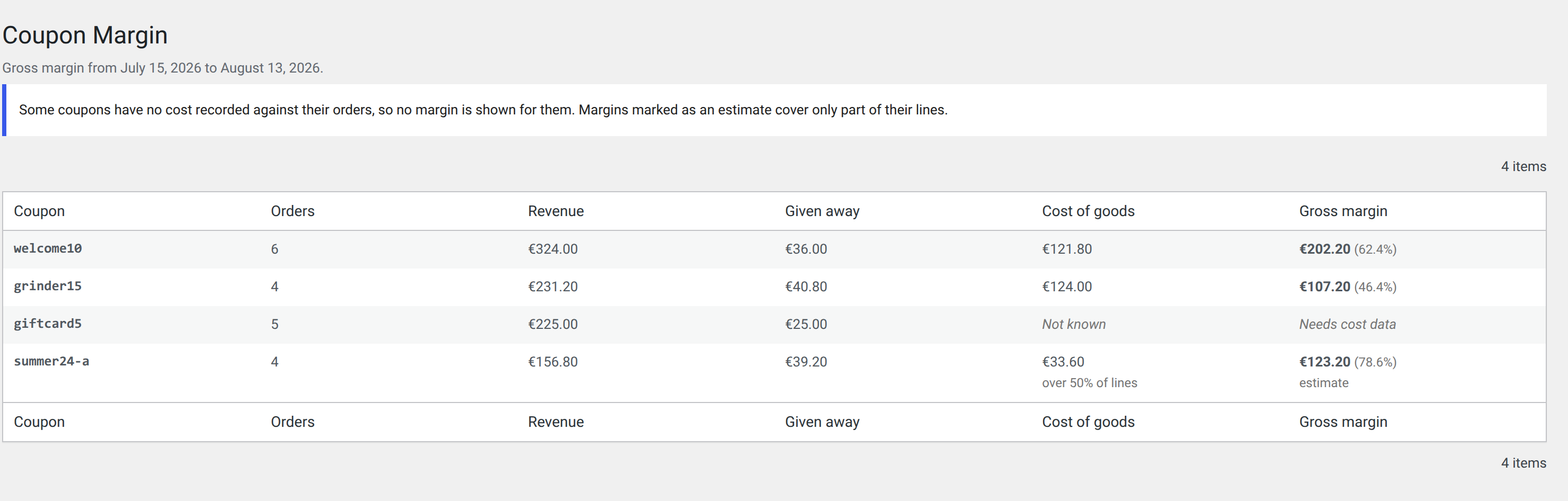
Per-coupon margin. Cost coverage is stated rather than assumed: one coupon’s margin is exact, one is an estimate over half its lines, and one has no cost recorded at all and so shows no margin.
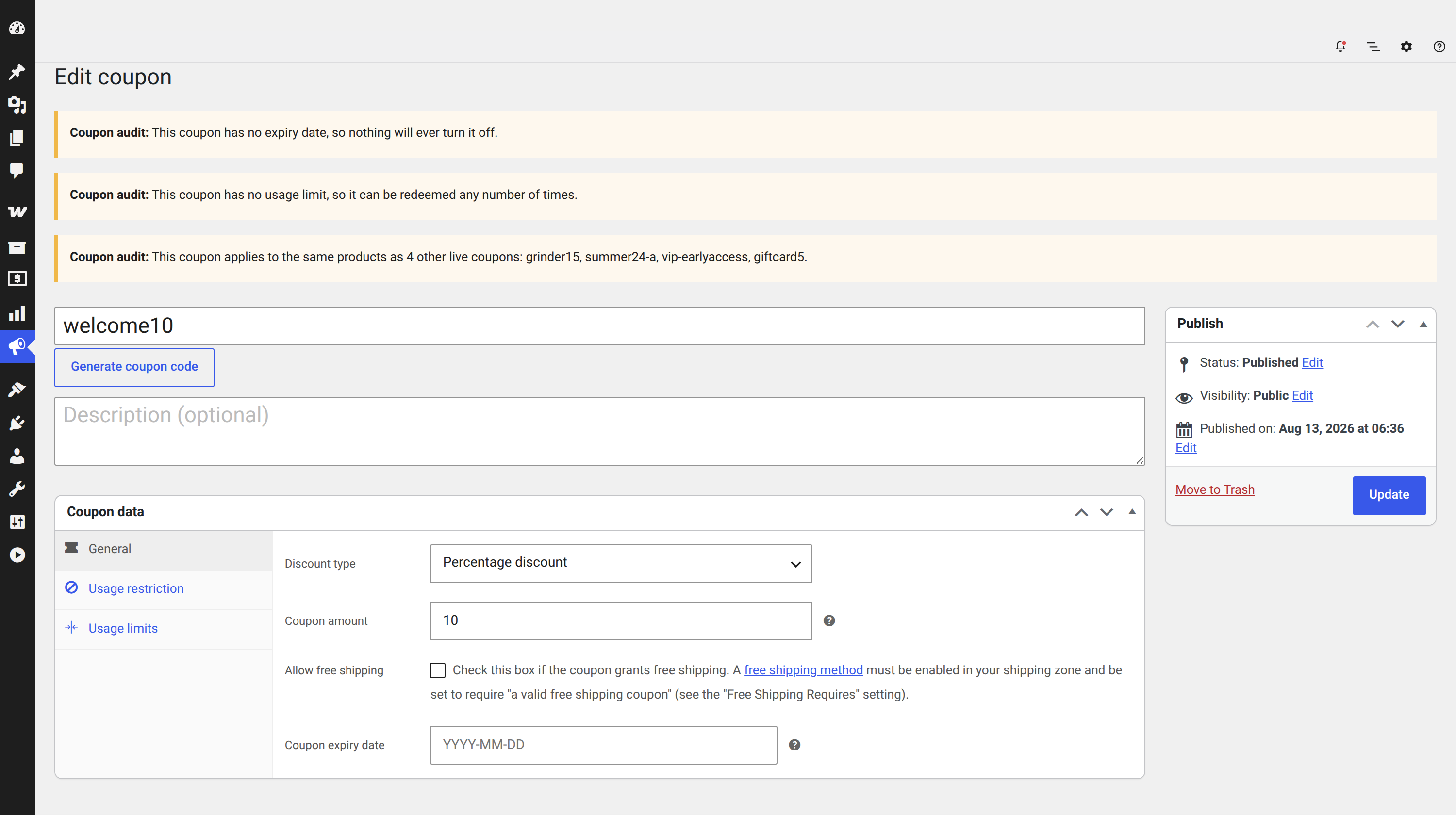
Warnings on the coupon edit screen, against the coupon in front of you. They never block a save.
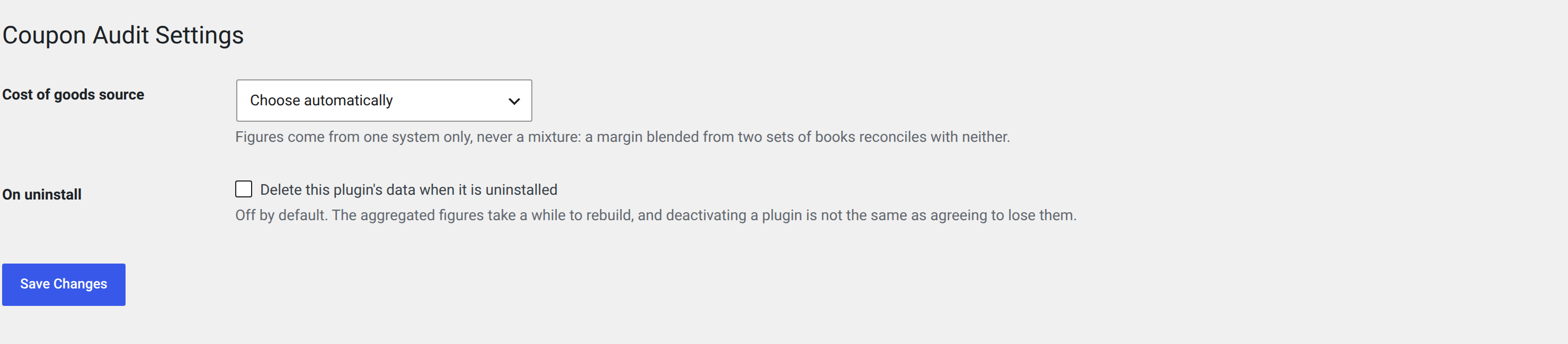
Settings: which cost-of-goods system to read, and whether uninstalling should take the data with it.


