CrawlCue – Broken Link & Image Auditor Wordpress Plugin - Rating, Reviews, Demo & Download

Plugin Description
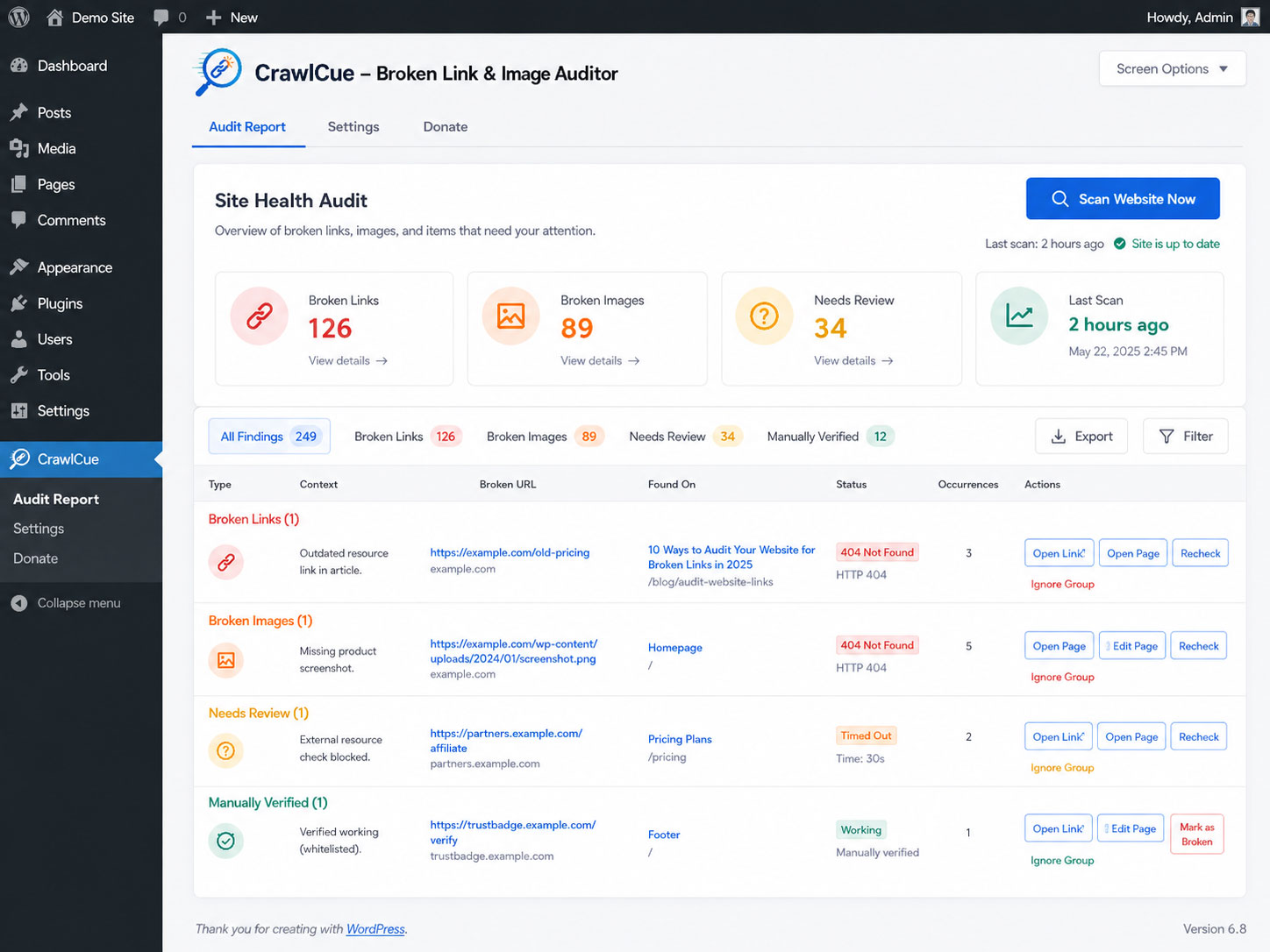
CrawlCue gives WordPress administrators a focused maintenance workflow:
- Manually crawl the rendered front end of the site.
- Discover internal pages from actual front-end links.
- Check internal and external HTTP/HTTPS links.
- Check image src and responsive srcset/source URLs.
- Cache duplicate URL checks during a scan to reduce unnecessary HTTP requests.
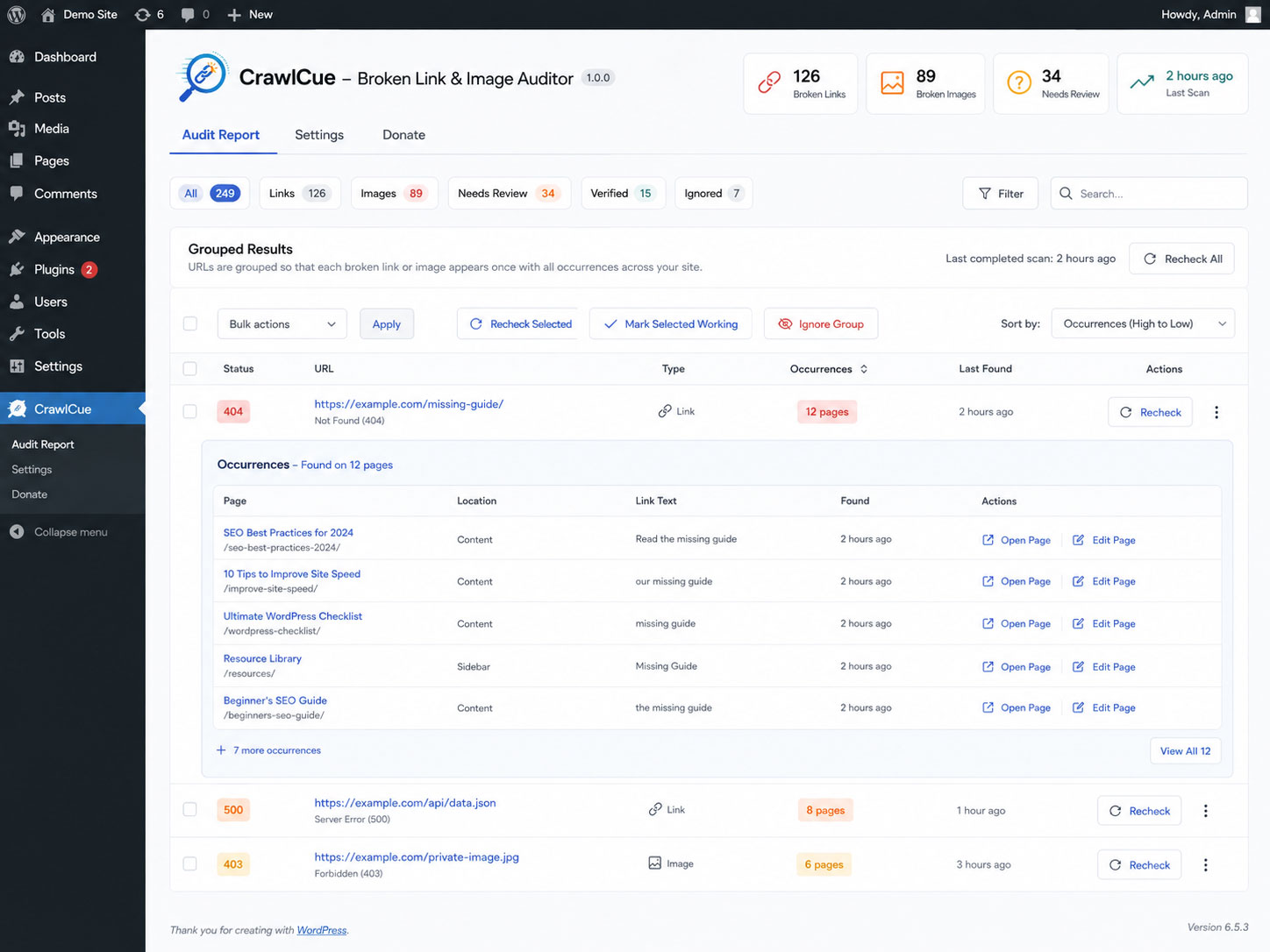
- Group repeated problem URLs so footer, menu, and template links do not flood the report; open a group to see every source page.
- Open the source page in a new tab or open the WordPress editor when available.
- Recheck a grouped result after fixing or removing it; CrawlCue checks the destination once and reloads source pages in small batches only when needed.
- Separate confirmed broken resources from URLs that automated checks could not verify because of access controls, throttling, bot protection, TLS trust differences, custom HTTP responses, or temporary server conditions.
- Sort report columns and bulk-recheck selected grouped results.
- Manually mark inconclusive URLs as working after opening them in your browser; CrawlCue remembers that verification across future scans unless strong evidence later contradicts it.
- Ignore intentional/unfixable URL groups without deleting the audit.
- Show a WordPress Dashboard widget with broken-link/image counts and the last scan time.
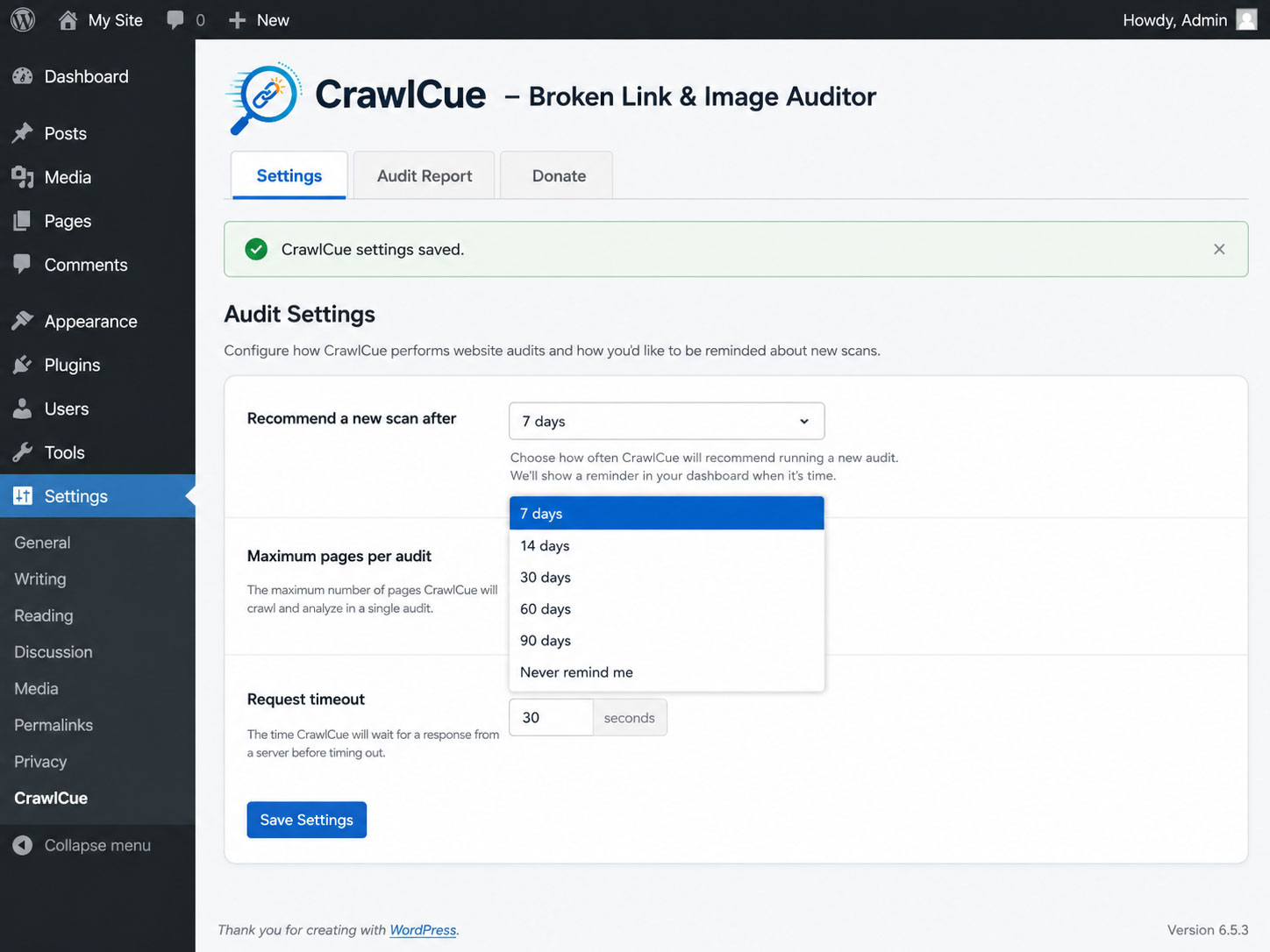
- Recommend another audit after 7, 14, 30, 60, or 90 days without scheduling anything.
- Run the scan in small administrator-initiated AJAX batches instead of one long PHP request.
CrawlCue intentionally does not use WP-Cron, require a cloud account, or send your crawl report to an external service.
Unlike simple database or status-code-only link checkers, CrawlCue scans the rendered front end and distinguishes confirmed failures from responses caused by bot blocking, rate limits, or temporary server conditions. This helps uncover more real-world link problems while reducing false positives. During an audit, the site server makes HTTP/HTTPS requests to the links and image URLs found on the site so it can verify whether they respond. Those destination servers can therefore receive normal web-request information such as the site server IP address and the plugin user-agent. The plugin does not add personal data, account data, or the site URL to its external-request user-agent.