
Grounded AEO Wordpress Plugin - Rating, Reviews, Demo & Download

Plugin Description
AI answer engines (ChatGPT, Claude, Perplexity, Google AI) increasingly answer questions about your business by piecing together whatever they can scrape. When the scraps are messy, they guess, and sometimes they guess wrong.
Grounded AEO gives them something better to read. Fill in one form and your site publishes:
/.well-known/aeo.json– your facts in the open v=AEO1 format (aeorecord.org)/llms.txt– a plain-text digest AI crawlers understand- Organization schema and a
rel="aeo"discovery link in every page head
Everything updates the moment you save the form. Nothing to write by hand, nothing to keep in sync.
The plugin also shows you the optional _aeo DNS TXT record that announces your record to engines, with a one-click check to confirm it is live.
Honest labeling. Records published by this plugin are self-declared: they state what you say about your business. Verified records (domain-control proof, cryptographic signature, weekly measurement of whether engines actually cite you) are a separate service at groundedaeo.com. The plugin is fully functional without it.
Open standard. v=AEO1 is an open, unowned format documented at aeorecord.org, with a published IETF Internet-Draft (draft-miller-aeo). This plugin is one implementation; anyone can build another.
External services
This plugin serves its records entirely from your own site. One optional feature contacts an external service:
Google Public DNS (DNS-over-HTTPS) is used only by the “Check my DNS” button on the Publish tab, and only when you click it. It queries https://dns.google/resolve from your browser to look up the optional _aeo TXT record on your own domain, so the request contains your site’s hostname and nothing else. No request is made from your server, and nothing runs automatically. This service is provided by Google: terms of service, privacy policy.
The “Run the free audit” link on the Publish tab is an ordinary link to groundedaeo.com that opens in your browser; the plugin itself sends no data there.
Screenshots
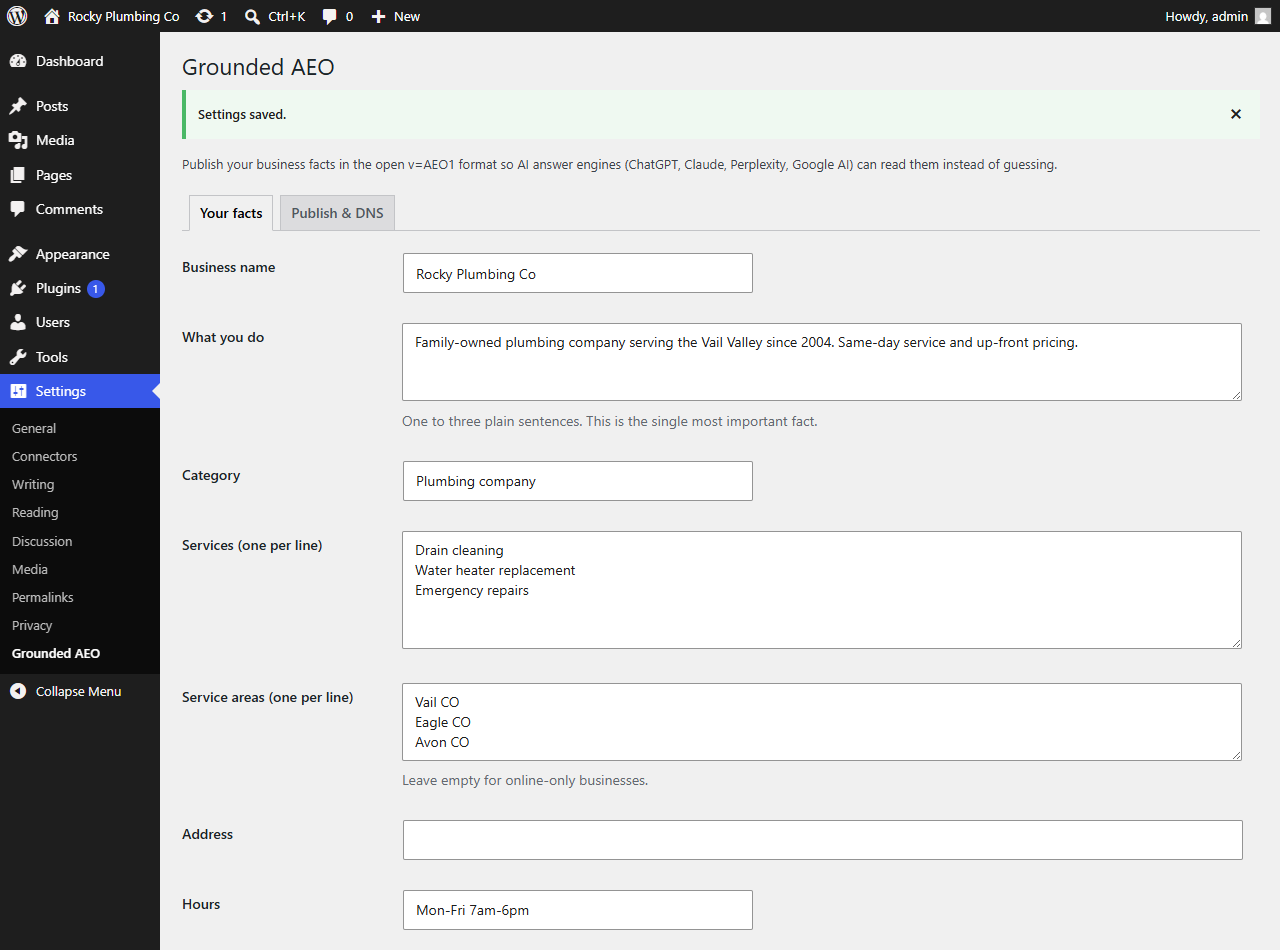
Your facts, one form: everything the record serves comes from here.
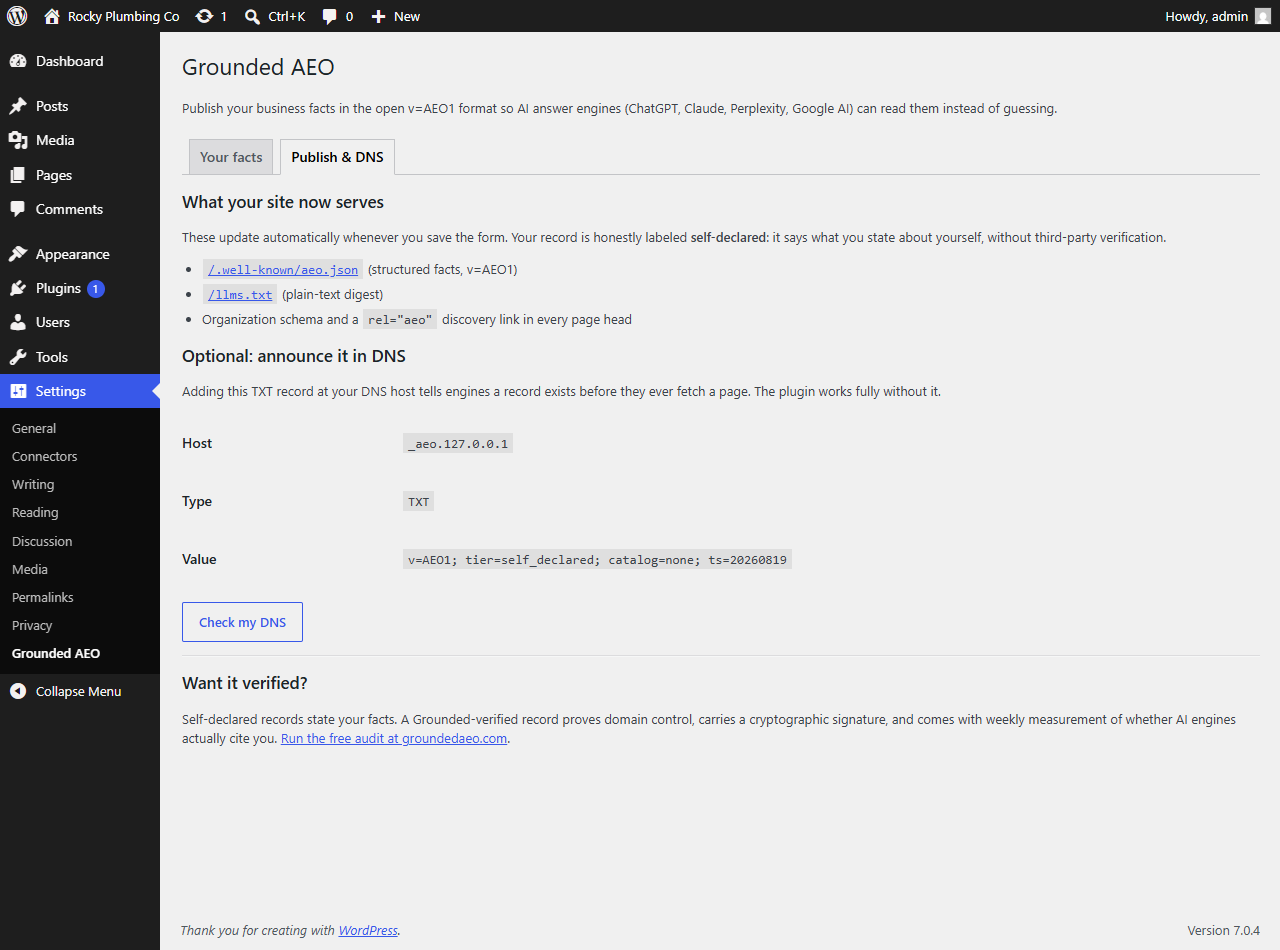
The Publish tab: what your site now serves, the optional DNS record with a one-click check, and the honest upgrade path.


