Dasgode Reserve Wordpress Plugin - Rating, Reviews, Demo & Download
Plugin Description
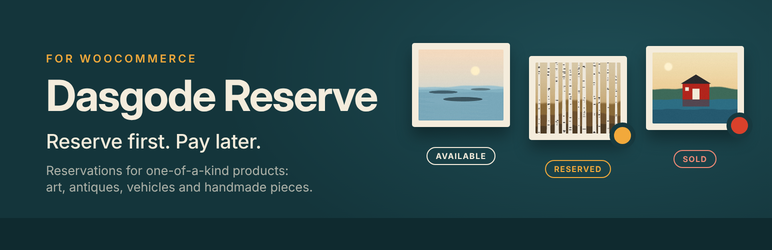
Dasgode Reserve turns the WooCommerce “Add to cart” button into a “Reserve” button. It is made for shops that sell single items: artworks, antiques, used vehicles and machines, handmade pieces.
The customer sends a reservation with a name, email address and phone number. Nothing is paid on the website. The product is marked Reserved straight away, so nobody else can reserve it. You review the reservation and send the payment instructions with one click. When the payment has arrived, you mark the reservation as paid and the product becomes Sold. A sold product stays in your shop as a reference.
Features
- Reserve products without an online payment gateway
- Works with the Checkout block and the classic checkout
- Available / Reserved / Sold badges on product pages and in product lists
- Sold products stay visible but cannot be reserved
- Adjustable reservation length, 1 to 14 days, shown to the customer as the due date
- Payment instructions by email: IBAN and BIC, or your own free-form instructions (ACH, local bank transfer, invoice)
- “Mark as paid” and manual cancellation with automatic stock release
- Several different products in one reservation
- Simplified checkout: name, email, phone and a note
- Remove buttons and a “Continue reserving products” link at checkout
- Usage profiles for general products, artworks and vehicles, or your own wording
- Artwork profile with size (height × width), technique, material, year and framing fields
- Compatible with WooCommerce High-Performance Order Storage (HPOS)
- Translation ready
How it works
- Enable reservation on a product. The plugin manages its stock as a single item.
- The customer clicks “Reserve product” and submits the reservation at checkout.
- The order goes On hold and the product shows Reserved.
- You send the payment instructions from the order screen. The due date is set from the reservation length.
- When you mark the reservation as paid, the product shows Sold.
- If you cancel the reservation, the product becomes Available again.
For developers
Actions: dasgode_reserve_loaded, dasgode_reserve_reservation_created, dasgode_reserve_payment_details_sent, dasgode_reserve_payment_email_sent, dasgode_reserve_reservation_paid, dasgode_reserve_reservation_cancelled, dasgode_reserve_product_status_changed, dasgode_reserve_product_reserved, dasgode_reserve_product_released, dasgode_reserve_product_sold, dasgode_reserve_order_metabox, dasgode_reserve_product_fields.
Filters: dasgode_reserve_checkout_continue_url, dasgode_reserve_payment_reference, dasgode_reserve_payment_amount_due, dasgode_reserve_payment_due_timestamp, dasgode_reserve_max_due_days, dasgode_reserve_payment_details_rows, dasgode_reserve_payment_email_extra_html, dasgode_reserve_payment_email_attachments.
Screenshots

Product page with the status badge, artwork details and the Reserve button.

Product list with Available, Reserved and Sold badges.

Checkout block with the simplified fields and the Reservation payment method.

Confirmation page after a reservation.

A sold product stays visible as a reference and can no longer be reserved.

Order screen: send the payment instructions and mark the reservation as paid.

Plugin settings: usage profile, payment details and reservation length.

Product settings: reservation switch, artwork details and manual status.