
Deckard Simple Event Calendar Wordpress Plugin - Rating, Reviews, Demo & Download
Plugin Description
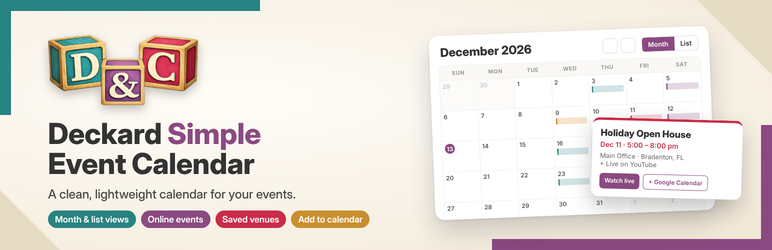
Deckard Simple Event Calendar is a fast, lightweight event calendar for WordPress. Add events in the dashboard and your visitors get a clean, mobile-friendly calendar with no ads, upsells or third-party accounts.
Features
- Month and List views with an event pop-up showing the image, time, location and buttons.
- Ready-made events page at /events/ that uses your theme’s header and footer.
- Event pages with the title, featured image, date and time, location, directions link, cost and a registration button.
- In-person, online or both: add a physical address, an online link (YouTube, Zoom, Facebook Live and more) or both.
- Saved venues: save a venue’s name, address and online link once, then pick it from a dropdown for future events.
- Repeating events: daily, weekly, every two weeks, monthly or yearly, with an optional end date.
- Categories with colors so events are easy to tell apart on the calendar.
- Add to calendar buttons for Google Calendar and Apple Calendar / Outlook (.ics), shown where you choose.
- Event structured data (schema.org Event) so search engines can understand your events.
- Upcoming events list for your homepage or sidebar.
- Mobile friendly and keyboard accessible, and it uses your theme’s fonts.
Shortcodes
[deckard_event_calendar]shows the full calendar. Options:view="list",category="slug"(separate several with commas),month="2026-12".[deckard_upcoming_events]shows a list of upcoming events. Options:limit="5",category="slug",days="365",show_image="yes".
In the block editor, add a Shortcode block and paste a shortcode into it. Shortcodes also work in page builders such as Elementor.
For developers
- Copy
templates/single-event.phpinto your theme assingle-deckcal_event.php, ortemplates/archive-events.phpasarchive-deckcal_event.php, to customize those pages. - Filters:
deckcal_output_schema(return false to turn off the structured data),deckcal_schema(change it),deckcal_currency(currency for prices, default USD),deckcal_use_single_templateanddeckcal_archive_title.
External services
This plugin does not send any data to outside services by itself. It only shows links that a visitor can choose to click:
- Google Maps – the “Get directions” link opens Google Maps with the event’s venue name and address. Terms of Service, Privacy Policy.
- Google Calendar – the “Google Calendar” button opens Google Calendar with the event’s title, date, time, location and a link to the event. Terms of Service, Privacy Policy.
Online event links (for example YouTube or Zoom) go to whatever address the site owner enters for that event.
Screenshots

Month view with color-coded events.

Event pop-up with image, time, location and buttons.

An event page with the title, featured image and event details.

The Event Details box in the editor, with saved venues.

The Venues screen.

Calendar Settings.
Similar Plugins:
 Rating Widget: Post Rating, 5 Star Rating, Reviews, Thumbs Up & Down, Reaction
 Event Manager, Event Calendar, Event Tickets For WooCommerce – Eventin
 Event Tickets Manager For WooCommerce – Ticket Stock Management, Download Tickets As PDF, Events Calendar, Event Check-in Using Emails, Edit Your Ticket Content