Dragon Compliance Wordpress Plugin - Rating, Reviews, Demo & Download

Plugin Description
The EU Cyber Resilience Act (CRA) and NIS2 directive expect businesses to know
what software they run, monitor it for known vulnerabilities, patch without
delay — and to be able to prove all of that. Dragon Compliance turns your
WordPress site into something you can hand to an auditor:
- Software inventory — WordPress core, every plugin and theme with version,
author and license, plus the PHP/database/server environment. - SBOM export — download a standards-compliant CycloneDX 1.6 JSON Software
Bill of Materials, the artifact auditors and enterprise customers ask for. - Vulnerability monitoring — a daily scan matches your inventory against
the Wordfence Intelligence vulnerability database and lists affected
components by severity. New critical findings can email the site admin. - CRA readiness checklist — automatic checks (HTTPS, auto-updates coverage,
debug mode, file editing, 2FA, default admin account, open criticals) plus
manual attestations for process facts like your update policy and backups,
with a completion score. - Evidence log — every scan, detection, resolution and attestation change
is recorded with a timestamp, building the audit trail regulators expect.
Everything is processed locally on your server. Your inventory is never
uploaded anywhere — the only outbound request is downloading the public
vulnerability database.
Everything above is free, fully functional and unlimited.
Dragon Compliance Pro
For agencies and businesses that answer to clients or auditors:
- White-label scheduled compliance reports
- SBOM snapshots with diffs, and SPDX 2.3 export
- Tamper-evident hash-chained evidence log
- Time-to-patch metrics
- Alert routing: multiple recipients, signed webhooks, Slack
- NIS2 mapping view
See Dragon Compliance Pro for details.
External services
This plugin can connect to the Wordfence Intelligence vulnerability database
(a service by Defiant Inc.) to download its public list of known WordPress
vulnerabilities. This is required for the vulnerability-monitoring feature
and happens once daily, and when you press “Scan now”.
Only a standard HTTP request with your Wordfence Intelligence API token is
sent — no data about your site, its inventory or its users is transmitted.
You need a free wordfence.com account to generate a token; without one, the
plugin’s other features work normally and monitoring stays off.
Wordfence terms of service: https://www.wordfence.com/terms-of-use/
Wordfence privacy policy: https://www.wordfence.com/privacy-policy/
Screenshots
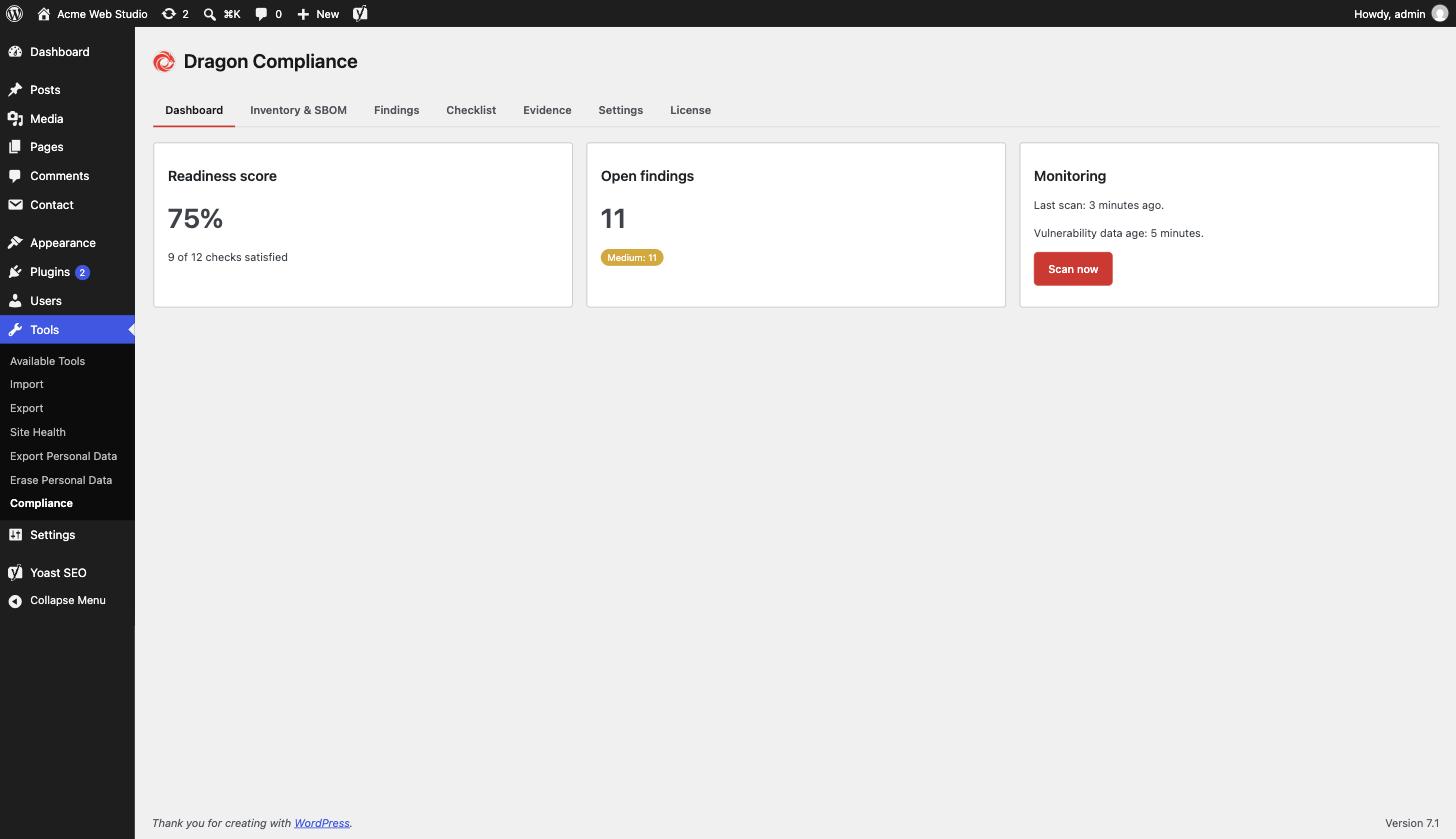
Dashboard – readiness score, open findings and vulnerability monitoring at a glance.
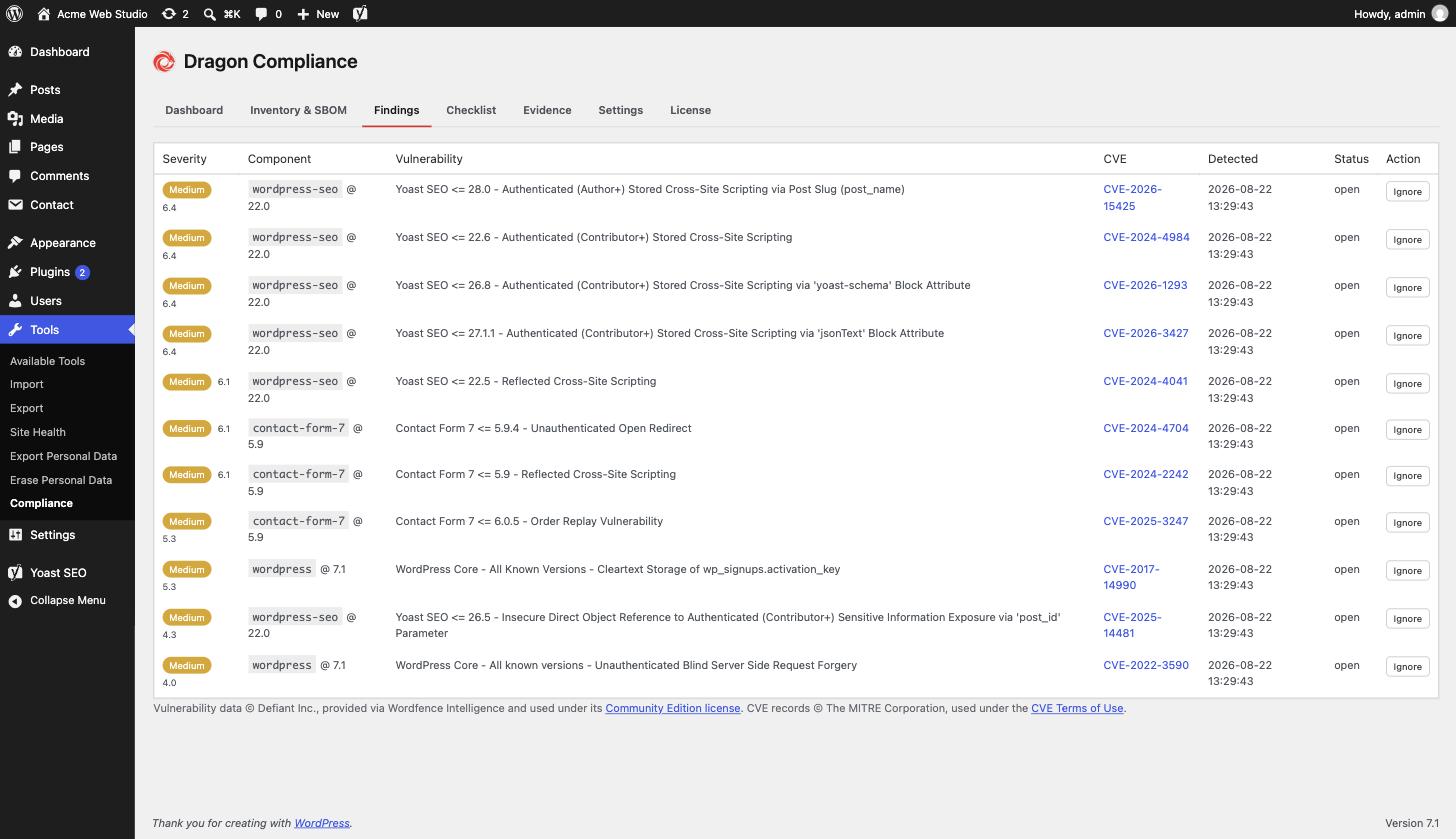
Findings – known vulnerabilities in installed plugins, themes and core, matched against the Wordfence Intelligence feed with CVE links.
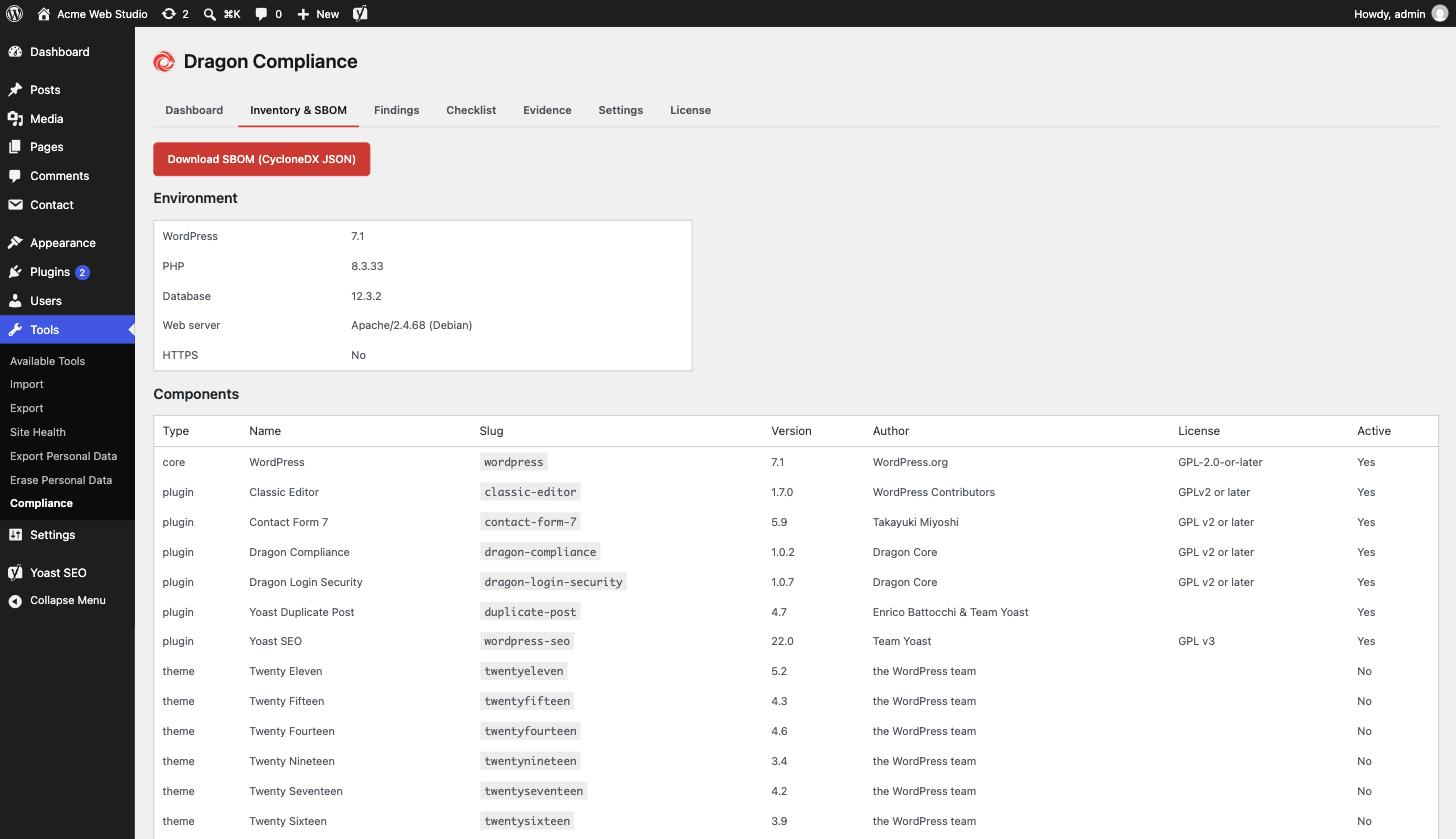
Inventory & SBOM – every component on the site, exportable as a CycloneDX SBOM in one click.
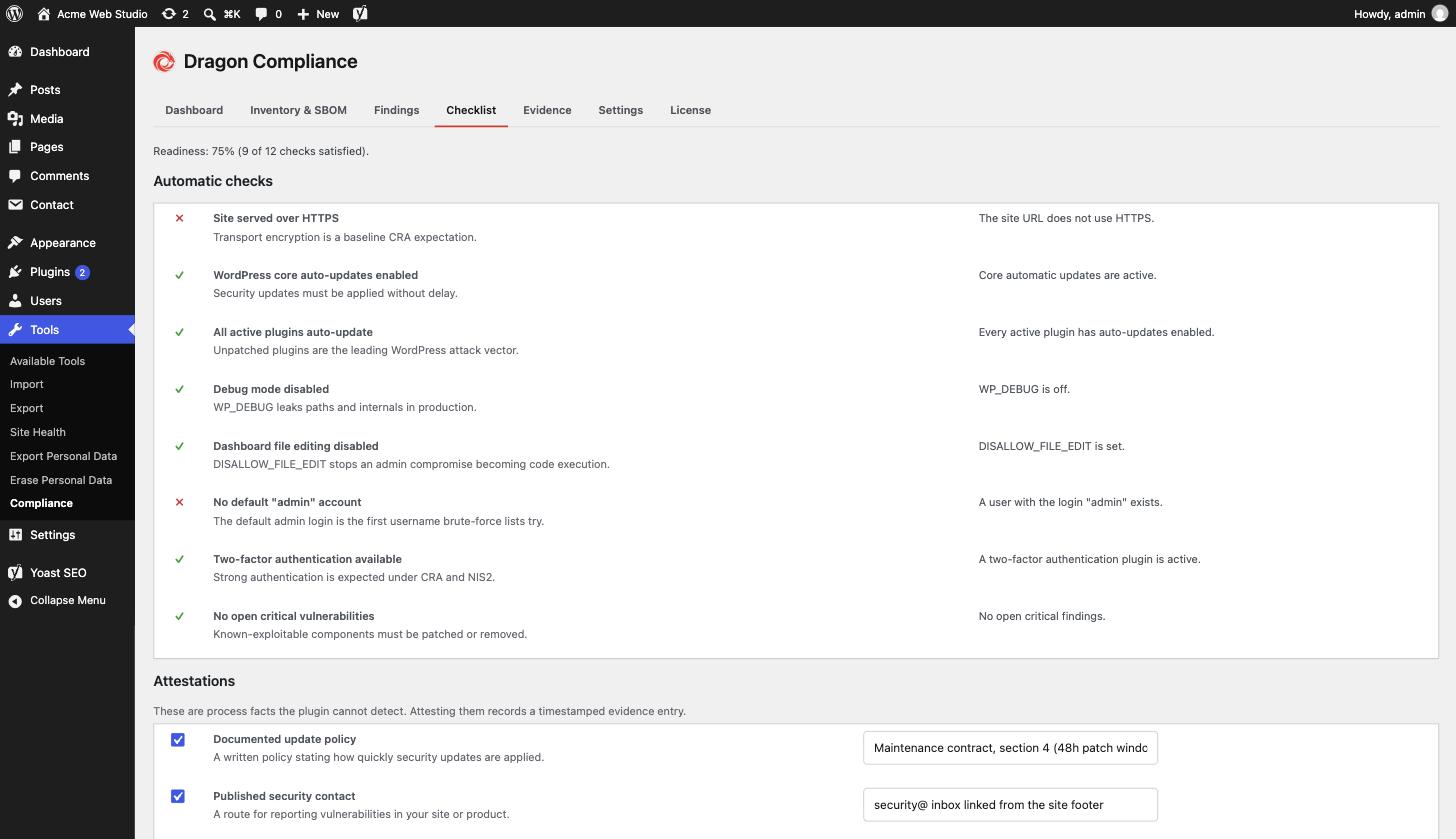
Checklist – automatic CRA readiness checks plus recorded process attestations.
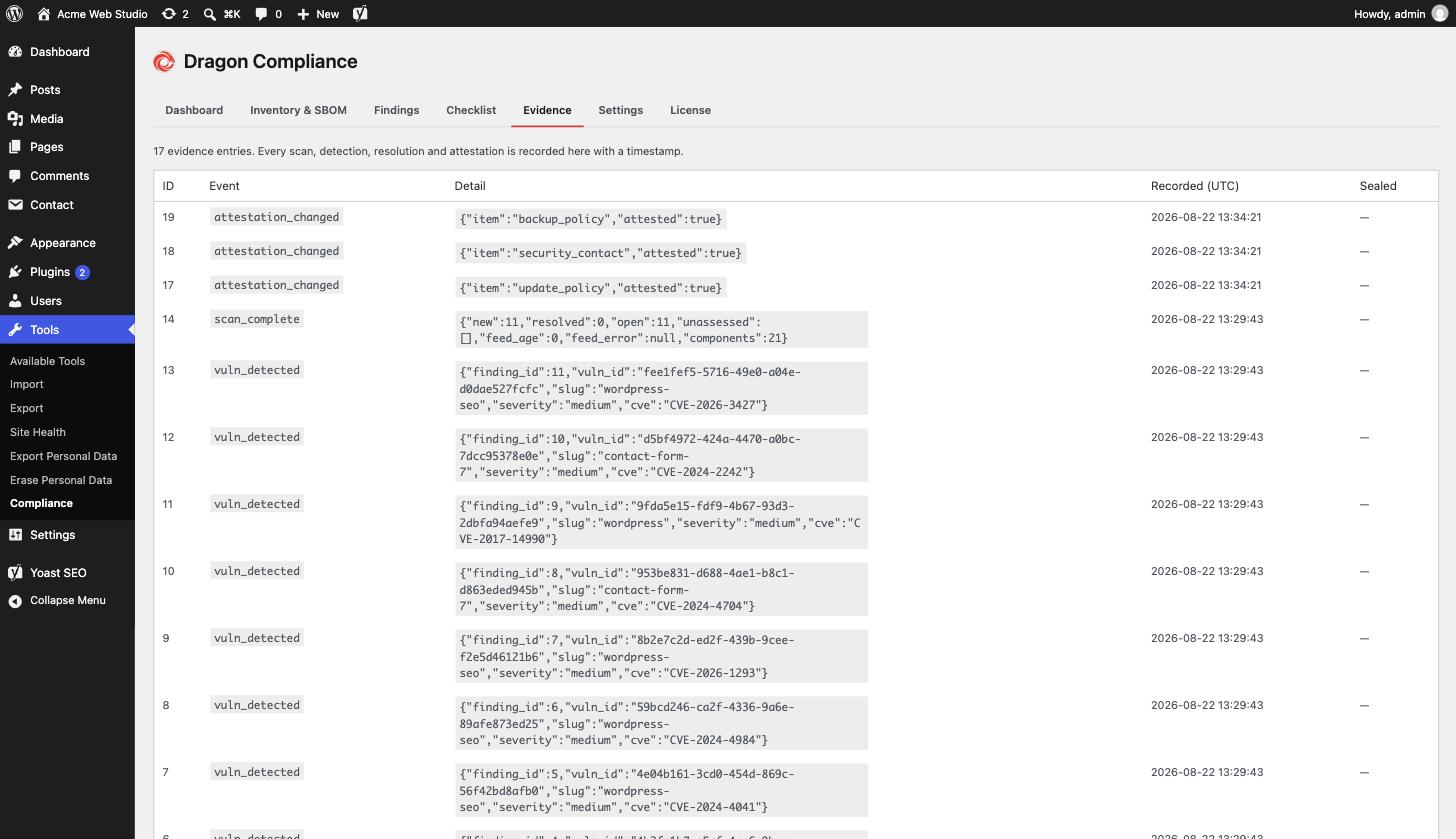
Evidence – a timestamped log of every scan, detection and attestation.