EBook Crafter Wordpress Plugin - Rating, Reviews, Demo & Download
Plugin Description
eBook Crafter lets you assemble an eBook from WordPress content using Gutenberg blocks, then generate a downloadable PDF.
Free features
- Custom eBook post type
- Page, Chapter, and Table of Contents blocks
- Local PDF generation with DOMPDF
- PDF version history in the media library
Pro
Need higher-fidelity rendering, book templates, custom fonts, automatic TOC page numbers, and PDF/UA & PDF/A support? See eBook Crafter Pro. Pro features are provided entirely by the separate Pro plugin; this plugin contains no locked functionality.
External services
This plugin connects to the jsDelivr CDN to fetch Twemoji emoji images during PDF generation.
- What it is and what it is used for: The bundled DOMPDF engine cannot render system emoji glyphs, so any emoji found in your book content are replaced with the open-source Twemoji PNG images, fetched from jsDelivr (
cdn.jsdelivr.net) and embedded into the PDF. - What data is sent and when: Only when you generate a PDF and only if the book content contains emoji. The request contains the Unicode codepoints of the emoji being rendered (as part of the image filename) and standard HTTP request metadata (such as your server’s IP address). No personal data, content, or account information is transmitted. No requests are made while browsing or editing.
- Service provider: jsDelivr — Terms of Service, Privacy Policy. The Twemoji artwork is licensed under CC-BY 4.0.
Source code
This plugin’s JavaScript is built with @wordpress/scripts. The complete, human-readable source of every compiled file in build/ is included in the plugin’s src/ directory, together with the build configuration (package.json, webpack.config.js, postcss.config.js).
To rebuild the compiled assets:
npm installnpm run build
PHP dependencies in vendor/ are managed with Composer (composer.json); the bundled libraries (such as Dompdf) each carry their own license and repository information in their headers.
Screenshots

Content tab — add content, format the pages
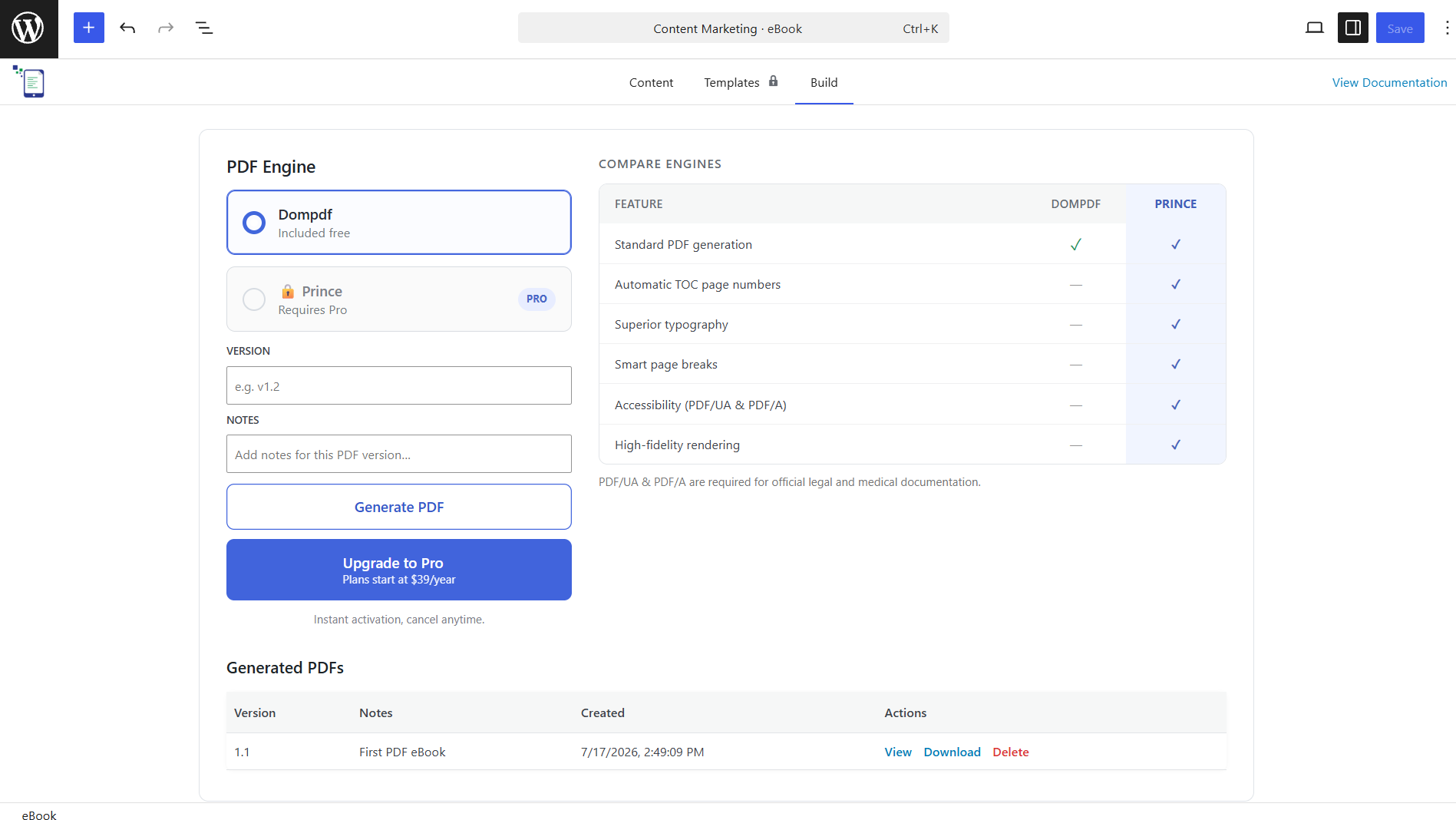
Build tab — version history with view, download, and delete actions