
Feedwright Product Import For Woo With Scrapify Wordpress Plugin - Rating, Reviews, Demo & Download
Plugin Description
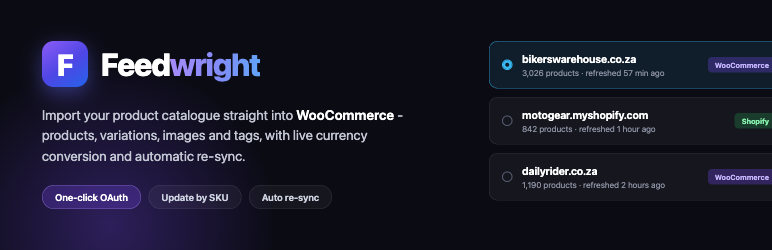
Feedwright Product Import connects your WooCommerce store to your Scrapify account and imports your product catalogue directly into WooCommerce – no CSV files, no manual mapping.
Connect once with OAuth, pick one of the live product feeds on your Scrapify account, set your pricing, and the plugin imports every product (including variable products, categories, tags, images and variations). Prices can be converted from the feed’s source currency into your store currency at the live exchange rate, with an optional profit markup and price rounding. Existing products are matched and updated by SKU, so re-running an import never creates duplicates.
A Scrapify account with an active Premium plan is required – product feed generation is a Premium feature of the Scrapify service. This plugin is a client for that external service; it does not scrape or generate feeds on its own.
Features
- One-click OAuth connection to your Scrapify account (no API keys to copy).
- Import simple and variable products, with categories, tags, attributes, variations and multiple images.
- Live currency conversion from the feed’s source currency to your WooCommerce store currency.
- Optional profit markup and price rounding (.99 endings or whole numbers).
- Update-by-SKU: re-runs sync prices, stock and new products instead of duplicating.
- Optional automatic re-sync on a schedule (hourly to daily) using Action Scheduler – ideal for dropshipping.
- Background, resumable imports that keep running even if you close the tab.
External services
This plugin relies on the following third-party services. It only contacts them to provide the import functionality described above.
1. Scrapify (productscraper.online)
The plugin connects to the Scrapify service to authenticate your account and to read your product feeds.
- What is sent: When you click “Connect to Scrapify” your browser is redirected to Scrapify’s authorization page with a per-site client identifier, a PKCE code challenge, a random state value and this site’s callback URL. When you run an import or a sync, the plugin sends your account’s OAuth access token (as a Bearer token) to the Scrapify API in order to list your feeds and download the product data for the feed you selected. During the price preview it sends the selected feed’s identifier. The plugin reads data from Scrapify; it does not send your store’s products, orders or customer data to Scrapify.
- When: On connecting your account, when listing feeds, when previewing the exchange rate, and each time you import or auto-sync a feed.
- Service provided by Scrapify. Terms of Service: https://www.productscraper.online/terms.html – Privacy Policy: https://www.productscraper.online/privacy.html
2. Frankfurter exchange-rate API (api.frankfurter.app)
The plugin uses Frankfurter, a free, open-source, European Central Bank-backed exchange-rate API, to fetch live currency conversion rates when the feed’s source currency differs from your WooCommerce store currency. No account or API key is required to use it.
- What is sent: Only the source and target three-letter ISO currency codes, as URL query parameters (for example
?from=EUR&to=USD). No personal data, no store data and no customer data are sent. - When: When you preview the conversion rate on the pricing step, and during an import or auto-sync when the source and store currencies differ.
- Service, terms and privacy: Frankfurter is provided as a free public service – website and documentation: https://frankfurter.dev/ – source code and usage terms: https://github.com/lineofflight/frankfurter . Frankfurter states that the API itself collects no personal data; the public endpoint is served through Cloudflare, whose privacy policy applies to that transport layer: https://www.cloudflare.com/privacypolicy/ . Frankfurter does not publish a separate formal terms-of-service document. If you prefer not to use this service, keep the feed’s source currency the same as your store currency and no exchange-rate request is made.
Screenshots
No screenshots provided

