Essence Measure And Price For WooCommerce Wordpress Plugin - Rating, Reviews, Demo & Download
Plugin Description
Essence Measure and Price lets a WooCommerce shop sell products by length, area, weight or volume. Flooring by the square metre, fabric by the metre, timber by the length, cheese by the kilogram, paint by the litre.
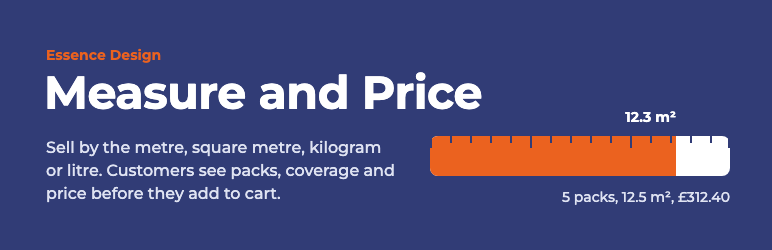
The shop sets a price per unit, or a price per pack. The customer types how much they need, or a length and a width, and sees one sentence that says exactly what they will get: how many packs, how much that covers, and what it costs. If the amount rounds up to the next pack, the page says so in plain words before they add it to the cart.
What the customer sees
- The price per unit in the shop and on the product page, such as “£24.99 / m²”.
- One field for the amount, or two for length and width.
- A live summary: “5 packs, 12.5 m², £312.40”.
- A note when rounding happens: “12.3 m² rounds up to the next pack. Each pack is £62.48.”
- An optional tick box to add a percentage for cuts and waste.
- The amount shown again in the cart, at checkout, on the order and in emails.
What the shop owner sets, per product
- Sold by: length, area, weight or volume.
- The pricing unit, metric or imperial.
- Whether the price is per unit or per pack.
- The step, the smallest amount you sell, such as 2.5 m² packs or 0.1 m cuts.
- What to call a step, such as pack or box.
- Minimum and maximum amounts.
- A waste allowance percentage.
- Whether to also show the amount in the other measurement system.
- Weight per unit, so weight-based shipping stays correct.
Built to stay out of the way
- Orders always contain a whole number of packs at a normal price, so every payment gateway, shipping method, stock count, refund and report keeps working.
- Prices are recalculated on the server. Nothing in the browser can lower a price.
- No styling beyond what is needed. The inputs and text inherit your theme.
- Works with the classic and the block cart and checkout, and with high-performance order storage.
- No admin notices, no upsell banners, no data sent anywhere.
- Every setting has a one-line explanation in plain English.
Page builders
The calculator appears through WooCommerce’s own add-to-cart hook, which themes and most page builders honour. If your product template bypasses it, place the shortcode [measure_and_price] where you want the calculator.
Screenshots

The product page: the customer types the amount, and the summary shows packs, coverage and price before they add it.

The Sold by tab in the product editor, with an explanation under every setting.

The basket: a whole number of packs at the pack price, with the amount underneath.

The order: the amount is recorded on the line, and packs count as quantity for stock, refunds and reports.

Shop lists show the price per unit.

Variable products: the chosen variation sets the price per unit.