SwiftSearch For Algolia Wordpress Plugin - Rating, Reviews, Demo & Download
Plugin Description
SwiftSearch for Algolia connects your WordPress and WooCommerce search directly to Algolia’s Distributed Search Network (DSN). By offloading search from standard WordPress database queries to Algolia’s edge network, SwiftSearch delivers fast, typo-tolerant search results without straining your server resources.
Built by Loopstates, SwiftSearch is architected for direct connectivity. Search queries travel directly from your visitors’ browser to Algolia’s nearest edge node via the official, lightweight algoliasearch/lite library. Your WordPress server does not execute database queries during live searches, keeping page loads responsive even during traffic surges.
Why SwiftSearch for Algolia?
Standard WordPress search lacks typo tolerance, does not rank results by custom relevance, and can slow down database performance under high traffic. SwiftSearch connects your site directly to Algolia to provide an instant, reliable search experience for your visitors.
Whether you run a blog, a content site, or a WooCommerce store, SwiftSearch ensures your visitors find what they are looking for in real time.
Official Documentation: https://docs.loopstates.com/swiftsearch-for-algolia/
Key Features
Fast Search Results via Algolia DSN
Deliver search results in milliseconds. Because SwiftSearch connects visitors’ browsers directly to Algolia’s edge locations, search queries bypass WordPress entirely—delivering fast results while offloading search compute load from your hosting server.
Instant Autocomplete and Search-As-You-Type
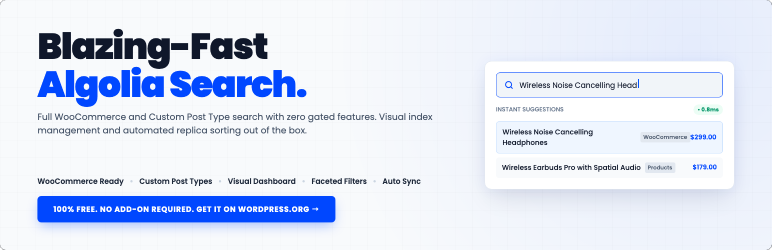
Deliver matching results the moment visitors start typing. The reactive search UI updates dynamically with each keystroke, featuring highlighted text matches, product thumbnails, WooCommerce prices, stock status badges, and taxonomy tags.
Built-in WooCommerce Merchandising & Product Pinning
Take control of your search rankings to drive sales. The visual Merchandising dashboard allows store managers to manually “pin” specific products, posts, or pages to the top positions (#1, #2, #3) for designated search keywords—suited for promotional campaigns, featured items, and clearance inventory.
Smart Typo Tolerance and Synonym Dictionaries
Never lose a customer to a simple spelling mistake. Algolia’s typo tolerance automatically handles misspellings and pluralizations. Additionally, define one-way synonyms (e.g. sneakers => shoes) and multi-way synonym sets (e.g. coat, jacket, outerwear) directly in your WordPress dashboard and push them to Algolia with one click.
Visual Facet Builder & Metadata Mappings
Empower shoppers to filter results dynamically without page reloads. Map WooCommerce product attributes (Size, Color, Brand), taxonomies (Categories, Tags), or custom metadata fields into Algolia using our visual drag-and-drop builder with live count updates.
Automatic Virtual Replica Sorting
Algolia provides fast sorting via dedicated replica indices rather than runtime database queries. SwiftSearch automatically provisions and synchronizes virtual replica indices in the background for active sort criteria (Relevance, Price: Low to High, Price: High to Low, Newest First, Oldest First) without duplicating record quotas, allowing visitors to switch sort order instantly on the frontend.
Real-Time Search Analytics & Zero-Result Insights
Understand user intent and discover unmet inventory demand. Our built-in analytics dashboard provides visual charts of popular search queries, volume trends, and zero-result searches stored locally in your WordPress database. Discover exactly what visitors searched for but could not find, giving you actionable data to expand your catalog or configure synonyms.
Dedicated WooCommerce Shop & Catalog Mode
Easily replace your default WooCommerce Shop and product archive pages with a modern, high-performance search and filter catalog page. Features horizontal sort dropdowns, sticky facet sidebars with live category counts, pagination, and clean card styling that matches modern e-commerce standards.
Background Indexing & Real-Time Updates
When you first connect, the background indexing engine processes your content in self-scheduling batches to prevent server script timeouts. Built with stateless HMAC verification, it handles loopback and firewall restrictions reliably. Once indexed, any new, edited, or deleted posts and products are automatically synchronized in real time.
Native WP-CLI Command-Line Integration
For stores with large catalogs (10,000+ items) or servers with strict security firewalls that block background HTTP requests, SwiftSearch includes full WP-CLI terminal commands. Run bulk indexing (wp swift-search-algolia index), check connection status (wp swift-search-algolia status), and reset indices (wp swift-search-algolia reset) directly via SSH with custom --batch-size, --offset, and --limit flags.
Shortcode & Theme Integration
Customize your search experience without writing code. Control accent colors, typography, card layouts, and display toggles (prices, thumbnails, excerpts, stock status) directly from the settings. Use the lightweight shortcode [swift_search_algolia] anywhere on your site, or automatically replace your theme’s native search form with a single toggle.
Features & Capabilities
- Instant Autocomplete: Displays matching products and posts the moment visitors start typing.
- Faceted Navigation & Filters: Create and manage multi-select sidebar filters for taxonomies and metadata.
- Merchandising & Pinning: Fix specific items to the top of results for a curated user experience.
- Virtual Replica Sorting: Multi-criteria sorting (Relevance, Price: Low to High, Price: High to Low, Newest First, Oldest First) without duplicate record quotas.
- Synonym Sets: Link equivalent search terms directly from your WordPress dashboard.
- Custom Fields Mapping: Search and filter by custom fields and post metadata.
- Search Analytics: Dashboard for tracking popular searches and identifying zero-result query gaps.
- Background Indexing: Sync engine handles items in self-scheduling batches without timing out.
- Automated Sync: Real-time indexing when you Save, Update, or Delete content.
- WP-CLI Support: Bulk sync, reset, and check connection status from your terminal via SSH.
- CPT Support: Index Posts, Pages, Products, and Custom Post Types.
- No Coding Required: Configure search layouts, color schemes, and settings visually.
- Global UI Toggles: Show or hide Thumbnails, Prices, and Excerpts globally.
- WooCommerce Search: Optimized for product titles, prices, stock status, and product imagery.
- Translation Ready: Fully localized gettext catalog (
swiftsearch-for-algolia.pot). - Mobile Ready: Responsive overlay and catalog layouts for phones, tablets, and desktops.
- Full Search Replacement: Replace default WordPress search sitewide with a single click.
- Easy Placement: Put custom search bars anywhere on your site using simple shortcodes.
- Algolia Attribution Badge: Compliant SVG “Search by Algolia” attribution badge with admin toggle.
Developer Customization
SwiftSearch provides JavaScript DOM CustomEvents and WordPress PHP filters for theme integrations and advanced customizations.
JavaScript Event Hooks
You can listen to these custom events on the document:
-
swift-search-algolia:render-hit– Dispatched for every individual card rendered in the results grid.event.detail.hit: Raw Algolia hit record.event.detail.card: DOM element of the rendered card.event.detail.section: Section type (e.g. ‘posts’).
-
swift-search-algolia:results-rendered– Dispatched after the entire search results grid finishes rendering.event.detail.totalFound: Total number of results found.event.detail.query: Current search query.
-
swift-search-algolia:before-search– Dispatched immediately before queries are sent to Algolia.event.detail.query: Current search query string.
JavaScript Code Example
document.addEventListener('swift-search-algolia:render-hit', function(event) {
    const hitData     = event.detail.hit;
    const cardElement = event.detail.card;

    if (hitData.post_type === 'product' && hitData.custom_rating) {
        const badge = document.createElement('span');
        badge.className = 'custom-rating-badge';
        badge.innerText = '★ ' + hitData.custom_rating;
        cardElement.querySelector('.ss-card-content')?.appendChild(badge);
    }
});
WordPress PHP Filters
Backend developers can customize data synchronization and index configurations using WordPress filters:
-
swift_search_algolia_post_document– Filters the structured document data before sending to Algolia. Use this to add custom meta fields, attributes, or formatted values.- Arguments:
$document(array),$post_id(int),$post(WP_Post object).
- Arguments:
-
swift_search_algolia_should_index_post– Filter returning a boolean. Returnfalseto exclude specific posts or out-of-stock products from the search index.- Arguments:
$should_index(bool),$post_id(int),$post(WP_Post object).
- Arguments:
-
swift_search_algolia_settings– Filters compiled Algolia index settings (searchableAttributes, customRanking, etc.) before pushing to Algolia.- Arguments:
$settings(array),$config(array),$base_index_name(string).
- Arguments:
-
swift_search_algolia_vars– Filters configuration variables passed from PHP to frontend JavaScript.- Arguments:
$vars(array).
- Arguments:
PHP Code Example
add_filter('swift_search_algolia_post_document', function($document, $post_id, $post) {
    // Add custom field or post metadata
    $brand = get_post_meta($post_id, 'brand_name', true);
    if (!empty($brand)) {
        $document['brand'] = $brand;
    }
    return $document;
}, 10, 3);

add_filter('swift_search_algolia_should_index_post', function($should_index, $post_id, $post) {
    if (get_post_meta($post_id, '_is_discontinued', true) === 'yes') {
        return false;
    }
    return $should_index;
}, 10, 3);<h3>Privacy & Compliance</h3>
SwiftSearch is designed with a direct, privacy-conscious architecture:
* Zero Middle-Layer Proxy: Search queries go directly from your visitor’s browser to your own Algolia application. No search traffic is routed through Loopstates servers.
* Self-Contained Analytics: Search logs and zero-result query tracking data are stored locally in your WordPress database.
* GDPR Ready: Visitors query Algolia’s secure infrastructure directly under your own Algolia Data Processing Agreement (DPA).
Third-Party Services
This plugin integrates with and connects directly to Algolia (https://www.algolia.com) to provide search indexing, instant search-as-you-type querying, and faceted filtering.
- Service Provider: Algolia, Inc.
- Service Website: https://www.algolia.com
- Terms of Service: https://www.algolia.com/policies/terms/
- Privacy Policy: https://www.algolia.com/policies/privacy/
- Data Transmitted: When you configure and run indexing, this plugin sends selected WordPress content (such as post titles, URLs, body content, taxonomies, and custom metadata) to your configured Algolia application. When visitors search on your site, search queries and filter selections travel directly from the visitor’s browser to Algolia’s edge network. No user search data is sent to or stored on Loopstates servers.
Screenshots

Connection Settings: Configure Algolia Application ID, Admin API Key, and Search-Only API Key.

Content Settings: Choose searchable post types and register custom field mappings.

Relevance and Synonyms: Manage attribute weighting sliders and define one-way or multi-way synonyms.

Search UI Configuration: Setup instant autocomplete toggles, facets sidebar, and item limits.

Styling Customizer: Visually customize colors, fonts, and border radii to match your theme.

Search Analytics Dashboard: Track search volume trends and flag zero-result queries.

Merchandising & Pinning: Pin selected products or posts to the top of search results.

Sync Management: Run bulk indexing processes and monitor real-time sync status logs.