
FeedCentral Connector Wordpress Plugin - Rating, Reviews, Demo & Download

Plugin Description
FeedCentral Connector connects this WordPress site to a FeedCentral instance that you configure, and syncs articles into real WordPress Posts. It provides:
- Secure connectivity to your FeedCentral instance: an API client, credential handling, admin settings, and a connection test.
- Topic/category subscription and mapping between FeedCentral’s taxonomy and your WordPress categories.
- Automatic incremental sync on a schedule (WordPress Cron), plus a manual “Sync Now” action, with cursor-based backlog recovery.
- External or Localized media handling for article images — Localized (the default for a new installation) downloads the article’s image from the source publisher and stores a copy in your WordPress Media Library; External only keeps a link to the publisher’s image and downloads nothing. Administrators can switch modes at any time.
- Awareness of AI-rewritten article text and AI-related images when your FeedCentral Plan includes those capabilities — the same plugin code renders whatever content FeedCentral’s API returns, source or AI-generated.
- Admin status pages for sync activity, media handling, AI usage/cost visibility, AI image status, and diagnostics.
- A Rights Evidence review page summarizing technical attribution/license signals FeedCentral found on the source publisher’s page for each article’s image, with a Site-local “reviewed” workflow marker (see “Rights evidence” below).
See the FeedCentral developer portal (/docs/wordpress on your FeedCentral instance, e.g. https://feedcentral.io/docs/wordpress) for full setup and troubleshooting guidance.
External services
This plugin is a client for the FeedCentral service. By default it communicates with the hosted FeedCentral API at https://api.feedcentral.io (account portal: https://portal.feedcentral.io; terms: https://feedcentral.io/legal/terms; privacy policy: https://feedcentral.io/legal/privacy). You can instead point it at a FeedCentral instance you configure. A FeedCentral account and API Credential are required, and a new site starts with a limited Evaluation Trial (see “Free / Paid capability availability”).
- The plugin does not contact GNews, NewsData.io, OpenAI, Plisio, or any other upstream news/AI/payment provider directly. All such activity, if any, happens on the FeedCentral side, not from your WordPress site.
- No request to your configured FeedCentral instance is made until you enter both a FeedCentral Base URL and an API Credential in Settings and save them.
- The API Credential is sent as an
Authorizationheader on each request to your configured FeedCentral endpoint. It is never sent anywhere else. - Depending on the action you take, this plugin may send your chosen category subscriptions, sync cursor/page-size values, and article IDs (previously issued to you by your FeedCentral instance) to that instance. As of 1.1.0, every authenticated request also includes this plugin’s own installed version number in a
FeedCentral-Connector-Versionrequest header, so FeedCentral can support compatibility across Connector versions. The plugin’s own request payloads and headers never intentionally include your admin email, current user identity, or visitor data. One exception, not specific to this plugin: every outbound request uses WordPress core’s own HTTP API, which by default attaches aUser-Agentheader naming your WordPress version and site URL to every remote request any plugin makes (WordPress’s own default behavior, not something this plugin adds or can avoid without deviating from that shared, standard mechanism). - In Localized media mode (the default for a new installation), the plugin also downloads each article’s image directly from the source publisher’s own image URL (a third-party server named in the article data FeedCentral returns) into your Media Library. An administrator can switch to External mode at any time, in which case no image is downloaded and only the publisher’s image URL is recorded.
- Synced articles and any localized images become ordinary WordPress Posts and Media Library items, stored the same way as content you create yourself.
Privacy
- Plugin configuration (FeedCentral Base URL, connection status, category mappings, subscription snapshot, sync status, media mode) is stored in this site’s own WordPress options.
- The FeedCentral API Credential is stored in a WordPress option (or, for advanced installs, a
wp-config.phpconstant) and used only to authenticate requests to the FeedCentral instance you configured. It is never displayed back in the settings form, logged, or sent anywhere other than that configured instance. - See “External services” above for exactly what does and does not leave your site.
- Synced articles and localized media become normal WordPress content, managed like any other Post or Media Library item.
- The Rights Evidence “reviewed” marker (see below) is bookkeeping local to this WordPress site only — it is never sent back to FeedCentral.
- This plugin does not include third-party analytics or tracking of any kind. As of 1.1.0, it identifies its own installed plugin version to your configured FeedCentral instance on each request (an explicit request header, e.g.
FeedCentral-Connector-Version: 1.1.0) — the same way any client reports its version to a server it talks to, so FeedCentral can support compatibility across Connector versions. This value is sent only to your own configured FeedCentral instance, never to any third party, and no separate analytics/telemetry service is used.
This section describes the plugin’s own behavior as implemented. It is not a substitute for your configured FeedCentral instance’s own privacy policy or terms of use, which are available from that instance’s operator (for the FeedCentral-hosted service itself, see https://feedcentral.io/legal/privacy and https://feedcentral.io/legal/terms).
Free / Paid capability availability
The plugin’s code is identical for every site regardless of plan — there is no separate “paid version” of this plugin and nothing is locally unlocked, limited, or timer-gated by the plugin. Instead, availability of certain capabilities (for example, AI-rewritten article text, or localized article images) is controlled server-side by FeedCentral, based on the Plan (or the Evaluation Trial) currently assigned to your Site. If a capability isn’t included in your Site’s Plan, FeedCentral’s API simply returns the original source content instead, and this plugin displays that content normally — the plugin has no local flag it could use to unlock anything on its own even if it wanted to. Exact quotas, prices, and plan names are set and can change on the FeedCentral side and are not hard-coded into this plugin.
Rights evidence
The Rights Evidence page shows technical signals (such as license metadata, rel="license" links, or caption/author text) that FeedCentral found while fetching each source publisher’s page for an article’s image. This is evidence, not a legal determination:
- It does not mean an image is cleared, licensed, or safe to use.
- Absence of evidence does not mean permission is granted.
- The “reviewed” checkbox on this page is only an administrative workflow marker recording that someone on this site has looked at the evidence — it is never sent to FeedCentral and never implies legal approval of any kind.
Screenshots
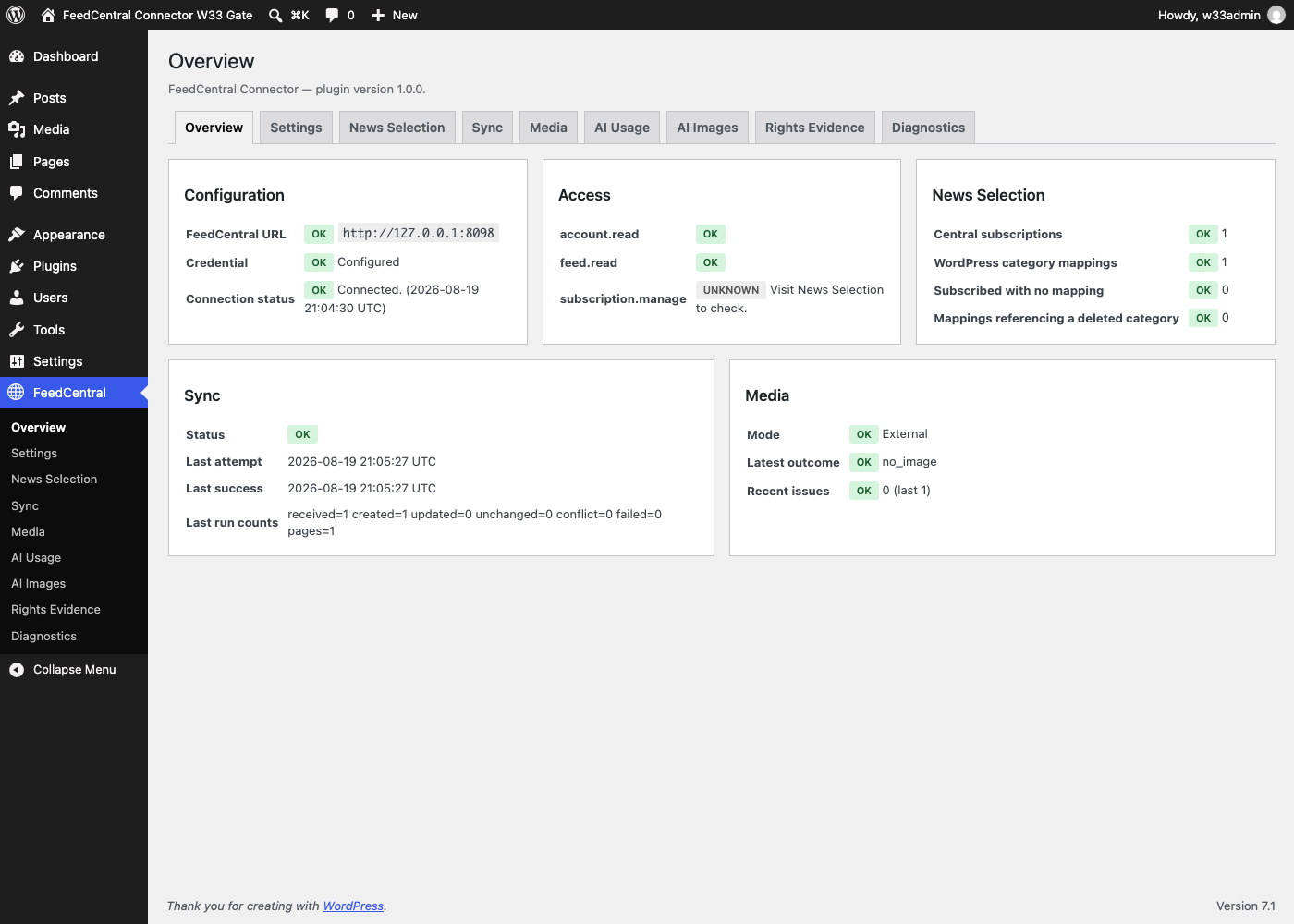
Overview — a safe, at-a-glance status dashboard (connection, access scopes, News Selection, Sync, Media) built entirely from already-persisted local state.
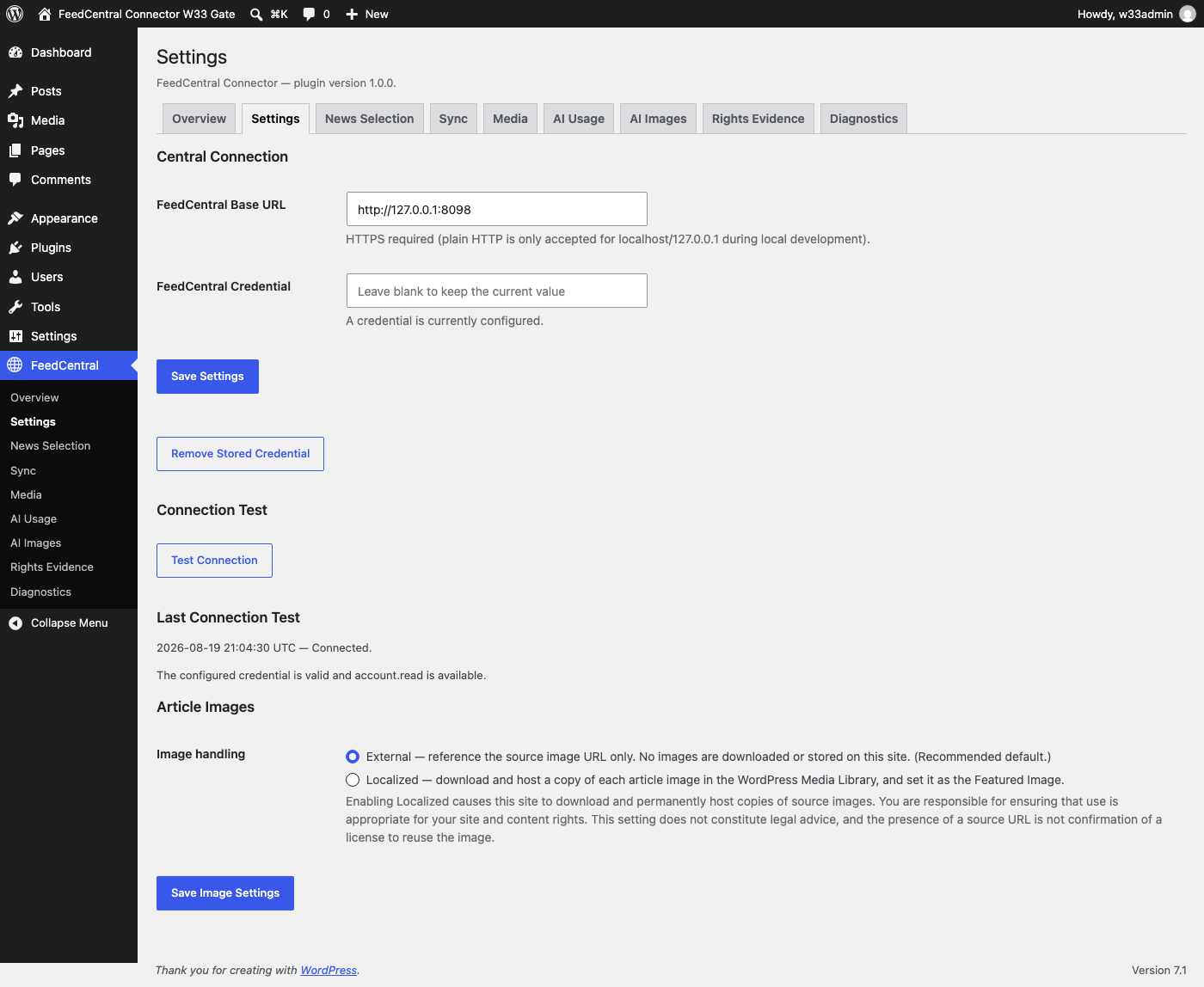
Settings — configuring the FeedCentral Base URL and Credential, with a one-click Test Connection.
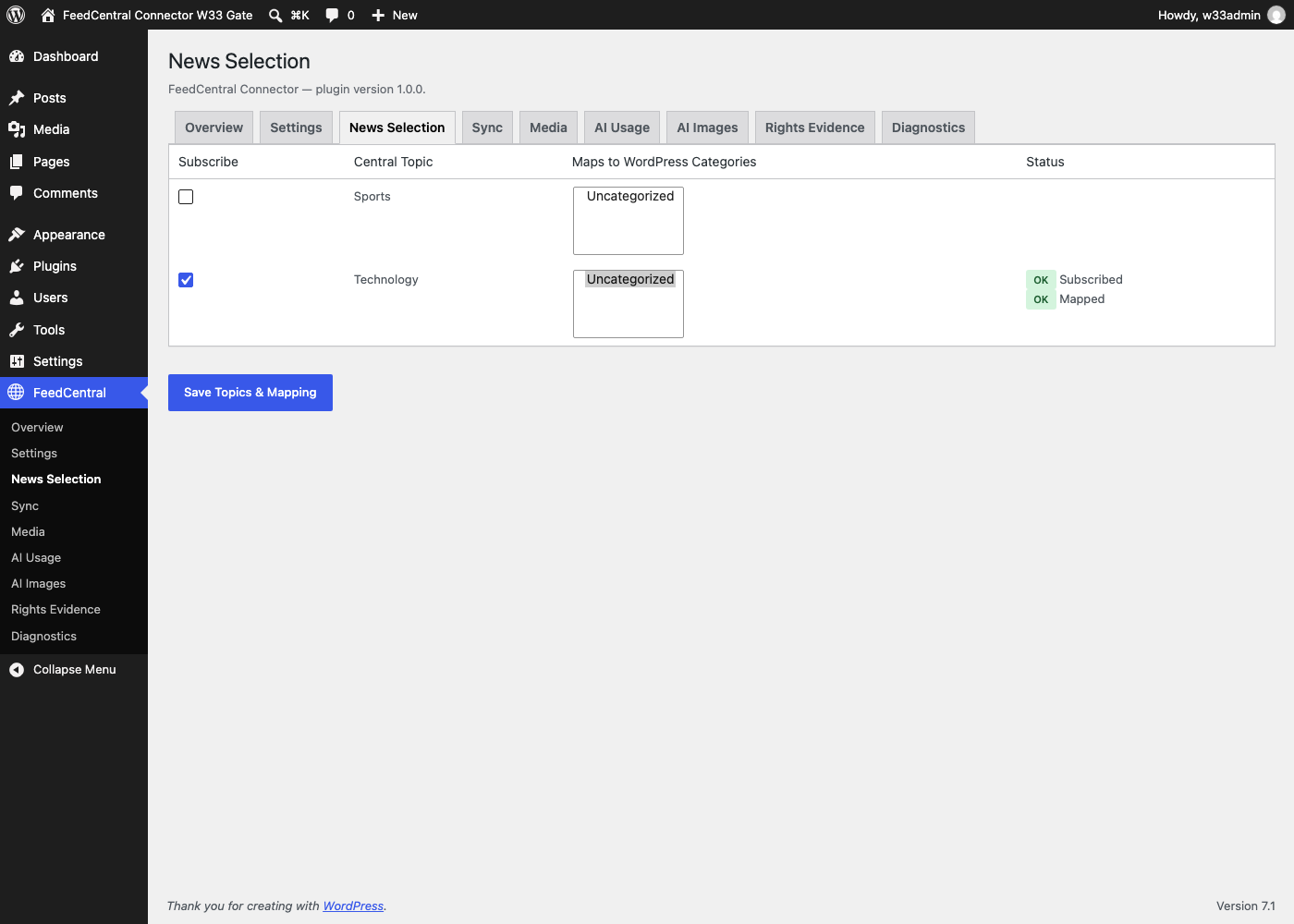
News Selection — subscribing to FeedCentral topics and mapping each one to your WordPress categories.
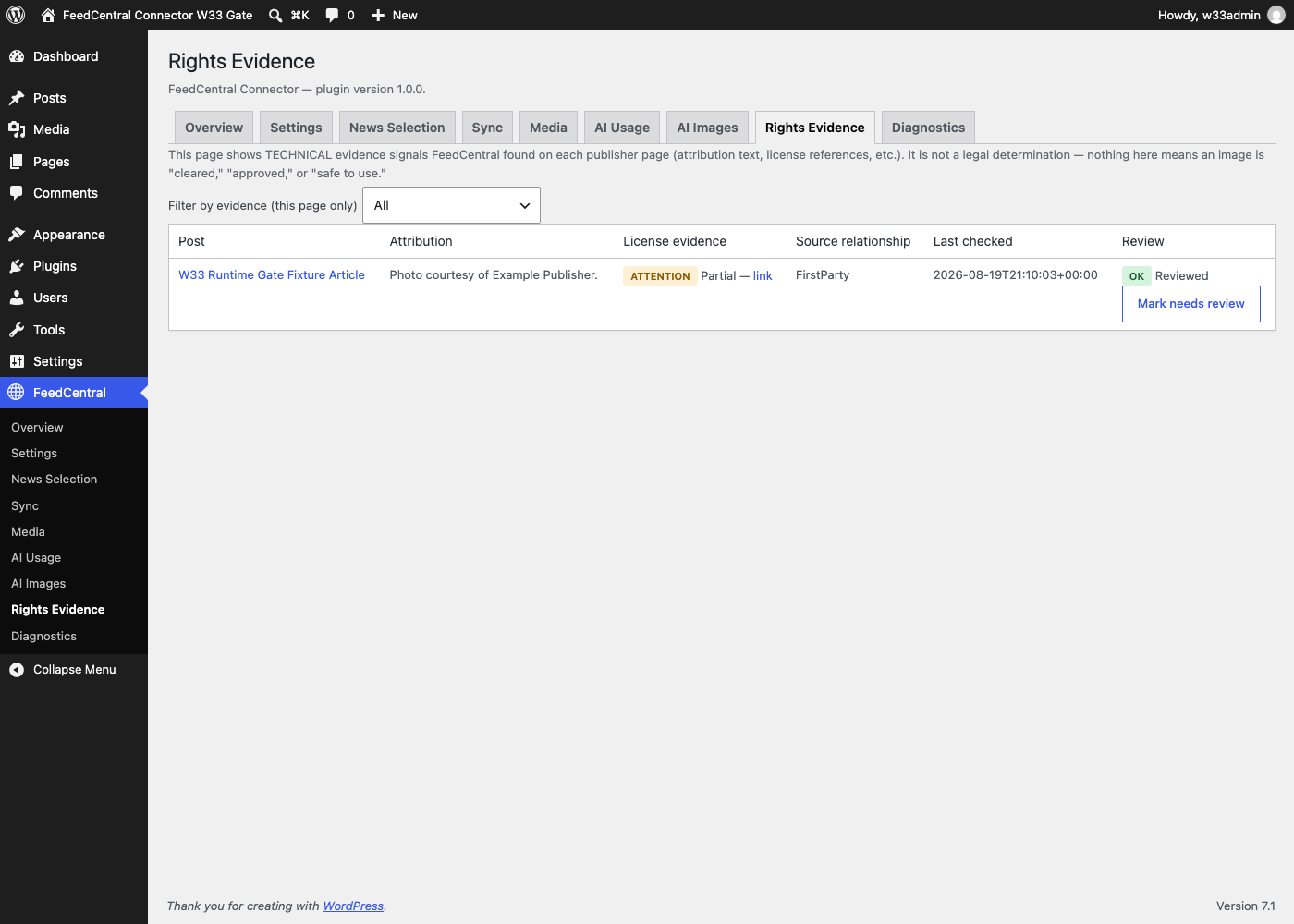
Rights Evidence — reviewing technical attribution/license signals per article image, with the explicit “not a legal determination” disclaimer and the Site-local “reviewed” marker.


