
Glovario – Reusable Site Content Wordpress Plugin - Rating, Reviews, Demo & Download

Plugin Description
Select any text in the block editor, the Classic Editor, Elementor (the Text Editor widget and Elementor 4’s Paragraph, Heading, and Button), or Beaver Builder’s Text Editor module and click Make variable: it becomes a reusable Site Variable and is replaced with its shortcode. The same dialog finds the text in your other posts and pages, shows every place in context, and replaces only the ones you choose. Click Insert variable to drop an existing variable into any sentence.
Glovario keeps frequently repeated public site content in one place. Create a labeled variable such as company_phone, then insert [glvr key="company_phone"] or select it in the Site Variable block. Updating the variable updates every dynamic usage.
See it in action
Change a phone number once, and every page updates:
Give a sentence a second language, and let visitors switch with one click:
A holiday notice and a Christmas logo that switch on by themselves, and back:
What’s included
Glovario supports Text, Multiline text, URL, Email, Number, and Image values without management limits. Image variables use pictures from your Media Library, so a logo or banner can be changed once everywhere, or differ by language or date. Organize variables into categories; search, filter, sort, and paginate the list; use shortcodes, canonical {{glvr:key}} tokens, or the searchable Site Variable block; and copy dynamic read-only WordPress values such as the site name, URL, current year, and current date. A compact Overview, Usage Inspector, safe deletion previews, and guided exact-content conversion help administrators adopt and maintain variables safely.
Glovario also schedules alternative values (for example holiday opening hours or a time-limited offer) and gives variables a different value per language for two languages. It follows Polylang, TranslatePress, or Weglot automatically, and for a bilingual site without a multilingual plugin it includes a cookie-based language switcher (site-wide flag, block, or shortcode) that switches WordPress, theme, and plugin texts together with your variables. Editors and clients can be allowed to update values without administrator access. Glovario Provides portable JSON import/export, dedicated database tables, a small object cache, native WordPress administration, and no generic front-end JavaScript.
We’re considering a Pro version. If there’s something you’d like Glovario to do, tell us through the Share your feedback button on the plugin’s screens, which opens a short survey in your language.
Site Variables are intended for reusable public content. Do not store passwords, API secrets, access tokens, or credentials.
Privacy and external services
Glovario does not implement telemetry, remote notices, or background calls to external services. The only request it causes is WordPress’s own list of available languages, which WordPress fetches from WordPress.org when you open Locale Settings (the same request WordPress makes on its General Settings screen). The Share your feedback button only opens a survey hosted by Tally (https://tally.so) in a new browser tab when you click it; nothing is sent from your site, and what you choose to answer there is covered by Tally’s own privacy policy.
When an administrator enables Standalone mode and a visitor chooses a language, the chosen language code is stored for one year in the first-party, HTTP-only, SameSite=Lax glovario_locale preference cookie. No visitor data is sent to an external service by the language switcher.
Screenshots
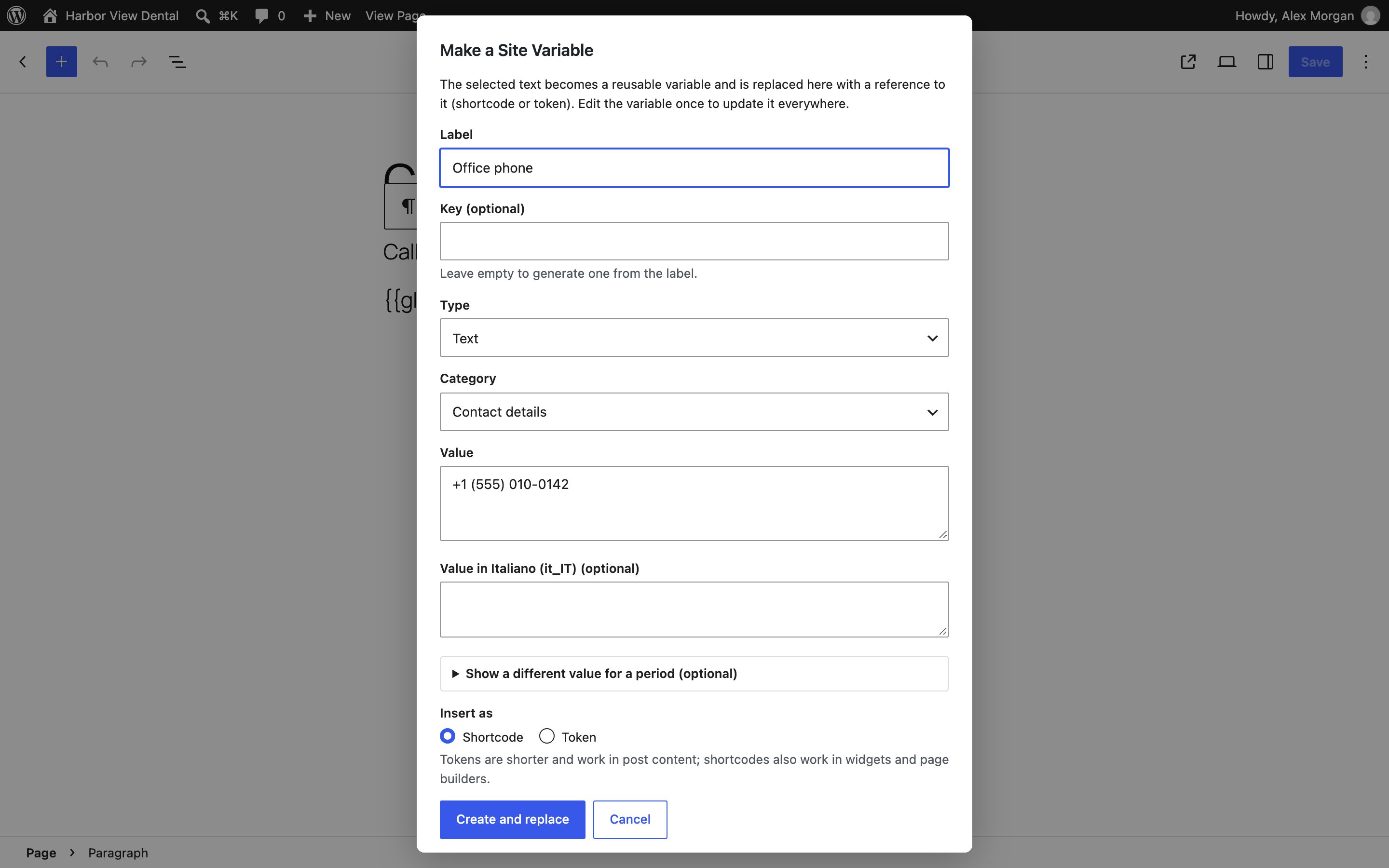
Select text in the block editor and click Make variable: it becomes a reusable variable, with a category and optional language and scheduled values.
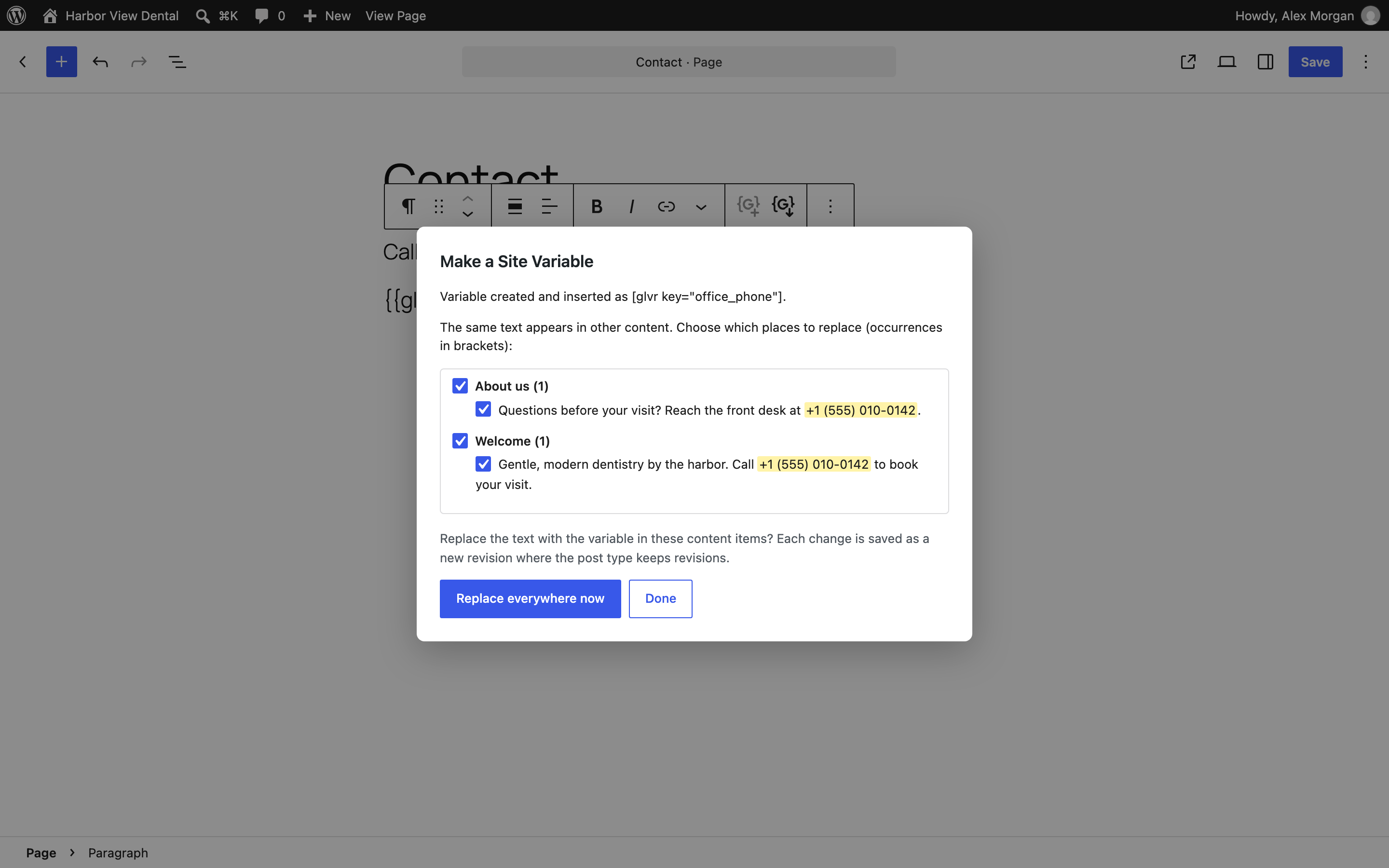
Replace everywhere now: the same text on your other pages, each place shown in context with a checkbox, so you choose which ones become the variable.
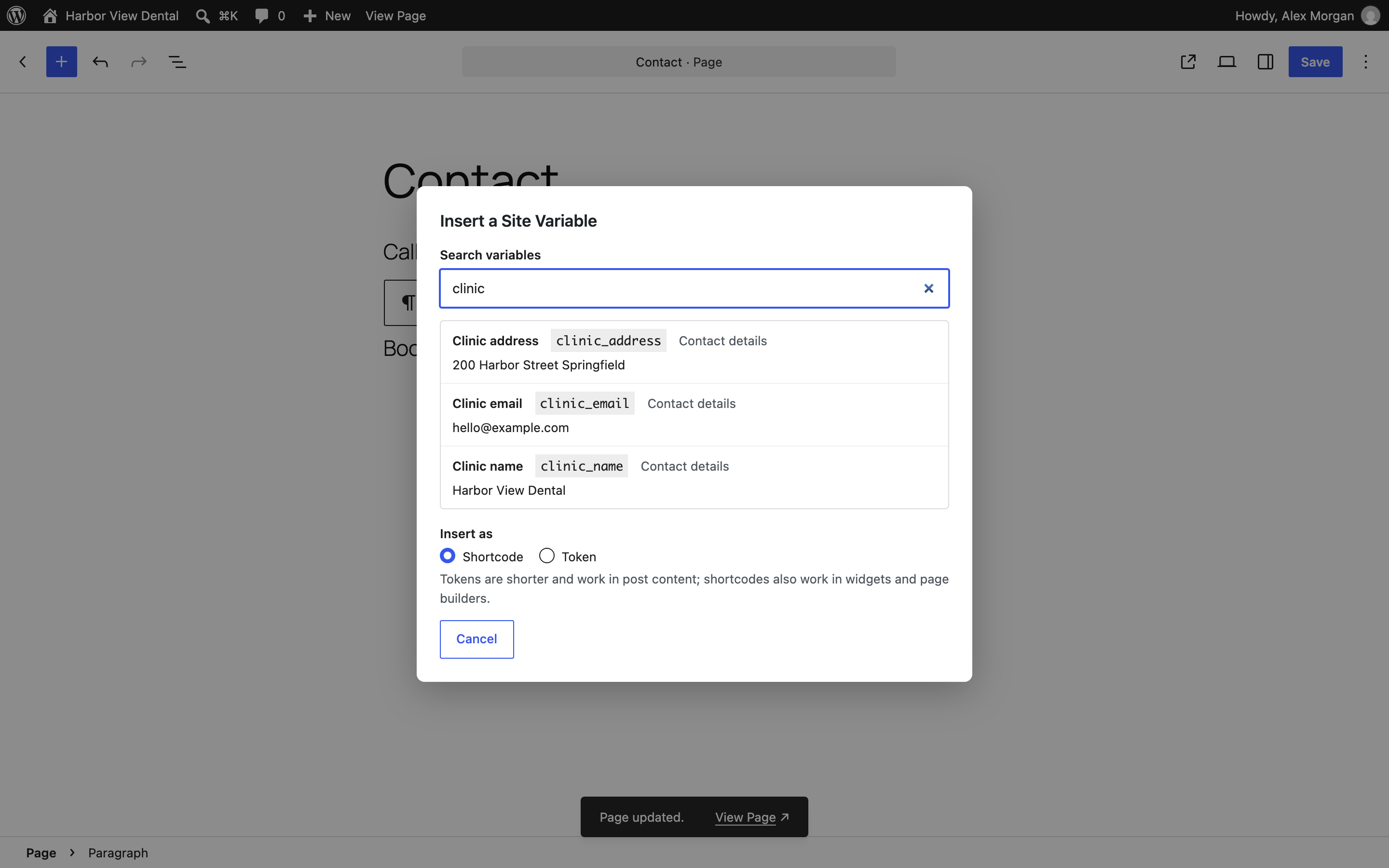
Insert variable: search your variables and insert one at the cursor.
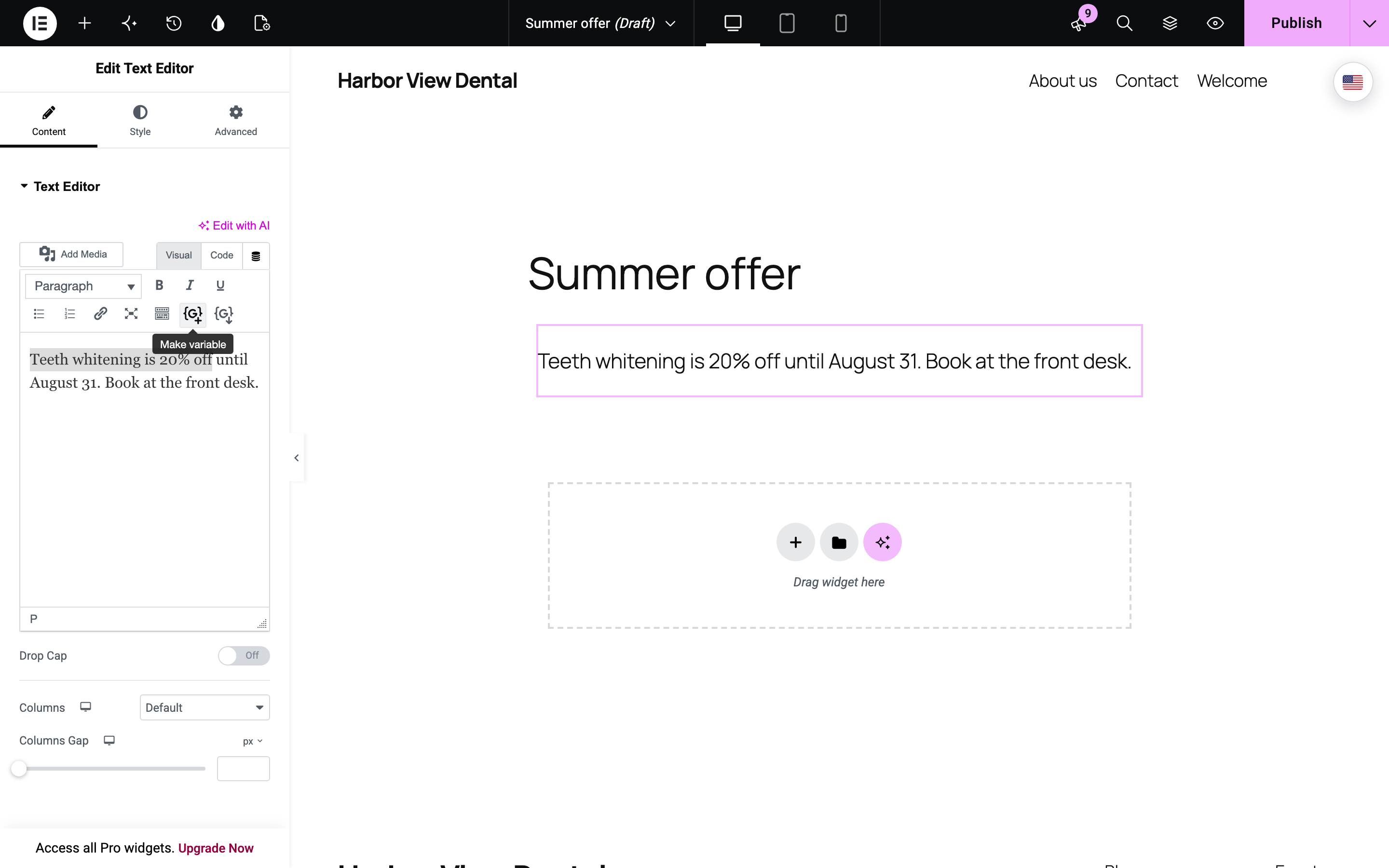
The same buttons in Elementor’s Text Editor widget (and in the Classic Editor and Beaver Builder).
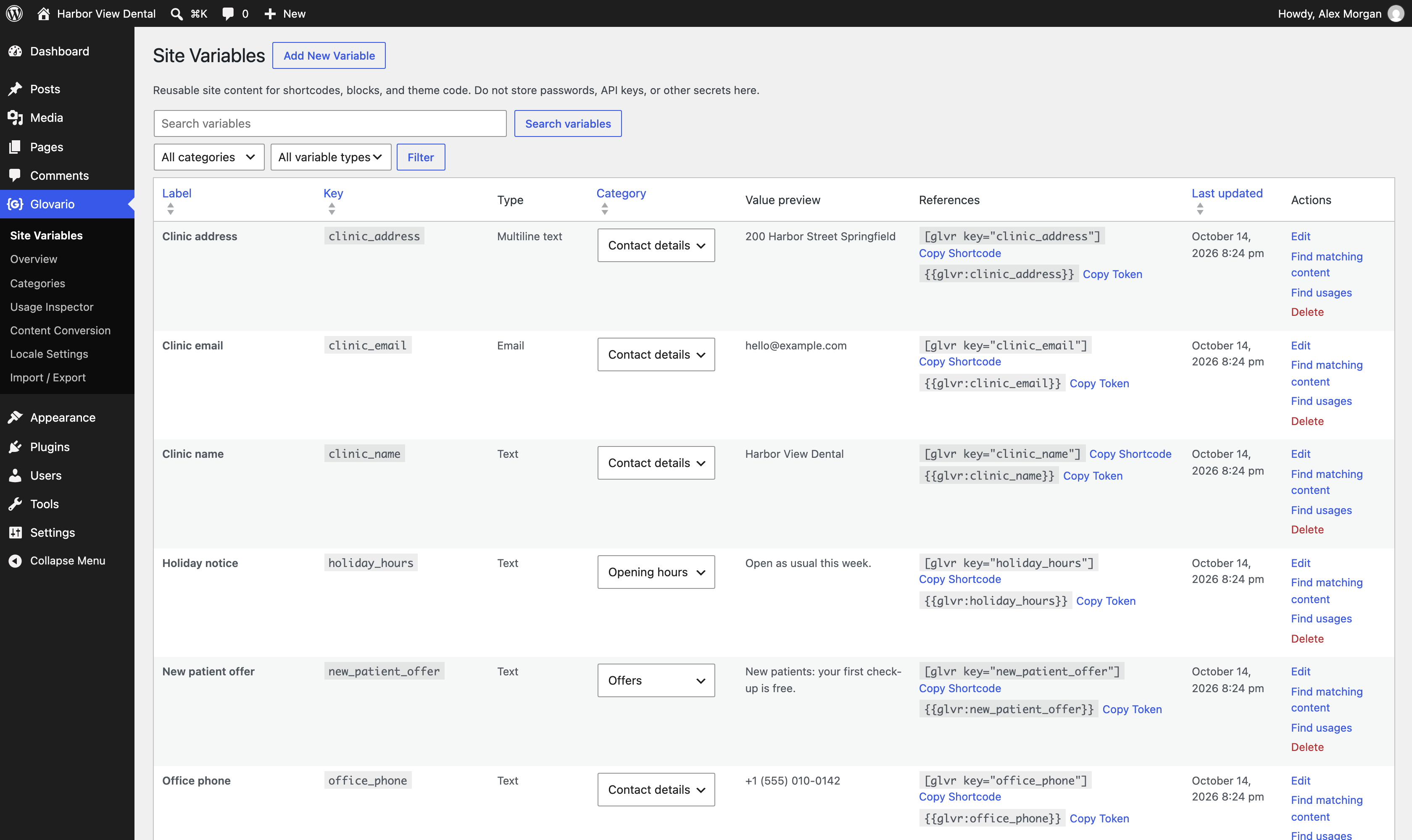
All variables in one list, with categories, values, and ready-to-copy shortcodes and tokens.
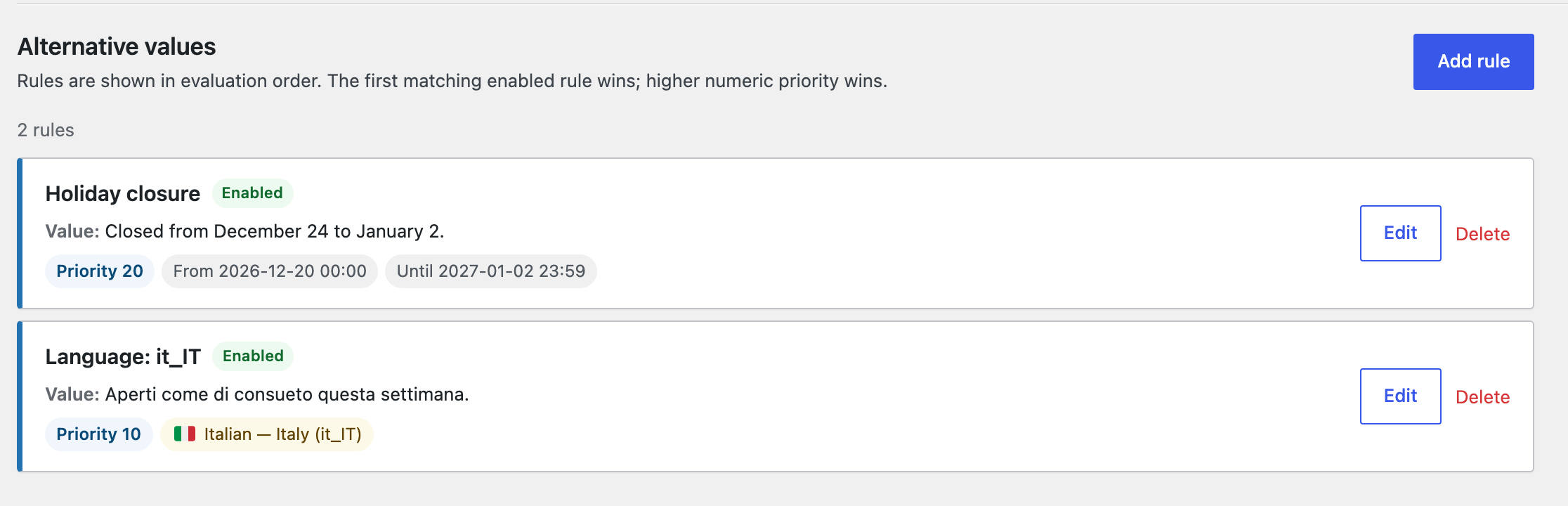
A scheduled value and an Italian value for one variable.
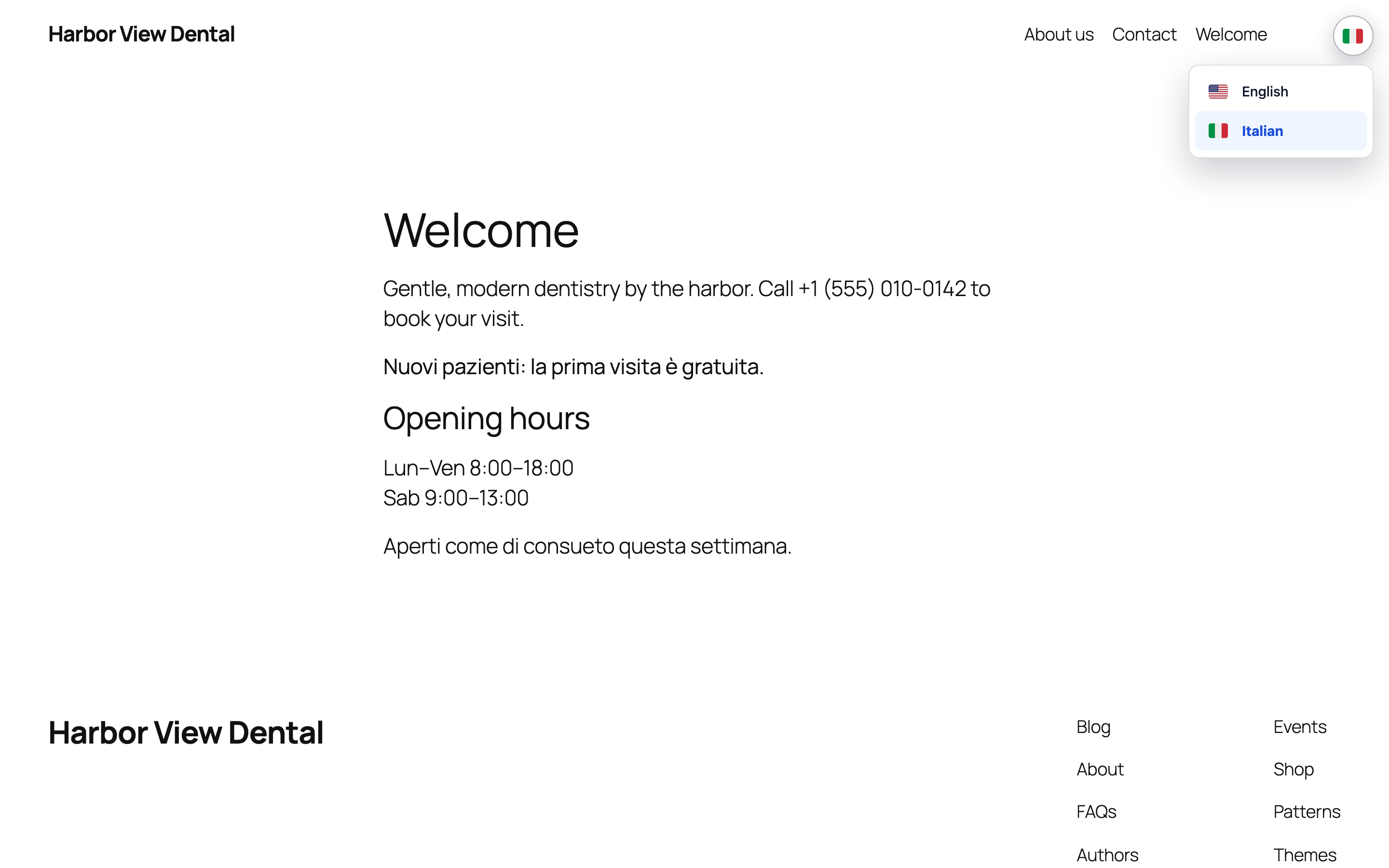
The built-in language switcher: visitors choose a language and your variables follow.


