
Kairomi Wordpress Plugin - Rating, Reviews, Demo & Download

Plugin Description
Kairomi – Pet Grooming Booking takes appointments for a pet grooming salon on your own WordPress site. Bookings, customers and pets stay in your site’s database.
- Your salon: its name, address, phone and weekly opening hours, split shifts and closed days included (Kairomi -> Configuration -> Shop). Booking times follow the WordPress time zone (Settings -> General).
- Closures: single days, ranges of days and hour bands, plus the Italian public holidays in one click (Easter Monday and, from 2026, 4 October included).
- Free times worked out for you: the form offers the times that fit the opening hours, the closures, the bookings already taken and the length of the chosen service and extras.
- Services priced by pet type and weight (for example dog, 6-10 kg), each with its own price and duration, plus optional extras.
- Bookings: month calendar (click a day to see its bookings in a side panel), day view and searchable list; create, edit, confirm, cancel, move, mark as done or no-show.
- Customers and their pets.
- Booking form for your pages, as a block or with the [kairomi_booking] shortcode. The full form, [kairomi_booking view=”wizard”], goes step by step or on a single page: it is the one on the booking page the first-run setup creates. Without view=”wizard” the shortcode shows a compact form on one page. Choose what the full form shows and asks (prices, durations, extras, email, notes, one custom field), the minimum notice, how far ahead customers can book and the colors.
- Emails to the customer when they book, when the salon confirms, cancels or moves the booking, and a reminder before the appointment (24 hours by default), plus a copy of new bookings for the salon. They are sent through your site’s email setup: use an SMTP plugin for reliable delivery.
- Import bookings with their customers from a CSV file, or customers, pets and bookings from a JSON file.
- Antispam on the public form: a hidden trap field and a limit per connection, plus the optional Cloudflare Turnstile check (see External services).
- Privacy: the customers’ data is included in the WordPress personal data export and erasure tools, and a suggested text is added to the privacy policy guide.
The interface is in English and comes with an Italian translation, used on sites set to Italian. Translations into other languages can be added on translate.wordpress.org.
The animal icons in public/icons/ are original works made for this plugin and, like the rest of it, are released under GPLv2 or later.
External services
This plugin can use one external service, Cloudflare Turnstile, an antispam check for the public booking form provided by Cloudflare, Inc. It is off by default. It is used only after the site administrator turns it on in Kairomi -> Configuration -> Settings -> Anti-spam protection and enters the site key and secret key of a Turnstile widget created in their own Cloudflare account.
While it is on:
- Every page that shows the booking form loads Cloudflare’s script from https://challenges.cloudflare.com/turnstile/v0/api.js in the visitor’s browser. To tell a person from a bot, the browser sends Cloudflare technical data such as the visitor’s IP address, browser and device characteristics (User-Agent, TLS fingerprint) and the site key and address of the page.
- When the visitor submits a booking, the site sends the token produced by the widget, the secret key and the visitor’s IP address to https://challenges.cloudflare.com/turnstile/v0/siteverify to check it. No booking data (name, phone, email, pet, notes) is sent to Cloudflare.
Cloudflare terms: https://www.cloudflare.com/terms/
Cloudflare privacy policy: https://www.cloudflare.com/privacypolicy/
Turnstile privacy addendum: https://www.cloudflare.com/turnstile-privacy-policy/
Screenshots
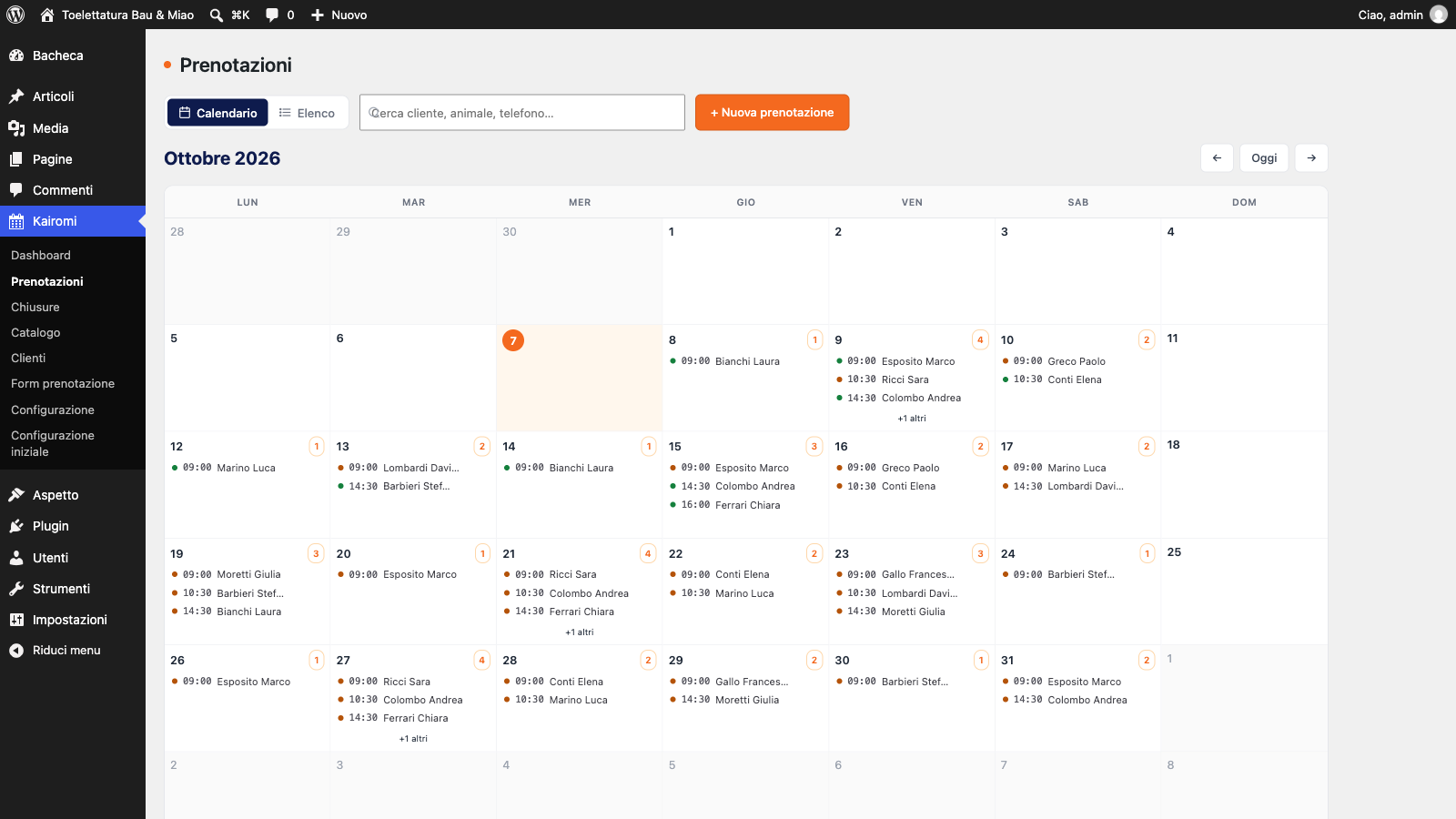
Booking calendar, month view: every appointment with its time and status.
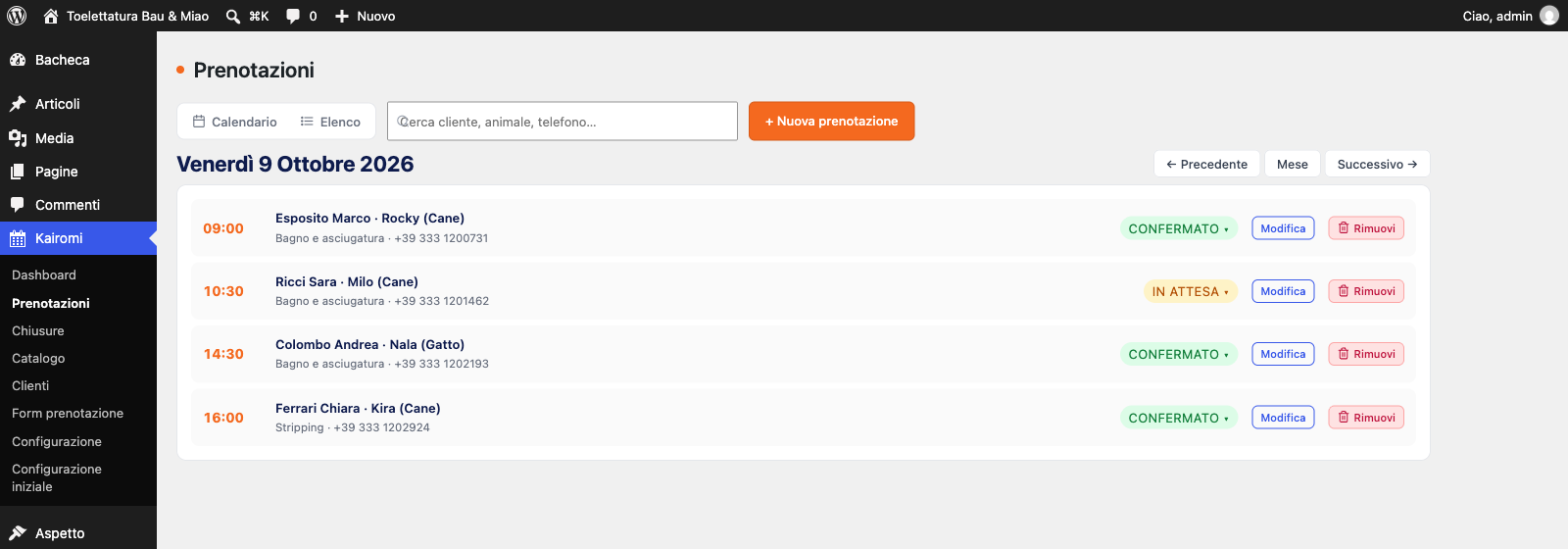
Day view: the appointments of a day, change the status in one click.
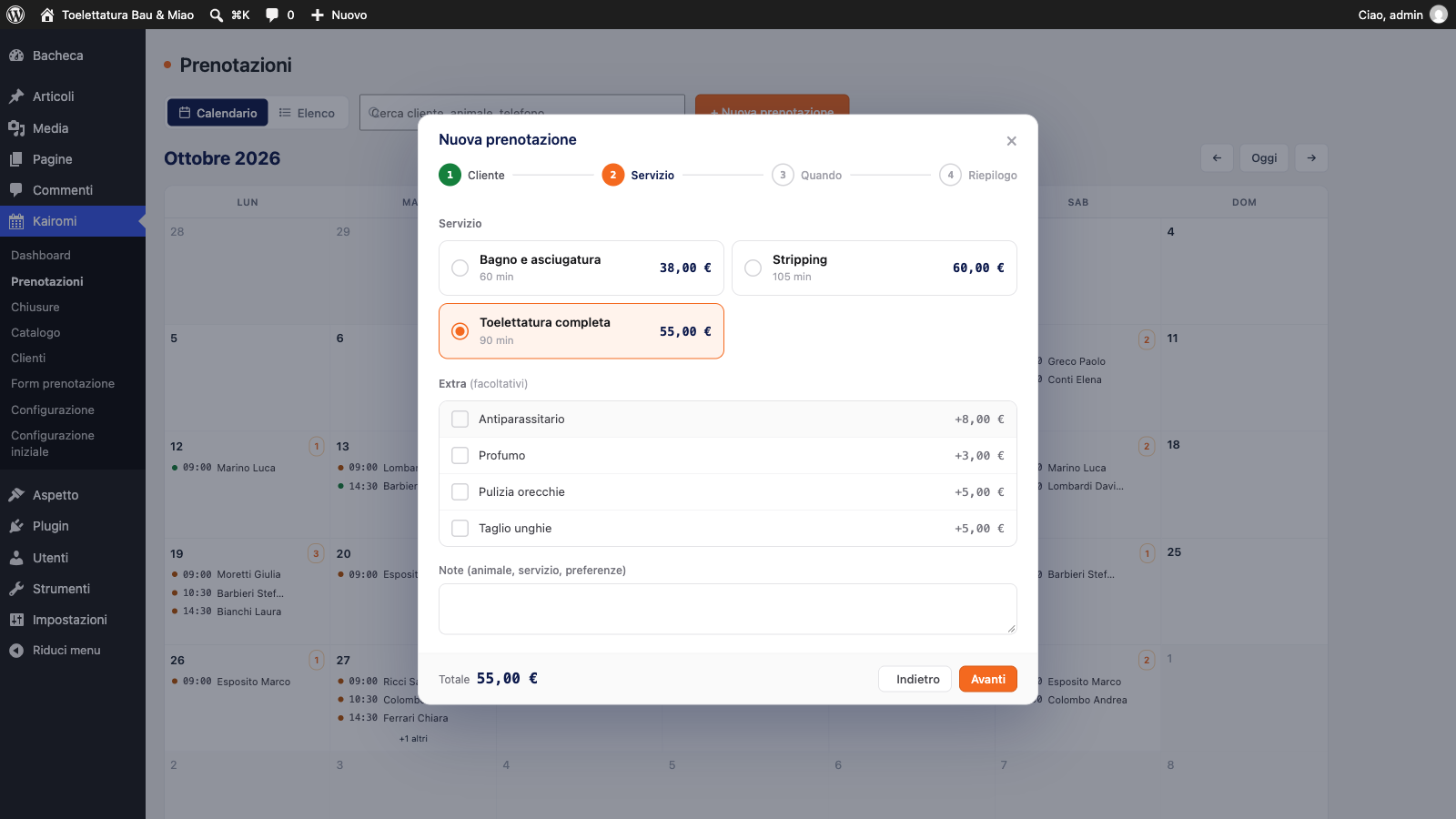
New booking: after pet type and weight, only the services that fit, with extras and the total.
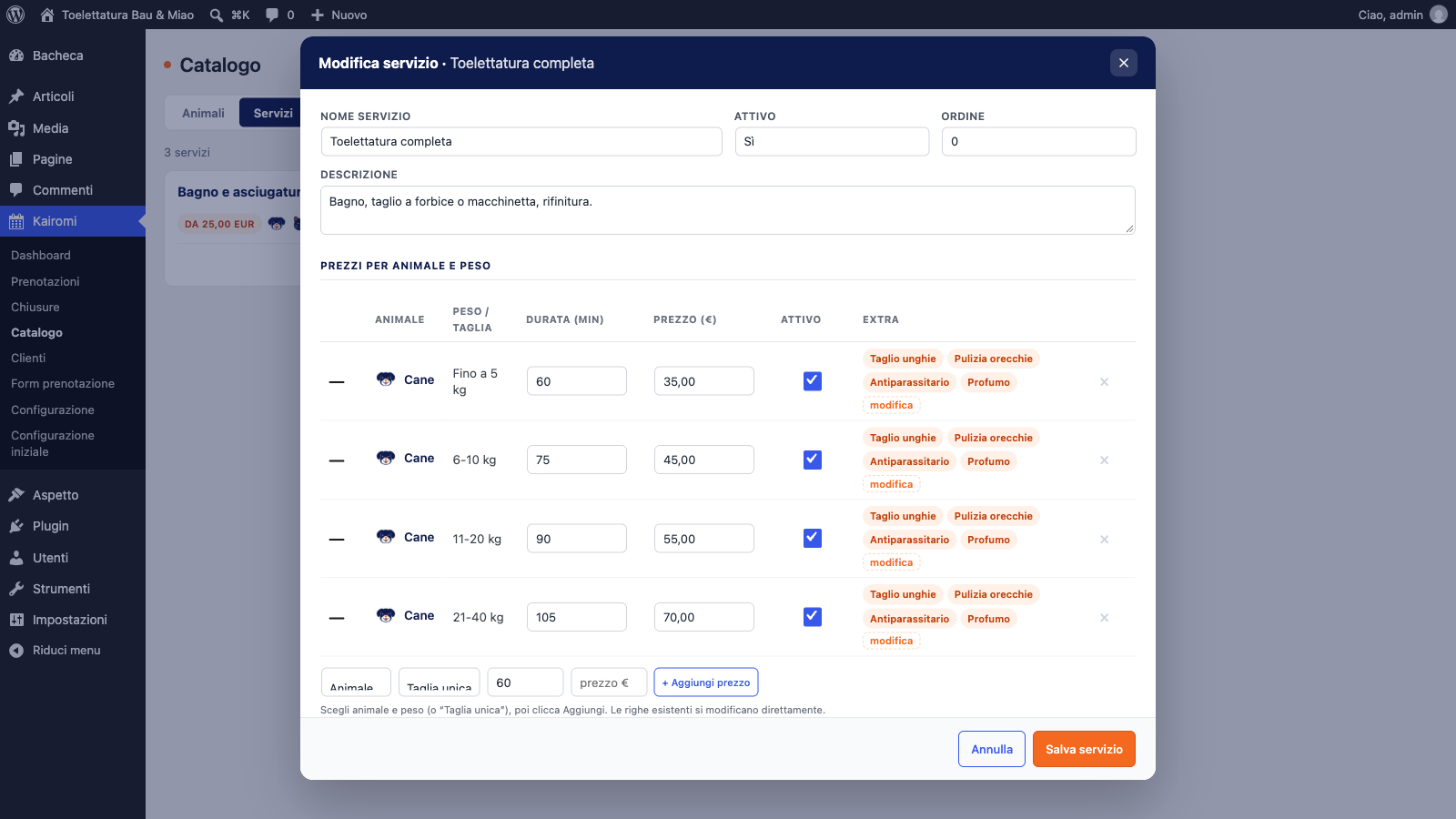
Catalog: price and duration of a service for each pet type and weight, extras per variant.
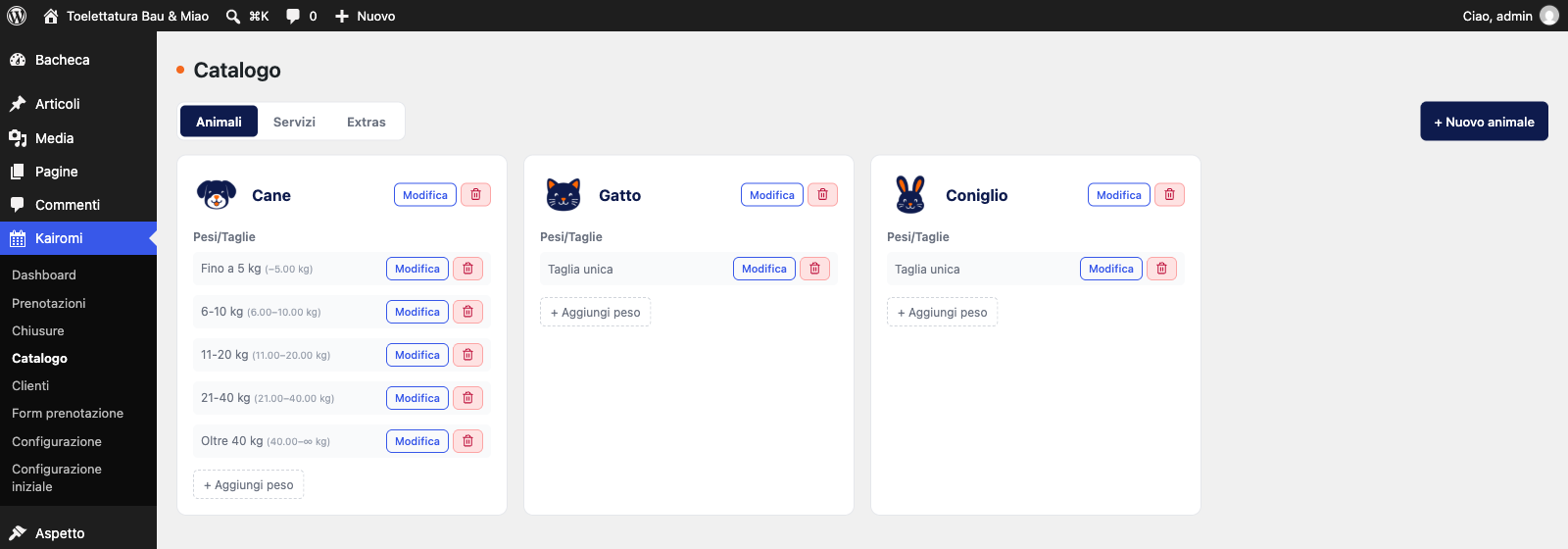
Catalog: pet types and weight ranges.


