Govseer Hazard Labels Wordpress Plugin - Rating, Reviews, Demo & Download
Plugin Description
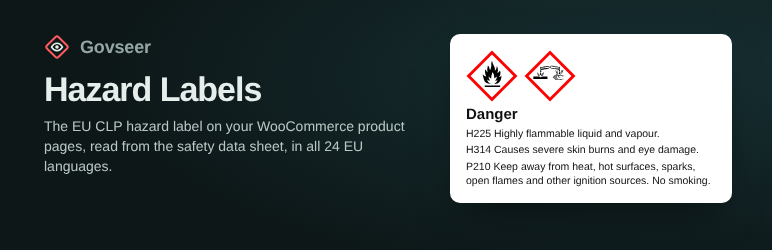
From 1 January 2028, an online offer of a hazardous substance or mixture sold in the EU must show its label elements (CLP Regulation, Article 48a): pictograms, signal word, hazard and precautionary statements, the substances named on the label, the UFI and the supplier.
Govseer Hazard Labels:
- reads the product’s safety data sheet (PDF) and fills in the label elements for you to compare and confirm,
- checks them against the CLP rules and points out problems,
- shows the label on the product page in the visitor’s language, with the official wording of all 24 EU languages (WPML and Polylang supported),
- keeps published labels up to date when the official wording changes.
The plugin needs a Govseer account. The free plan includes 10 sheet checks a month and labels on up to 5 products; paid plans are on govseer.com/pricing.
This plugin is a tool, not legal advice. The supplier of a product is responsible for its label.
External services
This plugin uses the Govseer API (https://govseer-api-823928849037.europe-west1.run.app), run by Govseer, to read safety data sheets and to provide the official wording of label elements.
- When you click “Read the sheet”, the PDF is sent to the API, read once and not stored.
- When you save or publish a label, and once a day for published labels, the confirmed label elements (codes, substance names, UFI) and your shop languages are sent to get the official wording.
- Your API key is sent with every request. Nothing about your customers is ever sent.
Terms of use: https://govseer.com/terms
Privacy notice: https://govseer.com/privacy
Screenshots

Settings: your API key and the supplier shown on every label.

The hazard label box on a product: read the safety data sheet, compare, confirm and publish.

The products list shows which products have a published label.

The label on the product page, in the visitor’s language.

The label on a phone.