Interactive Real Estate Wordpress Plugin - Rating, Reviews, Demo & Download
Plugin Description
Live Demo Front | Module Demo | Support
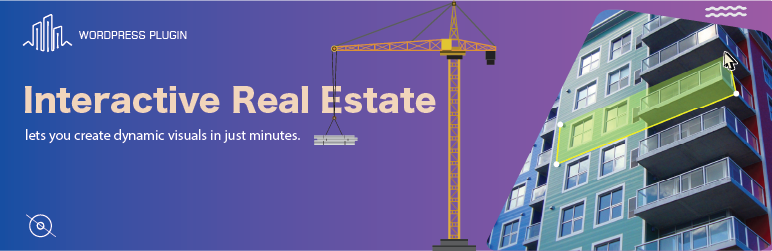
Interactive Real Estate is the most innovative WordPress plugin for creating interactive buildings and property displays. With easy-to-use shortcodes and a sleek admin interface, this plugin allows users to create stunning interactive building with easy navigation through different building layers, users can get detailed information about each unit directly from the visual interface. Quickly add pins, vector shapes, and tooltips to any image, all without needing to write any code.
With easy navigation through different building layers, users can get detailed information about each unit directly from the visual interface.
Key Features:
– Interactive Building: You can easily draw and edit complex shapes on your image right in the editor, without needing any external programs like Illustrator. Simply add pins and combine different shapes together..
– Hotspot Creation: Add clickable hotspots to specific units or areas within the building for detailed information.
– Multiple Layers: Easily navigate between different building layers (e.g., floors, units) with smooth transitions.
– Customizable Shortcodes: Use the [irep_building] shortcode to embed your interactive maps and customize them with your specific data.
– Easy-to-Use Admin Interface: Intuitive settings page to upload building images, configure hotspots, and manage map settings.
With the Interactive Real Estate plugin, you’ll be able to provide a truly immersive experience for prospective buyers or tenants, setting your property listings apart from traditional static images or floor plans.
Plugin Support
For support, please visit our support page https://interactive-real-estate.vercel.app/contact. If you encounter any issues, feel free to contact us via email at interactiverealestateplugin@gmail.com.
License
Interactive Real Estate is licensed under the GPL2 license. For more information, refer to the GPL2 License.
Source Code
The source code for the unminified JavaScript and CSS can be found at:
link
Build Instructions
To rebuild the minified JavaScript files, follow these steps:
- Clone or download the repository.
- Run
npm installto install dependencies. - Run
npm run buildto generate the minified files. - The minified files will be located in
dist/assets/index.js.
Video Tutorial
Using this plugin may be complicated, For a step-by-step walkthrough on how to use the plugin, watch our video tutorial here:
This video covers:
– How to create a new interactive project.
– How to add pins and polygons to your property images.
– Add floor, flats, flat types, actions and connect it to polygons.
– Customize the colors of your SVG paths.
Screenshots
![Banner: [banner-1540x500.jpg]](https://ps.w.org/interactive-real-estate/assets/screenshot-1.png?rev=3232633)
Banner: [banner-1540×500.jpg]
![Plugin icon: [icon-512x512.png]](https://ps.w.org/interactive-real-estate/assets/screenshot-2.png?rev=3232633)
Plugin icon: [icon-512×512.png]
![Main dashboard view: [screenshot-1.jpg]](https://ps.w.org/interactive-real-estate/assets/screenshot-3.png?rev=3232633)
Main dashboard view: [screenshot-1.jpg]
![Flats list: [screenshot-2.png]](https://ps.w.org/interactive-real-estate/assets/screenshot-4.png?rev=3232633)
Flats list: [screenshot-2.png]
![3d floor plan: [screenshot-3.jpg]](https://ps.w.org/interactive-real-estate/assets/screenshot-5.png?rev=3232633)
3d floor plan: [screenshot-3.jpg]