Kaddora MailFlow SMTP Wordpress Plugin - Rating, Reviews, Demo & Download
Plugin Description
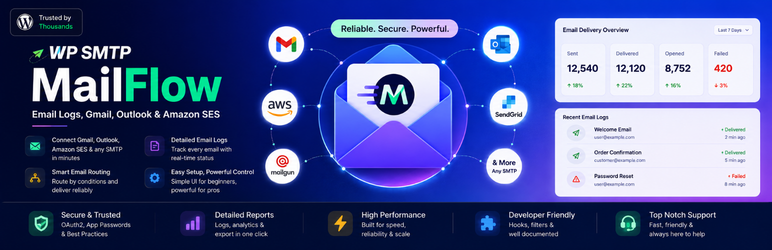
Kaddora MailFlow SMTP is a focused WordPress email-delivery plugin built around direct provider connections, encrypted credential storage, privacy-conscious delivery logs, source-aware email attribution, and manual Gmail OAuth that does not require a Kaddora-operated relay.
This WordPress.org release includes:
- Other SMTP delivery.
- Gmail API delivery with manual OAuth and PKCE.
- SendGrid API delivery.
- Mailgun API delivery.
- Postmark API delivery.
- Multiple named connections with one active primary connection.
- Encrypted credential storage.
- Guided setup and provider-specific configuration forms.
- Test Email with the configured MailFlow delivery pipeline.
- Basic Email Log with search and status/provider/source/date filters.
- Detailed log view and provider-attempt history.
- Basic 7-, 30-, and 90-day delivery reports.
- Provider performance and source performance reports.
- Source-aware attribution for WordPress, WooCommerce, WPForms, and Contact Form 7 when those integrations are present.
- Basic connection health information and WordPress Site Health integration.
- Privacy-conscious log retention and uninstall controls.
- Privacy-safe system diagnostics that do not expose stored credentials or message bodies.
No Kaddora-operated relay is required. Provider communication is direct between the WordPress site and the email service configured by the administrator.
Additional mailers and advanced delivery workflows are available through separately distributed MailFlow SMTP extensions. These extensions are separate products and are not included in, required by, or used to unlock functionality in this WordPress.org plugin.
Learn about the separately distributed MailFlow SMTP Pro plugin:
https://themekaddora.com/items/kaddora-mailflow-wp-smtp-wordpress-email-logs-gmail-outlook-amazon-ses/1062
External services
Kaddora MailFlow SMTP contacts an external provider only after a site administrator explicitly configures that provider and performs an OAuth authorization, connection test, provider health request, or sends email through it. No email content is sent to Kaddora-operated servers by this package.
Google APIs / Gmail
When Gmail is configured, the plugin connects directly to Google OAuth endpoints for authorization and token refresh and to Gmail API endpoints for account checks and email delivery. During OAuth, Google receives the OAuth client information, redirect URI, requested scopes, authorization code, and token-refresh data required by OAuth. When email is sent, Google receives the sender and recipient addresses, subject, message body, headers, and attachments required to deliver that message. Gmail is contacted only when the administrator configures Gmail or WordPress sends or tests mail through that connection.
Google Terms: https://policies.google.com/terms
Google Privacy Policy: https://policies.google.com/privacy
SendGrid
When SendGrid is configured, the plugin connects directly to SendGrid’s HTTPS API. Provider checks use the administrator-provided API key. When email is sent, SendGrid receives sender and recipient addresses, subject, message body, headers, and attachments required for delivery. SendGrid is contacted only when the administrator configures or tests SendGrid or WordPress sends mail through that connection.
Twilio Terms of Service: https://www.twilio.com/en-us/legal/tos
Twilio Privacy Notice: https://www.twilio.com/en-us/legal/privacy
Mailgun
When Mailgun is configured, the plugin connects directly to the Mailgun US or EU HTTPS API selected in the connection settings. Provider checks use the administrator-provided Mailgun credentials. When email is sent, Mailgun receives the configured sending domain, sender and recipient addresses, subject, message body, headers, and attachments required for delivery. Mailgun is contacted only when the administrator configures or tests Mailgun or WordPress sends mail through that connection.
Mailgun Terms of Service: https://www.mailgun.com/legal/terms/
Mailgun Privacy Policy: https://www.mailgun.com/legal/privacy-policy/
Postmark
When Postmark is configured, the plugin connects directly to Postmark’s HTTPS API. Provider checks use the administrator-provided Server API token. When email is sent, Postmark receives sender and recipient addresses, subject, message body, headers, and attachments required for delivery. Postmark is contacted only when the administrator configures or tests Postmark or WordPress sends mail through that connection.
Postmark Terms of Service: https://postmarkapp.com/terms-of-service
Postmark Privacy Policy: https://postmarkapp.com/privacy-policy
Custom SMTP servers
When a custom SMTP connection is configured, the plugin opens a connection to the SMTP host, port, encryption mode, username, and other settings entered by the site administrator. A connection test sends the minimum SMTP traffic required to verify that configuration. When email is sent, the SMTP operator receives sender and recipient addresses, subject, message body, headers, attachments, and authentication data required by that SMTP service. The SMTP operator is selected by the site administrator, so its terms and privacy policy depend on that operator. The site administrator is responsible for reviewing the terms and privacy policy of the selected SMTP service.