Latchbot – AI Crawler Control Wordpress Plugin - Rating, Reviews, Demo & Download
Plugin Description
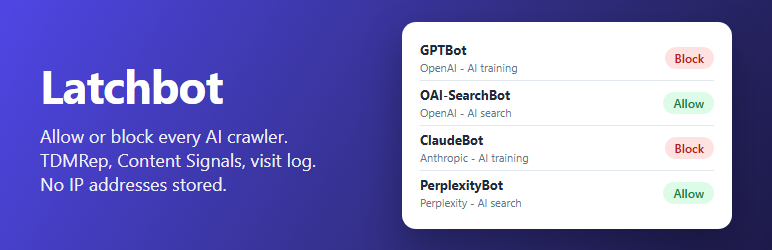
AI companies send crawlers for three different reasons: to collect training data, to build an AI search index, and to fetch a page because a user asked a chatbot about it. Latchbot lets you decide per crawler, from one screen under Settings > AI Crawlers.
Features
- One rule per crawler – allow or block GPTBot, ClaudeBot, Google-Extended, PerplexityBot, CCBot, Applebot-Extended, Bytespider, Meta-ExternalAgent and about 20 more, each labelled with its operator and purpose (AI training, AI search or fetches for a user).
- Presets – “Block AI training, allow AI search”, “Block all AI crawlers” or “Allow all” in one click, then fine-tune.
- robots.txt rules – added to the robots.txt WordPress generates, one group per blocked crawler, with a preview on the settings screen.
- Refuse crawlers that ignore robots.txt – optionally answer 403 to blocked crawlers; robots.txt itself always stays readable.
- TDMRep – reserve text and data mining rights under the W3C TDMRep protocol:
/.well-known/tdmrep.json, thetdm-reservationheader and meta tag, with an optional licensing policy URL. - Content Signals – add a
Content-Signal: search=yes, ai-input=yes, ai-train=noline to robots.txt, with each value your choice. - noai and noimageai – in the robots meta tag and the
X-Robots-Tagheader. - Visit log – how often each AI crawler came in the last 30 days, when it was last seen, and which kinds of pages it read (posts, pages, products, feeds and so on).
- New crawlers – updates add newly announced crawlers; a setting blocks the new training crawlers automatically.
On activation Latchbot blocks the AI training crawlers and allows AI search and user fetches. Nothing else changes until you turn it on.
Privacy
The visit log stores the crawler name, the day, the kind of page and two counters. It never stores IP addresses, page addresses, cookies or any other visitor data, and it keeps 90 days. Latchbot makes no requests to other sites and loads nothing from them.
Good to know
- robots.txt is a request, not a lock: well-behaved crawlers follow it. Turn on “Refuse blocked crawlers” for those that do not.
- If your site root has a physical robots.txt file, the web server sends that file and WordPress rules do not apply. Latchbot warns about it and shows the lines to copy.
- Page caches and CDNs answer many requests without running WordPress. Those visits are not counted and not refused by the plugin; block crawlers at the CDN too if it offers that.
- Google-Extended and Applebot-Extended are robots.txt tokens only: Google and Apple crawl with their normal search bots and read the token to decide whether pages may be used for AI. They never show up in the visit log.
For developers
latchbot_botsfilter – add, change or remove crawlers; the list is built once per request, so add the filter from a plugin or your theme’s functions.php. Each entry hastoken,name,operator,purpose(training,searchoruser) andua(the User-Agent substring; empty for robots.txt-only tokens).latchbot_refusefilter – decide whether a request from a known crawler gets a 403. Arguments: the decision, the crawler id and the kind of page.latchbot_visitaction – runs after a crawler visit is counted, with the crawler id, the kind of page and whether it was refused.
Screenshots

Every AI crawler with its operator, purpose, rule and visits.

Signals for all crawlers: noai, TDMRep and Content Signals.

The robots.txt additions and what AI crawlers read.