Layout Foundry Quantities Wordpress Plugin - Rating, Reviews, Demo & Download
Plugin Description
Layout Foundry Quantities adds a planner to WooCommerce product pages. The shopper enters the size of their room, walls, deck, fence run or garden. The planner works out how many whole packs, rolls, tins, boards, panels or bags of that product to buy, and one button adds them to the basket.
The planner shows its working as text: the area, the layout count, the allowance, the rounding up to whole packs or rolls, and the material left over. A diagram sits beside the text where one helps.
Product types
- Tiles and paving: piece size, pieces per pack, joint width and laying pattern (straight or half bond). The planner lays out every piece and counts the cut pieces.
- Flooring: coverage per pack, or plank size with planks per pack.
- Wallpaper: roll width, roll length, pattern repeat and match (straight or half drop). Shoppers enter the wall height and up to four wall widths.
- Paint: coverage per litre for one coat, coats and tin size. Shoppers enter their walls and the number of doors and windows to take off.
- Decking: board width (as laid) and length, the gap between boards, boards per pack if sold in packs, and an optional joist spacing. The result counts whole boards with a cutting allowance, and joists when a spacing is set.
- Fencing: panel width and post width. The result counts panels, posts and, if the shopper asks, gravel boards.
- Gravel and aggregates: density in tonnes per m³ and bag weight, such as a 20 kg bag or an 850 kg bulk bag. Shoppers enter the area and the depth.
- Turf: roll width and length, or the area one roll covers.
Metric shops use centimetres, metres, square metres, litres and kilograms. Imperial shops use inches, feet, square feet, US gallons and pounds.
Setting up products
- One product at a time: edit a simple product and open Product data > Quantities.
- Many products at once: Products > Quantities > Import. Upload a CSV file with a
skuorproduct_idcolumn and the settings you need. You see a preview with a status for every row, and nothing changes until you apply it.
The planner shows above the add-to-basket button on the product page. In a block theme you can also place the Quantity planner block in the single product template, and turn off the automatic placement under Products > Quantities.
Privacy
- The planner runs in the shopper’s browser. Sizes they enter stay on their device.
- The plugin makes no requests to Layout Foundry or any other outside service. It sets no cookies and adds no tracking.
Free
Every feature on this page is free, with no limit on products.
Source code
The planner is written in TypeScript. The files in assets/embed/ are built from the TypeScript in the source/ folder of this plugin with esbuild. The build steps are in source/BUILD.md.
Screenshots
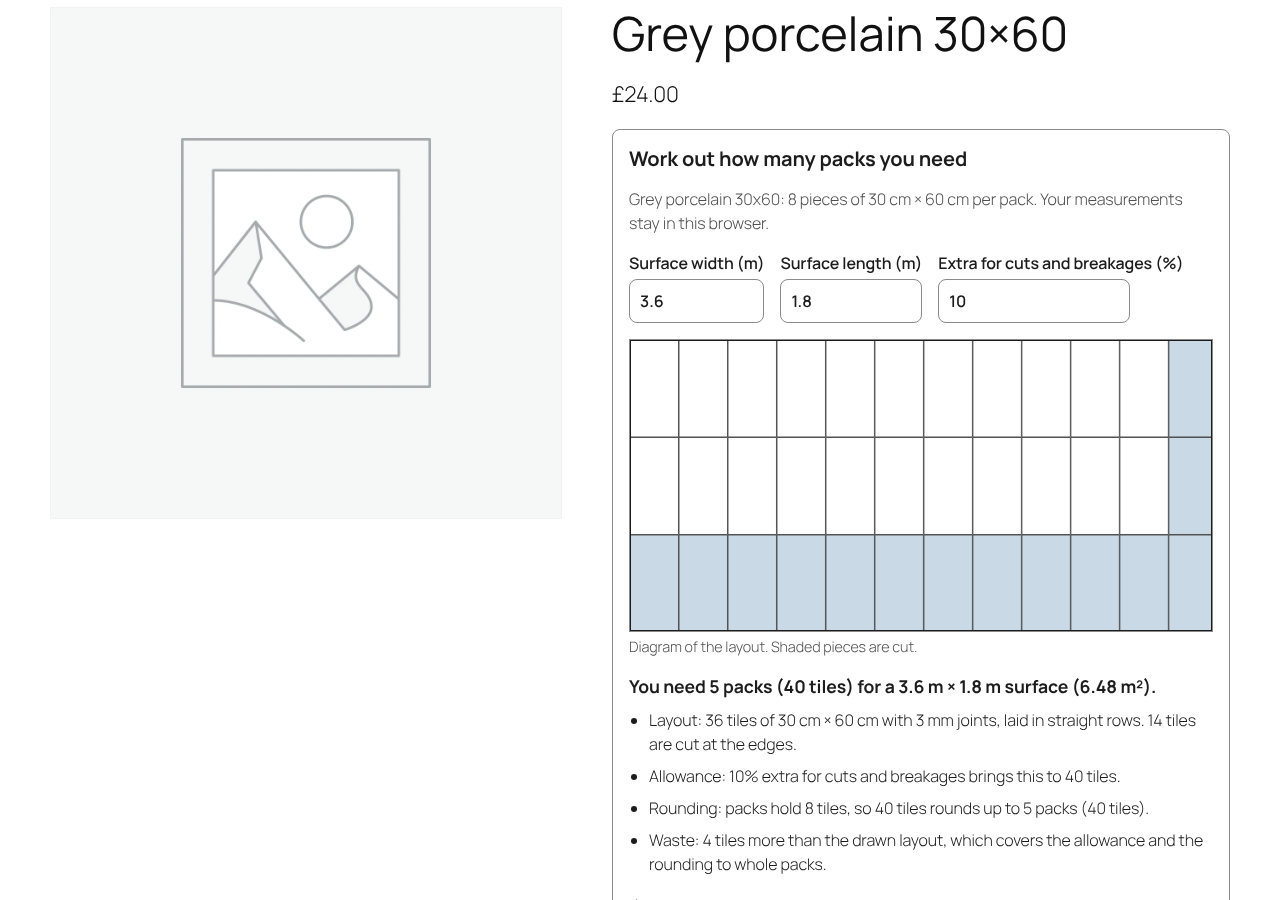
The planner on a tile product page, with the text result and the layout diagram.

The add button with the number of packs, and the basket quantity it sets.
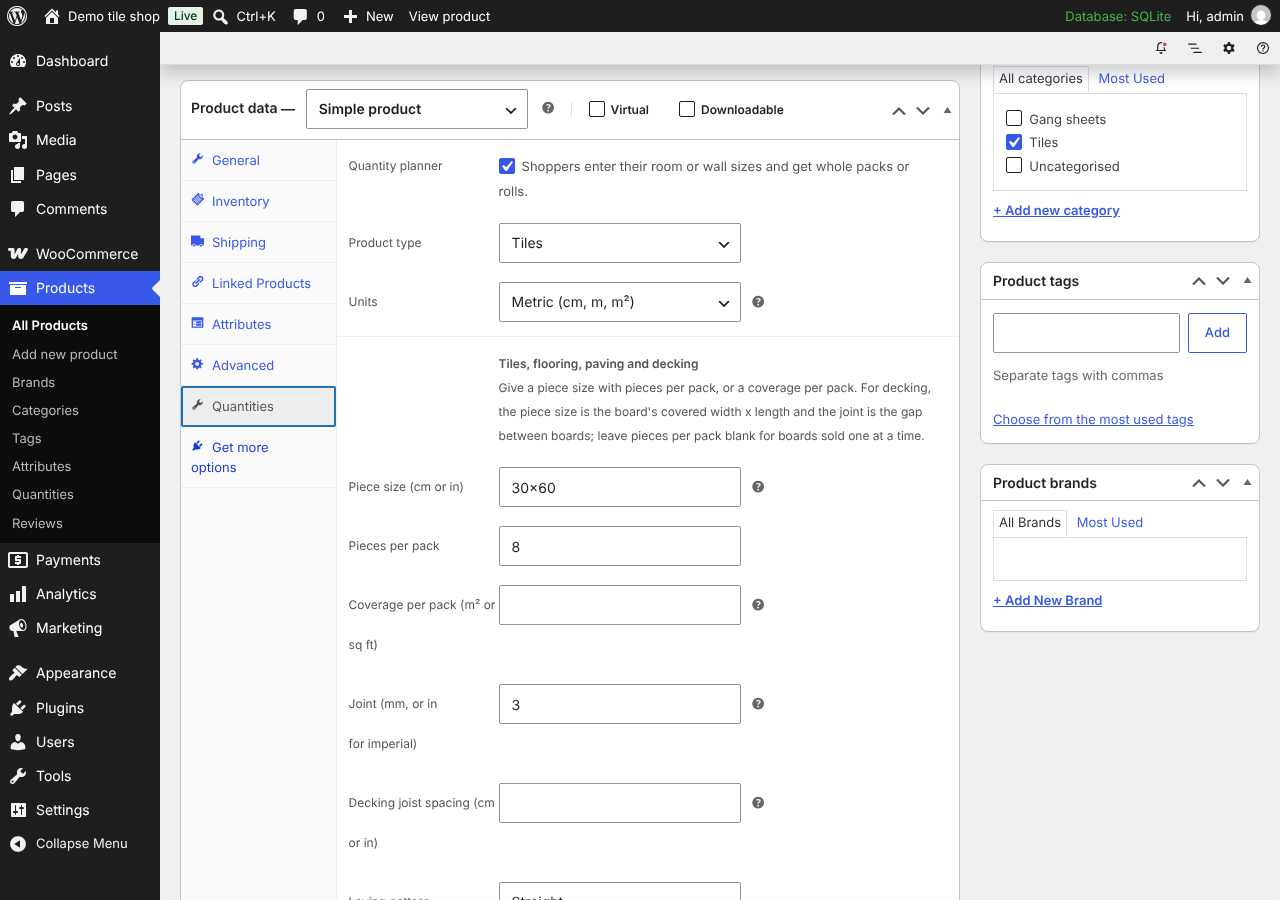
Product data > Quantities on a tile product.
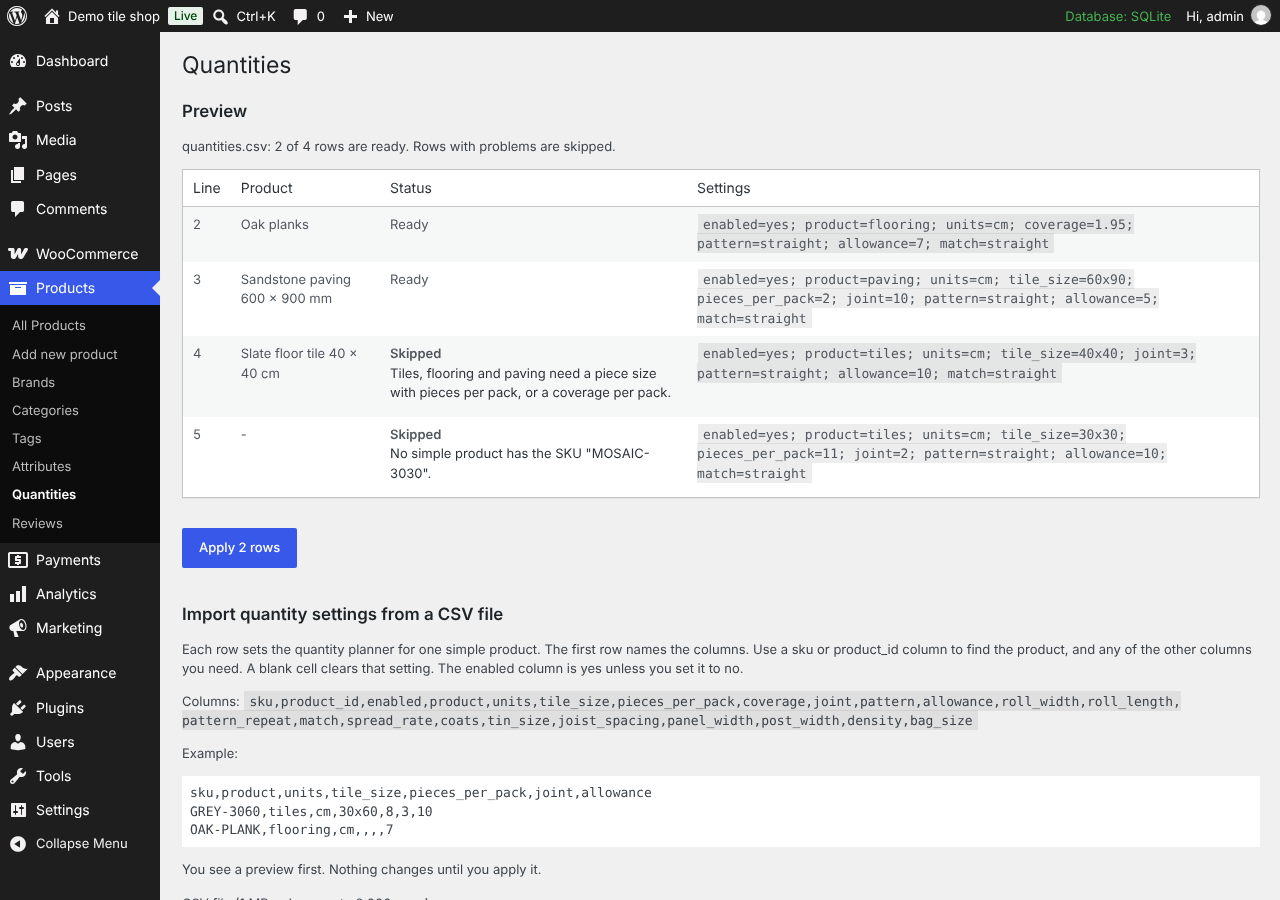
The CSV import preview with a status for every row.