
Leadflow Connector Wordpress Plugin - Rating, Reviews, Demo & Download

Plugin Description
Leadflow Connector connects your WordPress site to your company in Leadflow, the CRM that follows each contact from the first request to the appointment and the signed contract.
Every 5 minutes Leadflow reads the messages that Flamingo saved from your Contact Form 7 forms and turns them into new leads, ready in the call queue:
- first name, last name, email, phone, province, course and message are read from the form fields;
- the lead source is chosen in Leadflow, even a different one for contacts coming from Google Ads;
- no duplicates: a contact already in Leadflow only gets the new request in its history;
- spam marked by Flamingo is never shared;
- nothing runs on your site: no WordPress cron and nothing sent by the site on its own. Leadflow asks for the new messages with signed requests.
You need a Leadflow account (the administrator of your company creates the connection key) and the free Flamingo plugin, which saves the Contact Form 7 messages in the database.
The plugin interface is available in English and Italian.
External services
This plugin connects to Leadflow (https://leadflow.deskpilotapp.cloud/), an external CRM service, to turn your form messages into leads. Nothing is sent or read before an administrator pastes the connection key created in Leadflow and clicks “Connect”.
- When you connect the site (Settings › Leadflow › Connect), the plugin sends to Leadflow the site address, the REST address of the plugin, the versions of WordPress, PHP, Leadflow Connector, Flamingo and Contact Form 7, and the ID of the last Flamingo message (when you choose “New ones only”).
- Every 5 minutes, after the connection, Leadflow calls the REST route
leadflow/v1/messaggiof your site with a signed request (HMAC-SHA256) and receives the Flamingo messages saved after the last one it read: date, subject, sender name and email, page address and the form fields. Messages marked as spam are never returned. - When you disconnect the site, the plugin tells Leadflow that the connection has been removed.
Leadflow privacy policy: https://leadflow.deskpilotapp.cloud/privacy
Leadflow terms of use: https://leadflow.deskpilotapp.cloud/termini
Screenshots
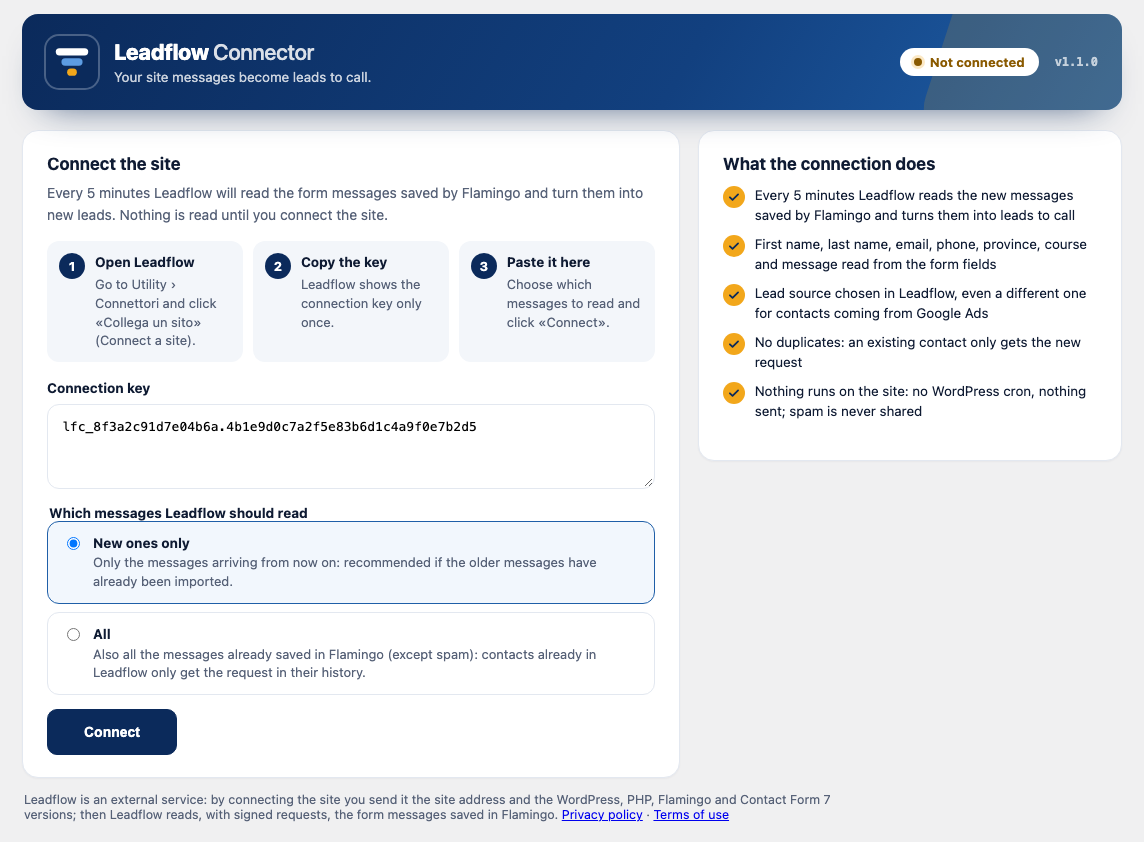
Settings › Leadflow before the connection: paste the key created in Leadflow and choose which messages to read.
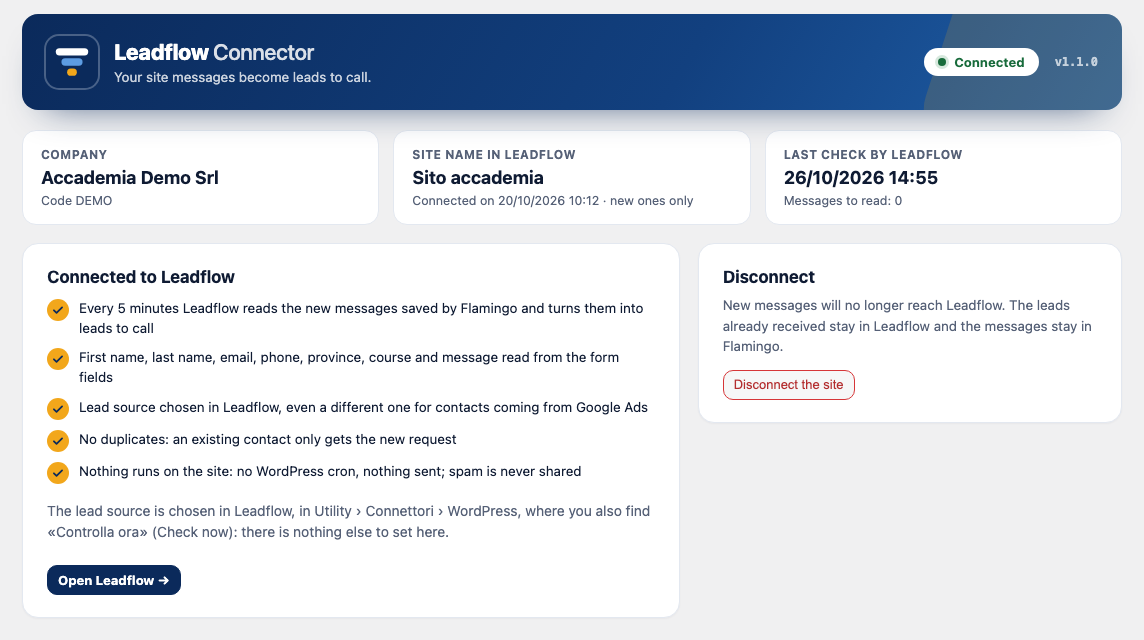
Settings › Leadflow with the site connected: company, site name in Leadflow, last check and messages still to be read.
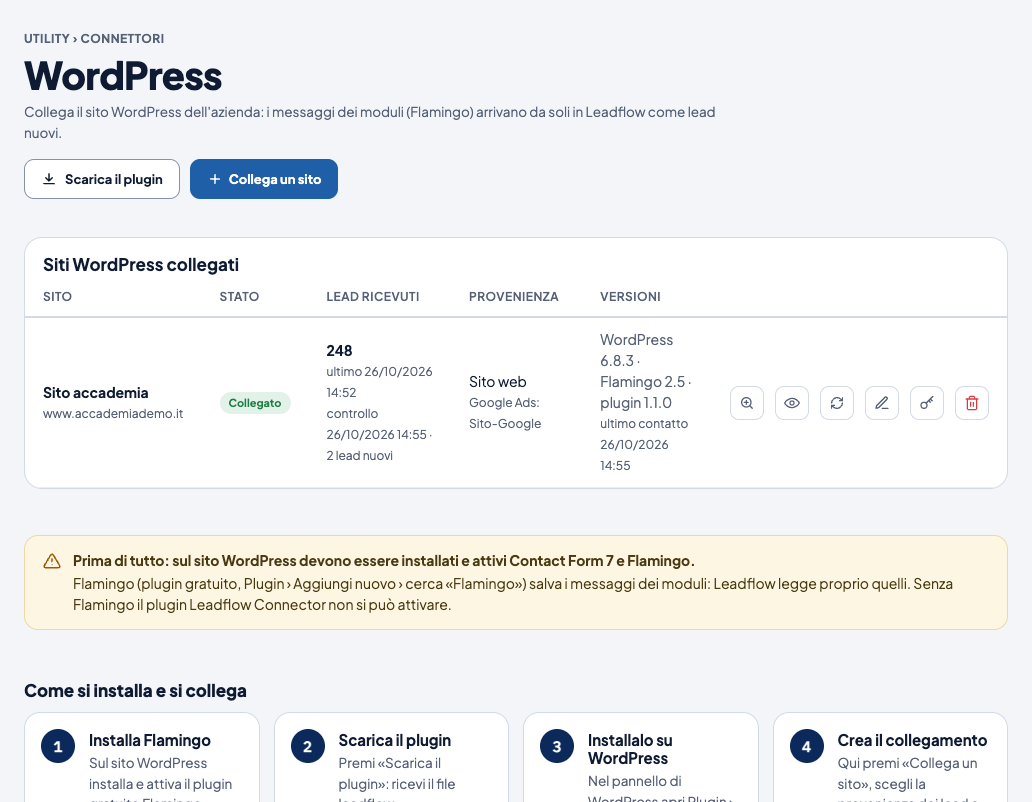
In Leadflow (Utility › Connettori › WordPress): the connected site with the leads received, the lead source and the versions.


