Logical Address Autocomplete For Formidable Forms Wordpress Plugin - Rating, Reviews, Demo & Download

Plugin Description
Add Google-powered address suggestions to Formidable Forms with a dedicated single-line Address field or optional native Address autofill. Visitors start typing, choose a suggestion, and continue filling out the form with less typing.
Features
- Dedicated single-line Address field in the native Formidable Forms builder.
- Optional autofill for native Address fields in editions that provide them.
- Country restrictions: up to five countries per field.
- Result types: regions, cities, street addresses or premises.
- Per-field suggestion language.
- Global language and region preferences.
- Location bias by point and radius or rectangular bounds.
- Optional restriction to rectangular bounds.
- Required suggestion selection with a custom alert message.
- Open a saved single-line address in Google Maps from the admin entry-detail page.
Address fields for your forms
Add the dedicated Address field from the Geolocation field group and configure autocomplete in its field settings. This single-line field works with the free Formidable Forms plugin.
If your Formidable edition supplies a native multipart Address field, enable autocomplete in its options to fill street address, city, state, postal code and country. Google may not return every component for every suggestion.
Customize suggestions
Choose countries, result types and language for each field. Prioritize suggestions near a point or within map bounds, or restrict results to those bounds. The global region preference influences results; country restrictions limit which countries can appear.
Require a suggestion selection
Optionally require visitors to choose an address suggestion. Manually typed, unselected text is cleared, and your custom alert prompts them to select a suggestion. This is not postal address validation or a deliverability guarantee.
Google API requirements
A Google Maps API key is required for address autocomplete to work. Follow this tutorial to create your Google Maps API key.
Google Maps Platform terms | Google privacy policy
Need more than autocomplete?
Formidable Geolocation offers paid packages for interactive maps, geocoding, dynamic location fields, current-location detection, directions, distance calculations, address validation, nearby locations and drawing tools. Feature availability depends on the package.
Formidable Geolocation is a separate plugin, not functionality unlocked inside this free plugin by entering a license.
Explore packages and pricing | Try the live demos | Read the documentation
Screenshots
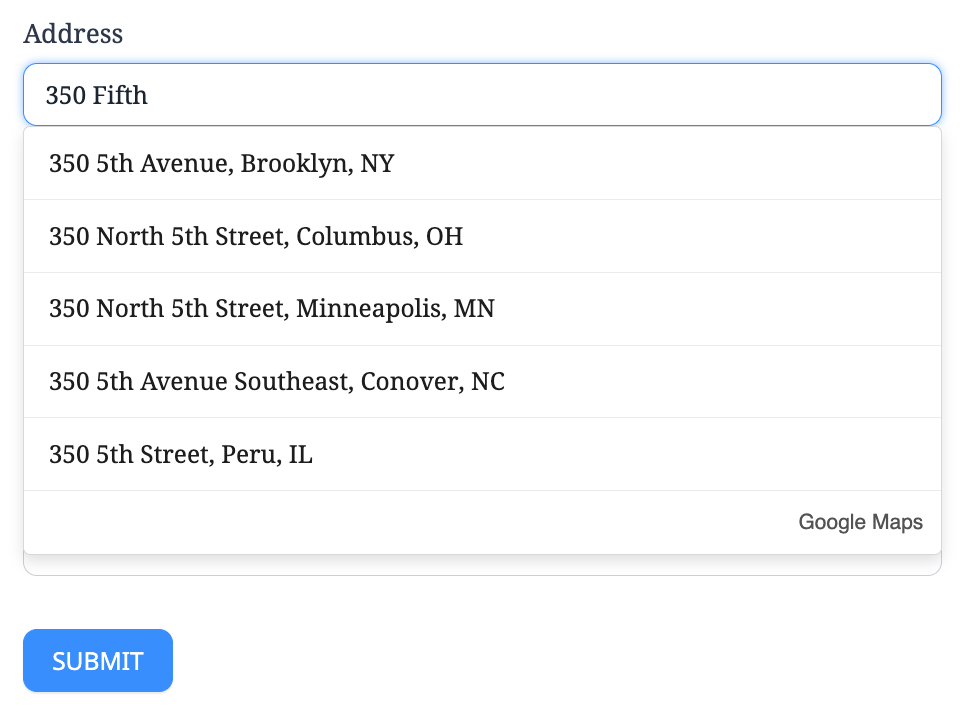
Live Google Places suggestions in the dedicated Formidable Forms Address field. Google attribution remains visible.
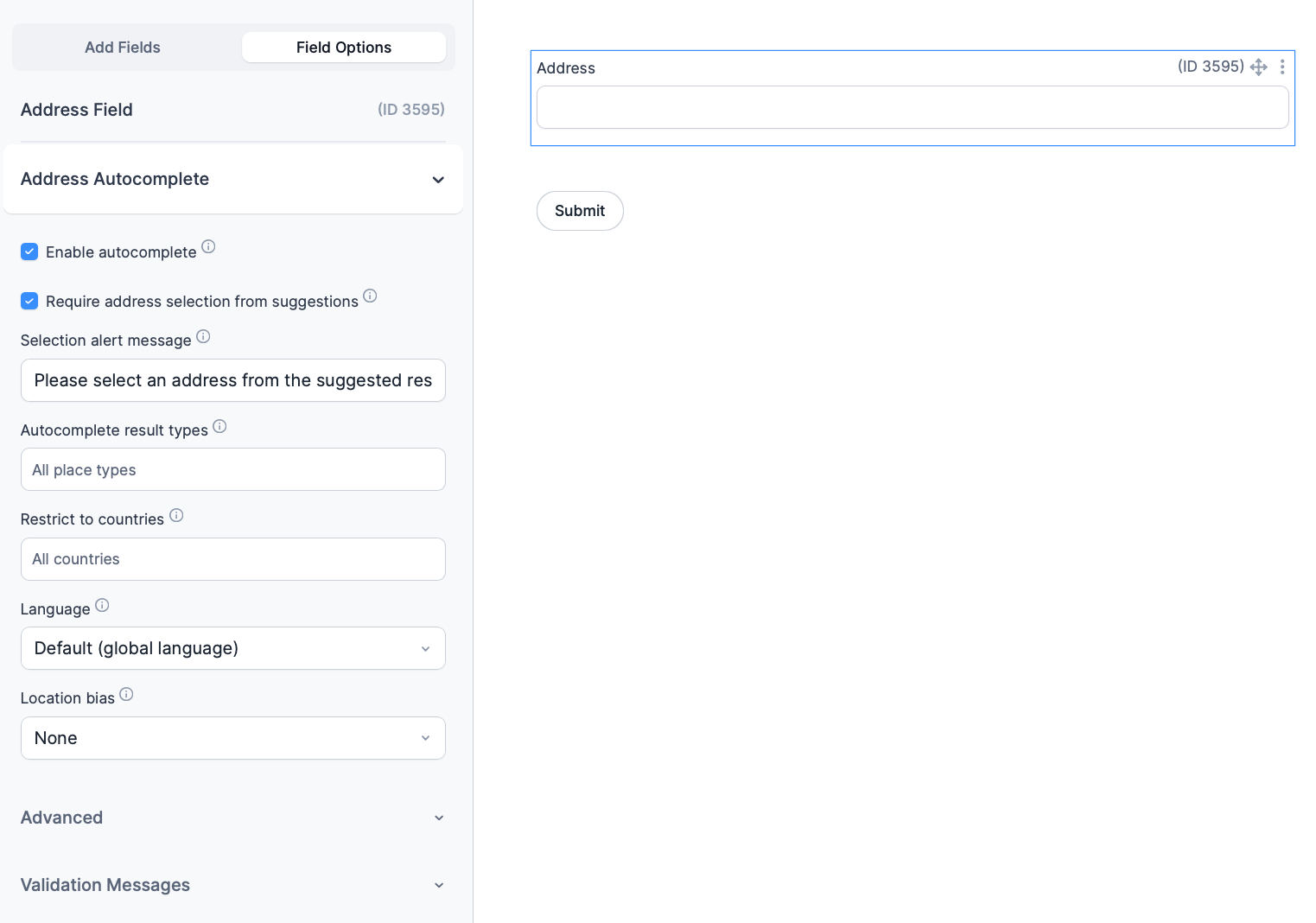
Dedicated single-line Address field options, including required suggestion selection, its alert message, result types, countries, language and location bias.
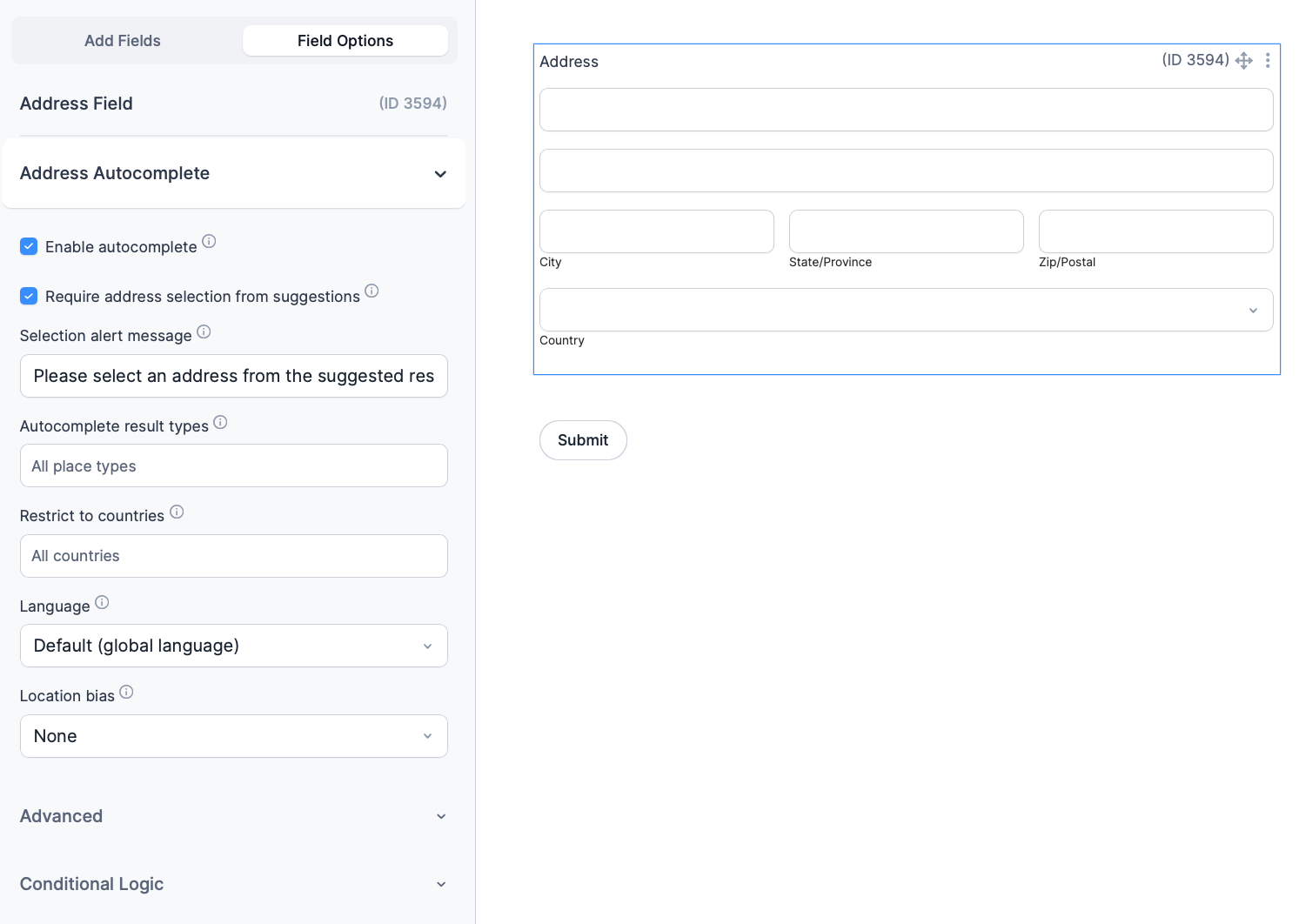
Autocomplete options for Formidable Forms’ native multipart Address field, available in host editions that provide that field.
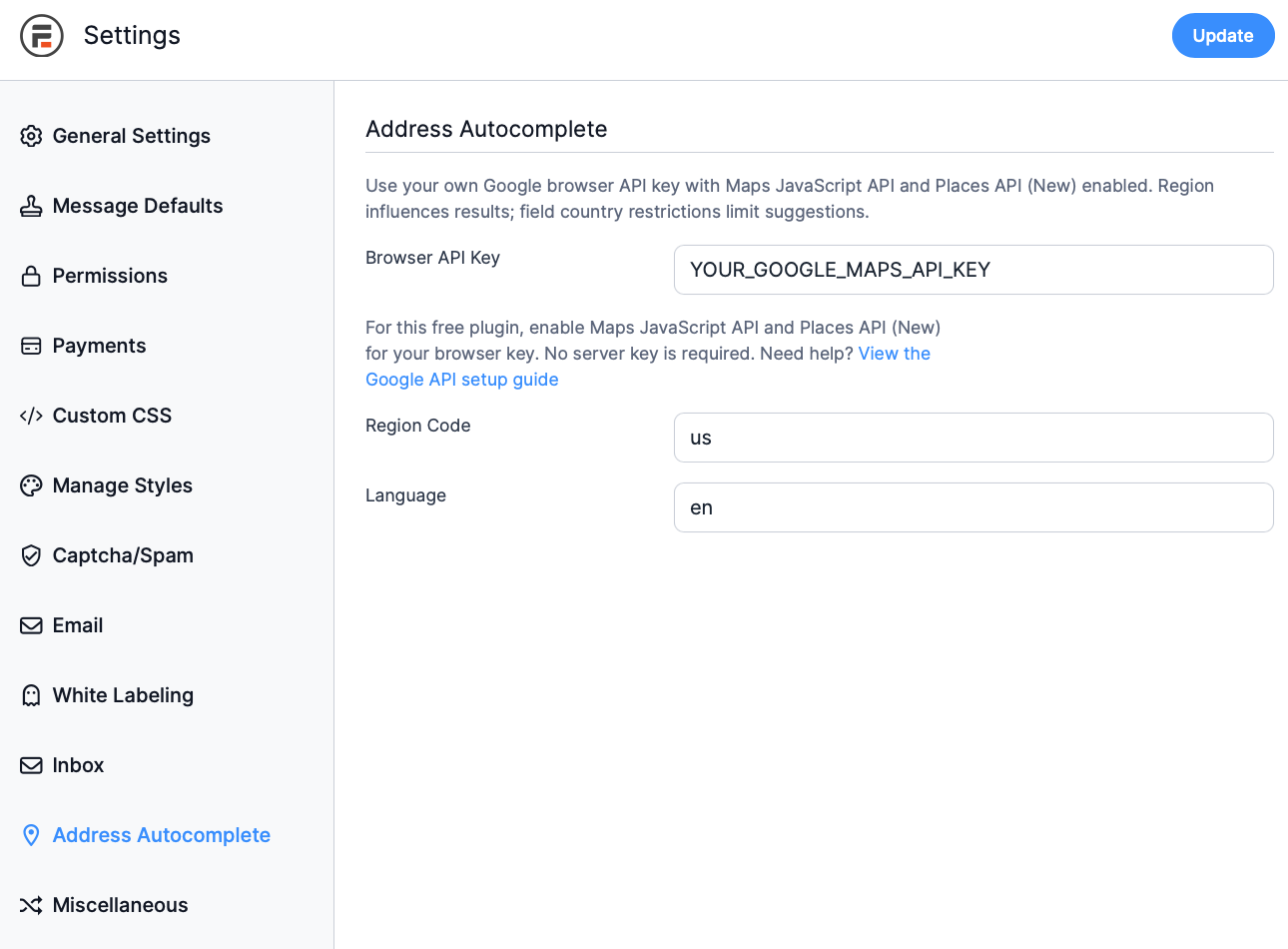
Global Google browser API key, region and language settings, with a link to the API setup guide.
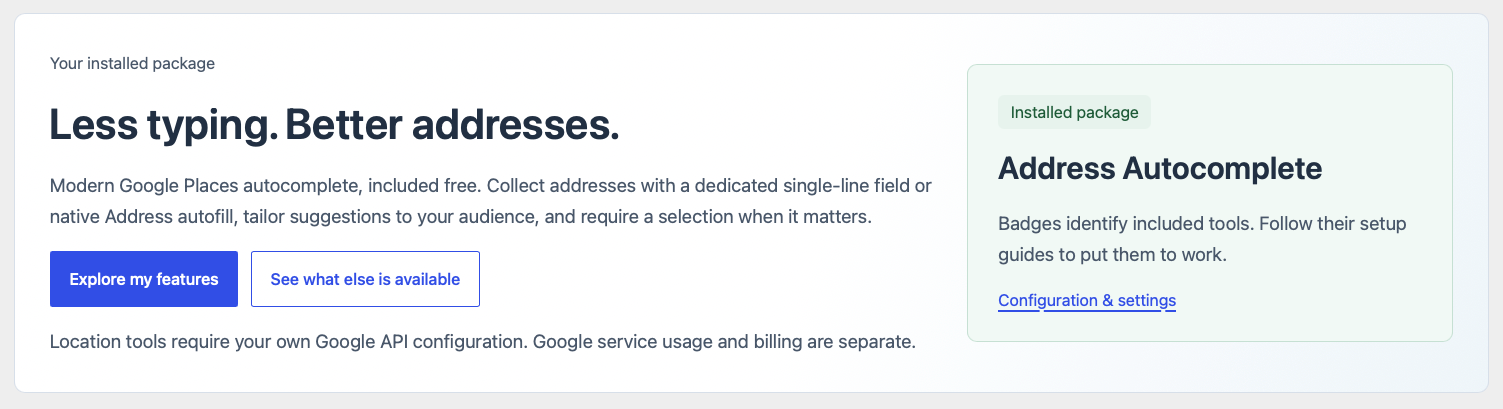
The plugin overview introduces the included standalone Address Autocomplete integration and links to its configuration.