
Sentify Embodied Assistant Wordpress Plugin - Rating, Reviews, Demo & Download
Plugin Description
Visitors can speak or type to a 3D avatar, search public WordPress content, navigate your site, and find WooCommerce products and categories. Free includes eight curated avatars. Upgrade to Pro for additional catalog tools, cart actions and the full built-in avatar catalog.
Use your own OpenAI or Azure credentials. AI usage is billed separately by your provider. Provider keys remain on the server. Tools must be enabled by the administrator. WooCommerce is required for store tools.
Display modes
Toggler and Overlay + toggler mount site-wide. Embedded, Embedded compact and
plain Overlay use [embodied_assistant] or the Embodied Assistant block.
Plugin settings select the mode; the shortcode/block controls placement.
Privacy
Microphone audio is processed by the selected OpenAI or Azure service. WordPress
does not record audio. Bounded transcript/tool context is stored in the browser
tab for conversation continuity and cleared when the conversation ends or its
identity changes. A first-party HttpOnly visitor cookie lasts up to 24 hours.
WordPress stores session identifiers, hashed visitor/IP identifiers, authorization
state and bounded tool results for replay protection. Sessions expire after at
most 90 minutes; hourly cleanup removes settled session/tool records after their
expiry plus one day, in batches. WP-Cron delays can extend retention. Daily usage
totals contain no visitor identifiers and are retained for up to 365 days.
Diagnostics retain at most 300 redacted entries. WordPress does not store audio.
Scripts, worklets, lipsync model data and interface icons are packaged locally.
Consent is required by default. Select a published policy under Settings Privacy
to include its link in the consent dialog.
External services
OpenAI or Microsoft Azure OpenAI is required for conversations. The administrator
chooses and configures one provider with their own paid API account. When a
conversation starts, WordPress sends session settings, instructions, enabled tool
schemas and WebRTC connection data to that provider. The browser sends microphone
audio, typed messages, conversation context and tool results (which can contain
public page/product data and, in Pro, the visitor’s cart contents). Requests also
expose normal connection metadata, including IP addresses. Provider API keys stay
on the WordPress server. Provider usage is billed separately from this plugin.
- OpenAI: https://api.openai.com/ — API terms: https://openai.com/policies/business-terms/ ; privacy: https://openai.com/policies/privacy-policy/
- Azure: the administrator’s HTTPS Azure resource endpoint — terms: https://azure.microsoft.com/en-us/support/legal/ ; privacy: https://www.microsoft.com/en-us/privacy/privacystatement
The avatar picker contacts the publisher’s Azure Blob catalog at
https://sentifydavatars.blob.core.windows.net/ when the administrator opens avatar
settings. WordPress requests catalog listings and downloads the selected model;
the administrator’s browser loads preview images and metadata. Requests contain
asset paths and normal connection metadata, not conversation content or provider
credentials. Selected GLB models are copied into WordPress uploads and served
locally.
If the administrator enables Play avatar animation in Capabilities (off by default), the visitor’s browser
loads requested avatar animation clips
(FBX format) directly from the publisher’s Azure Blob storage at
https://sentifydassetssc.blob.core.windows.net/animationclips/. These requests
contain only the animation file path and standard browser connection metadata
(IP address and user agent; the referrer is suppressed). No conversation content or provider credentials are sent to the animation
storage service. These optional downloads are disabled by default. Voice,
lipsync and built-in gestures do not depend on them. Any separately configured remote model host
receives normal request metadata when that asset loads, potentially before
conversation consent.
Publisher terms: https://embodied-assistant.store/terms/ ; privacy: https://embodied-assistant.store/privacy/
Contact: https://embodied-assistant.store/contact/
The Learn more about Pro link opens the publisher website. Upgrades are available there. This WordPress.org edition contains no Freemius SDK and does not connect an account. Purchases on the publisher website use Freemius. Terms: https://freemius.com/terms/ ; privacy: https://freemius.com/privacy/
Removal
Deactivation closes tool authorization and unschedules cleanup. Uninstall keeps
data by default. Explicit purge removes plugin data and its Azure credential,
while preserving the site’s shared OpenAI Connector credential.
Licensing and upgrades
Free receives updates through WordPress.org. Visit the publisher website to purchase Pro, then install the Pro ZIP as a replacement edition. Your settings are kept. Pro includes Freemius for licensing and updates.
Product: https://embodied-assistant.store/
Support: https://embodied-assistant.store/contact/
Privacy: https://embodied-assistant.store/privacy/
Support email: info@sentifyd.io
Source code
Editable Free JavaScript and build instructions are included in source/BUILDING.md.
Dependency versions and public upstream sources are documented in
source/DEPENDENCIES.md and source/package-lock.json. PHP and admin assets are
supplied as readable source in their normal plugin locations.
Screenshots
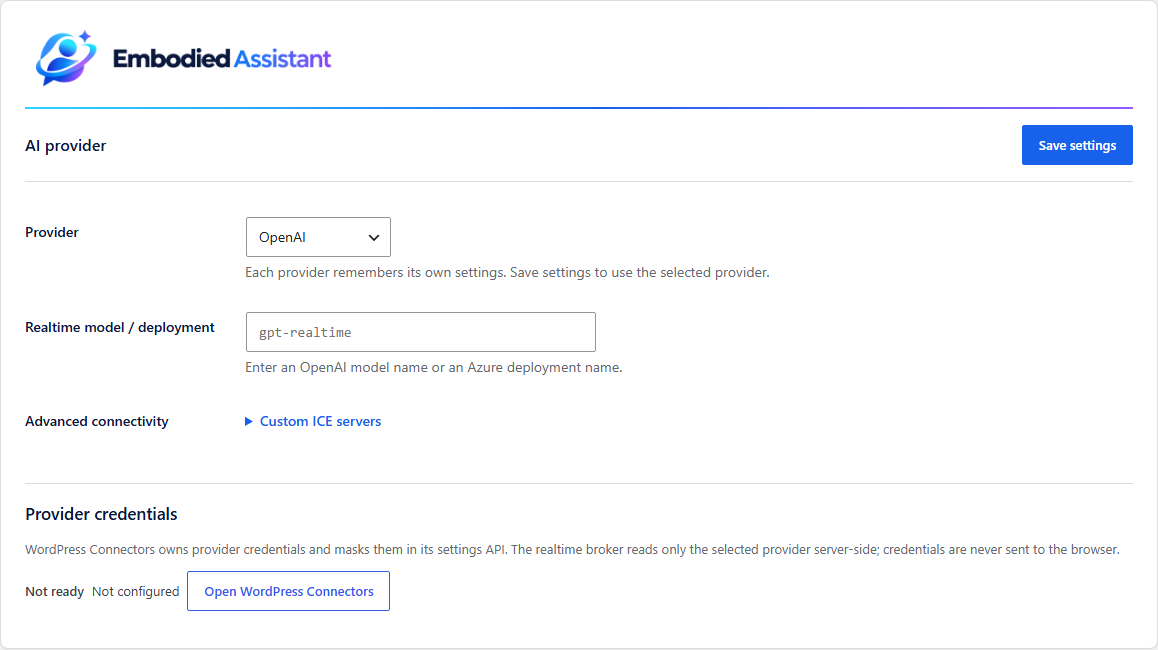
AI provider: choose OpenAI and set the realtime model; manage API keys in WordPress Connectors.
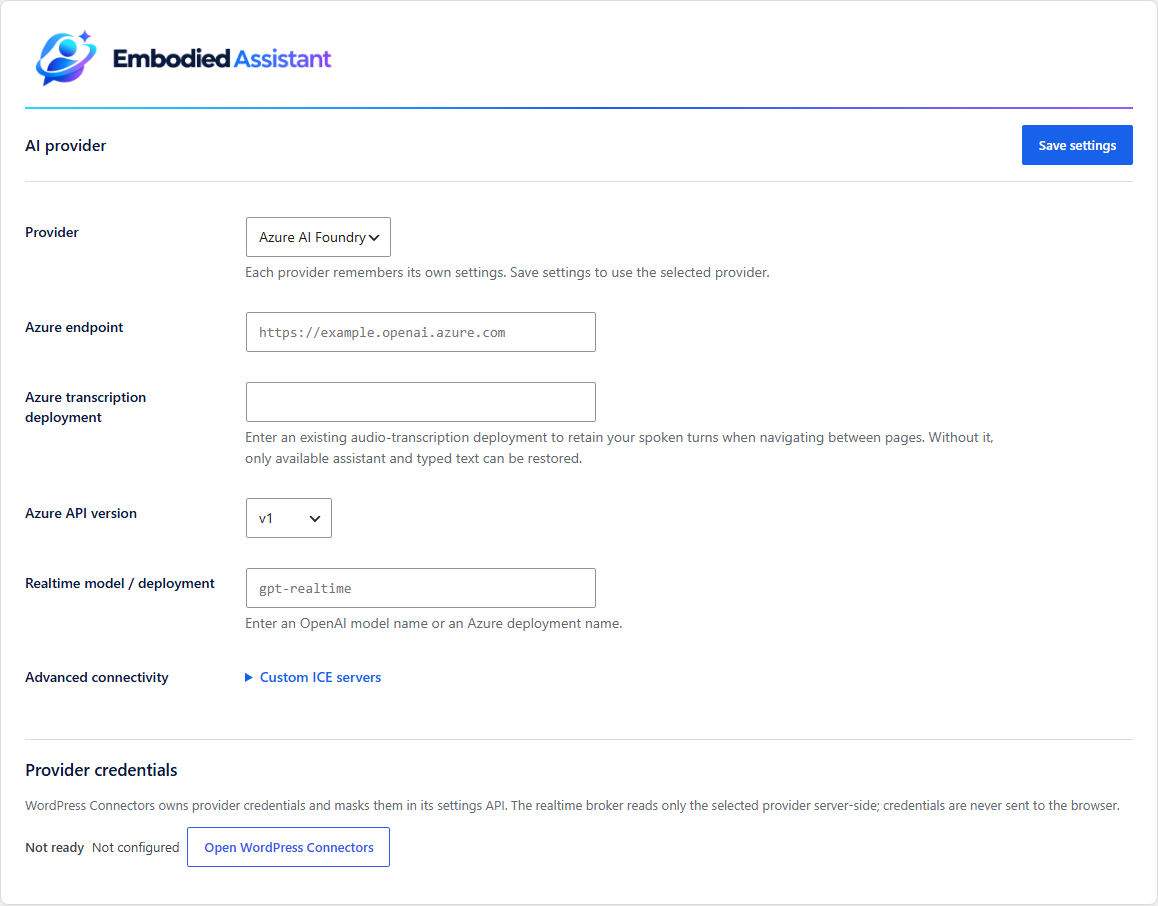
Azure AI Foundry: configure the endpoint, realtime deployment and optional transcription deployment.
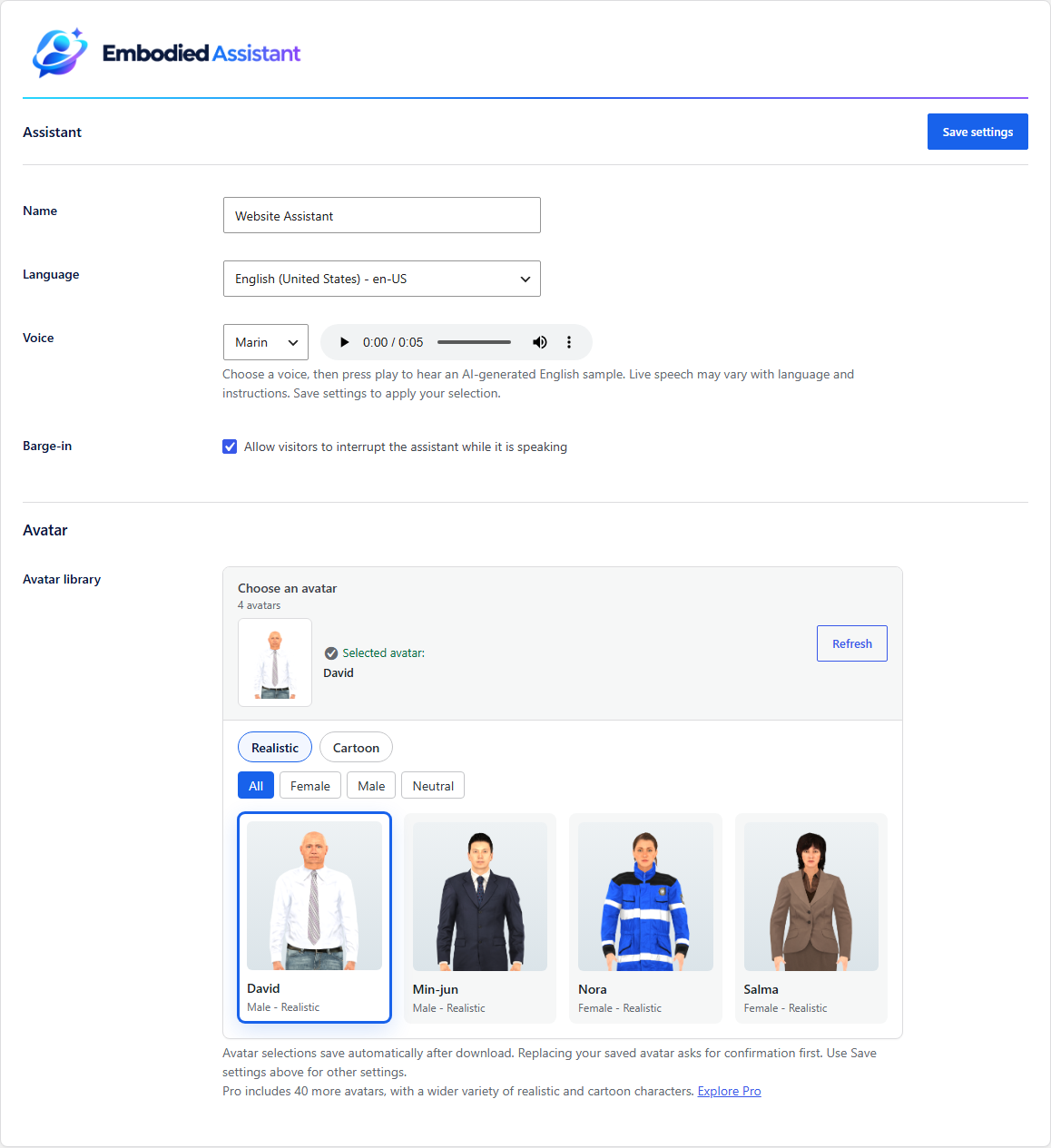
Assistant: choose a language, voice and a Free avatar.
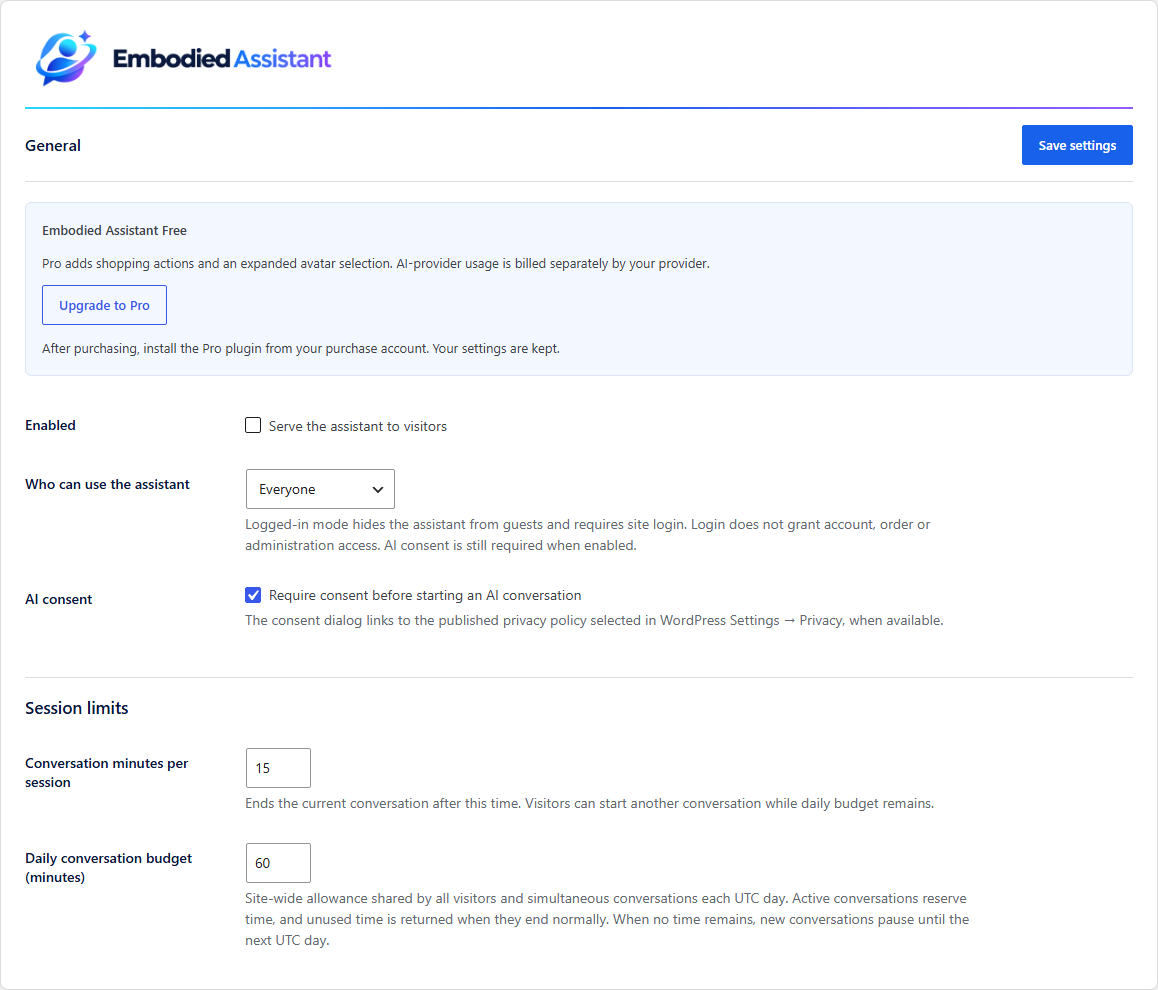
General: enable the assistant and set audience, consent and conversation limits.


