Mad Cow Product Badges For WooCommerce Wordpress Plugin - Rating, Reviews, Demo & Download

Plugin Description
Add badges over your product images in the shop loop and on single product pages. Each badge can be plain text or an uploaded image, styled how you like, and shown only on the products you choose.
Here is a quick overview:
Badge types
- Text – your own wording, with control over colour, font, size, padding, border and corner radius
- Image – upload any image from the media library and set its width and height
Where a badge appears
Each badge carries its own condition:
- All products
- On sale – products currently discounted
- Featured – products flagged as featured in WooCommerce
- New – products published within a number of days you set
- Low stock – products at or below a stock threshold you set
- Specific categories – products in the categories you select
Styling
- Background, text and border colours
- Font family from a curated list, plus font size
- Border width, style and radius
- Independent padding on all four sides
- Position by offset from any corner of the product image
- Your own CSS class on any badge, for finer control from your theme
Other
- Add as many badges as you need
- Enable or disable a badge without deleting it
- Decide what happens to WooCommerce’s built-in “Sale!” flash: always show it, hide it everywhere, or hide it only on the products where one of your own badges is showing
- Compatible with High-Performance Order Storage (HPOS)
Requirements
WooCommerce 7.0 or later must be installed and active.
Screenshots
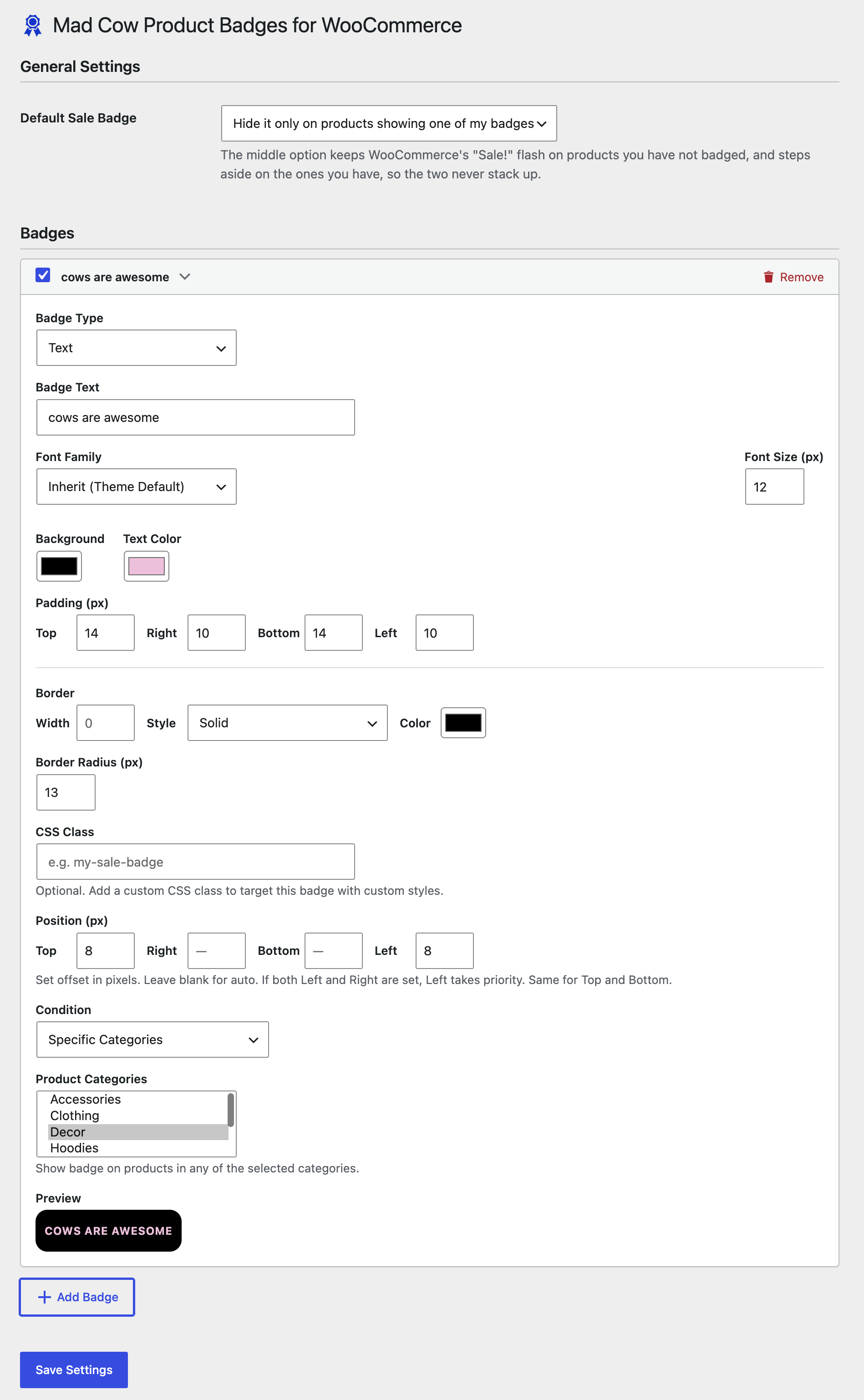
The settings screen, with the default sale badge option and a text badge configured.
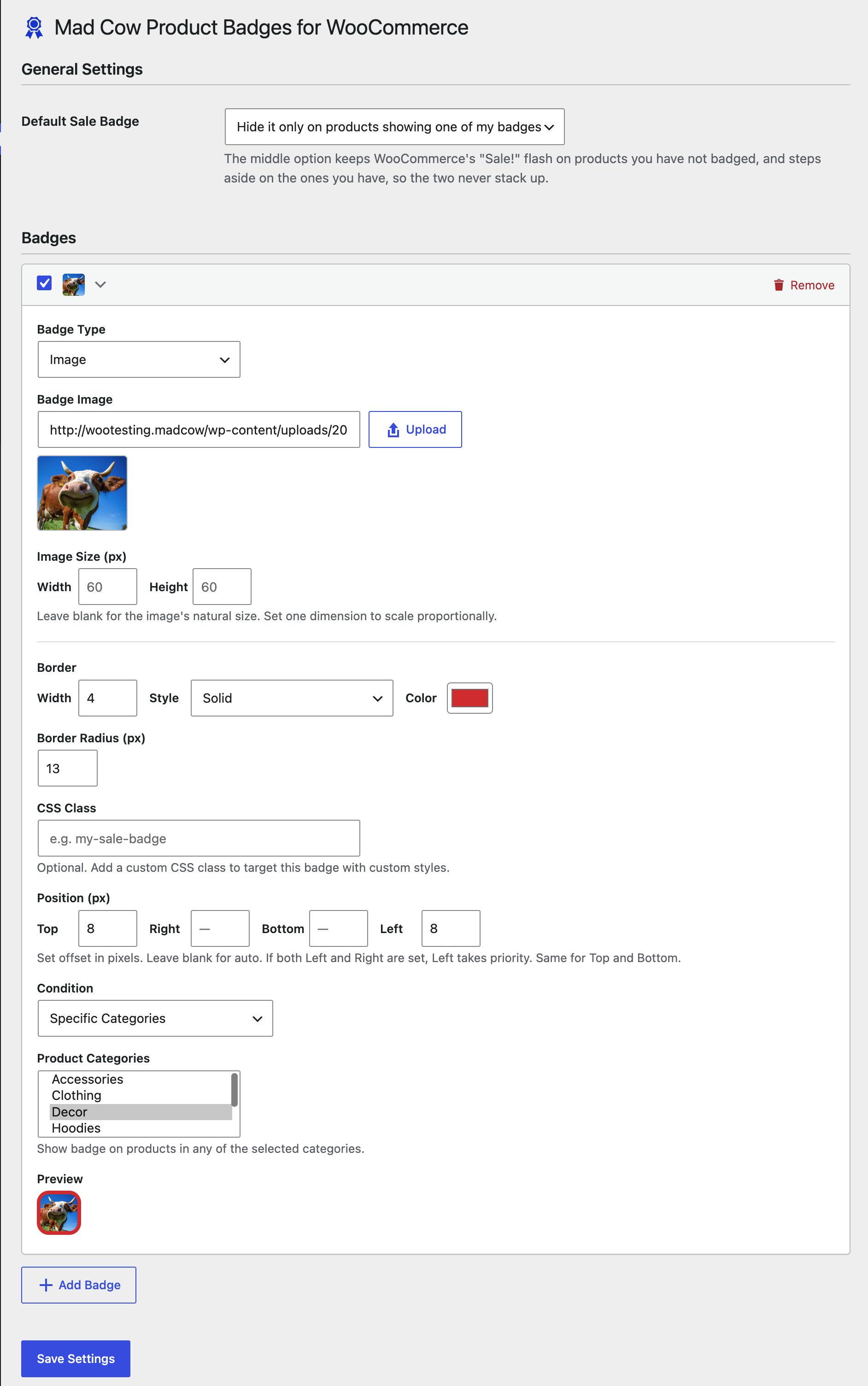
An image badge, with its size, border, position and display condition.
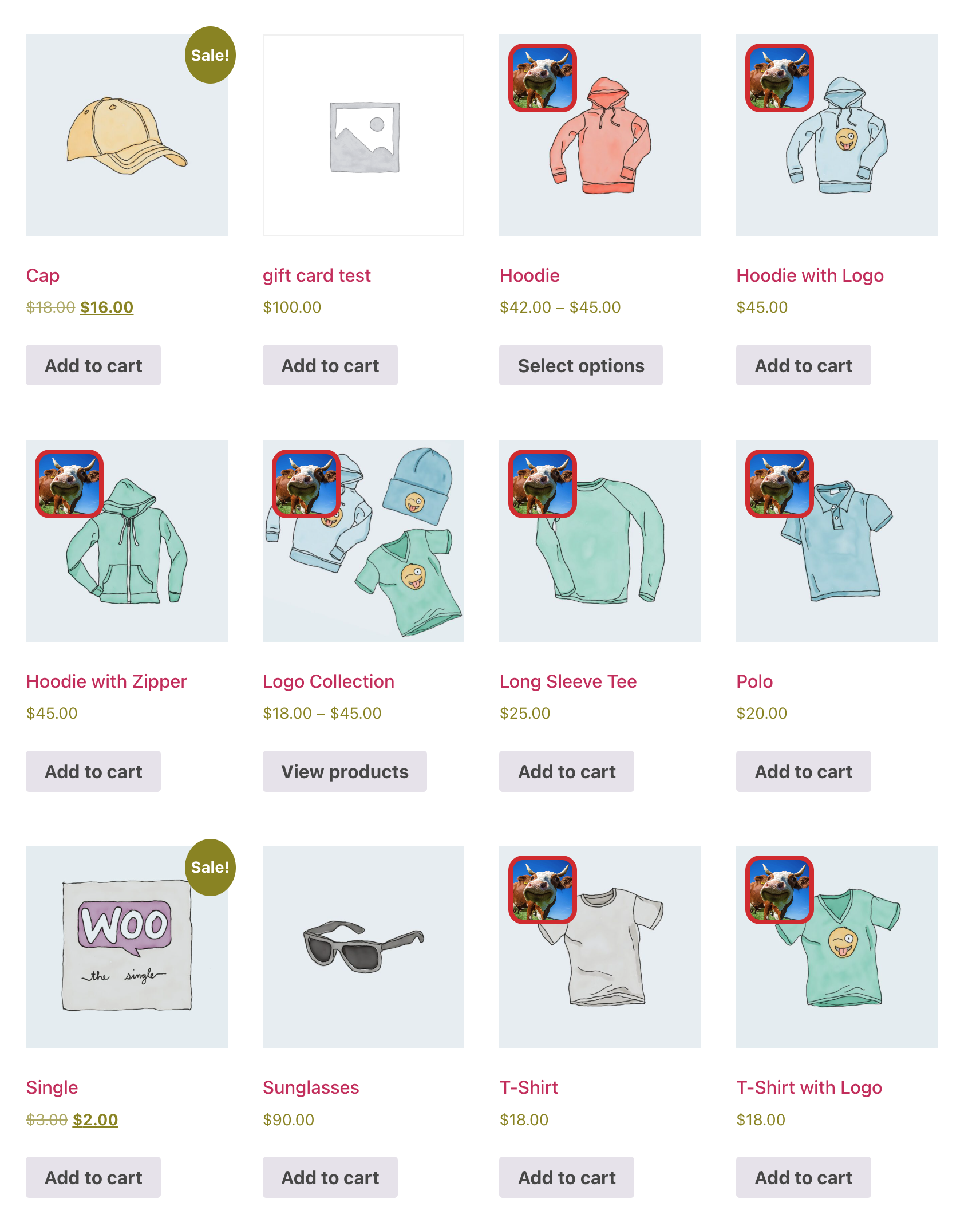
Badges in the shop loop. WooCommerce’s own “Sale!” flash still shows on sale products that are not badged.