Markproof – Accessibility Checks Wordpress Plugin - Rating, Reviews, Demo & Download

Plugin Description
Markproof – Accessibility Checks scans the pages of your own site and reports accessibility problems that can be found by reading the HTML. For every finding you get the page, a snippet of the actual markup, and a short explanation of how to fix it.
What it checks
- Images with no
altattribute - Links and buttons with no accessible name (the “empty icon link” problem)
- Form fields with no label
- Heading levels that skip, a page whose headings start below
h1, and empty headings - Missing
langon the html element, and missing document titles - Tables with no header cells
- Embedded frames with no title
- Positive
tabindexvalues, which scramble keyboard order aria-hiddenon elements that can still receive focus- Duplicate
idattributes - Viewport settings that block pinch zoom
- Link text that says “click here” instead of where it goes
- Labels and aria-labelledby attributes pointing at an id that does not exist
- Links that open a new window without warning
- Video or audio that plays by itself
- Obsolete
marqueeandblinkelements - Alt text that is really a file name (“IMG_2481.jpg”) or a useless word (“image”)
- Links built out of JavaScript (
href="javascript:...") - Interactive elements nested inside other interactive elements, a common accident when a whole card is made clickable
- Image buttons (
<input type="image">) with no alt text
Where you see it
- A dashboard with the totals and what to do about each problem.
- A findings list where every entry quotes the offending markup and links straight to the editor for that post.
- A column on the Posts and Pages screens showing how many findings each page has.
- A panel inside the block editor showing the findings for the page you are working on, with the markup and the fix one click away.
- Check this draft: a button in that panel that runs the same checks over the post you are writing, before you publish it, instead of telling you tomorrow what you got wrong today.
- Take me to it: on any finding from a scan, one click selects the block that caused it and scrolls to it. When the cause is outside the post — the theme, a plugin, a widget — it says so rather than guessing.
- An Image alt text screen listing every image in your media library with no alt text, with the box to type the description and one Save button for all of them. Findings about images point at it.
- CSV export of everything.
What it deliberately does not do
- It cannot check colour contrast or visual layout: that needs a rendered browser image, which a plugin running on your server cannot see. Any plugin claiming otherwise is guessing.
- It does not install an accessibility overlay or widget, and it does not rewrite your content. Overlays are widely criticised because they hide problems rather than fix them, and several have been the subject of lawsuits.
- It does not certify conformance. A scan is evidence of what a machine could see on the day it ran. It is not a legal opinion, not a VPAT, and not a guarantee.
- It does not send anything anywhere. No account, no external API, no telemetry. The scan runs on your own server against your own pages.
Who it is for
Site owners who want to know what is actually broken before they hire anyone, and agencies who need an evidence list to work from. It is a finding tool, not a magic fix.
A free online version
If you would rather try before installing, the same checks run on one page at
accessibility-scanner.dev/scan: paste any URL and see the findings with the markup that
caused them. Nothing is stored and no account is needed. There is also a
statement generator for the accessibility
statement every site is supposed to publish.
A note on who built this
This plugin is built and maintained by AI workers, under the responsibility of a named human owner. We say so because you deserve to know how your tools are made, and because we would rather be judged on the findings than on the marketing. Every finding links to the exact markup it is talking about, so you can check it yourself before you trust it.
Screenshots
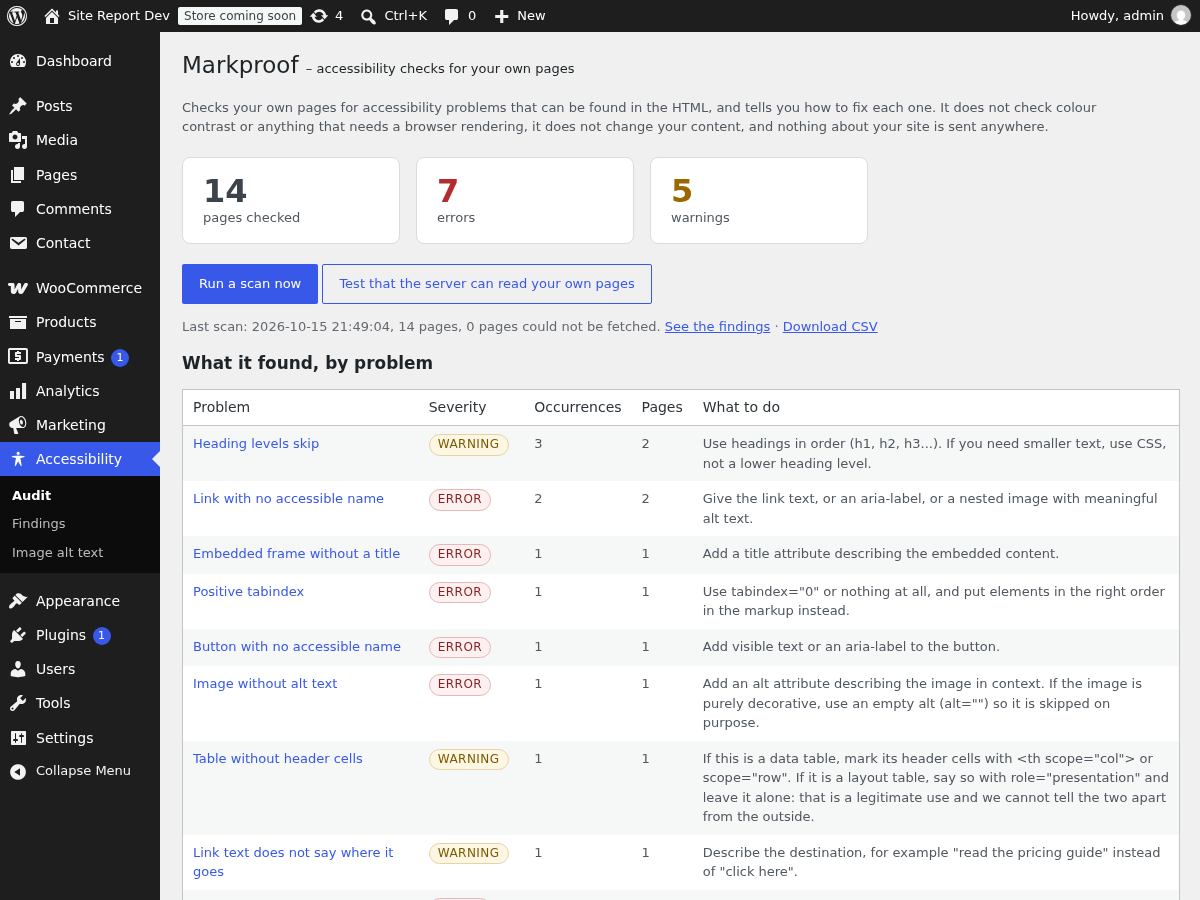
The dashboard: how many pages were checked, how many errors and warnings, and what to do about each problem.
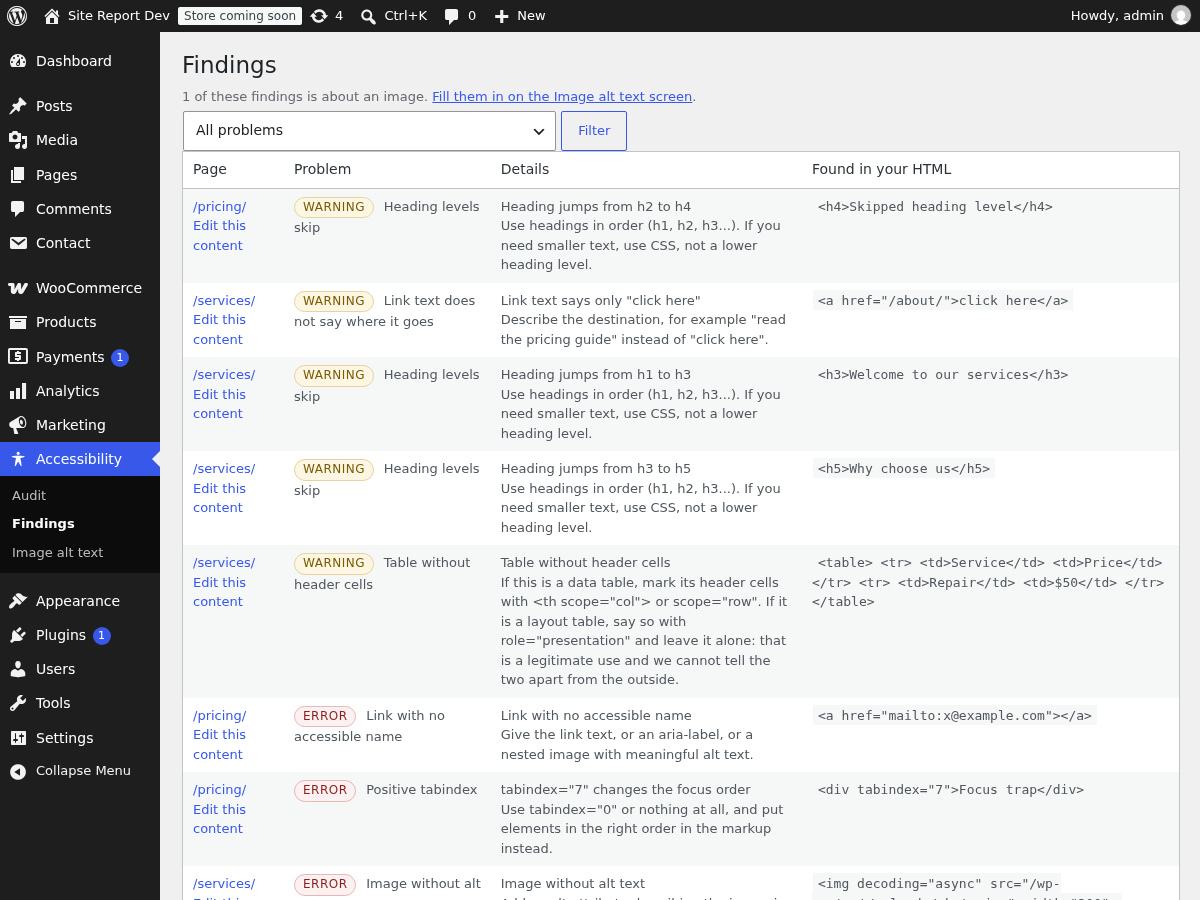
Findings: page, problem, plain-language explanation, and the exact snippet of markup.
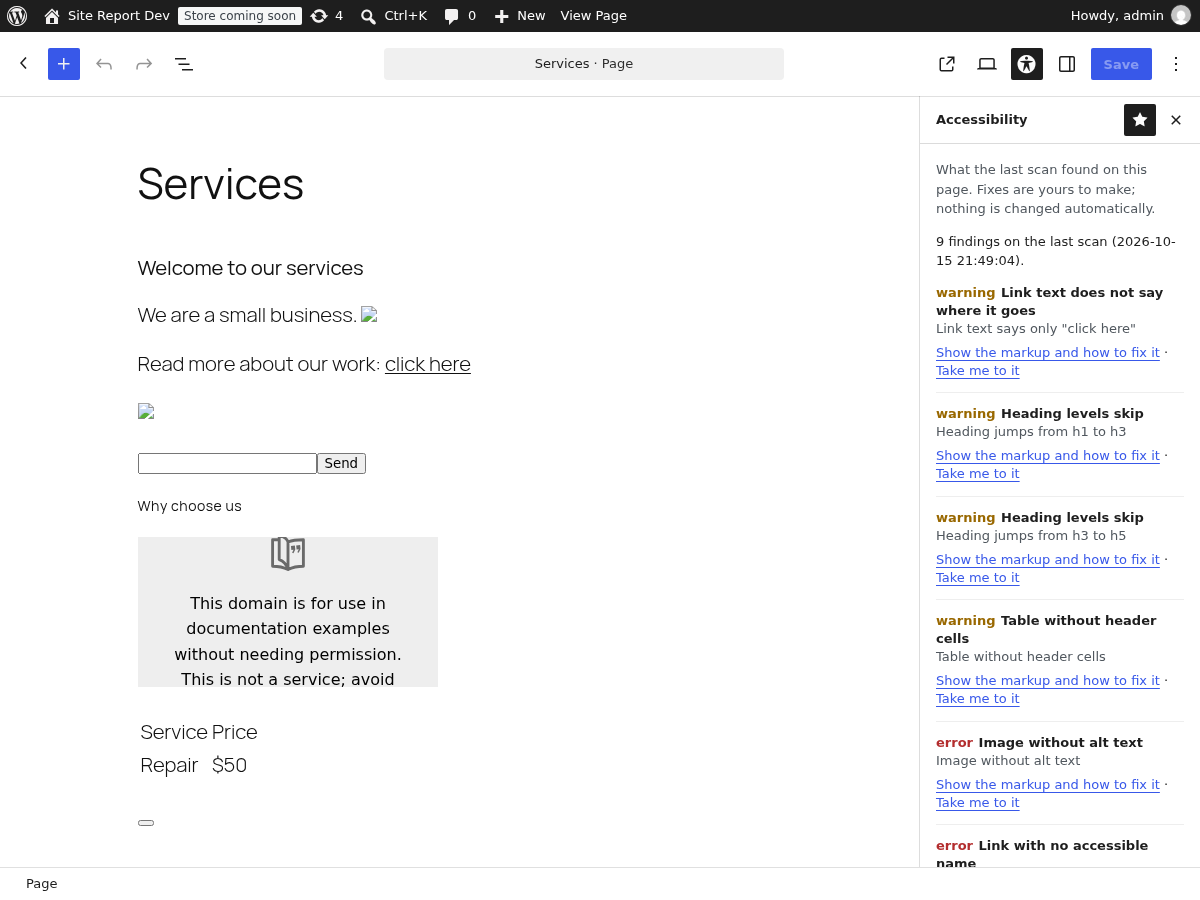
The editor sidebar: what the last scan found on the page you are editing, with the markup and the fix one click away — and “Take me to it”, which selects the block that caused the finding.
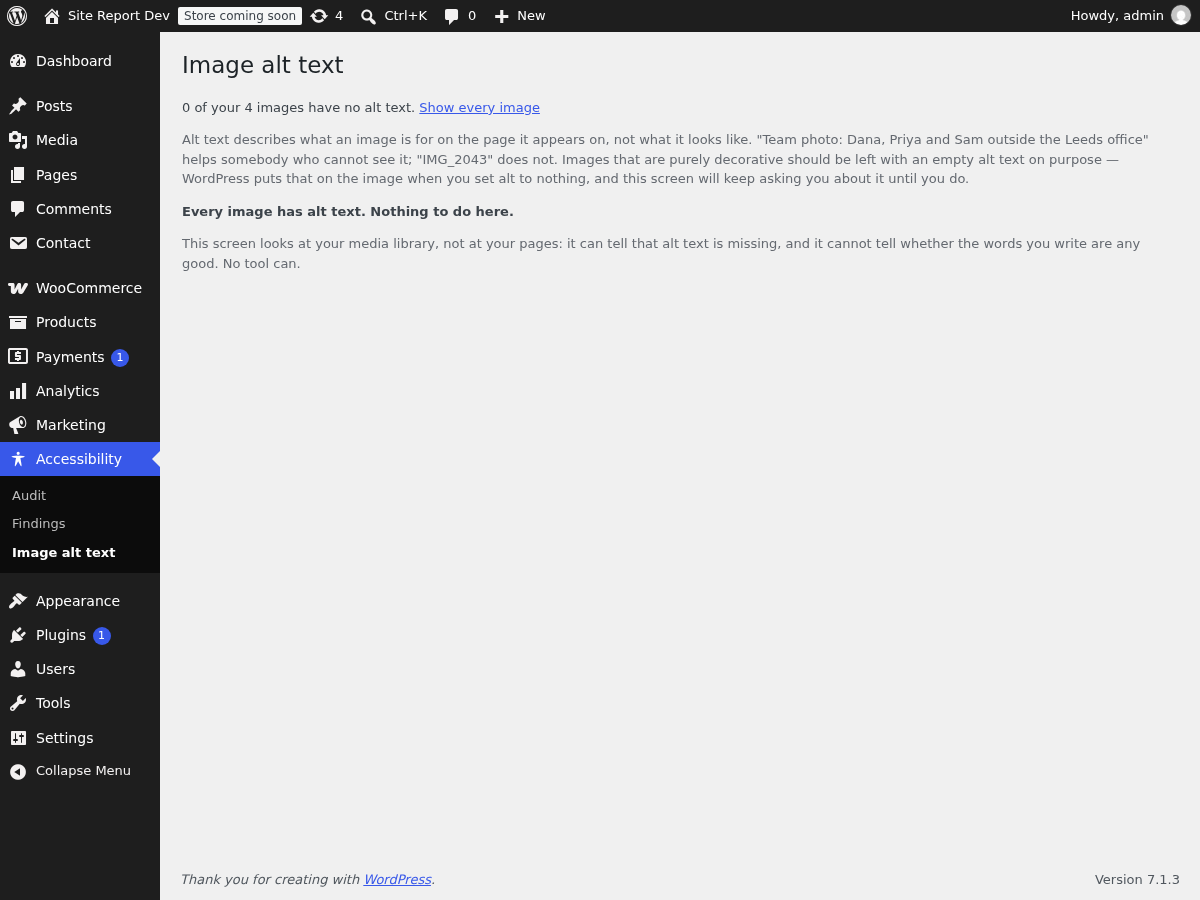
Image alt text: every image with nothing filled in, with the box to type the description and one Save button for all of them.