
Marvin XR – 3D & AR For WooCommerce Wordpress Plugin - Rating, Reviews, Demo & Download

Plugin Description
Most stores skip 3D because modelling one product means a freelancer, a week, and a few hundred euros. Marvin XR replaces that with a photo.
Pick a product, press Generate, and Marvin XR builds a textured 3D model from the product’s own image in about a minute. Publish it and a View in your space button appears on the product page. Shoppers rotate the product and place it in their room at true scale, in the phone browser, with nothing to install.
You choose where the button goes: a block, the [marvinxr_ar] shortcode, or automatic placement on every product page.
External service
This plugin is a client for Marvin XR, a hosted service at marvinxr.com. The plugin on its own does not generate 3D models: building a model is computationally heavy and happens on Marvin XR’s servers, and the resulting AR pages are hosted there too.
Connecting your store sends Marvin XR:
- your store address, so your account can be identified and your models linked to it
- the product image, title and ID of any product you choose to generate a model for
Nothing is sent until you press Connect, and no product data leaves your store unless you explicitly generate a model for that product.
- Terms of Use: https://www.marvinxr.com/terms/
- Privacy Policy: https://www.marvinxr.com/privacy-policy/
Marvin XR offers a free allowance and paid plans. Plans, prices and any limits are managed entirely by the service; this plugin contains no restricted or locked functionality.
Screenshots
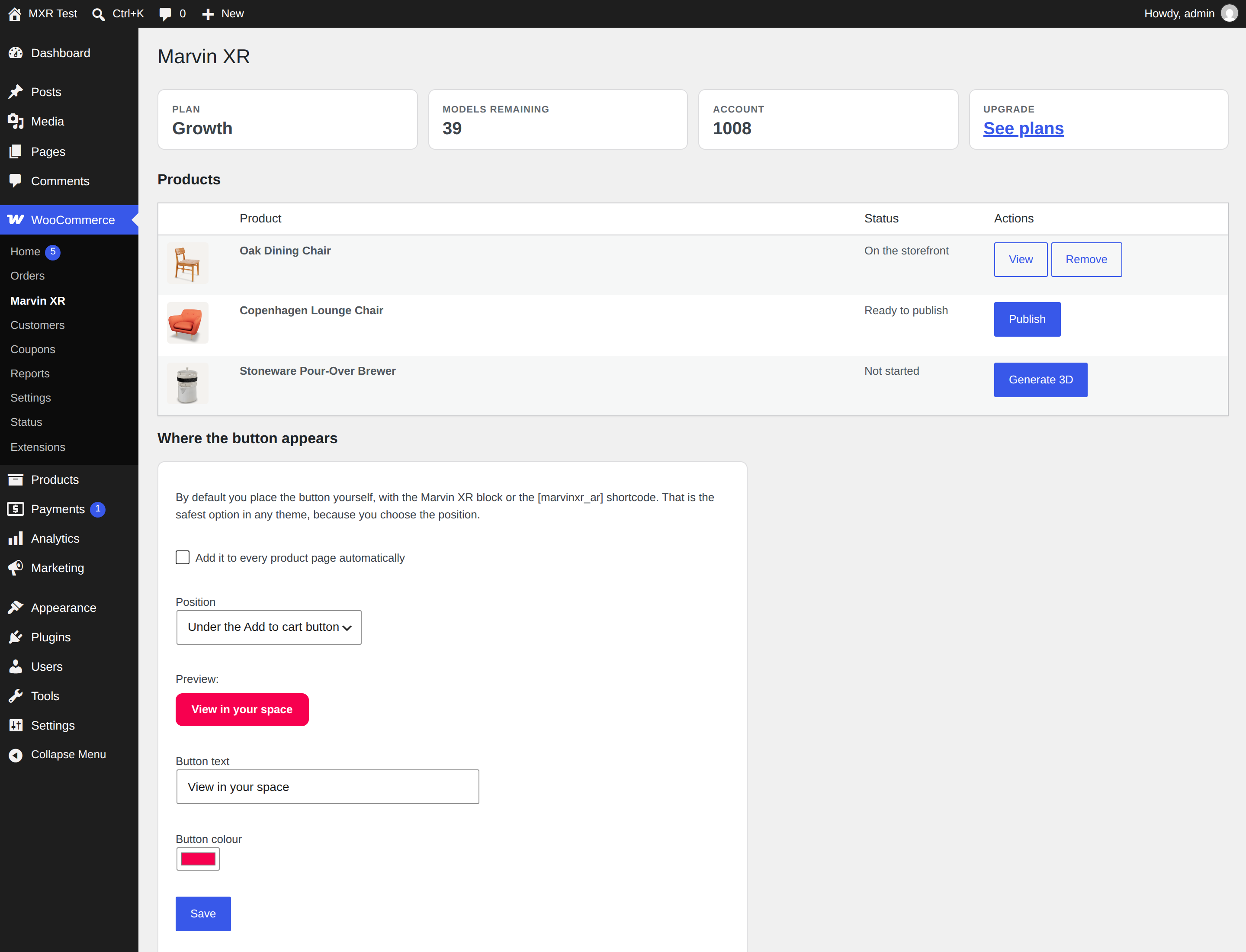
Pick a product and generate a 3D model, without leaving WooCommerce.
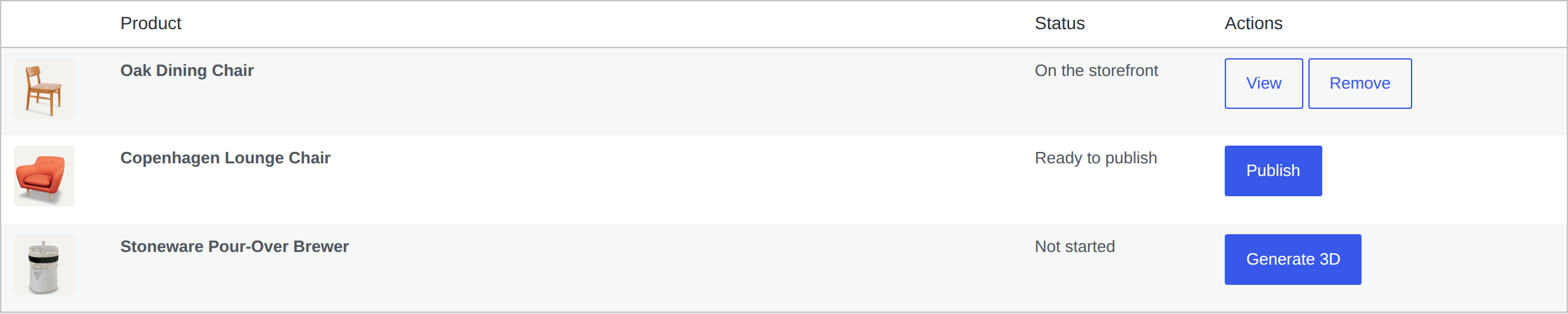
Every product shows where it is: not started, ready to publish, or live on the storefront.
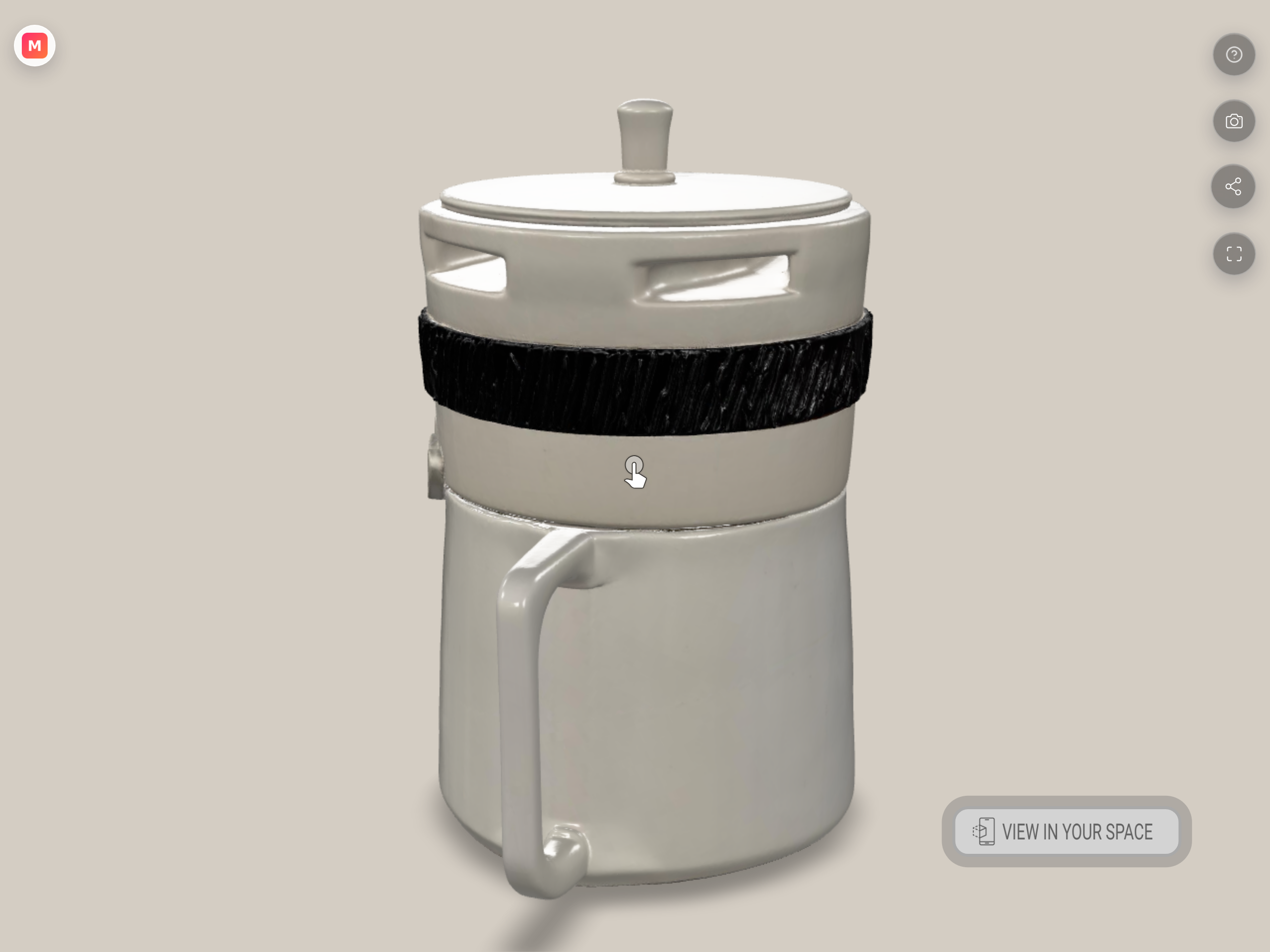
The AR viewer a shopper opens, built from the product’s own photo.
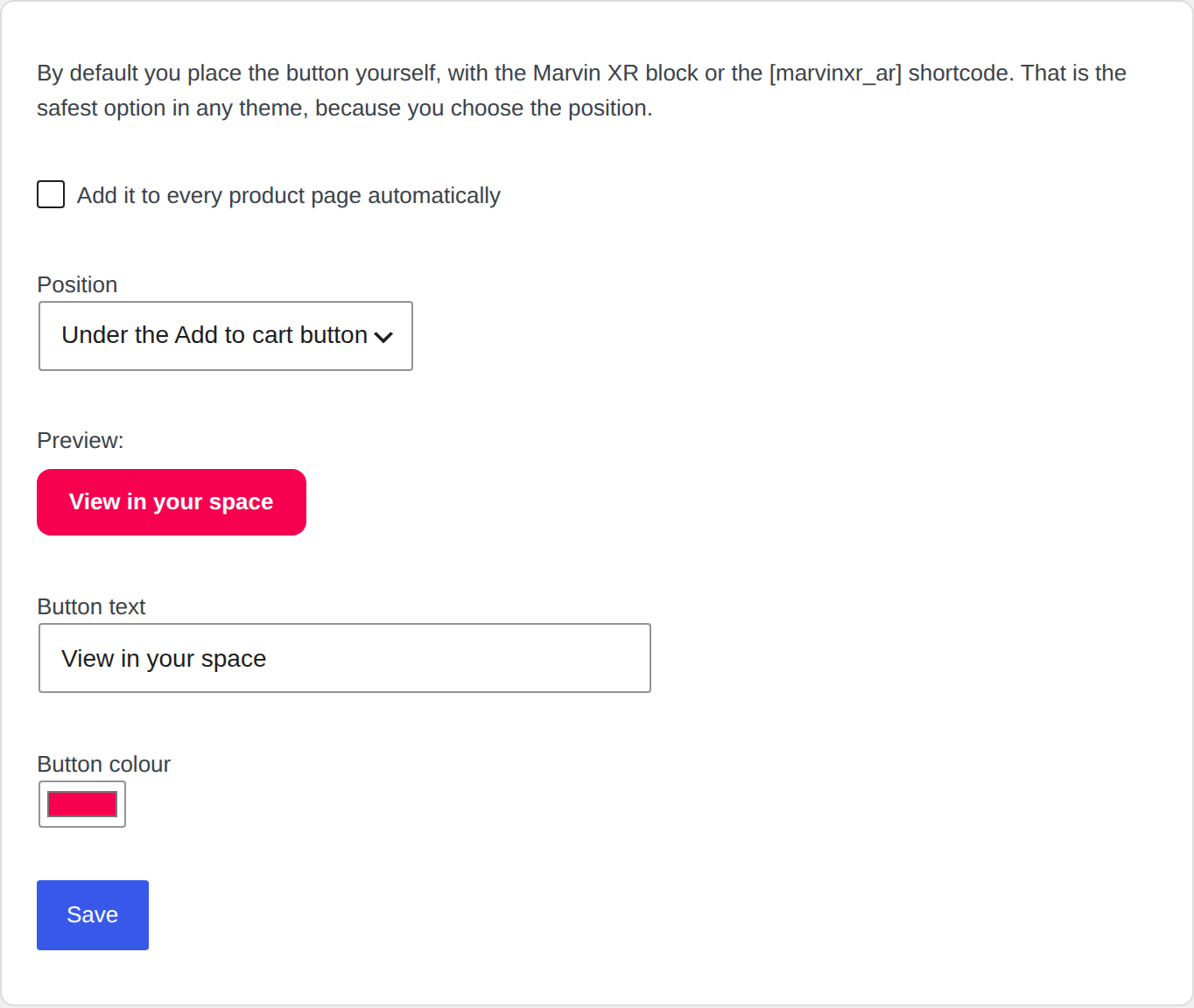
Choose where the button appears, or place it yourself with the block or the shortcode.


