
NectoMax SEO Pages Wordpress Plugin - Rating, Reviews, Demo & Download

Plugin Description
NectoMax SEO Pages generates optimized location pages for service-area businesses. Enter your business info, services, and target cities — NectoMax creates professional SEO pages with unique AI-written copy, Schema.org structured data, and RankMath/Yoast optimization.
How it works:
- Install and activate the plugin
- Run the setup wizard — enter your business, services, and cities
- Use Smart Lookup to enrich cities with local landmarks and resources
- Preview pricing and generate pages
- Pages appear in WordPress as drafts — review and publish
Free tier:
- 1 city with up to 5 services — fully AI-generated, no payment required
- Schema.org structured data (LocalBusiness, Service, FAQPage)
- RankMath and Yoast SEO meta optimization
- Mobile-responsive design
Pro (subscription):
- Unlimited cities and services
- Internal linking web across all location pages
- Content refresh (regenerate with fresh AI copy)
- Discounted per-page rates
- Priority generation queue
External Services
This plugin relies on external services to generate and manage SEO pages. By completing the setup wizard, you consent to the following connections:
NectoMax Content API
The plugin sends your business name, services, city names, and site URL to the NectoMax Content API for page generation, city enrichment, and pricing calculations.
- API endpoint: api.nectomax.com
- Terms of Service
- Privacy Policy
AI Content Generation
Page content is generated using AI (Claude by Anthropic) via the NectoMax API. No visitor data or personal information is sent to the AI service — only business information provided by the site administrator.
Stripe
Paid features (per-page purchases and subscriptions) are processed through Stripe’s hosted checkout. No payment card data is stored on your server or transmitted through the NectoMax API.
Screenshots

Setup wizard — enter your business information
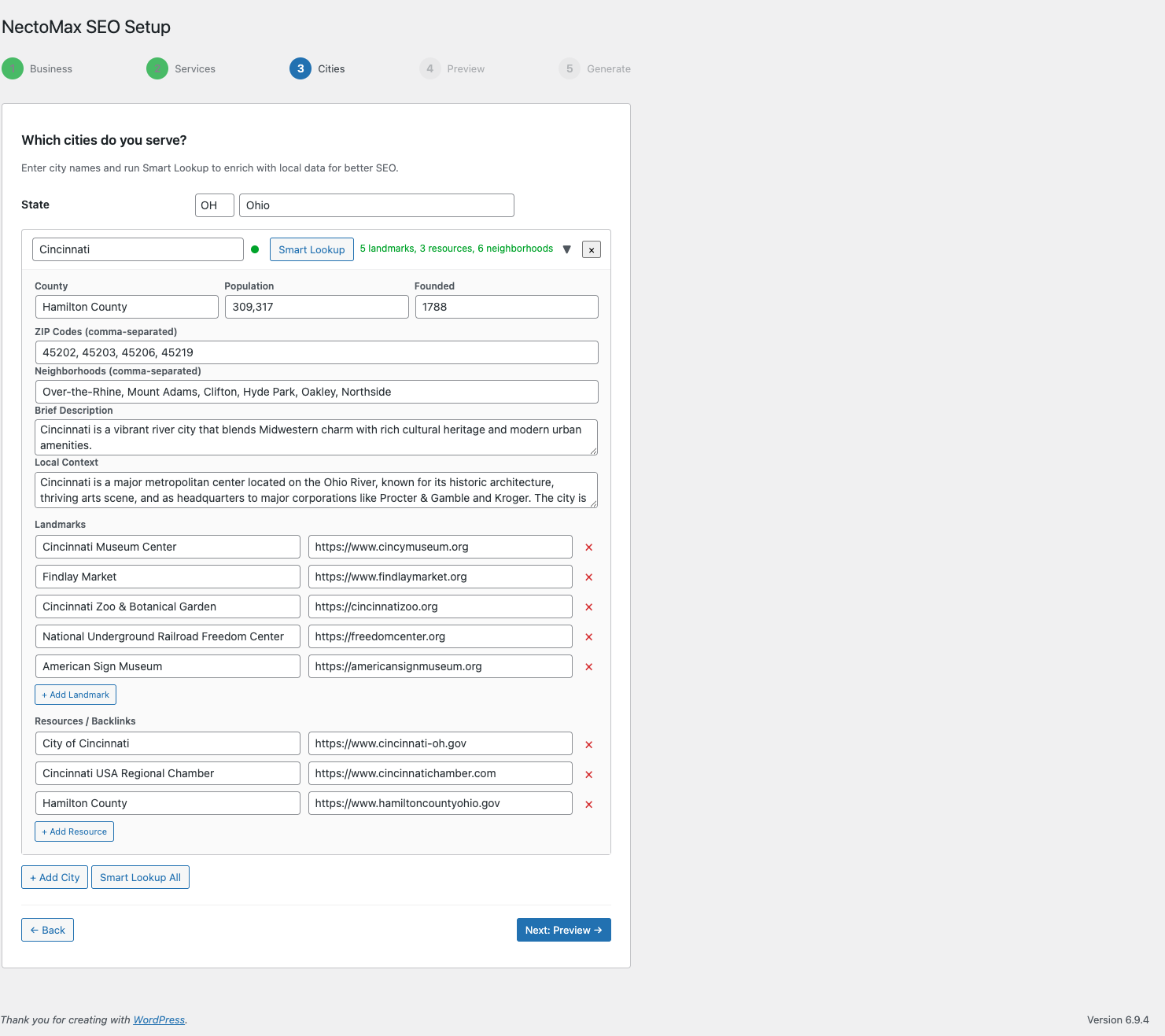
City enrichment with Smart Lookup — local landmarks, neighborhoods, and resources
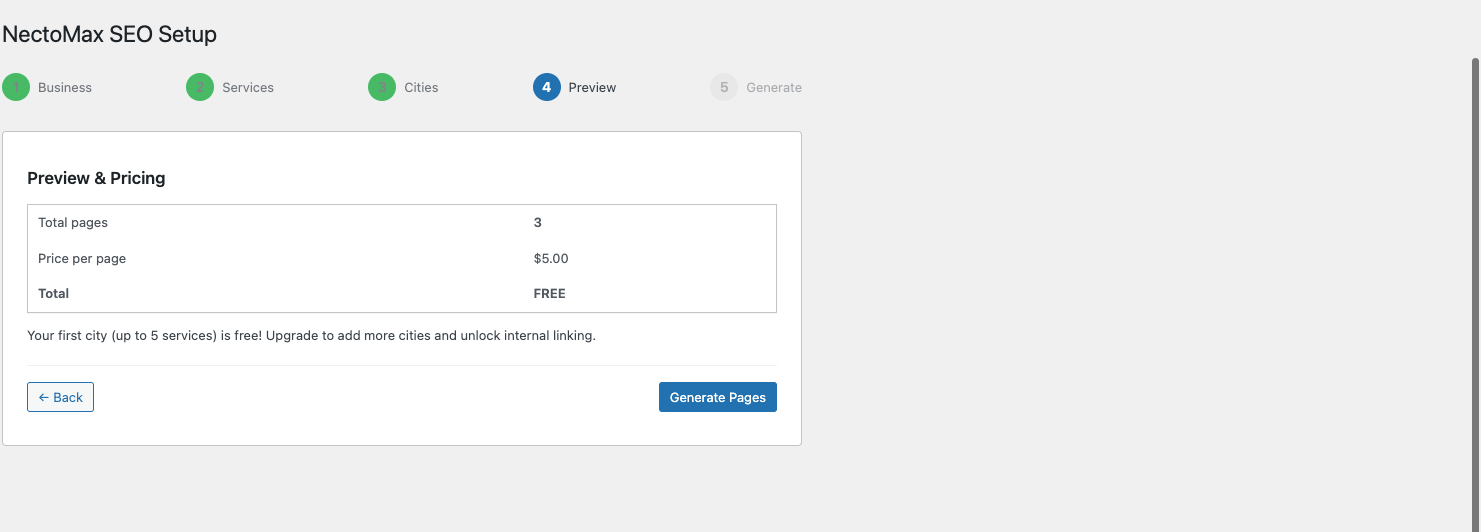
Pricing preview — see exactly what you’ll pay before generating
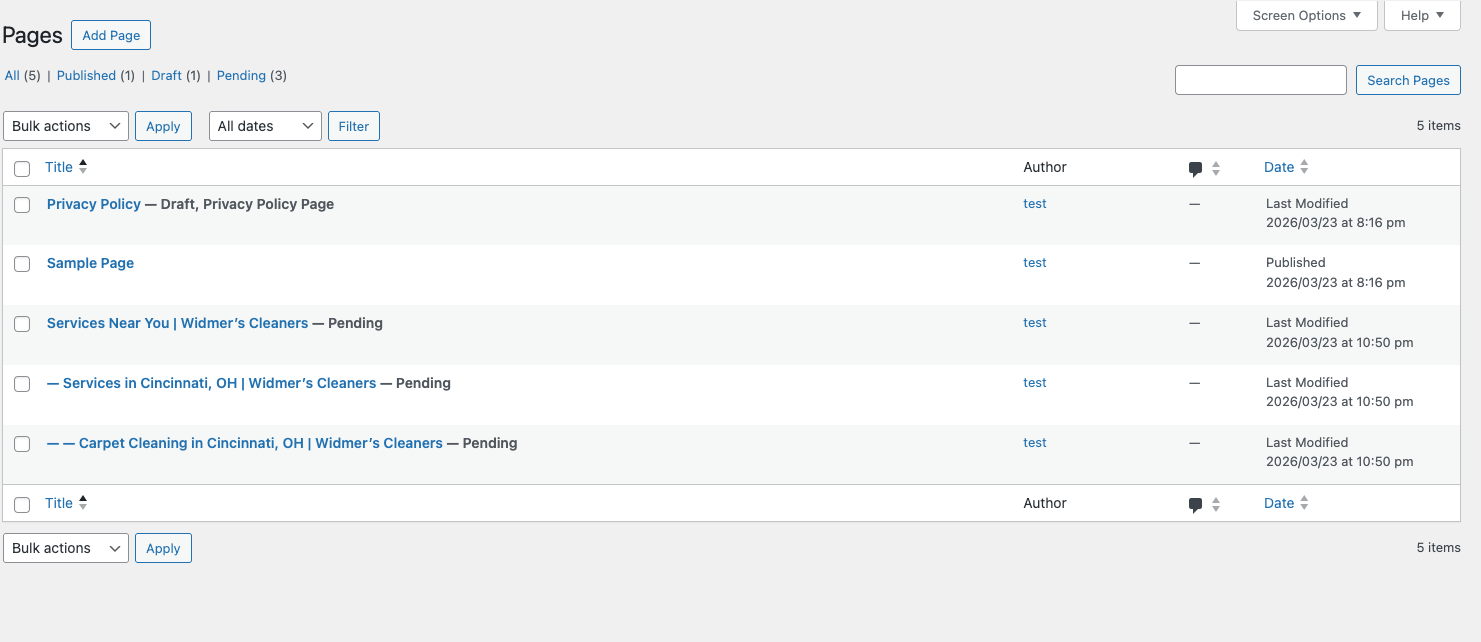
Generated pages in WordPress — ready to review and publish

Plugin activation — consent notice and setup wizard link


