
BugPost Wordpress Plugin - Rating, Reviews, Demo & Download

Plugin Description
BugPost adds a lightweight bug reporting button to your site’s frontend. When clicked, it opens a clean overlay panel where visitors or team members can describe an issue. Browser details, operating system, viewport size, page URL, page load time, and JavaScript console errors are captured automatically — no extra effort needed from the reporter.
Key Features:
- One-click reporting — A “Report” tab on the right side of every page opens a simple form.
- Auto-captured context — Browser name and version, OS, viewport dimensions, page URL, page load time, and console errors are sent along with every report.
- Console error capture — JavaScript errors and unhandled promise rejections are logged automatically and attached to the report.
- Reporter fields — Optional name and email fields let reporters identify themselves.
- Honeypot spam protection — A hidden field traps bots without annoying humans with CAPTCHAs.
- Rate limiting — 3 reports per IP per hour prevents abuse.
- “Me too” duplicate grouping — When multiple reports target the same page, earlier open reports get a +1 count so you can see which issues affect the most people.
- Visibility modes — Choose Beta (logged-in users only) or Public (everyone). Turn it off entirely when not needed.
- Admin dashboard — All reports in a familiar WordPress list table with status badges, reporter info, page URL, and date columns.
- Report detail view — Each report has a full meta box showing all captured context data.
- Status workflow — Mark reports as New, Acknowledged, In Progress, Resolved, or Closed.
- CSV export — Download all reports as a CSV file for use in spreadsheets or external tools.
- Customizable button color — Match the report button to your site’s brand via a color picker.
- Fully translatable — All strings use WordPress i18n functions with the
bugposttext domain.
What this plugin does NOT do (by design):
- No external API calls, no tracking, no phoning home.
- No CDN dependencies — all assets are bundled locally.
- No account required to use the plugin.
Screenshots
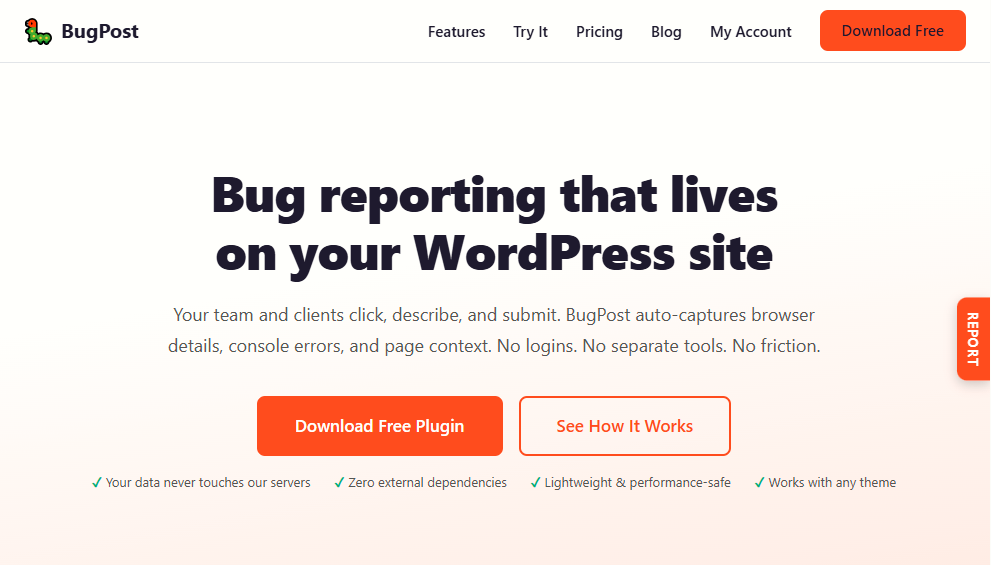
The “Report” tab on the frontend — always accessible on the right side of the page.
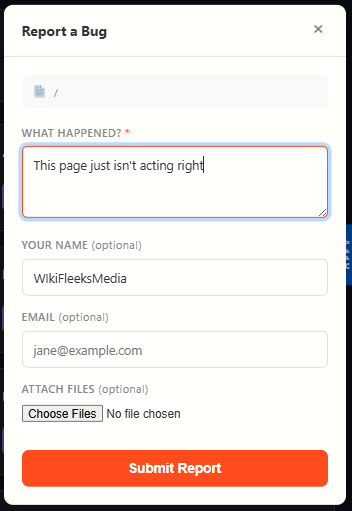
The bug report overlay panel with description field and optional reporter info.
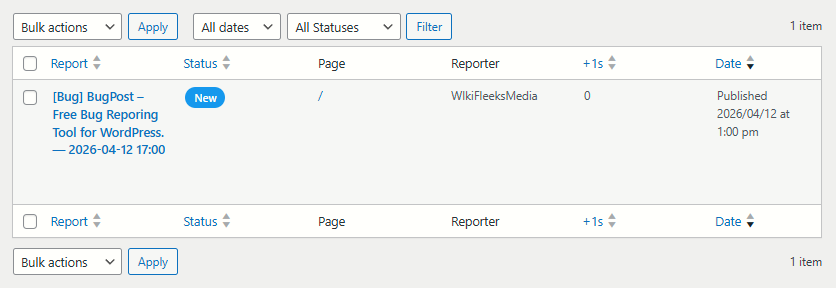
The admin reports list table showing status, page, reporter, and “me too” counts.
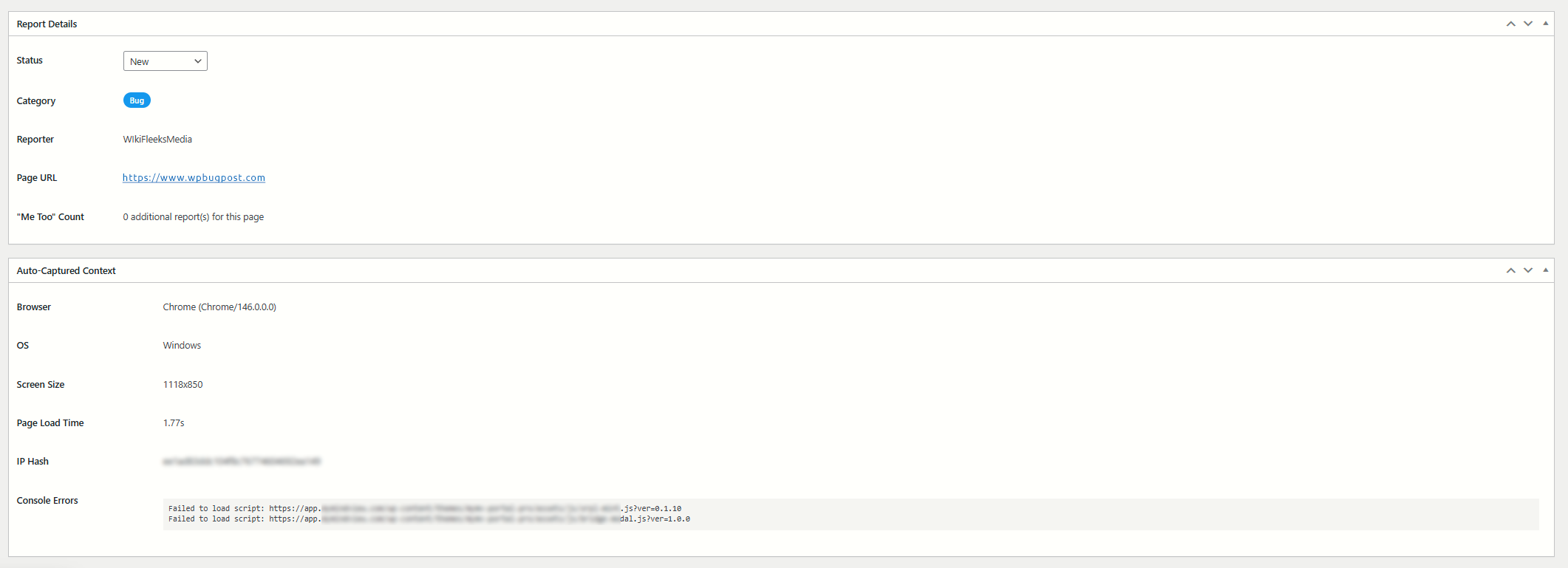
The report detail view with full auto-captured browser context.
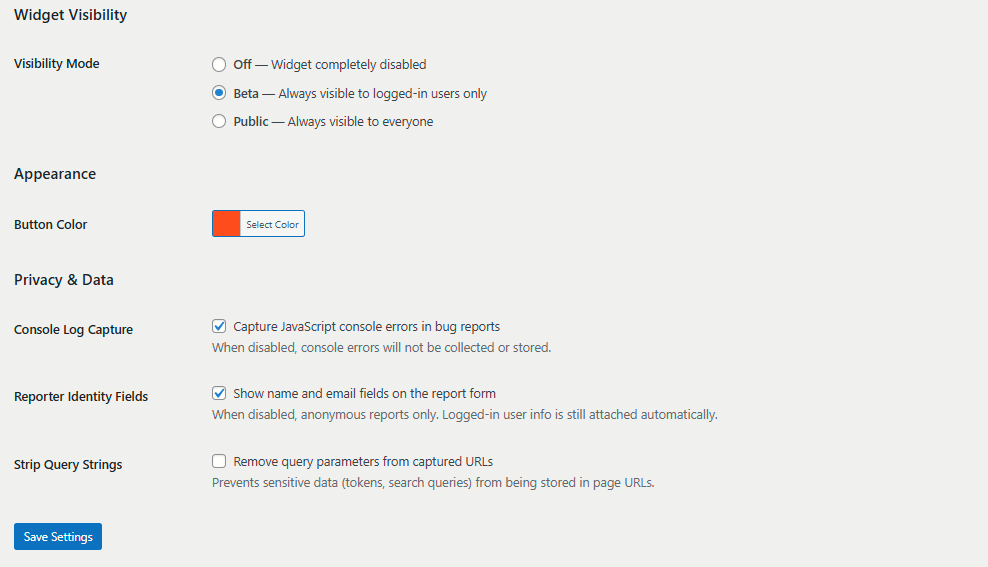
The settings page with visibility mode and button color options.
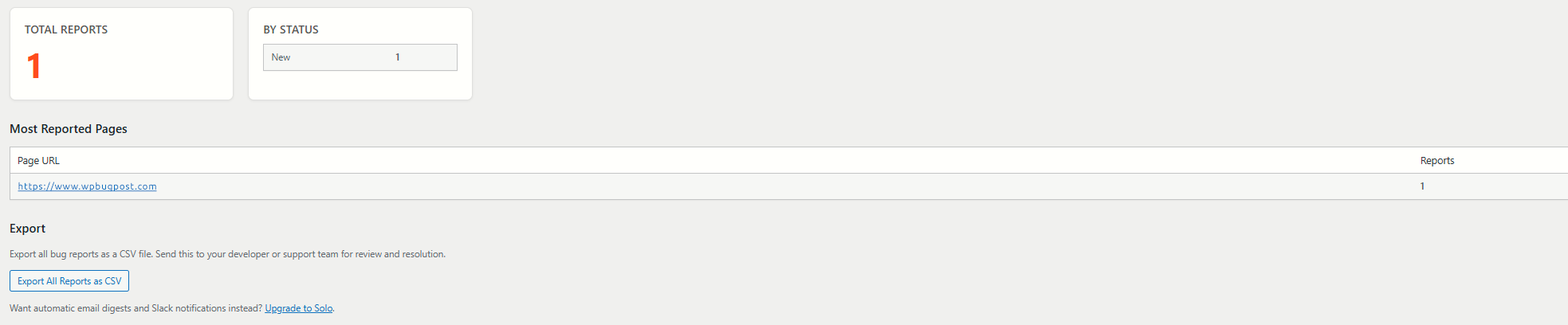
The summary page with total reports, status breakdown, and most-reported pages.


