
NexWordX Wordpress Plugin - Rating, Reviews, Demo & Download
Plugin Description
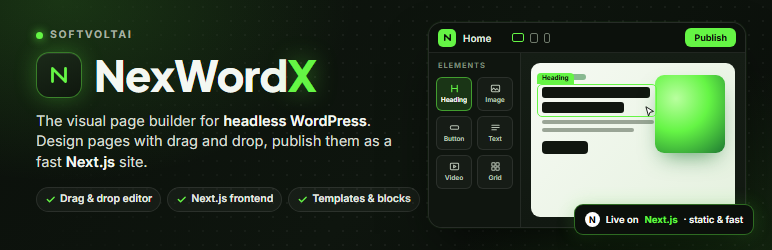
NexWordX is a visual page builder for WordPress with a headless twist. You design pages in WordPress with a familiar drag-and-drop editor: containers, widgets, drag and drop, responsive controls, global colours and fonts, templates, undo and redo. WordPress stays your CMS. The pages themselves are rendered by a Next.js site that you deploy anywhere, so your visitors get static, cached HTML with no theme, no PHP rendering and no page-builder scripts.
A builder you already know
- Flex and grid containers with structure presets, boxed or full width.
- Widgets: heading, image, text editor, video, button, divider, spacer, Google Maps, icon, image box, icon box, star rating, image carousel, image gallery, icon list, counter, progress bar, testimonial, tabs, accordion, toggle, social icons, alert, HTML, shortcode, menu anchor, sidebar and a 3D model viewer.
- Content, Style and Advanced tabs for every element: typography, backgrounds, borders, shadows, margins, padding, positioning (sticky included), hover states, responsive visibility, custom attributes.
- Entrance animations and hover animations for every element.
- Desktop, tablet and mobile editing with a real viewport canvas.
- Global design settings (the kit): system colours and fonts, body, heading, link and button defaults, layout widths and breakpoints.
- Templates: save a page or a section, insert it anywhere, import and export JSON.
- A library of ready-made sections (heroes, features, about, services, numbers, pricing, testimonials, FAQ, calls to action, team, logos) to insert in one click.
- Inline text editing, navigator, history, keyboard shortcuts, copy and paste between pages, paste style.
- Revisions, autosave and post locking through WordPress’s own systems.
A clear admin
The NexWordX menu: Home, Editor, Theme Builder, Submissions, Connect Account and Upgrade (Theme Builder and Submissions show what NexWordX Pro adds there).
- Home: the frontend connection at a glance, “Let’s start building” shortcuts (filter them by Create, Optimize and Manage), your latest NexWordX pages and a few numbers.
- Editor opens a flyout with the screens that shape the editor: Quick Start, Settings, Tools, Templates, Role Manager, Custom Elements and System.
- Editor > Quick Start: three steps from an empty site to pages served by Next.js, and how the parts fit together.
- Editor > Settings: General (post types), Frontend (download, connect and test the Next.js project), Integrations (a Google Maps key), Advanced (Google Fonts, font display, data on uninstall) and Performance (Next.js image optimisation, font preconnect).
- Editor > Tools: clear the caches and rebuild the frontend, regenerate the widget definitions, Replace URL after a move, Version Control (reinstall an earlier release from WordPress.org once NexWordX is published there), and Maintenance Mode (a “Coming soon” or “Maintenance” page for the frontend, with a bypass link for you).
- Editor > Templates: your saved pages and sections, with Add New Template, Duplicate, categories, import and export.
- Editor > Role Manager: per role, full access, content editing only (text, images and links of existing pages; layout and styles stay) or no access.
- Editor > Custom Elements: what NexWordX Pro adds there (custom fonts, icon sets and code).
- Editor > System: server, WordPress, theme, plugin and NexWordX details, to copy or download when you ask for help. Secrets are never included.
- Theme Builder and Submissions: what NexWordX Pro adds there.
- Connect Account: connect the frontend, or deploy it to Vercel from WordPress.
- Upgrade: what NexWordX Pro adds. Nothing in this plugin is locked, limited or nagged about.
NexWordX Pro
NexWordX Pro is an optional add-on, sold separately, that works on top of this plugin. It adds the Theme Builder (header, footer, single, archive, search results and 404 templates with display conditions), a WooCommerce Builder (product, shop, cart, checkout and account templates with shop widgets), popups, the Form widget and its submissions, Pro widgets (slides, price tables, flip boxes, countdowns, animated headlines, loop grids and more), 3D and motion widgets and motion effects (scrolling and mouse effects), custom fonts, icons and code, and a premium library of designed sections and pages. Everything in this plugin works without it.
A frontend built for speed
- WordPress stores each page as structured JSON; it never generates the page HTML.
- The bundled Next.js project (Settings > Frontend > Download) renders every page with React components, generates static pages, a sitemap and robots rules, and revalidates a page the moment you publish it.
- SEO fields per page: title, description, canonical, robots, Open Graph image and texts.
- Optional: send visitors of the WordPress site straight to the frontend.
- Images are served through Next.js image optimisation from your WordPress uploads (switchable under Settings > Performance).
Extensible
- Widgets are plain PHP classes with a declarative controls API, plus a React component in the frontend.
- Hooks for registering widgets and categories, and a documented REST API under
nexwordx/v1.
Source code
The editor is a compiled JavaScript application (admin/app/build/). Its source (TypeScript, React, Vite) ships with the plugin in source/: the editor in source/editor/ and the renderer it shares with the frontend in source/renderer/, with the build steps in source/README.md. The Next.js frontend is included as source in frontend-template/.
External services
The plugin connects to outside services only as described here. No data is sent to SoftVoltAI.
Your own Next.js frontend
Only after you enter a frontend URL under Settings > Frontend (or deploy one from Connect Account). The frontend is your own deployment of the Next.js project that ships with this plugin; its hosting provider’s terms and privacy policy apply (for example Vercel, privacy, or Netlify, privacy).
- When you publish, update, unpublish or delete a page or post, change a menu, the global design, a theme template, the maintenance page or the settings, the plugin sends one request to
{frontend URL}/api/nexwordx/revalidate/with the paths of the changed pages (for example/about/; never their content) and a shared secret in theX-Nexwordx-Secretheader, so the frontend refreshes its cached pages. The last twenty calls are listed under Settings > Frontend. Tools > Clear caches sends the same request for every page. - When you press “Test connection”, the plugin requests
{frontend URL}/api/nexwordx/health/, sends an empty revalidate call to check the secret, and asks the frontend’s image optimiser for one image of your media library (its URL is sent). - When you press “Refresh frontend”, one revalidate request asks the frontend to rebuild every page.
- When “Redirect visitors” is on, visitors of the WordPress site are redirected to the same address on the frontend.
The frontend then reads the page data from your WordPress REST API (/wp-json/nexwordx/v1/).
Vercel
Only if you enter a Vercel access token under NexWordX > Connect Account. The plugin then calls Vercel’s API (api.vercel.com) to check the token, find or create the project you name, store the frontend’s environment variables there (this site’s address, the frontend’s address and the shared secret, which Vercel keeps encrypted), upload the files of the bundled Next.js project, start deployments and read their status. “Disconnect” forgets the token; your Vercel project is never deleted. Terms, privacy. Vercel’s free Hobby plan is for non-commercial use.
Your own server (install command)
Only if you create an install command under NexWordX > Connect Account > Your own server and run it on your server. The plugin itself contacts no outside service for this: your server downloads the installer and the bundled Next.js project from this site, receives the frontend’s settings (this site’s address, the frontend’s address and the shared secret) with the one-time token in the command, and reports its progress back. While it installs, your server downloads Node.js from NodeSource’s package repository (deb.nodesource.com, project), the frontend’s npm packages from the npm registry (registry.npmjs.org, terms, privacy) and, when you enter a domain, the Caddy web server from its package repository (dl.cloudsmith.io, install guide); Caddy then requests an HTTPS certificate for your domain from Let’s Encrypt (terms, privacy).
Google Fonts
Only if you switch on “Google Fonts” under Settings > Advanced. The editor and the frontend then load the font families used on your pages from fonts.googleapis.com and fonts.gstatic.com, which receive the font family names and the visitor’s IP address (“Preconnect” under Settings > Performance only opens that connection earlier). Terms, privacy. The plugin itself never contacts Google; the bundled list of family names is static.
Google Maps
Only if you add a Google Maps widget to a page. The frontend then embeds a map iframe from google.com/maps for the address you entered (with the API key from Settings > Integrations when you set one). Terms, privacy.
Video providers
Only if you add a Video widget with a YouTube or Vimeo link. The frontend embeds the player from that provider, under its terms and privacy policy.
Gravatar
Only when “Show Avatars” is on under Settings > Discussion. The page data the frontend reads includes each post author’s avatar address as WordPress builds it (by default an image on secure.gravatar.com, which receives a hash of the author’s email address, and the visitor’s IP address when the image loads). Terms, privacy.
WordPress.org
Only when you open NexWordX > Editor > Tools > Version Control. WordPress asks api.wordpress.org which NexWordX releases exist (the plugin’s slug is sent, at most every twelve hours), and “Reinstall” downloads the chosen release from downloads.wordpress.org. Privacy.
Third-party libraries
The plugin ships no third-party script files of its own. The compiled editor includes its npm dependencies (React, Radix UI, Tiptap, dnd kit, Zustand and others, listed in source/editor/package.json), all under GPL-compatible licences such as MIT. The bundled Next.js project lists its npm dependencies in frontend-template/package.json; they are installed when you build the frontend.
Screenshots
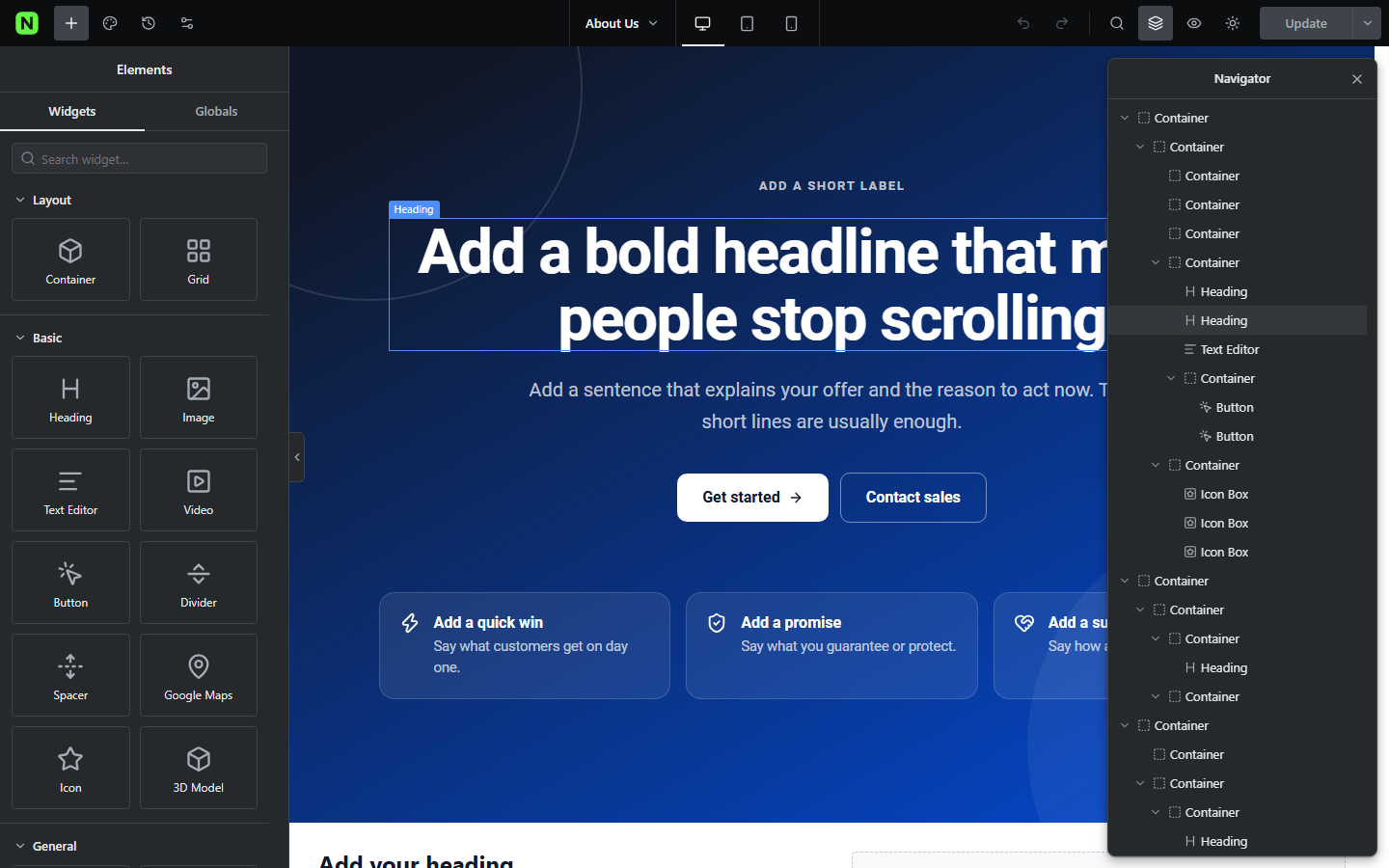
The editor: widgets on the left, the page in a real viewport, the navigator on the right.
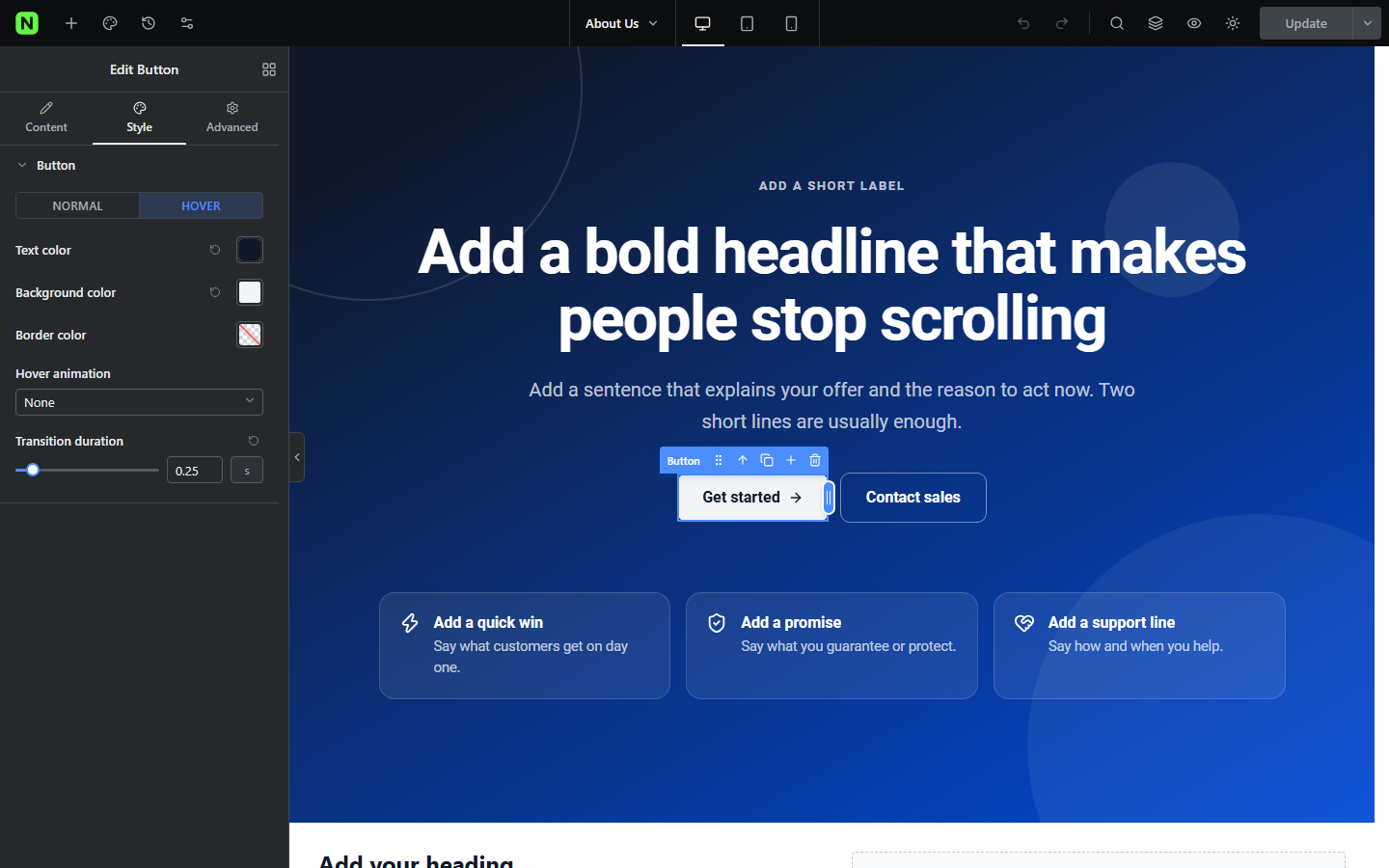
Content, Style and Advanced tabs with Normal and Hover states.
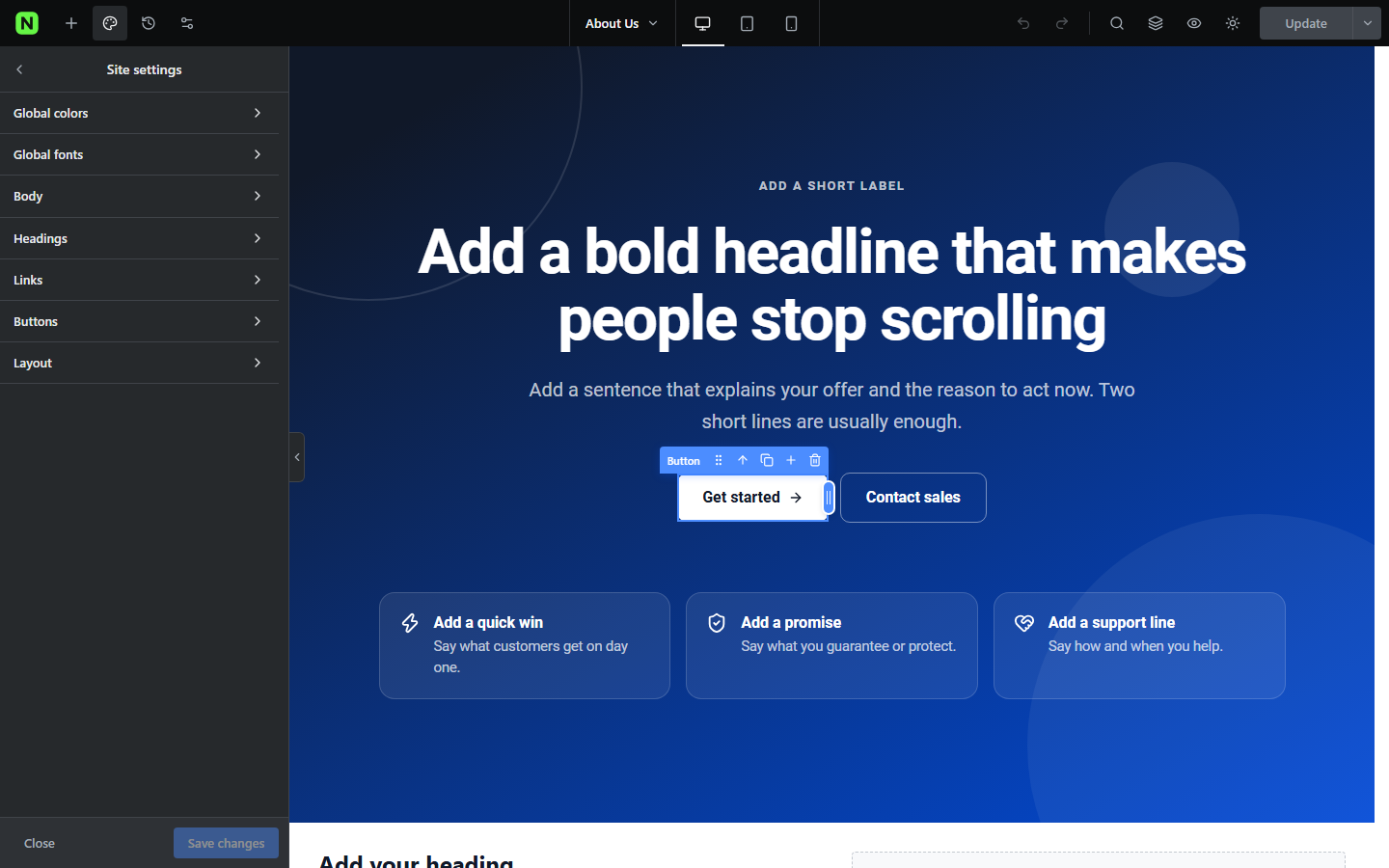
Global design settings: colours, fonts, body, headings, buttons and layout.
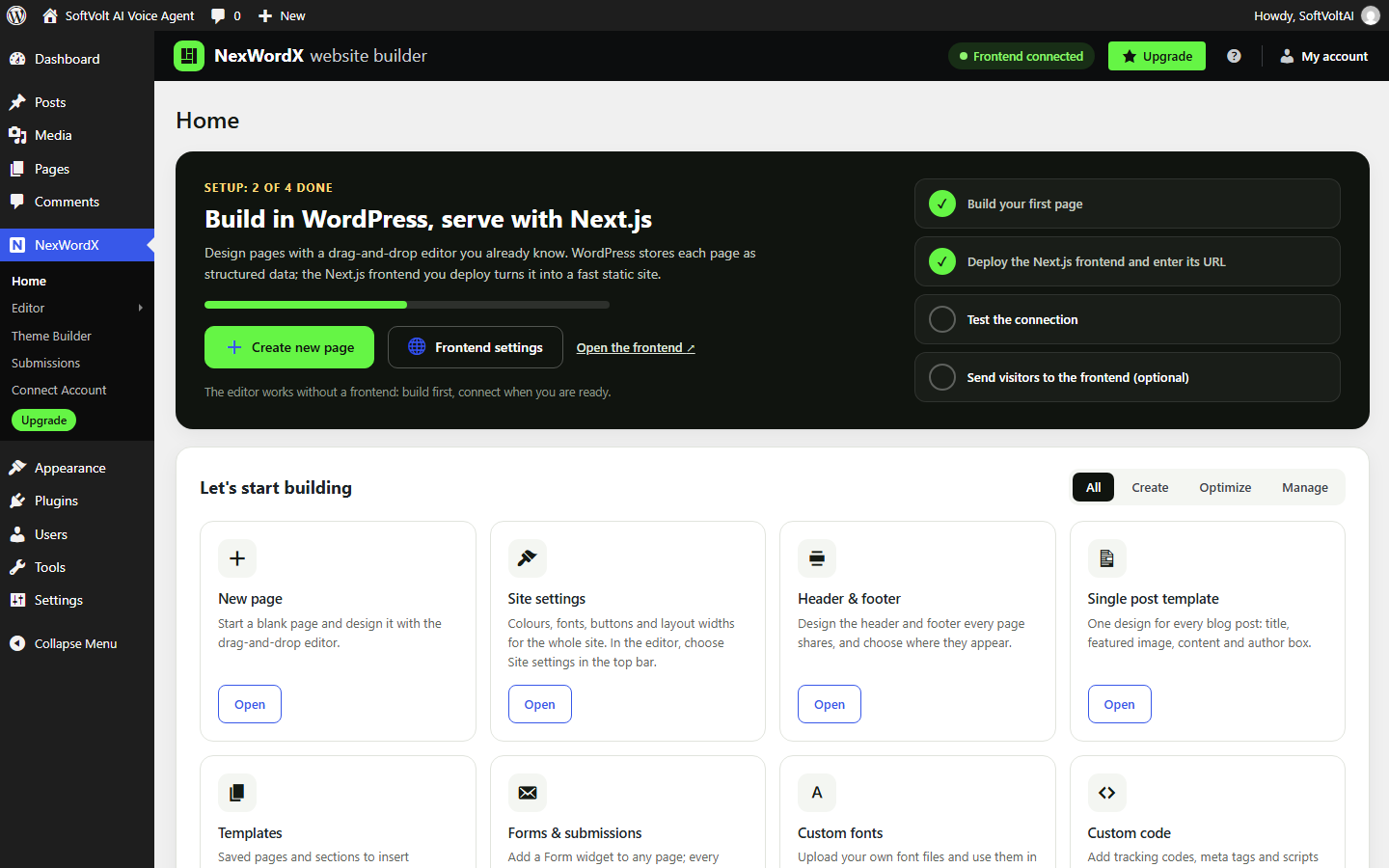
Home with the setup steps, the frontend connection status and “Let’s start building”.
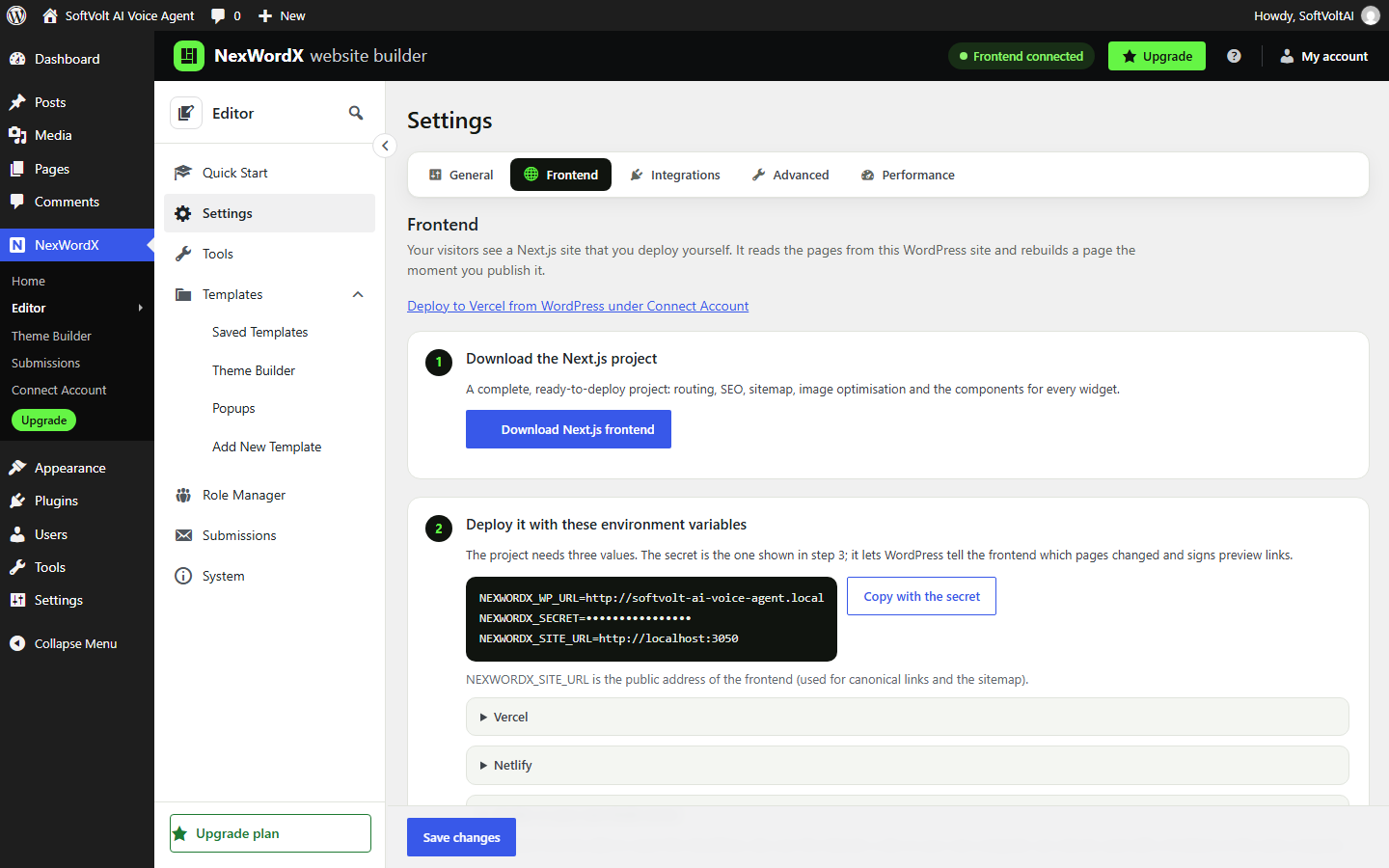
Settings > Frontend: download the Next.js project, connect it and see the revalidation log.
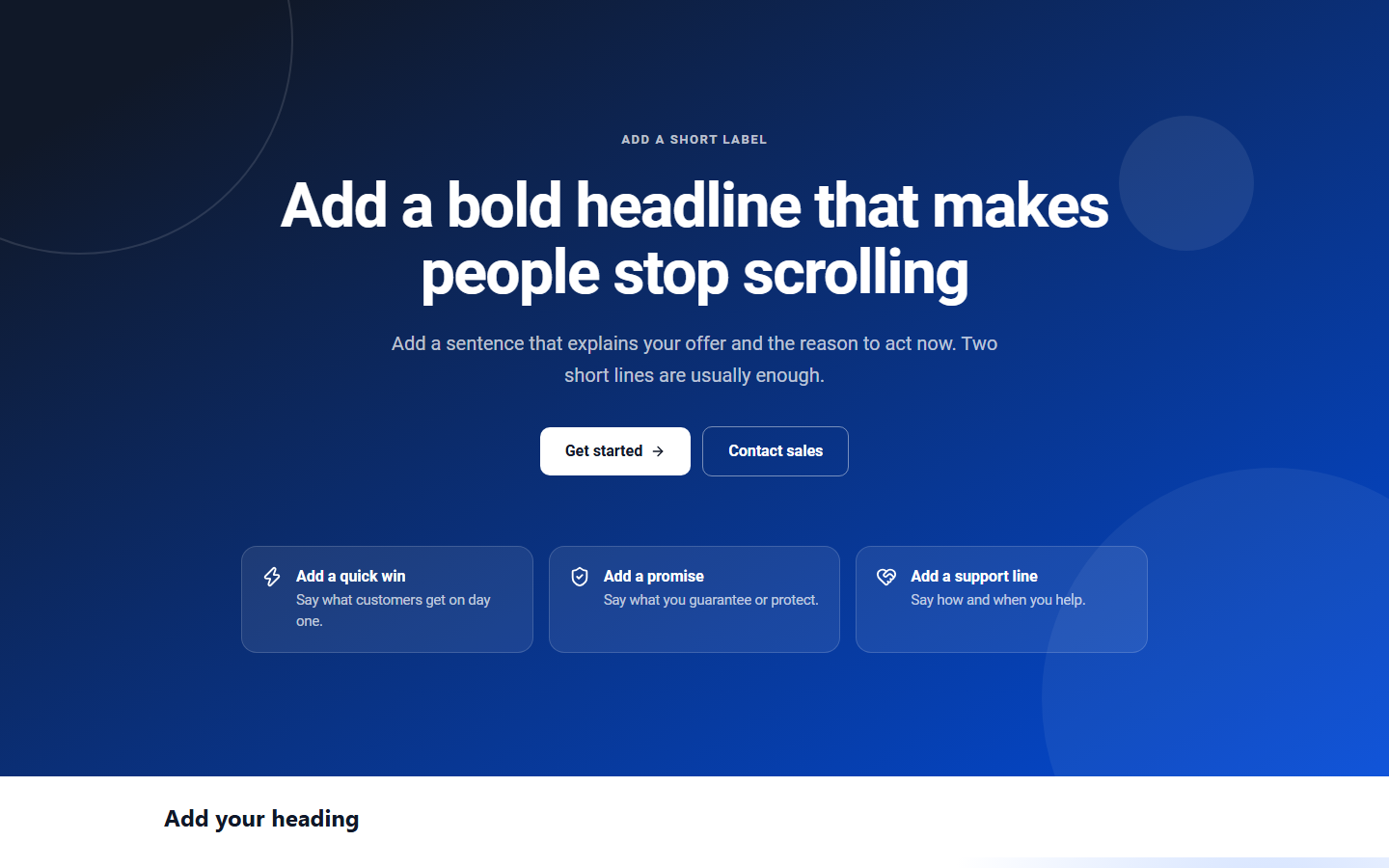
A page served by the Next.js frontend.


