
Nnax Frontend User Files Wordpress Plugin - Rating, Reviews, Demo & Download
Plugin Description
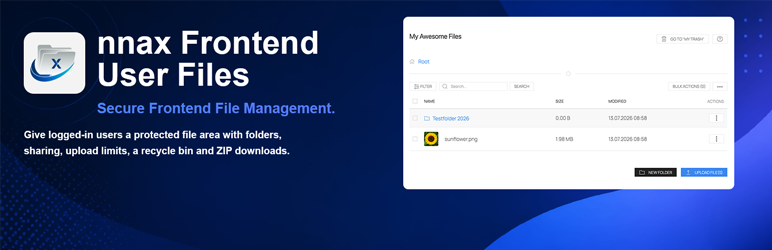
nnax Frontend User Files provides a shortcode-based frontend file manager for logged-in users.
Users can upload files, organize them in folders, manage file details, restore deleted items from the trash and download selected files as a ZIP archive.
Main features:
* Shortcode [nnax_user_file_manager]
* User-specific frontend file area for logged-in users
* Folder navigation with breadcrumb support
* Folder creation, renaming and moving
* Multi-file upload
* Upload hardening with blocked extensions, optional MIME validation and per-file size limits
* Trash view with restore and permanent delete
* Server-side search, sorting and pagination
* Optional list view without pagination
* ZIP download for selected items
* Image previews for common image formats
* Activity history in item details
* Contextual help modal
* Role-based upload quotas
* Configurable custom metadata fields
* Configurable UI and badge colors
Advanced sharing features such as user-based sharing, role-based sharing, permission levels, time-limited access and sharing notifications are available through the optional premium Sharing Addon.
External services
This plugin connects to the Expertonaut license API at https://www.expertonaut.de/wp-json/nnax-licenses/v1 to activate, check and deactivate addon licenses.
For license activation, license checks and license deactivation, the plugin sends the site URL, plugin slug, plugin version, site locale and the entered or stored license key to the license server.
For update checks of licensed addons, the plugin sends the site URL, plugin slug, plugin version, plugin basename, site locale and the stored license key to the license server.
Service provider: Expertonaut
Terms of service: https://www.expertonaut.de/agb/
Privacy policy: https://www.expertonaut.de/datenschutz/
The bundled UIkit library can request Vimeo oEmbed metadata when a Vimeo URL is rendered through a supported UIkit media component.
When that happens, the plugin sends the target Vimeo URL to Vimeo’s oEmbed endpoint so the embed can be resolved.
Service provider: Vimeo
Terms of service: https://vimeo.com/terms
Privacy policy: https://vimeo.com/privacy
Admin area:
* Settings pages for general, upload and design options
* Allowed and blocked file type configuration
* MIME validation toggle
* Per-file upload size setting
* Role-based quota settings
* Custom metadata field management
* Global enable/disable setting for upload-request/public-link feature
* Design and color settings
* License management for optional addons
Internationalization:
* Textdomain: nnax-frontend-user-files
* Language path: /languages
Data cleanup:
* Default uninstall keeps file and folder content
* Optional full uninstall cleanup can be enabled in the plugin settings
Requirements
- WordPress 6.0 or higher
- PHP 7.4 or higher
Screenshots
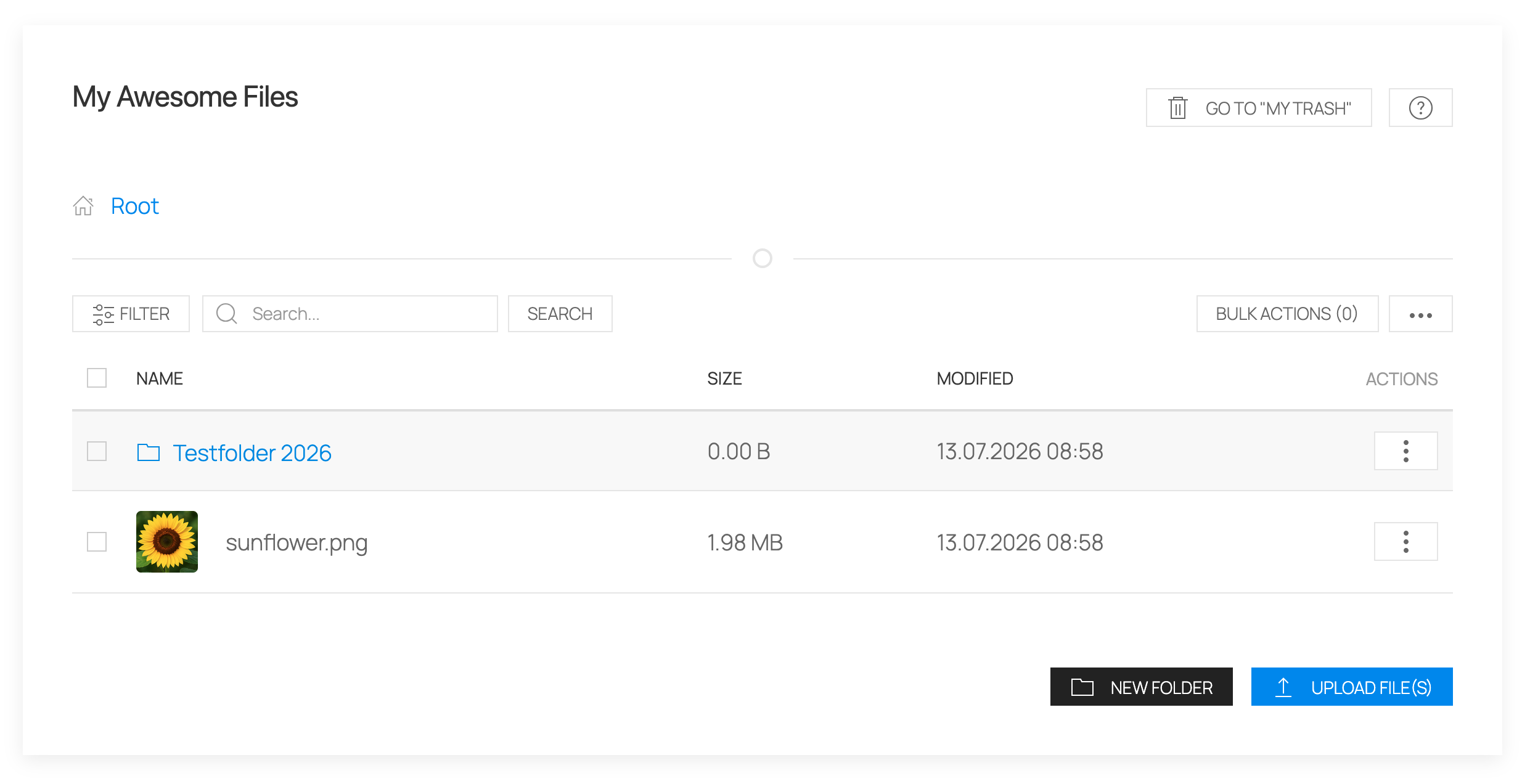
Frontend file manager with folders, uploads and file actions.
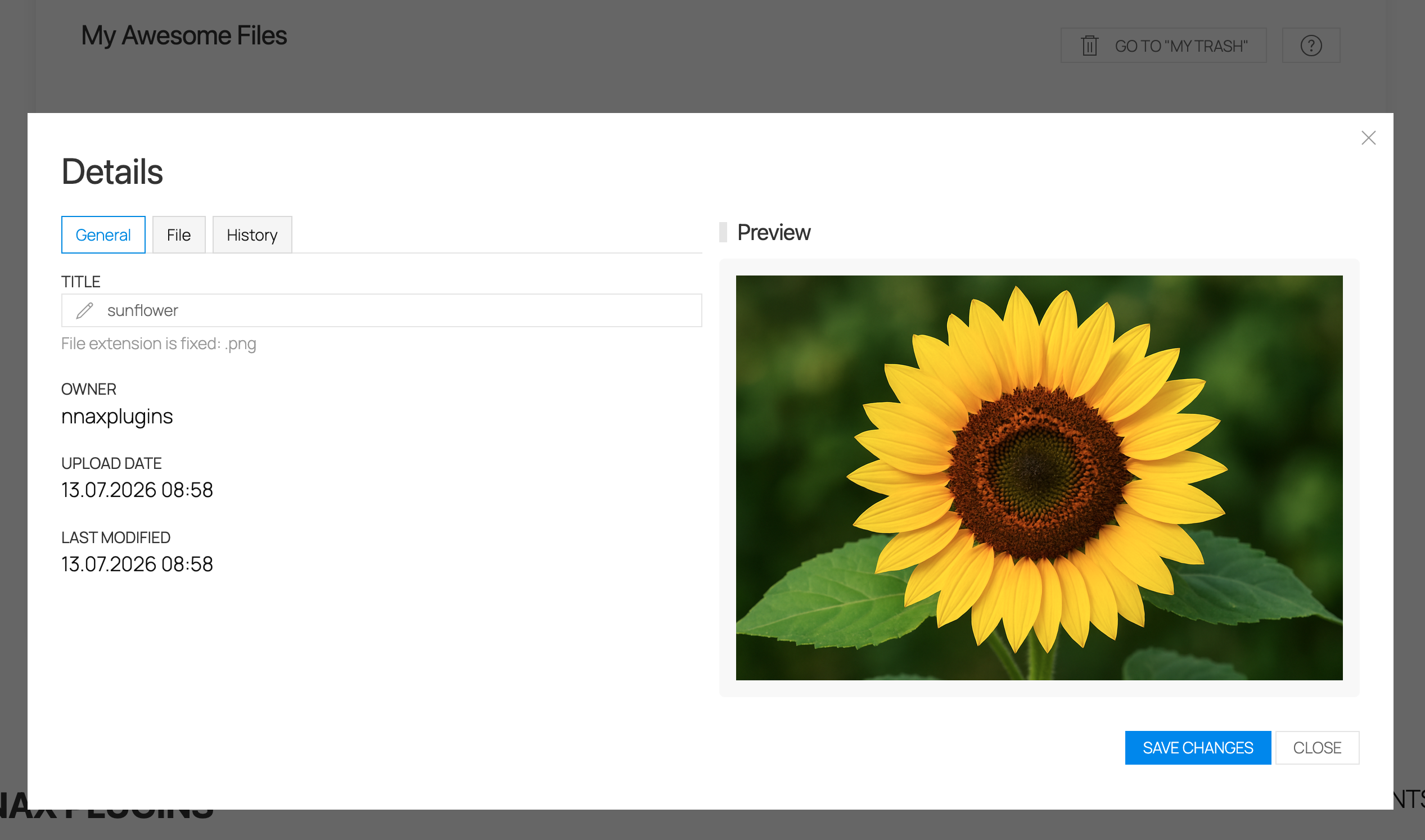
File details view with metadata and activity history.
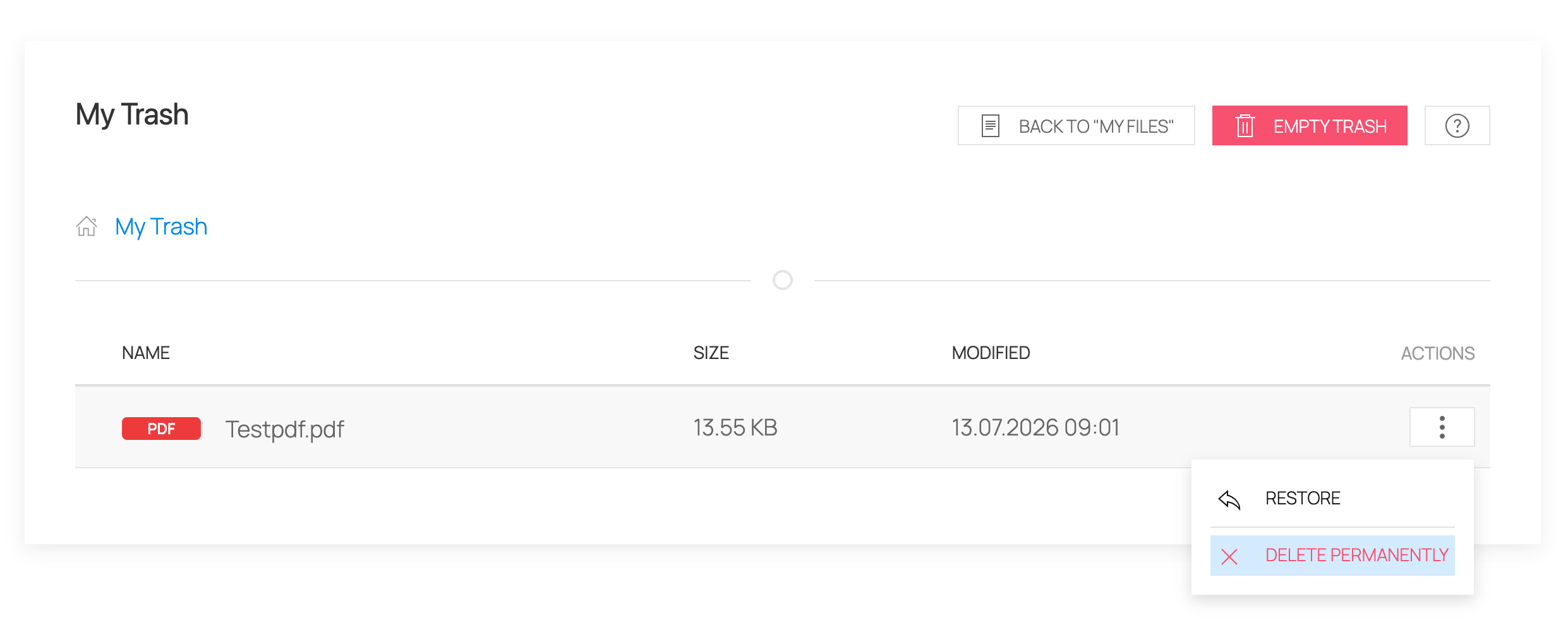
Trash view with restore and permanent delete actions.
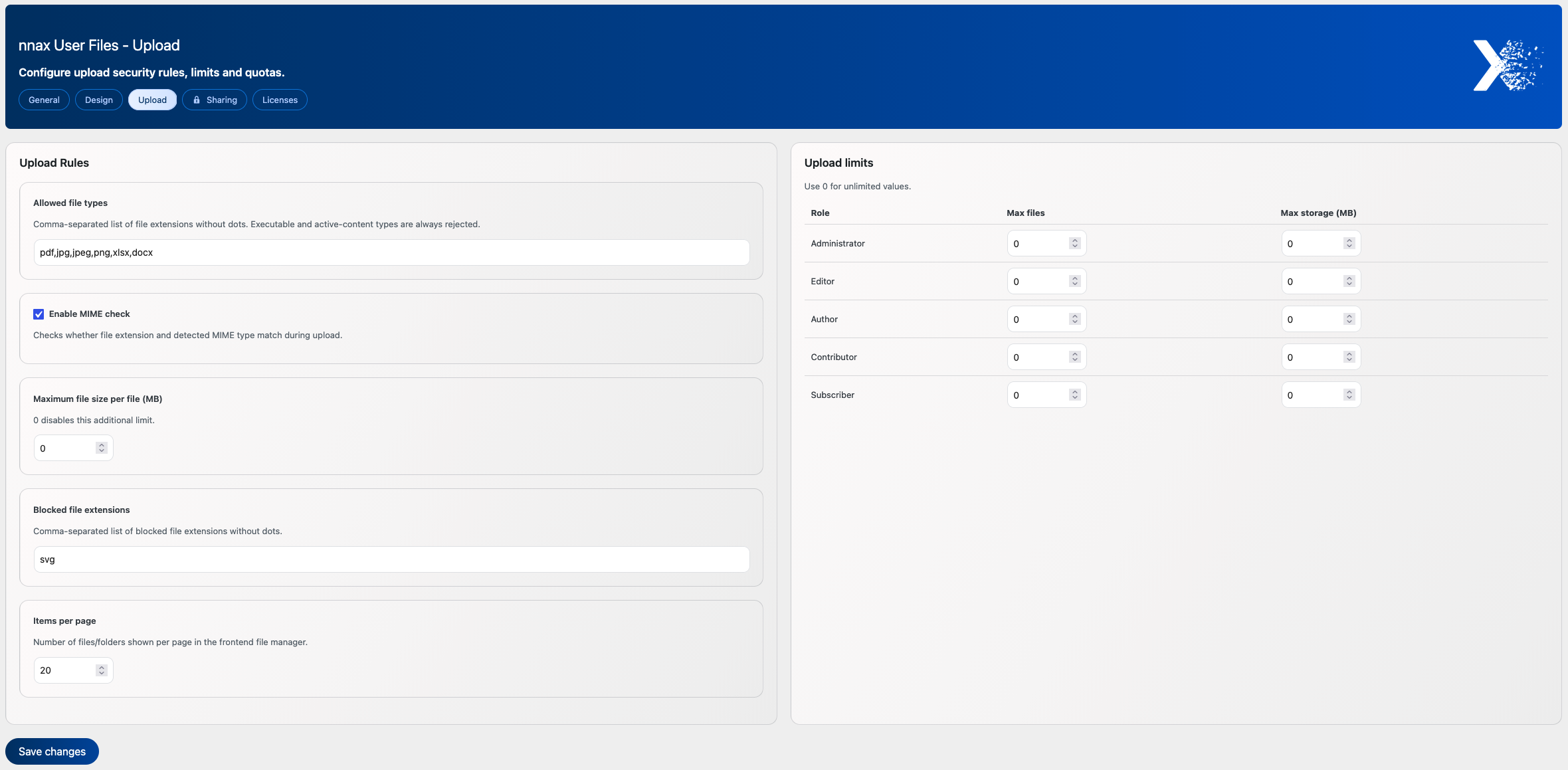
Admin settings for upload limits, file types, quotas and design options.


