OliForge Session Control Wordpress Plugin - Rating, Reviews, Demo & Download
Plugin Description
OliForge Session Control lets administrators configure:
- Normal login session lifetime in hours.
- Remember Me session lifetime in days.
- Optional automatic logout after inactivity.
- Whether the settings apply to administrators, frontend users, or both.
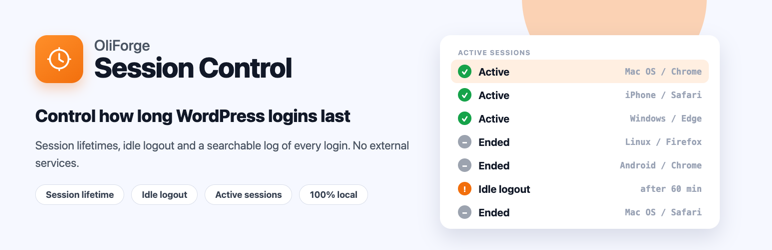
It also adds an Active Sessions screen with:
- A running log of every login, kept in its own database table independent of WordPress’s own session-token storage.
- Search by user, filter by role, sortable Logged In / Last Active columns, and pagination (20 per page).
- Terminate Session to sign a still-active device out immediately, available as a row action or bulk action.
- Delete from List to remove a row from the log only — it never signs anyone out.
- Sync current sessions, a one-click backfill for sessions that were already open before this feature was enabled, using WordPress’s own stored login time, IP address and user agent.
On WordPress Multisite networks, network administrators also get:
- A Network Sessions screen (Network Admin > Settings) that aggregates every site’s session log into one searchable, sortable, paginated table.
- Site, User, Device, IP, Status, Logged In and Last Active columns, with Terminate Session and Delete from List available per row and in bulk across sites.
- A warning notice if a network is too large to fully scan in one pass, instead of silently showing incomplete results.
- Every site keeps its own independent session log and settings; a single-site installation is completely unaffected by this feature and behaves exactly as before.
The plugin uses the WordPress Settings API and native authentication hooks. It does not send data to external services.
Settings are available under Settings > OliForge Session Control, and the session log under its Active Sessions tab.
Privacy
- The session log stores, for every login, the user ID, the visitor’s IP address (as sent by the server, not hashed), the browser user agent and two timestamps. It is shown only to administrators.
- Log rows are deleted automatically after the retention period you set under Settings > OliForge Session Control (90 days by default), and Delete from List removes a row immediately.
- Uninstalling the plugin drops the log table and all settings.
- Nothing is sent to an external service.
- The plugin adds a suggested paragraph for your privacy policy under Settings > Privacy > Policy Guide.
Extending the plugin
Add-ons can adjust the settings per user with the oliforge_session_control_user_settings filter (keys: normal_hours, remember_days, allow_remember, enable_idle_logout, idle_minutes), react to a new login with the oliforge_session_control_session_started action, and render their own panel below the settings form with the oliforge_session_control_settings_after_core action. The “apply to administrators / frontend users” switches still decide whether the plugin applies to a user at all.
Screenshots

Settings: the session lifetime, Remember Me lifetime, idle logout, who the rules apply to and how long the log is kept.

Active Sessions: a log of every login with user, device, IP address and status. Terminate a live session or remove a row from the list.

Search the log by user or filter it by role.