
Payshen For WooCommerce Wordpress Plugin - Rating, Reviews, Demo & Download
Plugin Description
Payshen for WooCommerce connects your store to Payshen, a payment orchestration platform. Instead of a single payment gateway, your checkout uses every payment provider you work with, and each payment goes to the provider most likely to approve it at the best cost.
Payshen is a technology provider: it never holds your money. Your payment providers collect the payments and pay you out, exactly as they do today.
Why store owners use it
- More approved orders. Payshen learns which provider approves which payments best (by country, currency, amount and card) and routes each payment there. When a provider has a technical problem, or declines a payment another provider might approve, the next one is tried. A customer who comes back to pay a declined order is sent to a different provider first.
- Lower fees. Routing weighs each provider’s fees against its approval rate, so you keep more of each sale.
- One plugin, many providers. Stripe, Adyen, Checkout.com, PayPal, Klarna, Mollie, Worldpay, Nuvei, dLocal, Razorpay, Mercado Pago and dozens more, managed in one Payshen dashboard. Add or switch a provider without touching your store.
- No single outage takes checkout down. A provider that stops answering is set aside automatically until it recovers.
Features
- Connect with Payshen: sign in and approve the store. Its API keys and webhooks are set up for you, nothing to copy.
- Secure hosted payment page: card details never touch your store, which keeps your PCI scope small.
- Cards, bank payments, wallets, pay later and crypto. You choose which kinds to offer, and customers see only what your providers can take.
- Works with the WooCommerce Cart and Checkout blocks and with the classic checkout.
- Compatible with High-Performance Order Storage (HPOS).
- Orders update by themselves through signed webhooks, with scheduled status checks for 48 hours as a safety net.
- Refunds from the order screen, in full or in part.
- Manual capture: authorize at checkout, capture when you ship, release by cancelling the order.
- 3-D Secure and other customer authentication handled on the payment page.
- Test mode with the Payshen sandbox: place test orders, no money moves.
- Clear logs under WooCommerce > Status > Logs. Keys and customer details are never written to them.
How it works
- The customer chooses Payshen at checkout.
- They pay on Payshen’s secure page, which offers the methods your providers support for their country and currency.
- Payshen routes the payment to the best provider and sends the customer back to your store.
- The order moves to Processing (or On hold, with manual capture) as soon as the payment is confirmed.
Requirements
- A Payshen account. Payshen is a paid service, priced per merchant: see Pricing. The plugin itself is free and has no locked features.
- An account with at least one payment provider, connected in Payshen.
- WooCommerce 8.5 or later, WordPress 6.5 or later, PHP 8.1 or later.
Setup guide: Payshen for WooCommerce. Supported providers: payshen.com/providers.
External service
This plugin sends payment requests to the Payshen API (https://www.payshen.com) to create, read, capture, release and refund payments. It sends the order amount, currency, order number, the customer’s billing name, email, phone, address and IP address (which some payment providers require), and the addresses of your order pages. When you click Connect with Payshen, your browser takes the store’s address, the address to return to and the webhook URL to Payshen, and the store then fetches its keys from Payshen; Disconnect asks Payshen to revoke them. Nothing is sent until you connect, a customer chooses Payshen at checkout or you act on a Payshen order. The plugin makes no other external calls and does no tracking.
- Payshen: https://www.payshen.com
- Terms: https://www.payshen.com/terms
- Privacy policy: https://www.payshen.com/privacy
Screenshots
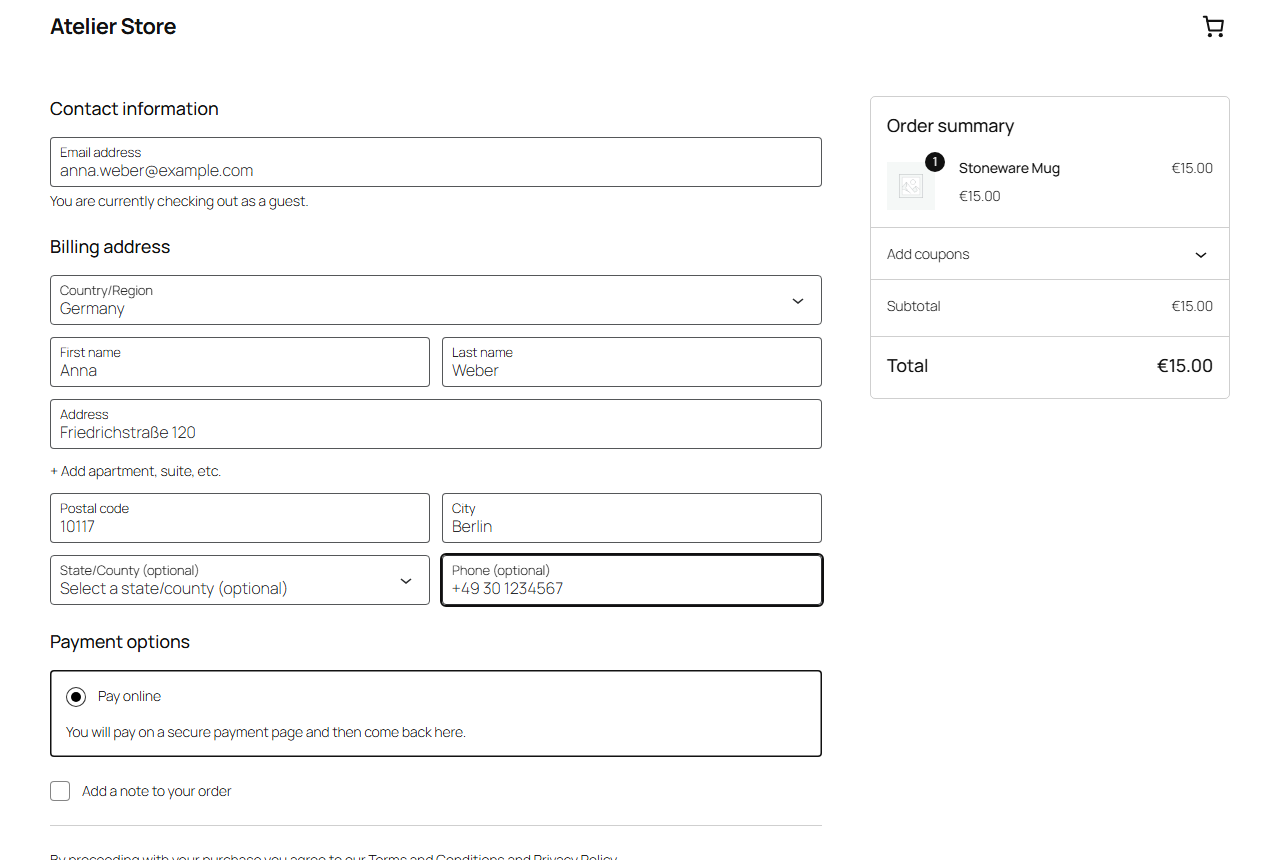
Payshen at checkout, in the WooCommerce Checkout block.

Payshen’s secure payment page, showing the methods your providers offer.

The order received page after a successful payment.
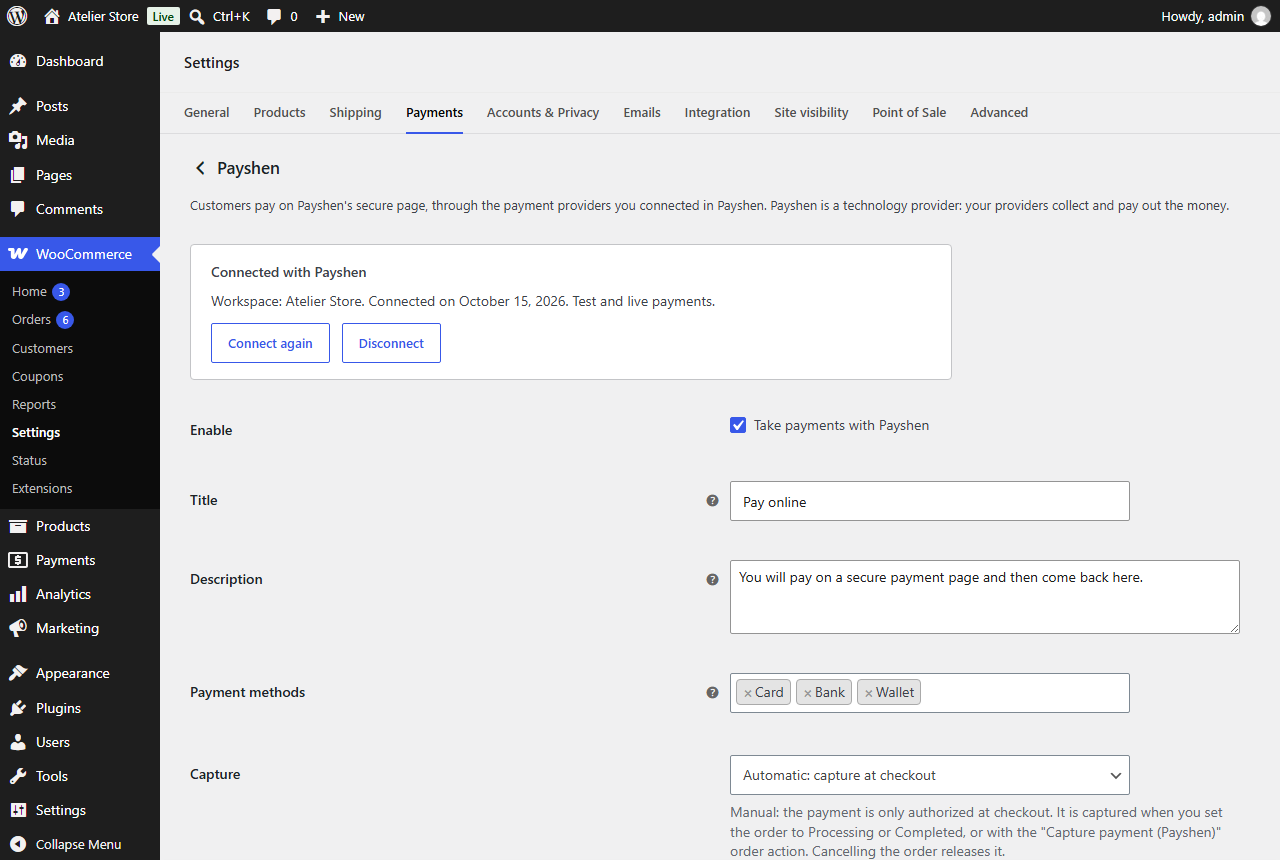
Plugin settings: Connect with Payshen, test mode, payment methods and capture.

A Payshen order in the admin, with the payment notes and order actions.


