Piggly View Wordpress Plugin - Rating, Reviews, Demo & Download

Plugin Description
The plugin is quite simple to use. See below.
- It will store all views for a Single Post. You can configure it to ignore views to logged users and disable for some posts.
- In the Posts View Table you will see the View column. You can remove it in configurations.
- All views will be cached for 24 hours. You can disabled it or change the flush cache hour.
For now, Piggly Views is available in:
- English,
- Portuguese Brazilian.
Some additional resources
- You can use the shortcode
[piggly_views]to get views to the current post OR use[piggly_views id="post_id"]to a specific post. It will return the number of views following the format set in the settings. - You can get a collection of most viewed posts by using the method
piggly_view_collection($limit,$days). Where$daysis the range between NOW and X($days) days,$limitis the number of posts and$typesis one or more post types slug into an array, such as:post,pageorattachment. - You can use the shortcode
[piggly_views_collection limit="X" days="X" types="post, page, attachment"]to get a collection of most viewed posts returning the default template.
Getting the most viewed posts
An easy way to get the most viewed posts is using the global function piggly_view_collection(). The default $days values is 30, default $limit value is 5 and default $types array is post.
// 10 most viewed posts in the last 180 days.
$most_viewed = piggly_view_collection( 10, 180 );if ( !empty( $most_viewed ) ) :
foreach ( $most_viewed as $post ) :
$postID = $post->post_id;
endforeach;
endif;
In the other side, you can use the shortcode [piggly_views_collection limit="10" days="180" types="post"] to return the default template.
When you use [piggly_views_collection] shortcode, it will return the following template for each post. Customize CSS as your needs by using .pgl-views-post as parent.
>
>
>
{{title}}
>
> {{category}}
> {{author}}
> {{date}}
>
>
How to Use
From your WordPress administration panel go to Plugins > Installed Plugins and scroll down until you find Piggly Views. You will need to activate it first, then click on Settings to configure it.
Configuration
- Display or not View Column in Post Table.
- Disable tracking for Logged Users.
- Convert Views from 1000 to 1K format.
- Cache Views Data.
-
Flush cache after X hours.
-
Keep options and/or table when uninstall the plugin.
Screenshots
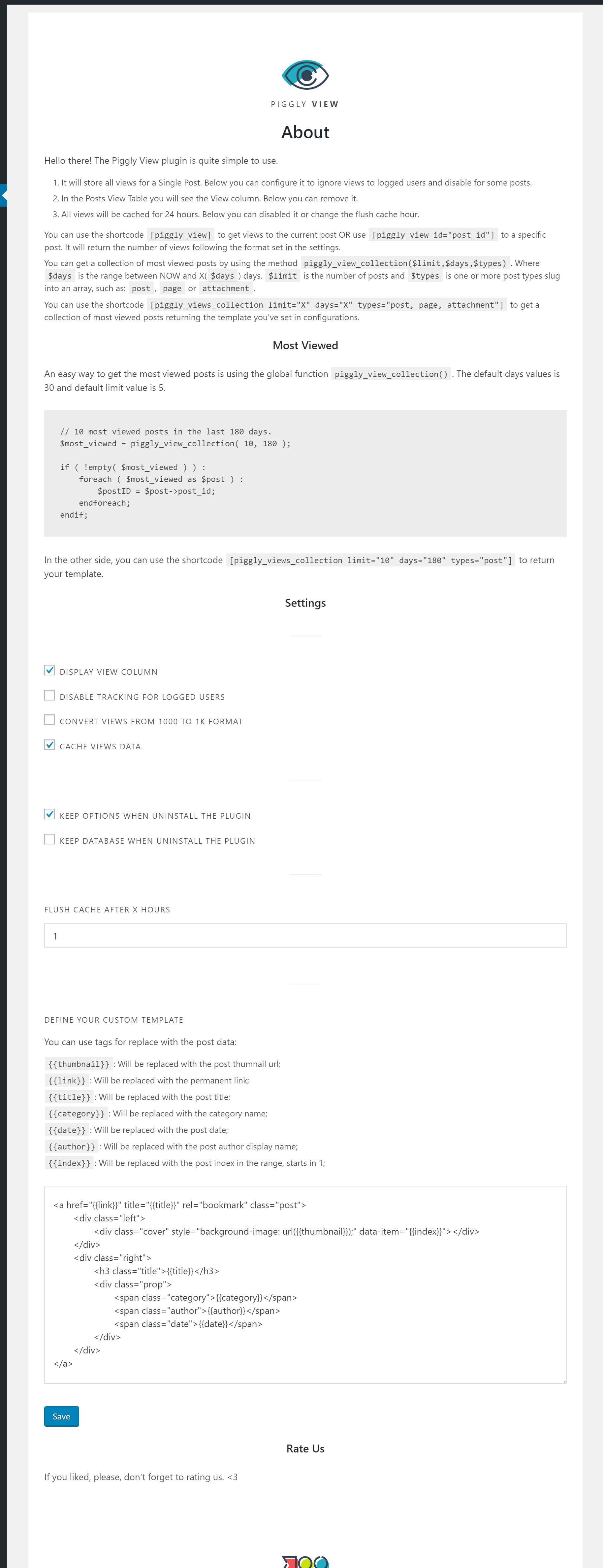
Piggly View settings.

Piggly View in Post Table Column.

Piggly View setting in Post Page.