Plogins Migrator – Site Migration And Backup Wordpress Plugin - Rating, Reviews, Demo & Download

Plugin Description
Migrator packs your database and everything in wp-content into a single file you can download, keep as a backup, and restore, on the same site or on a brand-new install somewhere else. When you restore onto a different address, Migrator rewrites the old URLs and file paths to the new ones for you, so the site just works.
Everything happens on your own server. There is no account to create, no file size sold back to you, and nothing is ever sent to a third-party service. Because it is fully open, you can read exactly what it does: the source lives at https://github.com/wppoland/plogins-migrator, which is also where to file a bug or request a feature.
How it works
- On the site you want to copy, create a backup. Migrator writes your database to a portable SQL dump and streams every file in
wp-contentinto one archive next to it. - Download that archive (or, on a big site, build it from the command line, see below).
- On the destination, the same site to roll back, or a fresh WordPress install to move to, restore the archive. Migrator imports the database, puts the files back, and rewrites the source site’s web address and paths to this one.
The address rewrite is safe for serialized data: Migrator walks the actual data structures rather than doing a blind text replace, so the byte-length counts PHP stores inside serialized options and meta stay correct and nothing breaks.
A few things worth knowing
Backups are written to a protected folder (wp-content/migrator-backups) that denies direct web access, and the in-browser download is served only to logged-in administrators through an authenticated handler, the files are never exposed at a guessable URL. Each item inside an archive carries a checksum, so a truncated or corrupted backup is caught before it is ever restored over a live site.
Restoring overwrites the destination database and files, that is the point of a restore, so it asks for confirmation and is limited to administrators. Migrator never overwrites its own plugin folder during a restore, so it cannot pull the rug out from under itself mid-import.
For large sites where a browser request would time out, every job also runs from WP-CLI, which has no timeout:
wp migrator export
wp migrator import path/to/backup.migrator
What’s included
- One-click backup of your database and all of
wp-contentinto a single archive - Restore to the same site, or migrate to a new host with automatic, serialization-safe URL and path rewriting
- Choose what to leave out: media, themes, plugins, cache, spam comments, post revisions, transients, WooCommerce sessions or Action Scheduler tables
- In-browser export with a progress bar and a direct download, resumable so large sites finish across multiple steps, plus drag-and-drop restore
- WP-CLI
exportandimportcommands for sites too large for the browser - A safety snapshot of your database before every restore, rolled back automatically if anything fails
- Per-item checksums so a corrupt archive is detected, not restored
- Self-hosted: no account, no third-party service, nothing leaves your server
Translations
Plogins Migrator includes Polish, German and Spanish translations for the plugin interface. The text domain is plogins-migrator, so WordPress.org language packs can also override or extend these bundled translations.
Screenshots
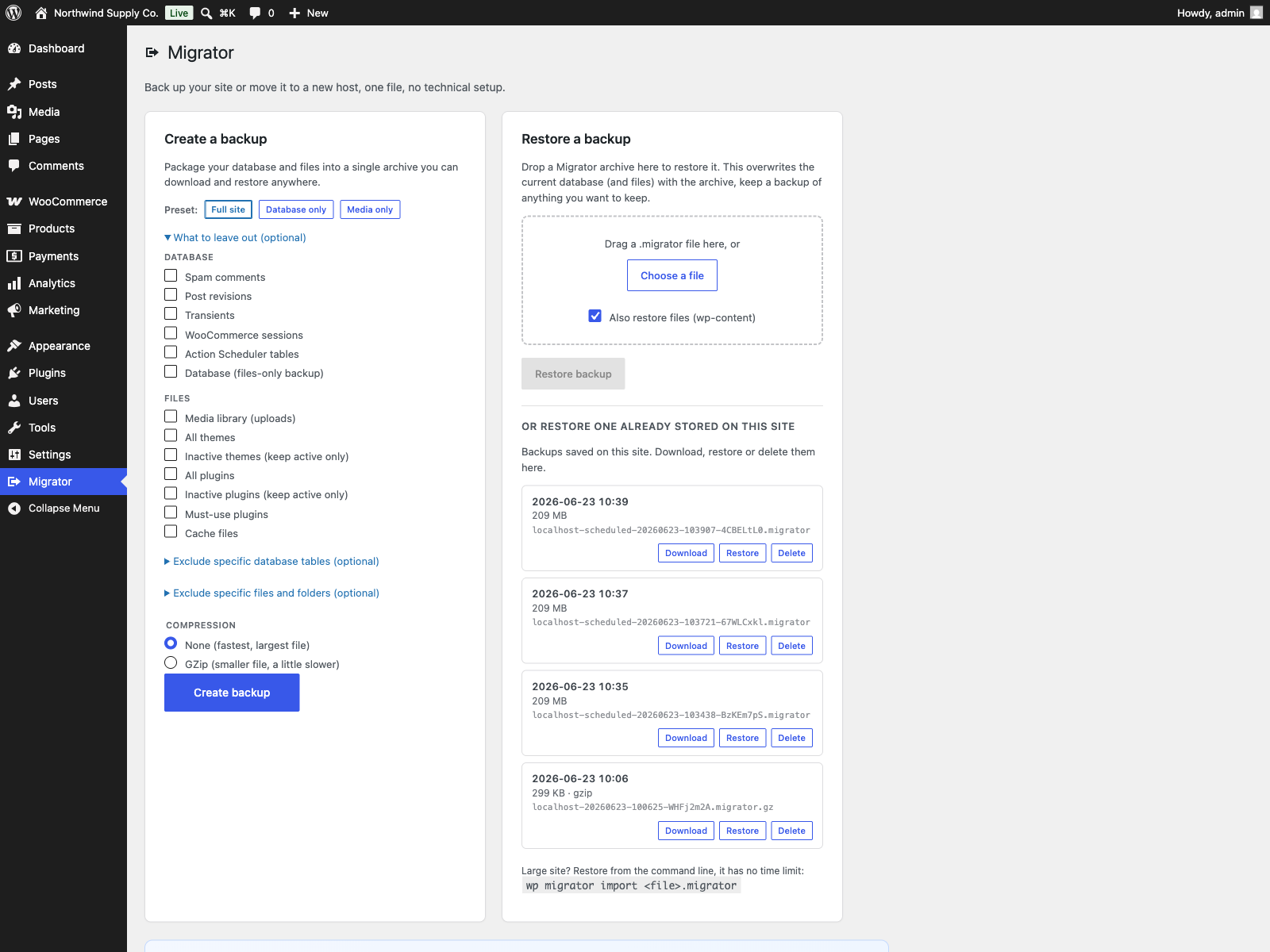
The Migrator screen: create a backup with presets and exclusion options, alongside restore and your saved backups.
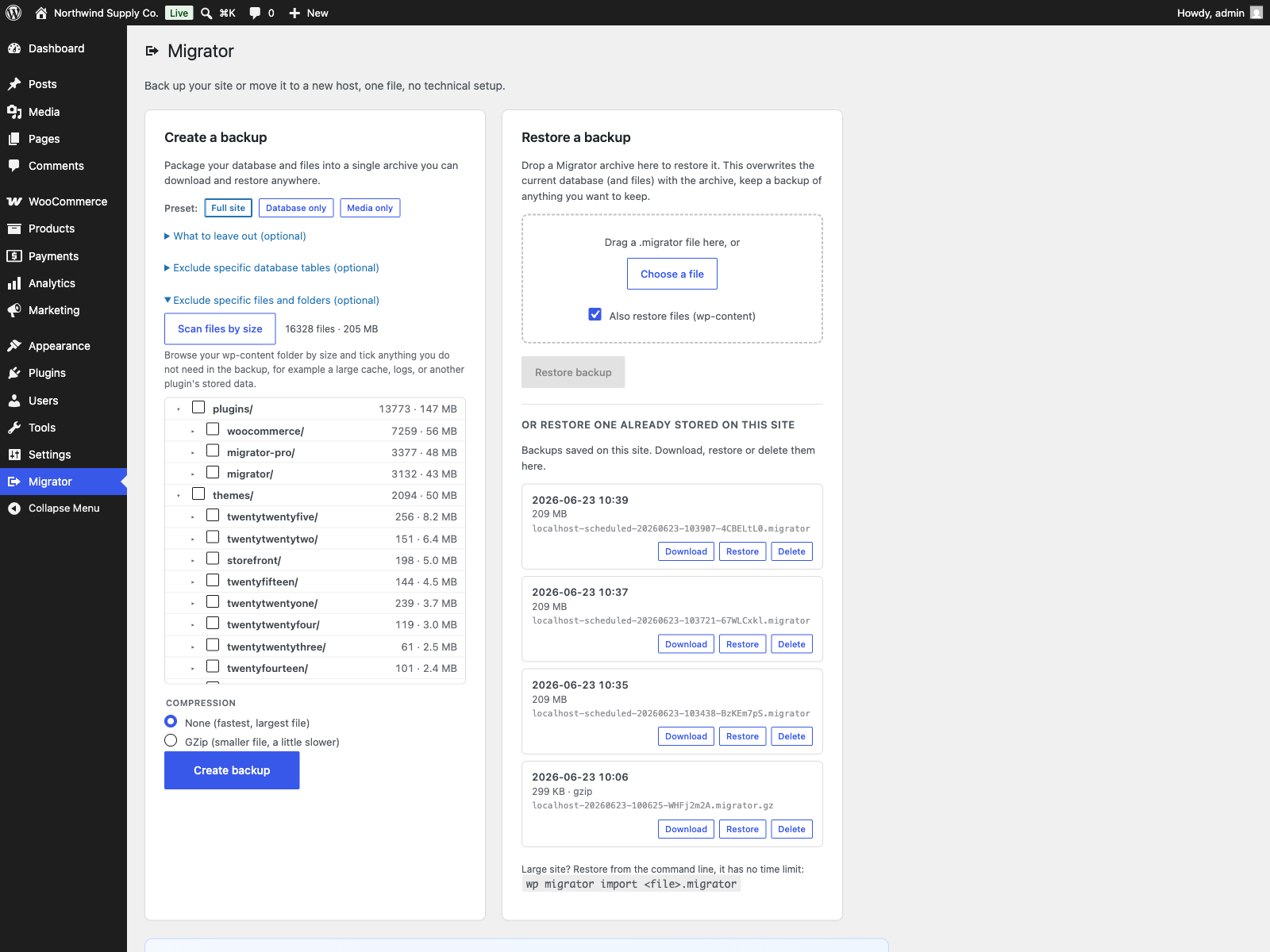
The file-size explorer: scan wp-content and see each folder’s size so you can leave out what you do not need.