PostGate – Paywall & Content Monetization Wordpress Plugin - Rating, Reviews, Demo & Download
Plugin Description
The Complete WordPress Paywall Plugin
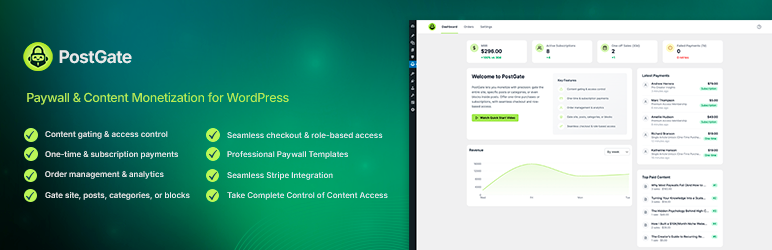
PostGate is the most flexible WordPress paywall plugin for content creators, publishers, and membership site owners. Whether you want to add a paywall to your entire site, specific categories, individual posts, or even blocks within posts, PostGate gives you complete control over your WordPress content monetization strategy.
WordPress Content Monetization Made Simple
PostGate enables you to monetize premium content through flexible payment options. Gate content behind paywalls, sell one-time access to articles, create membership subscriptions, or mix payment models to maximize your revenue.
Key Features
Flexible Content Protection
– Site-Wide Locking: Gate your entire website behind a paywall or login requirement
– Post-Level Control: Lock individual posts with custom pricing and access rules
– Category-Based Access: Apply payment requirements to entire categories or taxonomies
– Block-Level Gating: Lock specific sections within posts using the PostGate Lock Block
– Granular Override System: Post-level settings override category rules, which override global settings
Multiple Monetization Options
– One-Time Purchases: Sell individual articles or content pieces for single payments
– Recurring Subscriptions: Offer monthly, yearly, or custom subscription plans
– Mixed Pricing Models: Combine one-time and subscription options for the same content
– Flexible Pricing: Set different prices per post, category, or site-wide
– Multiple Product Options: Present users with various pricing tiers to choose from
Take Complete Control of Content Access
– Protect free content: Let only registered members access content without requiring payment
– Monetize premium content: Require payment or active subscriptions to unlock your best content
– Grant VIP access: Automatically give administrators, editors, or custom roles instant access
– Seamless post-purchase experience: Automatically unlock content after successful payment
Professional Paywall Templates
– Compact Layout: Streamlined design optimized for mobile devices and quick conversions
– Classic Layout: Traditional paywall with detailed pricing information and descriptions
– Fully Customizable: Override templates in your theme for complete design control
– SEO-Friendly: Preview content before the paywall for search engine crawlers
Content Preview Options
– Paragraph Mode: Show first N paragraphs as a teaser
– Word Count Mode: Display first N words with automatic truncation
– Customizable Limits: Set preview length per post or globally
– Smart Truncation: Intelligent content splitting that respects HTML structure
Seamless Stripe Integration
– Stripe Connect: Secure OAuth connection with your Stripe account
– Live & Sandbox Modes: Test your paywall before going live
– Automatic Webhook Handling: Real-time payment processing and access granting
– Secure Checkout: Users complete payments on Stripe-hosted checkout pages
– Multiple Currencies: Support for all Stripe-supported currencies
Developer-Friendly Architecture
– Template System: Override any template in your theme
– REST API Endpoints: Integrate with external applications
– Action & Filter Hooks: Extend functionality with custom code
– Modern React Admin: Intuitive settings interface built with React
– Gutenberg Integration: Native block editor support with custom blocks
– Well-Documented Code: Comprehensive inline documentation following WordPress standards
Use Cases
- Content Publishers: Monetize premium articles, investigative journalism, or exclusive reports
- Membership Sites: Create tiered membership levels with subscription-based access
- Online Courses: Lock course modules and lessons behind payment gates
- Digital Downloads: Sell access to downloadable content like ebooks, templates, or resources
- Professional Blogs: Offer premium content alongside free articles
- News Publications: Implement metered paywalls or hard paywalls for news content
- Tutorial Sites: Gate advanced tutorials while keeping beginner content free
- Research Platforms: Monetize research papers, case studies, or whitepapers
How It Works
- Connect Stripe: Link your Stripe account using secure OAuth authentication
- Configure Settings: Choose between site-wide locking, selective post types, or manual control
- Set Products: Create and sync products from your Stripe dashboard
- Protect Content: Apply paywall protection globally, by category, per post, or at block level
- Customize Appearance: Choose paywall templates and customize preview settings
- Start Earning: Users purchase access and are automatically granted content access
Security & Privacy
PostGate is built with security best practices in mind:
– All payment processing handled by Stripe (PCI DSS compliant)
– Webhook signature verification prevents unauthorized access grants
– Nonce verification on all AJAX requests
– Sanitization and validation of all user inputs
– Role and capability checks throughout the plugin
– Secure OAuth flow for Stripe account connection
Internationalization
PostGate is translation-ready and includes:
– WordPress.org translation compatibility
– Text domain: postgate
– RTL language support ready
Dashboard & Analytics
- Order Management: View all purchases and subscriptions
- Revenue Tracking: Monitor your earnings over time
- Access Grants Overview: See which users have access to what content
Customization Options
- Paywall Appearance: Customize badge, title, description, and button text
- Login Gate Settings: Configure login-specific messaging and registration links
- Preview Control: Fine-tune how much content appears before the paywall
- Content Before/After Products: Add custom HTML content around product options
- Post-Purchase Behavior: Choose where users land after completing a purchase
What’s New in Version 1.0.0
- Initial release with complete paywall functionality
- Stripe Connect integration with OAuth authentication
- One-time purchases and recurring subscriptions support
- Site-wide, category-level, post-level, and block-level content protection
- Two professional paywall templates (Compact and Classic)
- Comprehensive access management system
- Preview/teaser content with paragraph or word-based truncation
- Role-based bypass system
- React-based admin interface
- REST API for orders and dashboard analytics
- Comprehensive webhook handling for Stripe events
- Internationalization support
Additional Information
Links
* Read Our Quick Start Guide
* Documentation
* Support Forum
Credits
PostGate is developed and maintained by QodeSphere. Special thanks to the WordPress and Stripe developer communities for their invaluable tools and resources.
Privacy Policy
PostGate itself does not collect any user data. Payment processing is handled entirely by Stripe. Please review Stripe’s privacy policy at stripe.com/privacy for information about how payment data is handled.
Screenshots

Dashboard overview with revenue and order statistics

General settings: site-wide lock, post types, lock mode, and bypass roles

Stripe Connect integration with live and sandbox modes

Product synchronization from Stripe with automatic updates

Appearance settings: preview mode, paywall customization

Post editor sidebar with granular lock controls

Compact paywall template with pricing options

Classic paywall template with detailed pricing display

Block-level content locking within posts

Order management with purchase history

Webhook configuration for Stripe integration

Login gate template for members-only content