Precise Expressions Admin Material Colors Lite Wordpress Plugin - Rating, Reviews, Demo & Download
Plugin Description
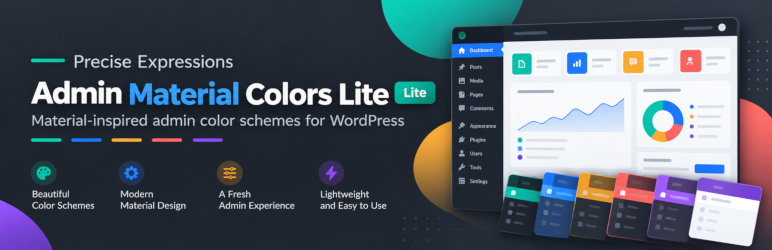
Precise Expressions Admin Material Colors Lite adds a clean, modern Material-inspired admin color scheme to your WordPress dashboard with per-user customisation located directly on your Profile screen (Users Profile).
Features in the Lite Version:
- Curated Preset Schemes: Includes “Arctic Minimal” and “Blue Steel” palettes for preview. Click Update Profile to save and apply a selected preset.
- Core Customisation: Customize the Menu Background and Main Content Background to match your personal workflow.
- Fixed Supporting Styling: Uses fixed supporting text, navigation, and button styling alongside your two chosen backgrounds.
- Per-User Preferences: Stored securely as user metadata, ensuring each team member can customize their own view without altering site-wide styles.
- Dynamic CSS: Saved preferences are applied after Update Profile without adding external stylesheets.
Lite vs. Pro (Standalone Replacement)
- Lite: 2 curated preset palettes and 2 customizable background color slots (Menu Background and Main Content Background).
- Pro: An all-in-one standalone replacement (does not require Lite). Features 24+ modern SaaS palettes, full editing across all 8 color slots, 5-slot scheme history, custom scheme naming, and license management.
- Smooth Upgrades: Pro is a standalone replacement that preserves Lite’s two colour preferences. Lite leaves any existing Pro-specific colour metadata untouched.
Screenshots

The Administration Color Scheme section on the Profile screen, with the “Arctic Minimal” preset selected alongside WordPress’s built-in schemes.

The Admin Material Colors Lite panel on the Profile screen, with Preset Schemes, Menu Background, and Main Content Background controls.

The WordPress dashboard showing the resulting admin color scheme after a preset is applied.