PressNative Apps Wordpress Plugin - Rating, Reviews, Demo & Download
Plugin Description
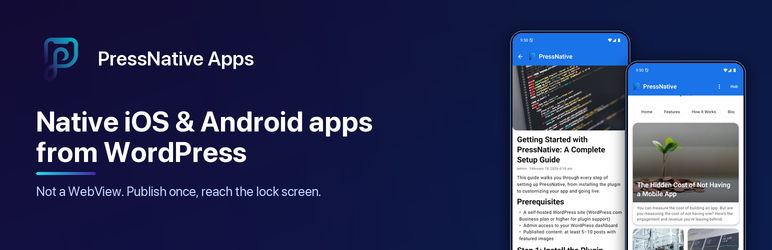
PressNative Apps connects your WordPress site to PressNative Cloud, a service that renders your posts, pages and WooCommerce products as real native screens (SwiftUI on iOS, Jetpack Compose on Android), not a WebView wrapper. Layout, branding and content come from your WordPress admin, so changes appear in the app without an app store update.
This plugin is a connector for that service. It needs a free PressNative Cloud connection, which you create from Settings PressNative with one click. No separate sign-up is required.
Free
- PressNative Hub listing. Opt in and your site appears in the free PressNative Hub app (iOS and Android), where readers discover sites, follow them and read them natively.
- Automatic new-post notifications. When you publish a post, page or product, readers who follow your site in the Hub get a push notification. Per-post control lives in the editor sidebar.
- App branding and layout. App name, logo, colors and typography; hero carousel, post grid, category and page lists, product grids; drag-and-drop ordering and a live preview.
- WooCommerce. Native product grids and details, cart and checkout handoff, products embedded in posts.
- REST API. Layout endpoints for home, posts, pages, categories, products and search.
Paid plans (optional)
- Your own branded app in the App Store and Google Play.
- Custom push notifications sent from wp-admin, with audience targeting.
- Analytics dashboard with views, top content, searches and push performance.
Paid features are provided by PressNative Cloud. The plugin never locks its own functionality.
External services
This plugin connects to PressNative Cloud (https://pressnative.app), operated by PressNative, to deliver your content to the PressNative mobile apps and send push notifications. Nothing is sent until a site administrator clicks Connect (or saves an API key) under Settings PressNative. After that:
- Connect (
/api/v1/sites/register,/api/verify-site): sent when you click Connect or save an API key. Data: site URL, site name, the REST URL used to confirm ownership, a one-time challenge, your Hub choice and categories, the optional email you enter, and WordPress and plugin versions. - Settings sync (
/api/v1/notify/config-changed): sent when you save app branding, layout, Hub, store listing or notification settings. Data: site URL, app branding (name, logo URL, colors, fonts), Hub opt-in and categories, store listing text, and the published post count. - New content (
/api/v1/notify/content-changed): sent when a post, page or product is first published, or when you choose to notify again. Data: site URL, post ID, type, title, excerpt, permalink and featured image URL, plus categories if you target by category. - App analytics (
/api/v1/analytics/event): sent when the mobile app loads content from your site. Data: content type, ID and title, device platform (iOS or Android) and an anonymous app-install identifier. No visitor names, emails or IP addresses are sent by the plugin. - Push notifications (
/api/v1/push/send,/api/v1/push/subscriber-stats): sent when an administrator sends a notification from PressNative Push Notifications. Data: notification title, body, link and image URL. - WooCommerce reminders (
/api/v1/notify/commerce): sent when cart-recovery or back-in-stock reminders are enabled and triggered. Data: product or cart title and link and the anonymous app-install identifier. - Share links and account (
/api/v1/preview-link,/api/stripe/subscription-status,/api/stripe/portal,/api/v1/analytics/*): requested when you open the QR/share, billing or Analytics pages in wp-admin. Data: site URL and your API key.
PressNative Cloud Terms of Service · Privacy Policy
Push notifications to app users are delivered through Google Firebase Cloud Messaging by PressNative Cloud, not by this plugin.
Screenshots
No screenshots provided