
PrimePlaced – Logless Analytics Wordpress Plugin - Rating, Reviews, Demo & Download
Plugin Description
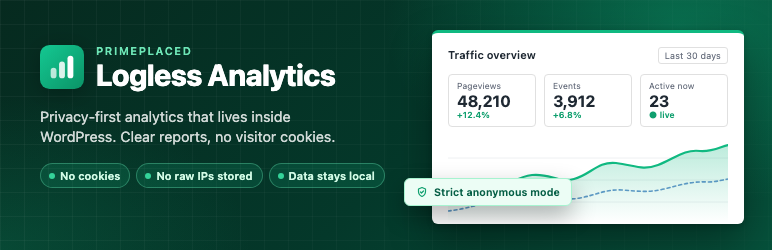
PrimePlaced – Logless Analytics gives WordPress site owners a practical analytics dashboard that runs inside WordPress and is designed around data minimization.
The plugin records pageviews and selected interaction events locally and keeps retention explicit. Strict mode stores no visitor or session identifier; optional session metrics use a daily rotating pseudonymous hash instead of a raw visitor identifier.
Core features
- Cookieless frontend tracking.
- REST, admin-ajax, and Beacon POST fallback transports.
- Local WordPress database storage.
- Optional pseudonymous session hashes with daily salt rotation.
- Top pages, traffic sources (including Google Ads and Meta Ads), devices, realtime activity, events, and 404 views.
- Bot filtering, role exclusions, IP exclusions, and URL path exclusions.
- Configurable script injection position and tracking transport mode.
- Configurable data retention (30 days to one year, or until you delete the data) and maintenance tools.
- CSV export for core analytics snapshots.
Privacy model
PrimePlaced – Logless Analytics is designed to avoid storing raw IP addresses and raw User-Agent strings in analytics tables. The plugin uses request data in memory to derive a pseudonymous session hash and device type, then stores only the derived analytics data needed for reports.
The identity model never uses visitor cookies. Strict anonymous mode is enabled by default. If pseudonymous session metrics are enabled, their hashes rotate daily to prevent long-term visitor profiles.
Pro features
An optional paid Pro version is available separately. The free plugin is fully functional on its own and does not contain locked features.
Pro areas include geolocation analytics, referrer attribution, goals, scheduled reports, ecommerce analytics, form tracking, user journeys, page heatmaps, white-label reporting, WP-CLI/MainWP workflows, and branded PDF reports.
Development
The plugin includes the complete, human-readable source for its generated JavaScript and CSS in assets/src/, together with package.json, package-lock.json, webpack.config.js, tsconfig.json and babel.config.js. To rebuild assets/build/, run npm ci and then npm run build with Node.js 18.12 or newer.
External services
This plugin uses the Freemius SDK, a service provided by Freemius, Inc., for opt-in usage diagnostics, account and license management, and the optional upgrade flow. Visitor analytics data recorded by the plugin is never sent to Freemius.
The plugin contacts Freemius (api.freemius.com, wp.freemius.com, checkout.freemius.com) only in these cases:
- After an administrator opts in on the plugin’s welcome screen: the administrator’s name and email address; the site’s homepage URL and title, WordPress and PHP versions, and site language; the plugin and SDK versions and whether the plugin is active, deactivated, or uninstalled. If the administrator also allows it, the names, slugs, versions, and active status of installed plugins and themes are sent. Opting in is optional, and the administrator can skip it or change permissions later from the plugin’s Account page.
- When an administrator submits deactivation feedback: the selected reason and any text entered.
- When an administrator opens the Pricing page or starts checkout: plan and pricing data are loaded from Freemius, and the information entered during checkout is sent to Freemius to process the purchase.
If the administrator does not opt in and does not use these screens, no data is sent to Freemius.
Freemius terms of service: https://freemius.com/terms/
Freemius privacy policy: https://freemius.com/privacy/
Privacy
PrimePlaced – Logless Analytics is built around local storage, data minimization, and short-lived pseudonymous identity.
Core data stored by the plugin may include:
- Pseudonymous session hash.
- Device category.
- Visited URL path and allowlisted site-search parameters.
- Referrer origin without path, query, or fragment.
- A finite acquisition channel (
google_adsormeta_ads) when an allowlisted paid-campaign marker is present; campaign parameters are evaluated in memory and discarded. - Versioned event type, bounded subject, metrics, and event-specific attributes.
- Timestamps.
Core data intentionally excludes:
- Raw IP addresses in analytics tables.
- Raw User-Agent strings in analytics tables.
- Visitor cookies.
If Pro geolocation is enabled, country-level data may be derived from privacy-friendly edge headers or a local MaxMind database. This is designed to store country codes, not raw visitor IP addresses.
Screenshots

Overview: hits and pageviews compared with the previous period, daily traffic, and device split.

Top Pages: pageviews by page for the selected period.

Top Traffic Sources: direct visits, referring sites, and Google Ads or Meta Ads campaigns.

Real-Time: pageviews per minute and the pages visitors are on right now.

Privacy settings: choose strict anonymous mode or daily rotating session hashes, and set data retention.

