
Pub2Player Wordpress Plugin - Rating, Reviews, Demo & Download
Plugin Description
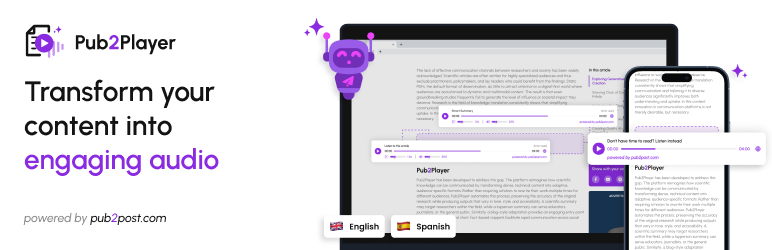
Pub2Player turns each of your blog posts into audio. Visitors press play and listen to the article, in their choice of language (English and Spanish for now), and can optionally listen to a short summary instead.
This plugin is a connector for the Pub2Post / Pub2Player service. It needs a Pub2Post account and an “Embed ID” from the Pub2Post Studio. Audio is generated by the service, using the pages (credits) that come with your Pub2Post plan. See “External services” below for exactly what is sent where.
How it works
- Create a player and a website integration in Pub2Post Studio, choosing “Web” as the CMS type.
- Paste the Embed ID into Pub2Player Settings.
- Switch the player on for your posts (Pub2Player Post Management, or the Pub2Player box in the post editor).
The plugin reads each post’s text from WordPress itself, cleans it, and gives it to the player, so the audio is the same for every visitor and does not depend on your theme’s markup.
Features
- Per-post control. A checkbox in the post editor, and “Enable / Disable Pub2Player” bulk actions plus an enabled/disabled filter on the Posts list.
- Post Management page. Enable or disable the player on all posts, or on all posts published before or after a date.
- New post default. Choose whether the editor’s checkbox starts ticked on new posts.
- Posts created by code. Optionally switch the player on for posts created through the WordPress API, importers or automation tools.
- Player position. Show the player before or after the post content.
- Control over what is read. Choose which shortcodes are read (needed for page builders such as Divi, WPBakery and Avada, which keep article text inside shortcodes), and skip parts of a post by tag, class or ID. The post title and headings are not read.
- Safe by default. The player never appears on password-protected or unpublished posts, archives, excerpts, feeds or secondary loops.
External services
This plugin connects to the Pub2Post / Pub2Player service, operated by Pub2Post (https://www.pub2post.com), to play article audio. It is required for the plugin to work. The service is a paid service; audio generation uses the pages (credits) of the Pub2Post plan linked to your Embed ID.
What the plugin itself does. The plugin’s PHP code makes no requests to the service. It only prints a script tag on posts where the player is switched on.
What loads in your visitors’ browsers. On posts where the player is enabled, the script tag loads the player from Pub2Post’s own server, player.pub2post.com. That script then contacts the Pub2Post audio service, hosted on Amazon Web Services, from the visitor’s browser to:
- load your player’s configuration, using your Embed ID;
- check whether audio for the article already exists, and ask for it to be generated if not. This sends the Embed ID, the article’s address (URL), the article text, a hash of the text, the chosen language, and whether a summary was requested;
- send article details: the title and publisher site name, and the author, DOI and publication date where the page provides them;
- check the remaining balance of your Pub2Post plan;
- record listening statistics: the Embed ID, the article’s hash, the language, and how many seconds were played.
Like any web request, these also expose the visitor’s IP address and browser information to the service.
When data is sent: only on posts where the player is enabled, and only to the Pub2Post service. Nothing is sent from a post where the player is disabled.
- Service provider: Pub2Post (https://www.pub2post.com)
- Terms of Use: https://www.pub2post.com/termCondition
- Service Terms: https://www.pub2post.com/serviceTerms
- Privacy Policy: https://www.pub2post.com/privacyPolicy
Screenshots
No screenshots provided


